In Pure Blog, most pages are standard static pages written in Markdown. However, you can also assign pages to serve special dynamic roles across your site.
These are referred to as Special Pages:
- Home page – The landing page for the root URL (
/) of your site. - Blog page – The page displaying your paginated blog post feed.
- Search page – The page providing the search form and search results.
How Content Works on Special Pages
A common question is: Can I still add my own text, images, or intro copy to a special page?
Yes! Every special page is still a standard Markdown file managed under Content → Pages in the Pure Blog admin panel.
When a page is assigned a special role:
- Pure Blog first renders any Markdown content you have written for the page (such as headings, introductory text, notices, or images).
- Pure Blog then automatically injects the dynamic template components (such as the blog post feed or search form) directly below your Markdown content.
This allows you to add custom introductory copy, announcements, or instructions above the dynamic output without editing theme template files.
The 3 Special Pages
1. Home Page
The Home page is the main landing page of your website accessible at /.
- Configuration: In Settings → Site Settings, select your desired page from the Homepage dropdown.
- Content behaviour: Any Markdown content you write for this page will appear at the top of your homepage. If your theme includes custom homepage includes or sections, they will render below your content.
2. Blog Page
The Blog page displays your published blog posts in reverse chronological order with pagination.
- Configuration: In Settings → Site Settings, choose your blog feed page from the Blog Page dropdown.
- Content behaviour: Any Markdown content you add to the selected page appears above the post listing. This is ideal for adding a brief introduction or welcome note to your blog feed.
- Hiding the feed: If you are running a static site without a blog feed, you can set the Blog Page setting to “Hidden (disable blog page)”. See Hiding the blog page for more details.
3. Search Page
The Search page provides full-text search across your posts and pages.
- Configuration: In Settings → Site Settings, set the Search Page dropdown to your chosen search page (defaults to the
searchslug at/search). - Content behaviour: Any Markdown content on the search page renders directly above the search input bar and search results. This is great for search tips, quick links, or instructions. See Using search for more details.
Special Page Badges in Admin
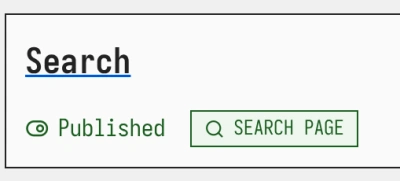
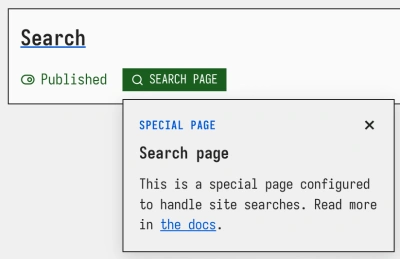
When viewing your pages under Content → Pages in the admin dashboard, Pure Blog displays a green badge next to any page assigned a special role: