Pure Blog is a very opinionated project that I’ve created to work in a way that makes sense to me. However, I have added a number of customisation options that allow other users of Pure Blog to have it reflect their personality.
Customisation in Pure Blog ranges from very basic, to expert level where a developer can change any aspect of their blog, as it’s all open source.
Fonts, colours, and layouts
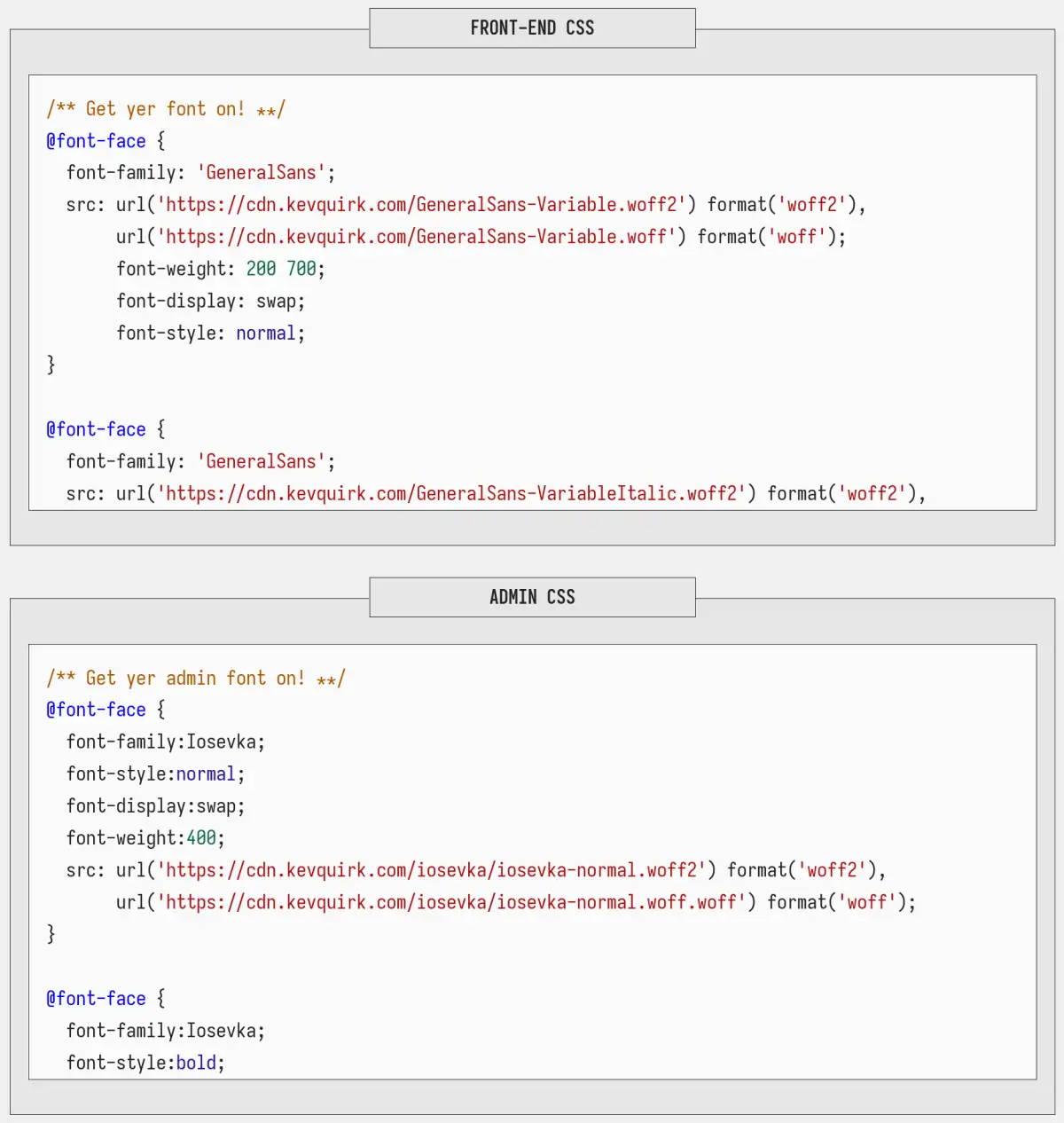
From the theme settings page in the CMS, you have multiple options to customise your Pure Blog. You can pick between a few font options, change the colours of your blog, as well as the layout of the blog post list.
Fonts
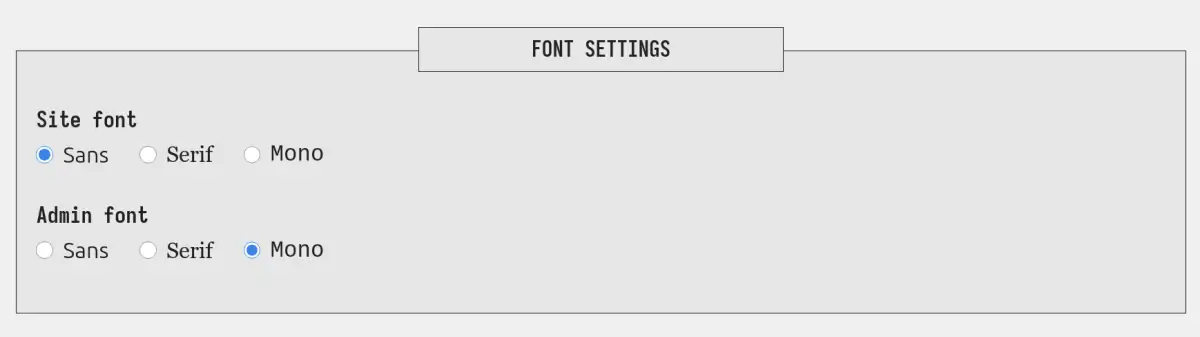
The first options you will see are font and colour settings which allow you to change the font between sans, serif, or mono for both the website and the CMS. The default options are sans for the website and mono for the CMS.
Colours
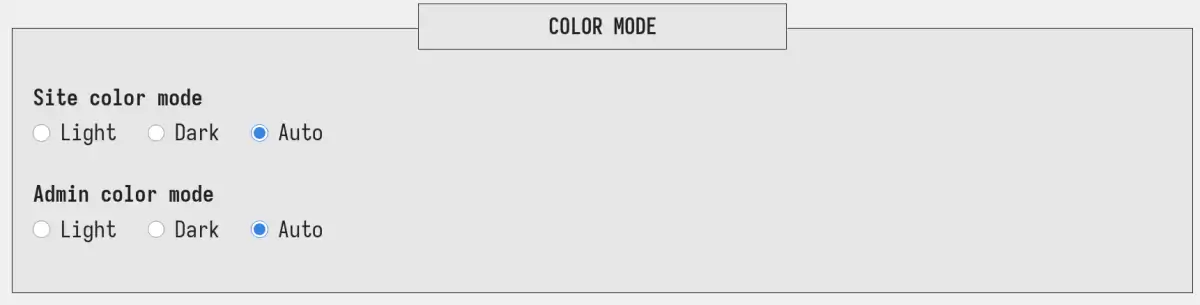
I’m a proud light mode user, and my favourite colour is blue. So that’s why the default accent colour on Pure Blog is a lovely shade of blue. Similarly the design of the site will honour your dark/light mode preference automatically.
But what if you don’t like the blue colour that I choose for Pure Blog? Or what if you prefer to always use dark mode? Well, you can customise both of those things in the Pure Blog CMS.
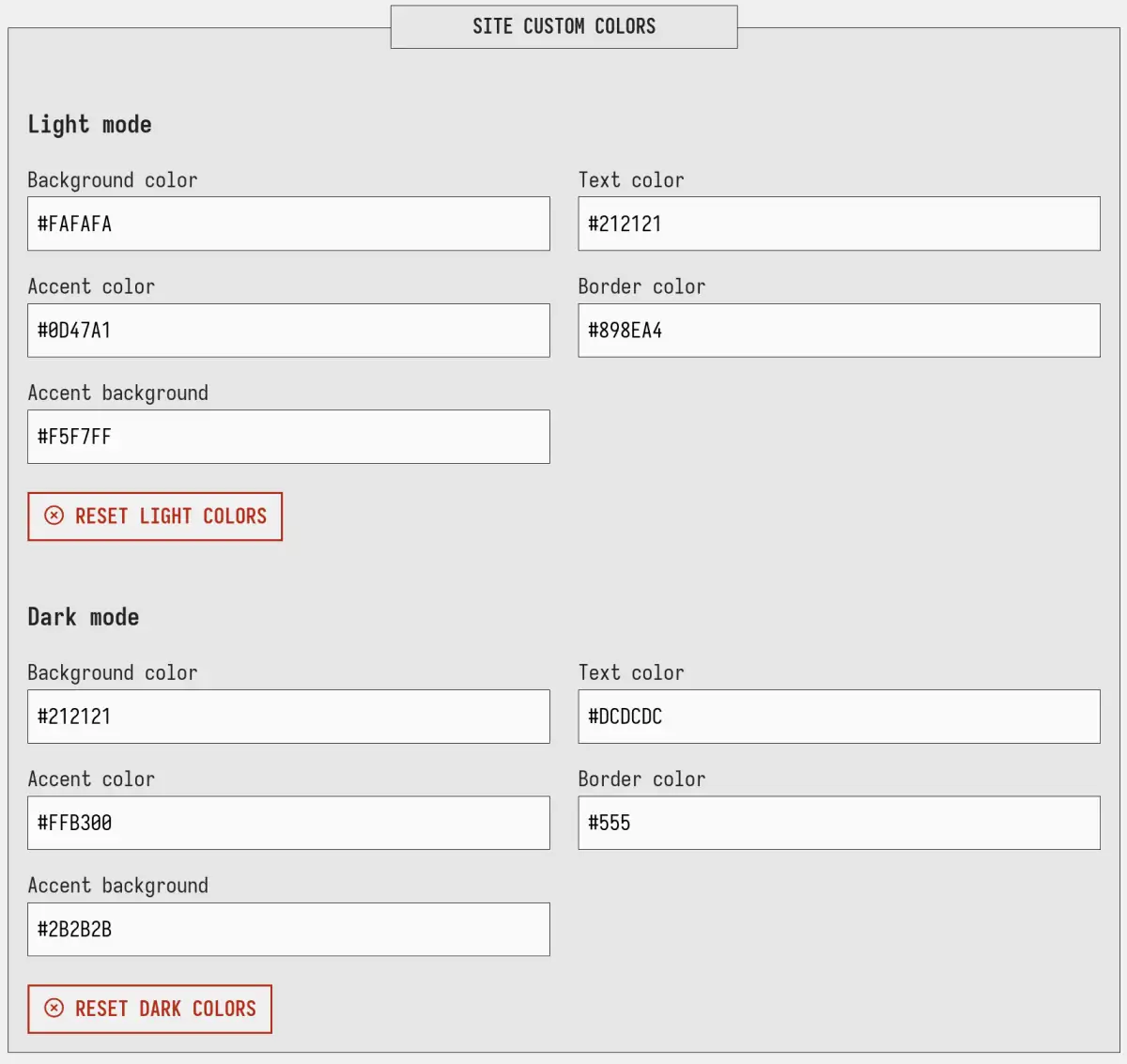
Custom colours are only available on the website, not on within the CMS. I might add this in the future, but I figured people are more likely to want to customise the front end, than the back end.
Layout
I like a simple blog layout that has the title, date, tags and a excerpt. But some people prefer to have the full post in the blog feed, while others prefer a very minimal archive (date & title) view. With Pure Blog you can switch between these different layout types with the click of a button.
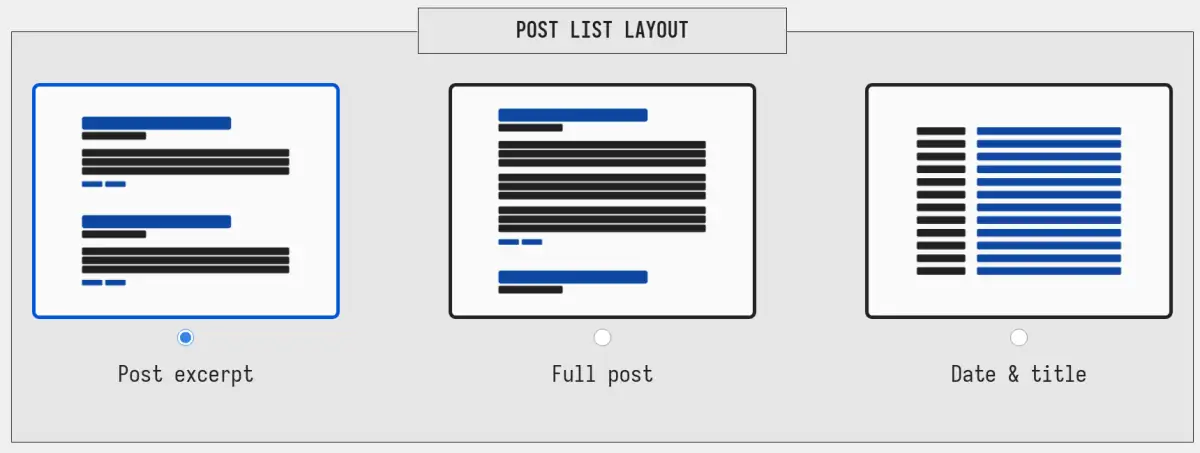
The best part is that this layout preference also updates on both tag and search results too.
Custom CSS
If you want to go a bit deeper and customise other parts of either your website, or the CMS, Pure Blog also supports custom CSS. So you can write your own CSS on the settings page, and that will override the default CSS styles.
Here’s a video that goes over what we covered in this post:
Admin Dashboard Themes
Someone once asked why the Pure Blog admin dashboard looks so utilitarian. The truth is, Pure Blog was deliberately designed to be minimal, lightweight, and fast — but the administration panel is also exceptionally flexible!
Because Pure Blog includes a built-in Custom CSS feature for the administration dashboard, you do not need to settle for the default look. By copying and pasting a stylesheet into Settings → CSS → Custom Admin CSS (or editing /content/css/admin-custom.css), you can completely customise your CMS to look like macOS, WordPress, Windows, or an authentic retro CRT terminal.
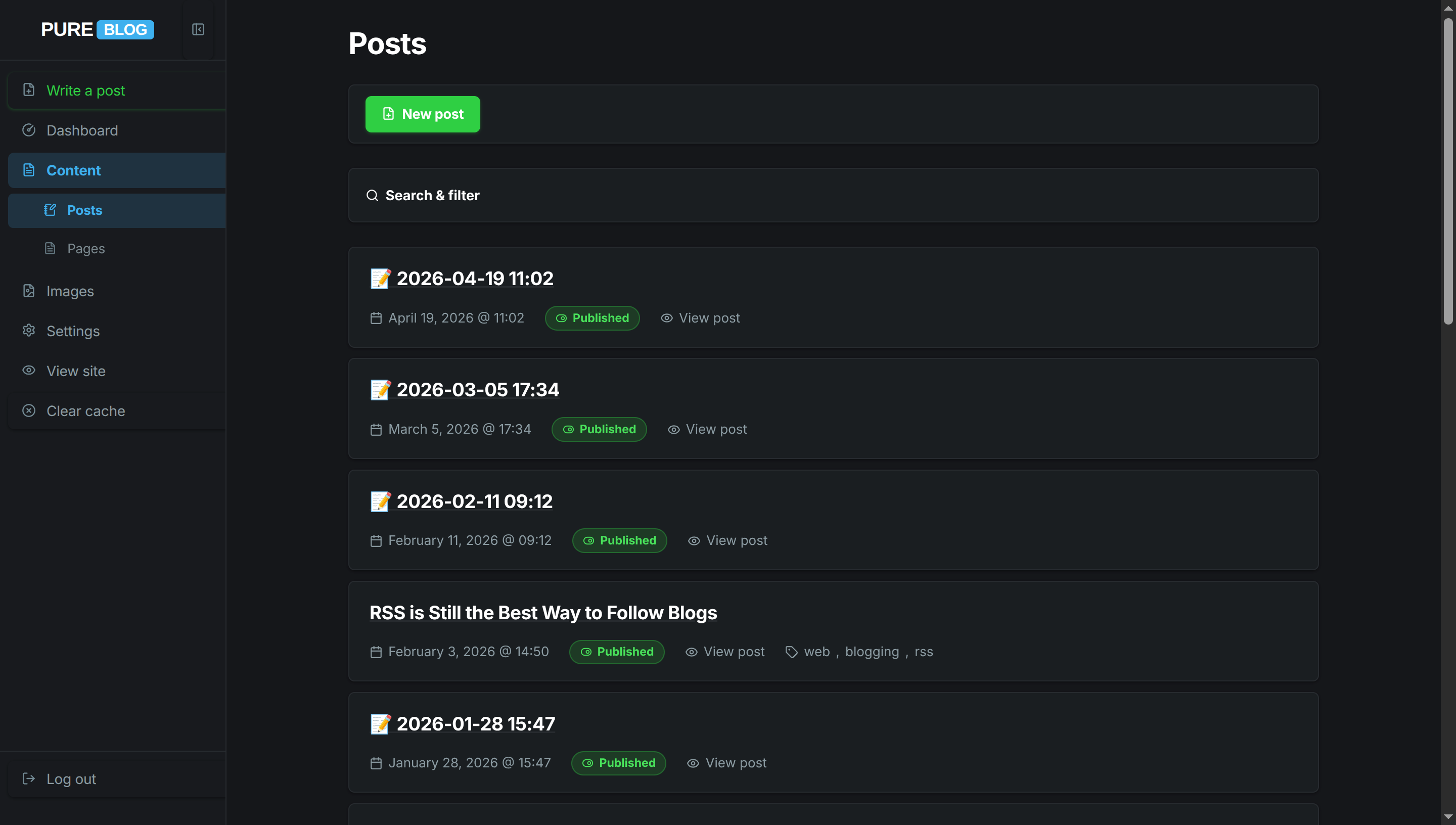
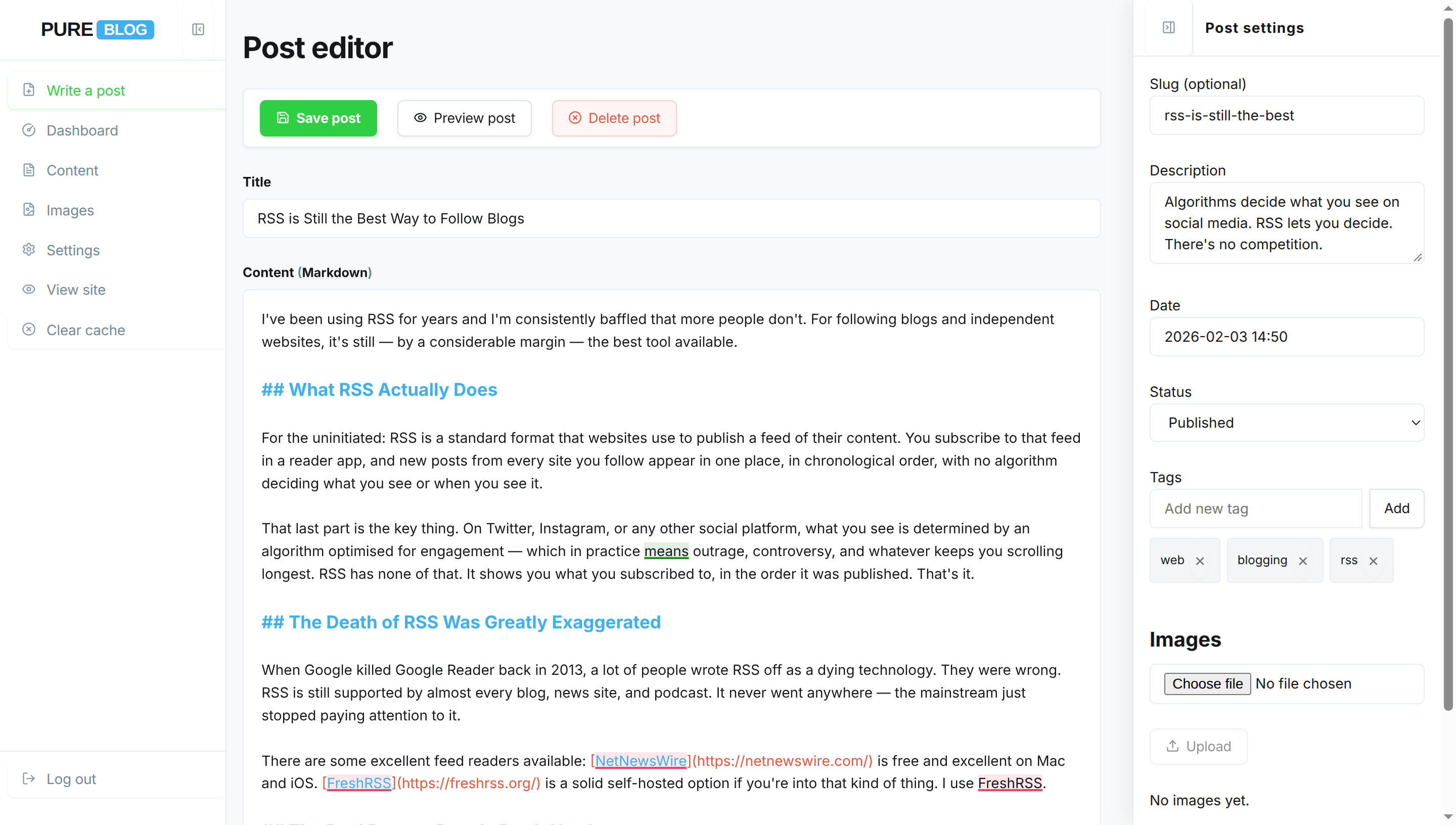
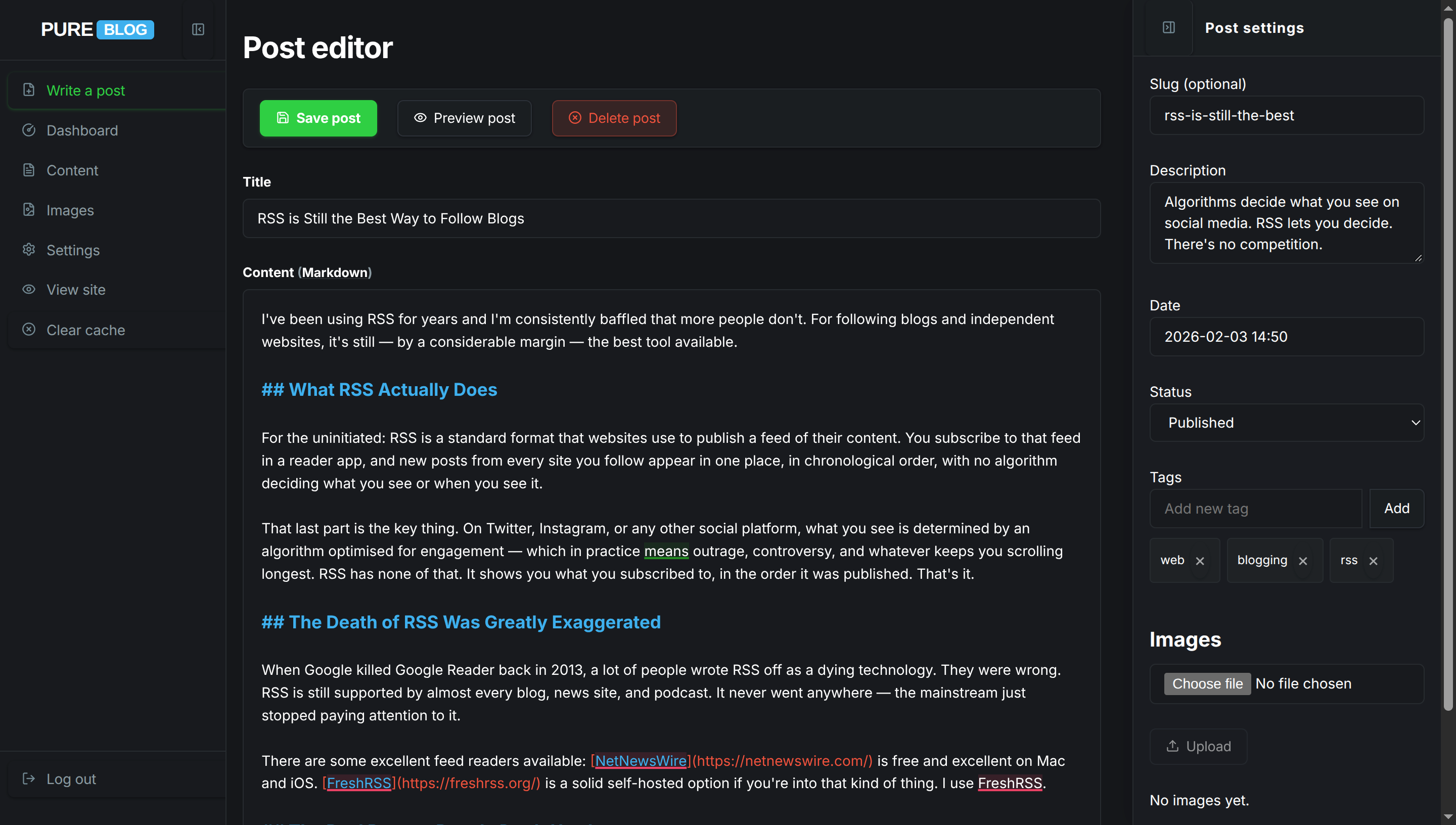
Below is a gallery of ready-to-use custom admin themes. Each theme includes screenshot previews across the Dashboard, Content Manager, and Post Editor (click any thumbnail to view the high-resolution screenshot in the interactive lightbox), a direct download button for the stylesheet, and the complete CSS ready to copy and paste directly into your blog.
How to Apply an Admin Theme
- Open your Pure Blog CMS and navigate to Settings → CSS.
- Scroll down to the Custom Admin CSS code block.
- Choose your preferred theme from the list below:
- Click Download [Theme] CSS to download the stylesheet file, or
- Click View [Theme] CSS to expand the inline code and click the Copy button.
- Paste the stylesheet into the Custom Admin CSS field and click Save settings.
- Your administration panel will immediately update to your chosen style.
To revert back to the default Pure Blog admin styling at any time, simply delete the custom CSS from the Custom Admin CSS field and click Save settings.
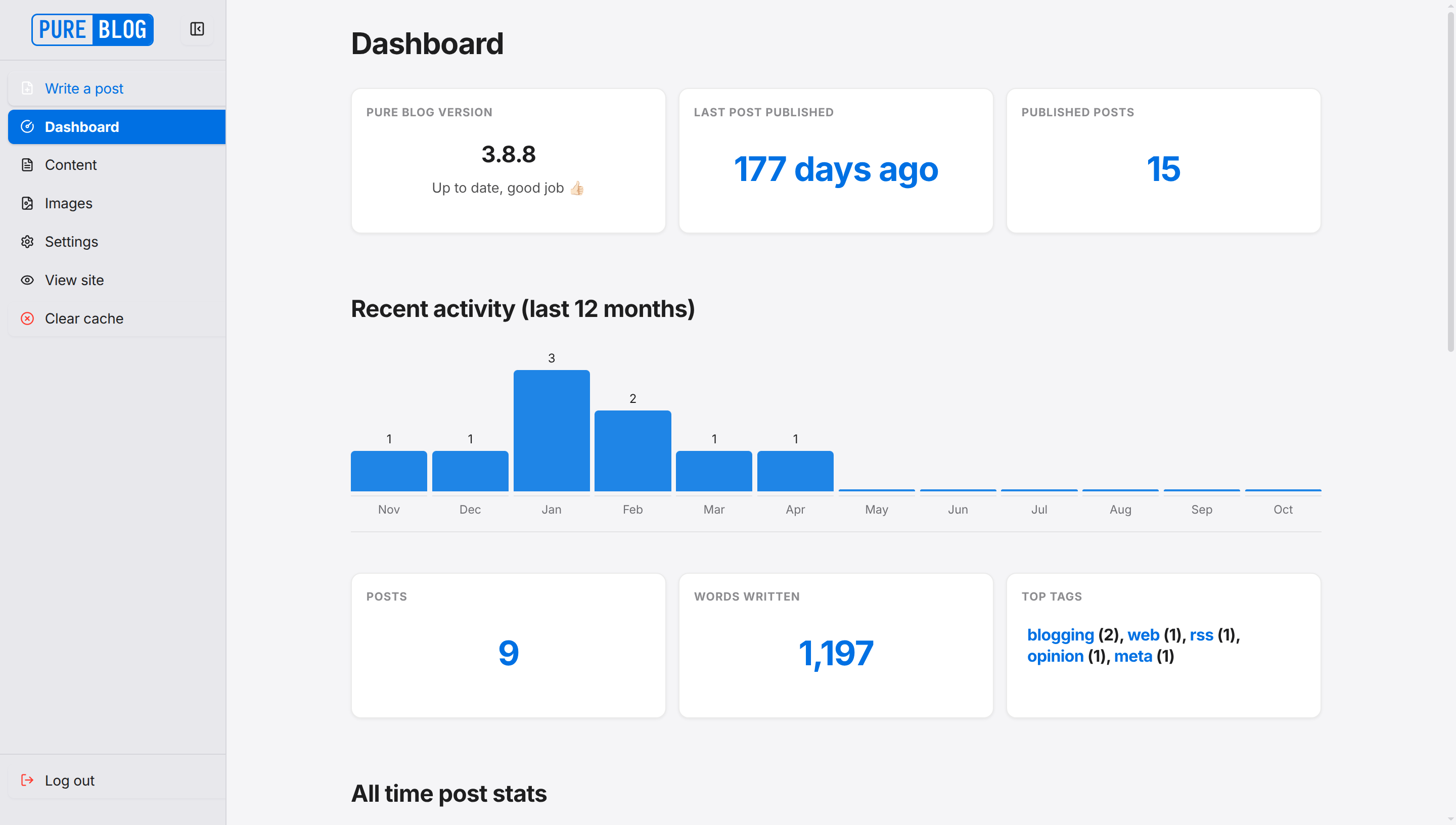
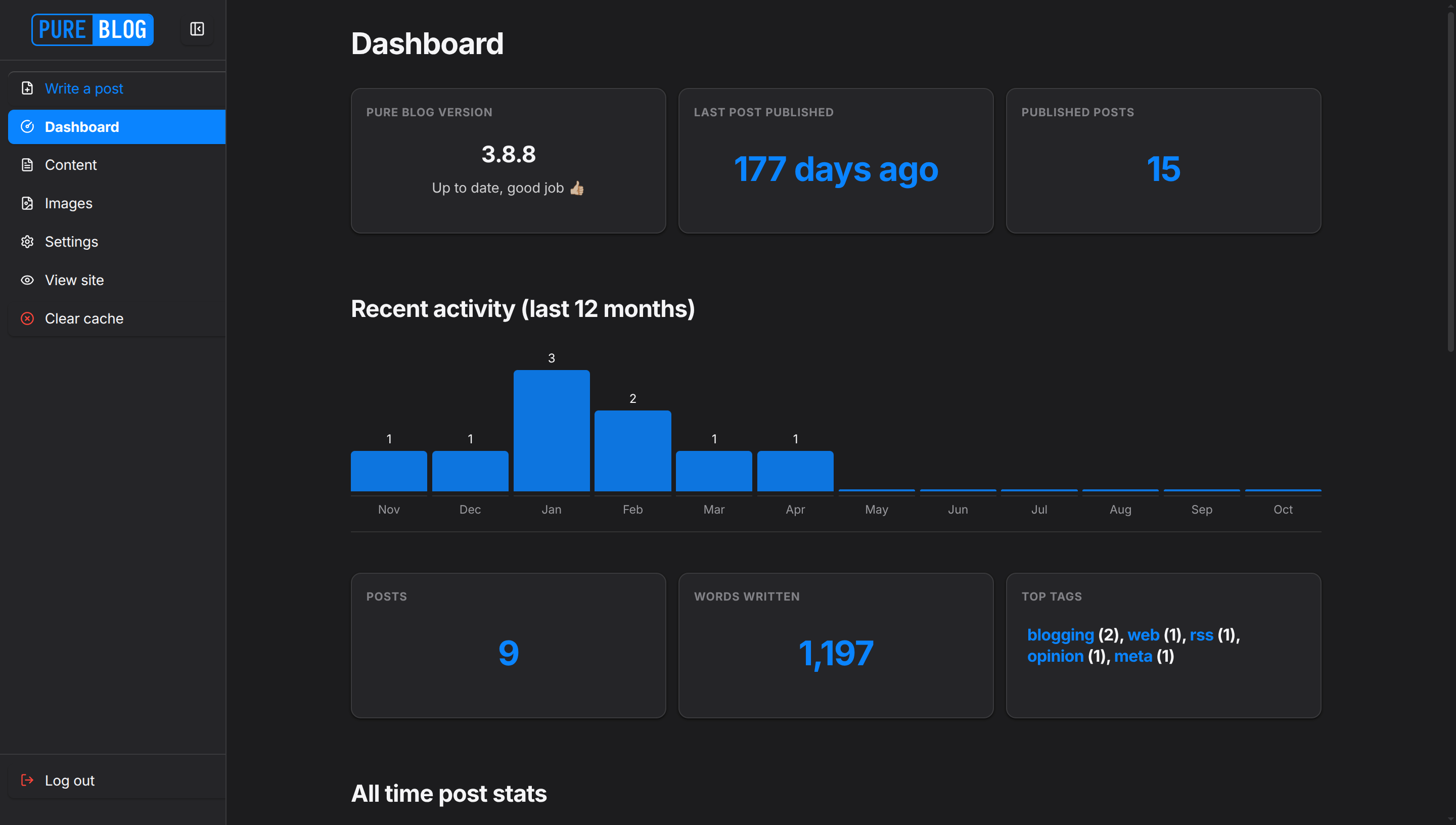
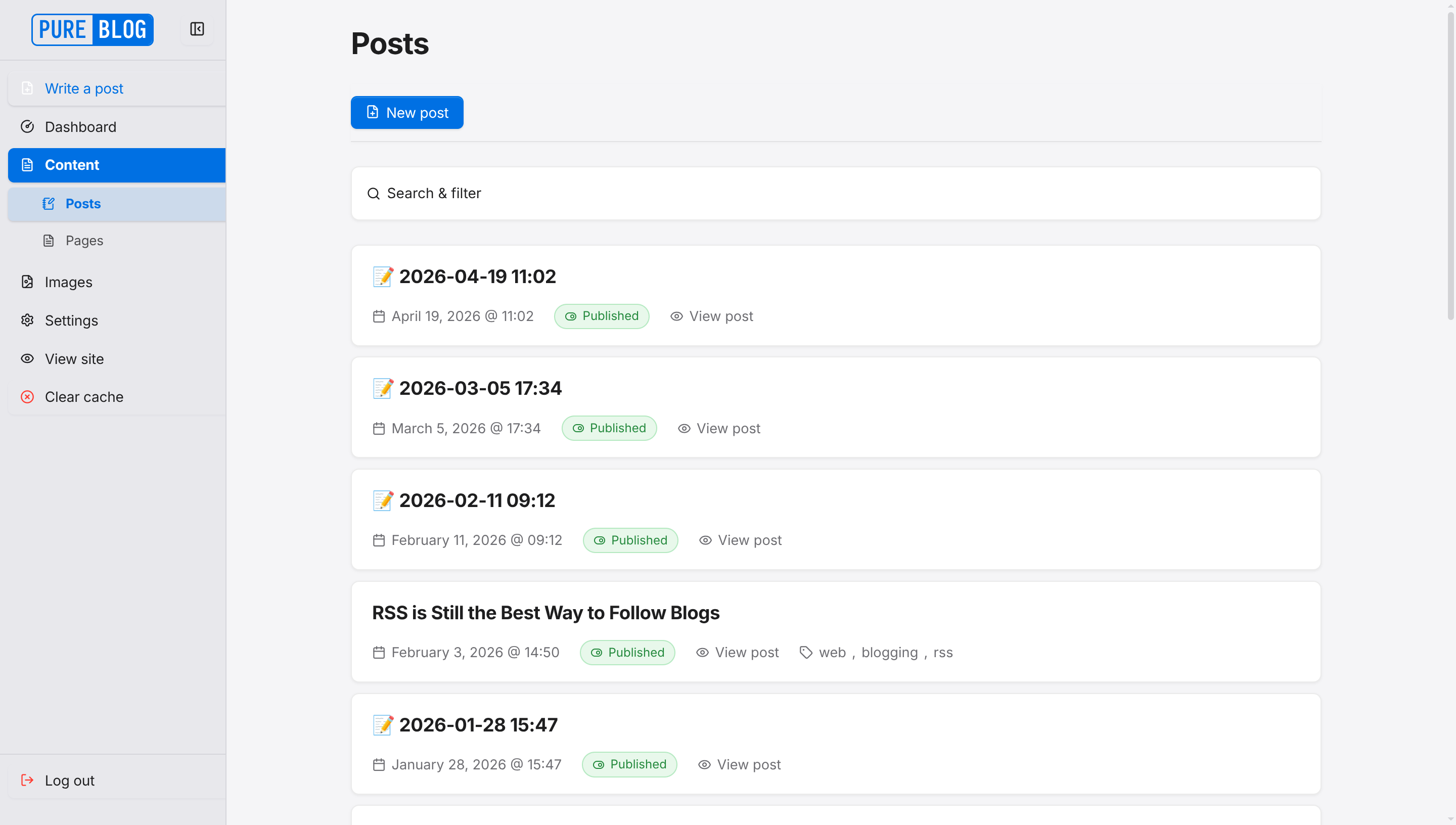
Cupertino (macOS)
A clean, modern macOS Tahoe and Aqua inspired admin dashboard. Features rounded window geometry, subtle translucent backgrounds, refined typography, and soft blue accents. Fully supports both light and dark mode automatically.
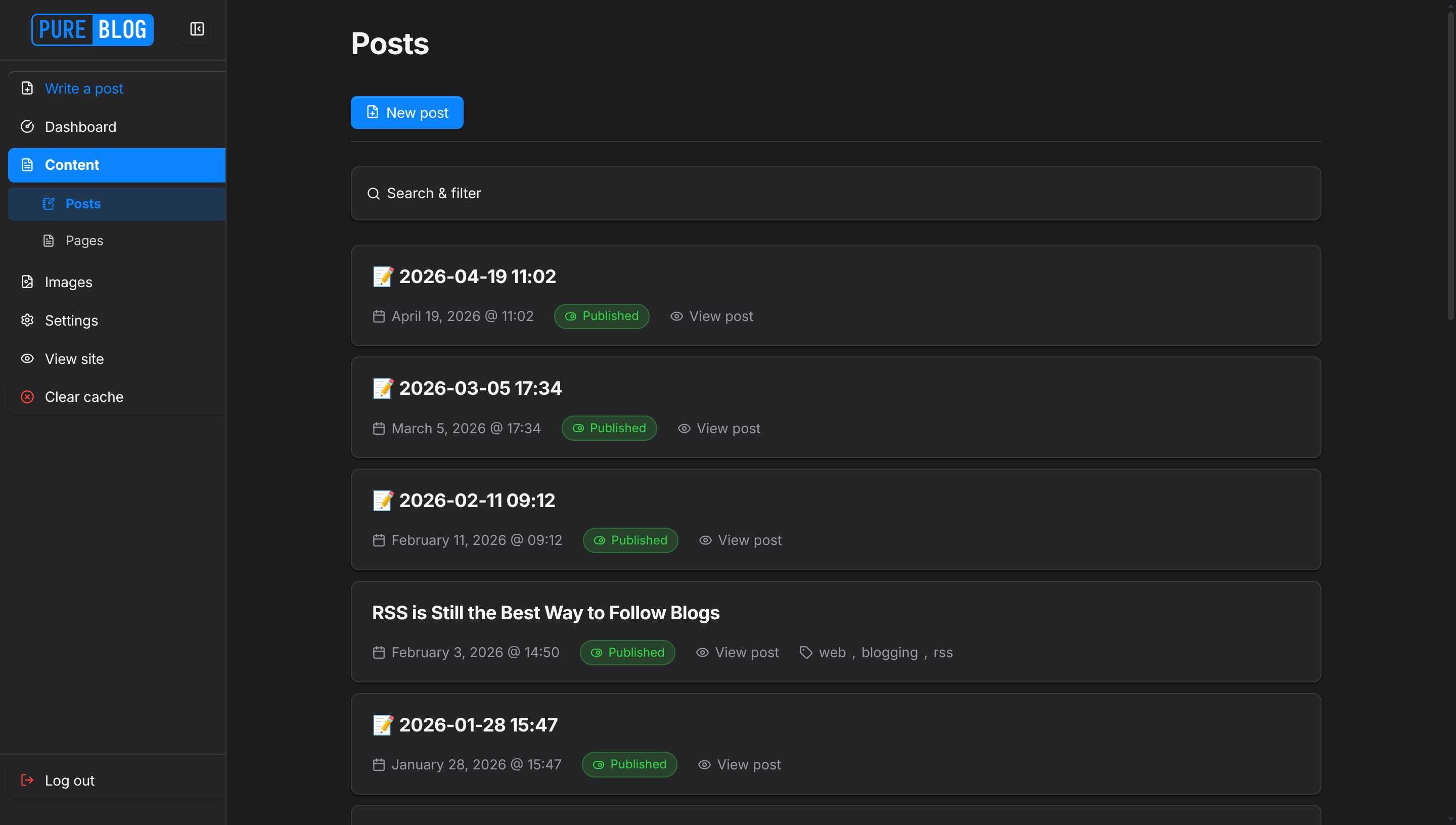
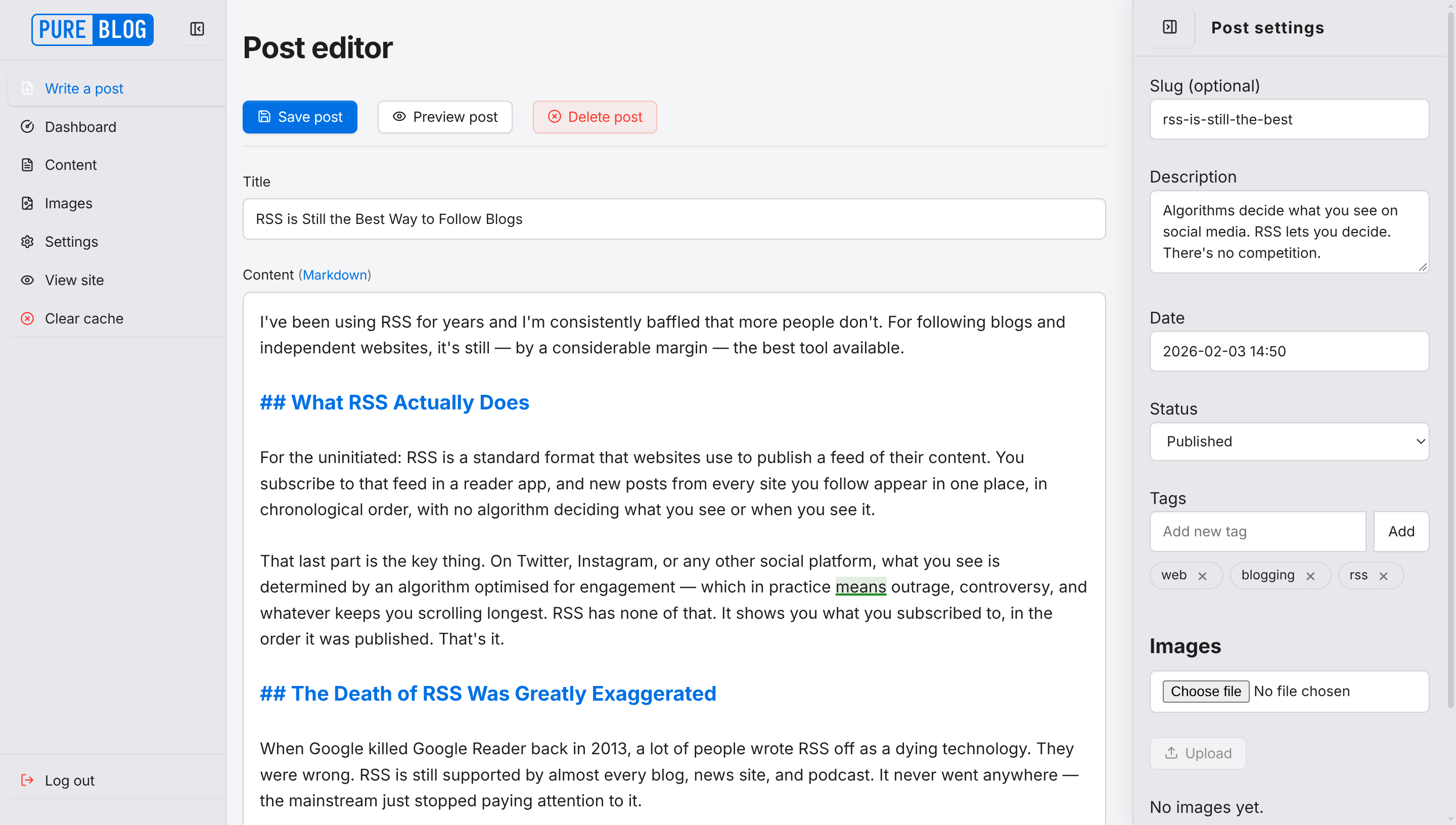
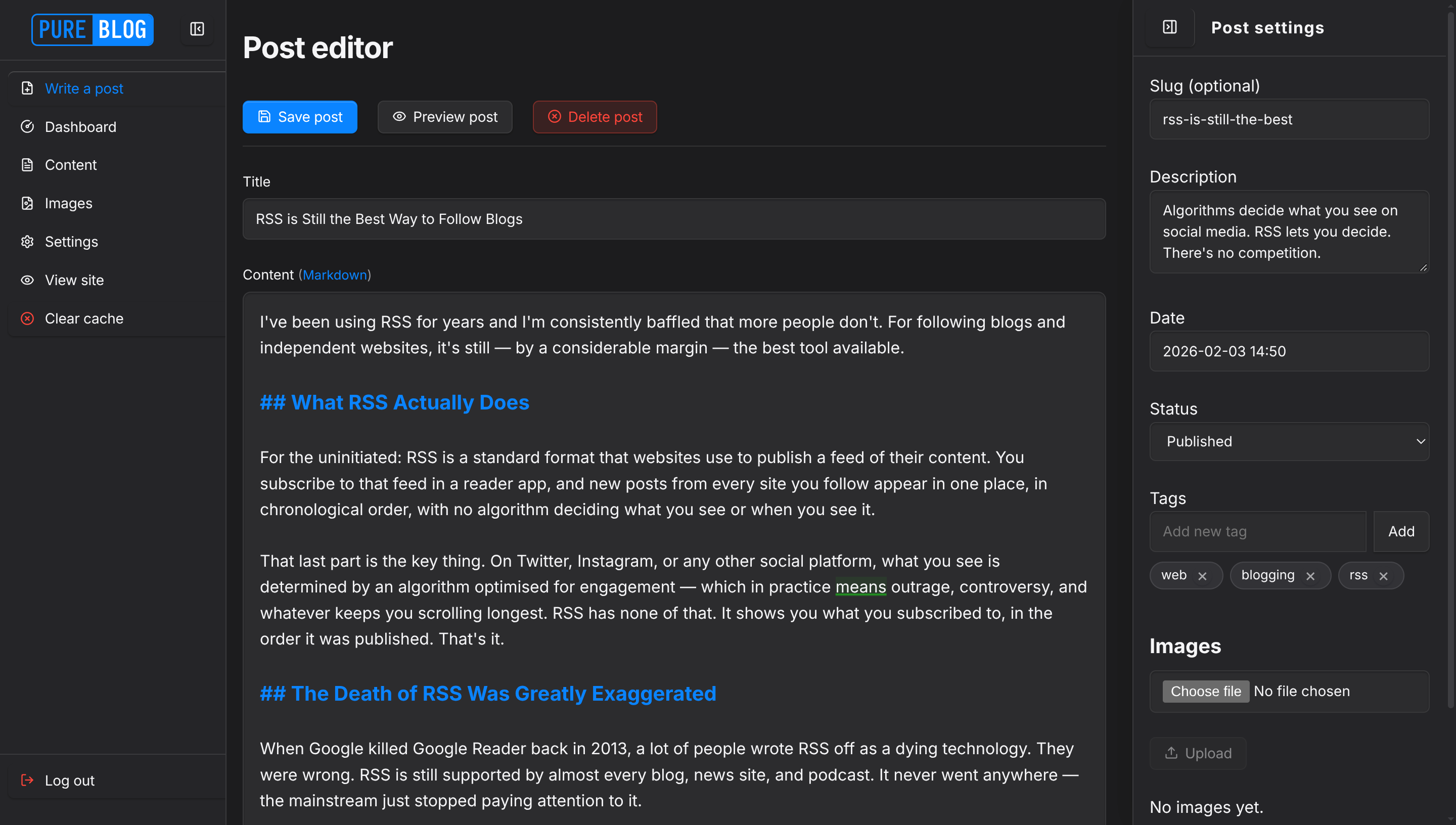
View Cupertino CSS
/**
 * PureBlog Admin Custom Stylesheet (admin-custom.css)
 *
 * Elegant macOS-inspired theme customised with:
 * - Curated greys and blues palette (supporting both light and dark modes)
 * - Subtle border radiuses (6px-12px) across controls, cards, and dialogue windows
 * - Frosted acrylic translucency and refined typography
 * - Smooth micro-transitions and clean push-button aesthetics
 */

/* ==========================================================================
   1. Design Tokens & Colour Schemes
   ========================================================================== */

:root {
    /* Base colour overrides */
    --bg-color: #f5f5f7;
    --accent-bg-color: #e8e8ed;
    --text-color: #1d1d1f;
    --accent-text-color: #ffffff;
    --accent-color: #0071e3;
    --accent-hover: #0077ed;
    --accent-active: #005bb5;
    --border-color: #d2d2d7;
    --input-bg: #ffffff;
    --subnav-bg: #dfdfe4;
    --red: #ff3b30;
    --green: #34c759;
    --blue: #0071e3;
    --orange: #ff9500;
    --code-selection-bg: rgba(0, 113, 227, 0.2);
    --code-active-line-bg: rgba(0, 0, 0, 0.03);

    /* macOS specific surface & typography tokens */
    --text-secondary: #6e6e73;
    --border-subtle: rgba(0, 0, 0, 0.08);
    --card-bg: #ffffff;
    --card-hover-border: #b8b8be;
    --sidebar-hover-bg: rgba(0, 0, 0, 0.05);
    --subnav-active-bg: rgba(0, 113, 227, 0.12);
    --toolbar-bg: rgba(245, 245, 247, 0.82);

    /* Push-button tokens */
    --btn-bg: #ffffff;
    --btn-border: #d2d2d7;
    --btn-hover-bg: #f5f5f7;
    --btn-hover-border: #bcbcc0;
    --btn-active-bg: #ebebf0;
    --btn-shadow: 0 1px 2px rgba(0, 0, 0, 0.04);
    --delete-btn-bg: rgba(255, 59, 48, 0.06);
    --delete-btn-border: rgba(255, 59, 48, 0.25);

    /* Input & shadow tokens */
    --input-shadow: 0 1px 2px rgba(0, 0, 0, 0.04) inset;
    --focus-ring: 0 0 0 3px rgba(0, 113, 227, 0.28);
    --shadow-sm: 0 1px 3px rgba(0, 0, 0, 0.04), 0 1px 2px rgba(0, 0, 0, 0.02);
    --shadow-md: 0 4px 14px rgba(0, 0, 0, 0.07), 0 1px 3px rgba(0, 0, 0, 0.04);
    --shadow-lg: 0 12px 36px rgba(0, 0, 0, 0.12), 0 2px 8px rgba(0, 0, 0, 0.04);

    /* Status badges & pills */
    --pill-bg: #e8e8ed;
    --status-pub-bg: rgba(52, 199, 89, 0.12);
    --status-pub-color: #248a3d;
    --status-pub-border: rgba(52, 199, 89, 0.3);
    --status-draft-bg: rgba(255, 59, 48, 0.1);
    --status-draft-color: #d70015;
    --status-draft-border: rgba(255, 59, 48, 0.25);
    --status-sched-bg: rgba(0, 113, 227, 0.1);
    --status-sched-color: #0071e3;
    --status-sched-border: rgba(0, 113, 227, 0.25);

    /* Notice banners */
    --notice-success-bg: rgba(52, 199, 89, 0.08);
    --notice-success-border: rgba(52, 199, 89, 0.25);
    --notice-danger-bg: rgba(255, 59, 48, 0.08);
    --notice-danger-border: rgba(255, 59, 48, 0.25);

    /* Tables */
    --table-row-hover: rgba(0, 0, 0, 0.025);
}

/* Dark Mode Tokens */
html[data-admin-theme="dark"] {
    --bg-color: #1c1c1e;
    --accent-bg-color: #252528;
    --text-color: #f5f5f7;
    --accent-text-color: #ffffff;
    --accent-color: #0a84ff;
    --accent-hover: #409cff;
    --accent-active: #0066d6;
    --border-color: #38383a;
    --input-bg: #2c2c2e;
    --subnav-bg: #1e1e20;
    --red: #ff453a;
    --green: #32d74b;
    --blue: #0a84ff;
    --orange: #ff9f0a;
    --code-selection-bg: rgba(10, 132, 255, 0.3);
    --code-active-line-bg: rgba(255, 255, 255, 0.04);

    --text-secondary: #98989d;
    --border-subtle: rgba(255, 255, 255, 0.09);
    --card-bg: #252528;
    --card-hover-border: #48484a;
    --sidebar-hover-bg: rgba(255, 255, 255, 0.07);
    --subnav-active-bg: rgba(10, 132, 255, 0.18);
    --toolbar-bg: rgba(28, 28, 30, 0.85);

    --btn-bg: #2c2c2e;
    --btn-border: #3a3a3c;
    --btn-hover-bg: #38383a;
    --btn-hover-border: #545458;
    --btn-active-bg: #404044;
    --btn-shadow: 0 1px 2px rgba(0, 0, 0, 0.25);
    --delete-btn-bg: rgba(255, 69, 58, 0.12);
    --delete-btn-border: rgba(255, 69, 58, 0.3);

    --input-shadow: 0 1px 2px rgba(0, 0, 0, 0.25) inset;
    --focus-ring: 0 0 0 3px rgba(10, 132, 255, 0.35);
    --shadow-sm: 0 1px 3px rgba(0, 0, 0, 0.35), 0 1px 2px rgba(0, 0, 0, 0.2);
    --shadow-md: 0 4px 16px rgba(0, 0, 0, 0.45), 0 1px 3px rgba(0, 0, 0, 0.3);
    --shadow-lg: 0 16px 40px rgba(0, 0, 0, 0.6), 0 2px 8px rgba(0, 0, 0, 0.4);

    --pill-bg: #323236;
    --status-pub-bg: rgba(50, 215, 75, 0.15);
    --status-pub-color: #32d74b;
    --status-pub-border: rgba(50, 215, 75, 0.3);
    --status-draft-bg: rgba(255, 69, 58, 0.15);
    --status-draft-color: #ff453a;
    --status-draft-border: rgba(255, 69, 58, 0.3);
    --status-sched-bg: rgba(10, 132, 255, 0.15);
    --status-sched-color: #0a84ff;
    --status-sched-border: rgba(10, 132, 255, 0.3);

    --notice-success-bg: rgba(50, 215, 75, 0.1);
    --notice-success-border: rgba(50, 215, 75, 0.3);
    --notice-danger-bg: rgba(255, 69, 58, 0.1);
    --notice-danger-border: rgba(255, 69, 58, 0.3);

    --table-row-hover: rgba(255, 255, 255, 0.04);
}

/* System Dark Mode Preference (when set to Auto) */
@media (prefers-color-scheme: dark) {
    html[data-admin-theme="auto"] {
        --bg-color: #1c1c1e;
        --accent-bg-color: #252528;
        --text-color: #f5f5f7;
        --accent-text-color: #ffffff;
        --accent-color: #0a84ff;
        --accent-hover: #409cff;
        --accent-active: #0066d6;
        --border-color: #38383a;
        --input-bg: #2c2c2e;
        --subnav-bg: #1e1e20;
        --red: #ff453a;
        --green: #32d74b;
        --blue: #0a84ff;
        --orange: #ff9f0a;
        --code-selection-bg: rgba(10, 132, 255, 0.3);
        --code-active-line-bg: rgba(255, 255, 255, 0.04);

        --text-secondary: #98989d;
        --border-subtle: rgba(255, 255, 255, 0.09);
        --card-bg: #252528;
        --card-hover-border: #48484a;
        --sidebar-hover-bg: rgba(255, 255, 255, 0.07);
        --subnav-active-bg: rgba(10, 132, 255, 0.18);
        --toolbar-bg: rgba(28, 28, 30, 0.85);

        --btn-bg: #2c2c2e;
        --btn-border: #3a3a3c;
        --btn-hover-bg: #38383a;
        --btn-hover-border: #545458;
        --btn-active-bg: #404044;
        --btn-shadow: 0 1px 2px rgba(0, 0, 0, 0.25);
        --delete-btn-bg: rgba(255, 69, 58, 0.12);
        --delete-btn-border: rgba(255, 69, 58, 0.3);

        --input-shadow: 0 1px 2px rgba(0, 0, 0, 0.25) inset;
        --focus-ring: 0 0 0 3px rgba(10, 132, 255, 0.35);
        --shadow-sm: 0 1px 3px rgba(0, 0, 0, 0.35), 0 1px 2px rgba(0, 0, 0, 0.2);
        --shadow-md: 0 4px 16px rgba(0, 0, 0, 0.45), 0 1px 3px rgba(0, 0, 0, 0.3);
        --shadow-lg: 0 16px 40px rgba(0, 0, 0, 0.6), 0 2px 8px rgba(0, 0, 0, 0.4);

        --pill-bg: #323236;
        --status-pub-bg: rgba(50, 215, 75, 0.15);
        --status-pub-color: #32d74b;
        --status-pub-border: rgba(50, 215, 75, 0.3);
        --status-draft-bg: rgba(255, 69, 58, 0.15);
        --status-draft-color: #ff453a;
        --status-draft-border: rgba(255, 69, 58, 0.3);
        --status-sched-bg: rgba(10, 132, 255, 0.15);
        --status-sched-color: #0a84ff;
        --status-sched-border: rgba(10, 132, 255, 0.3);

        --notice-success-bg: rgba(50, 215, 75, 0.1);
        --notice-success-border: rgba(50, 215, 75, 0.3);
        --notice-danger-bg: rgba(255, 69, 58, 0.1);
        --notice-danger-border: rgba(255, 69, 58, 0.3);

        --table-row-hover: rgba(255, 255, 255, 0.04);
    }
}


/* ==========================================================================
   2. Typography, Reset & Scrollbar Enhancements
   ========================================================================== */

body {
    -webkit-font-smoothing: antialiased;
    -moz-osx-font-smoothing: grayscale;
    text-rendering: optimizeLegibility;
}

/* Headings */
h1 {
    font-size: 1.85rem;
    font-weight: 700;
    letter-spacing: -0.025em;
    color: var(--text-color);
    margin-bottom: 0.5rem;
}

h2 {
    font-size: 1.35rem;
    font-weight: 600;
    letter-spacing: -0.018em;
    color: var(--text-color);
}

h3 {
    font-size: 1.1rem;
    font-weight: 600;
    letter-spacing: -0.012em;
    color: var(--text-color);
}

/* Links */
a {
    color: var(--accent-color);
    text-decoration: none;
    transition: color 0.15s ease, opacity 0.15s ease;
}

a:hover {
    color: var(--accent-hover);
    text-decoration: underline;
}

/* Selection colour */
::selection {
    background-color: var(--code-selection-bg);
}

/* Sleek macOS-style overlay scrollbars */
::-webkit-scrollbar {
    width: 8px;
    height: 8px;
}

::-webkit-scrollbar-track {
    background: transparent;
}

::-webkit-scrollbar-thumb {
    background: rgba(120, 120, 128, 0.28);
    border-radius: 9999px;
    border: 2px solid transparent;
    background-clip: padding-box;
}

::-webkit-scrollbar-thumb:hover {
    background: rgba(120, 120, 128, 0.45);
    background-clip: padding-box;
}

* {
    scrollbar-width: thin;
    scrollbar-color: rgba(120, 120, 128, 0.28) transparent;
}


/* ==========================================================================
   3. Sidebar Navigation (macOS Finder/Settings aesthetic)
   ========================================================================== */

.admin-nav {
    border-right: 1px solid var(--border-subtle);
    background: var(--accent-bg-color);
    padding: 0;
}

.sidebar-header {
    border-bottom: 1px solid var(--border-subtle);
    padding: 0.25rem 0.5rem;
    min-height: 3.5rem;
}

.sidebar-logo .logo {
    border-radius: 6px;
    overflow: hidden;
    border: 1.5px solid var(--accent-color);
}

.sidebar-logo .service {
    background: var(--accent-color);
    color: #ffffff;
}

.sidebar-toggle {
    border: none;
    border-radius: 6px;
    margin: auto 0.25rem;
    padding: 0.5rem;
    transition: background-color 0.15s ease, color 0.15s ease;
}

.sidebar-toggle:hover {
    background: var(--sidebar-hover-bg);
    color: var(--text-color);
}

.admin-nav-list {
    padding: 0.6rem 0;
    gap: 2px;
}

/* macOS Sidebar list item pills */
.admin-nav .admin-nav-list a,
.admin-nav .admin-nav-list .link-button {
    text-transform: none;
    font-size: 0.875rem;
    font-weight: 500;
    letter-spacing: -0.01em;
    padding: 0.45rem 0.75rem;
    margin: 1px 8px;
    border-radius: 6px;
    border: none;
    border-left: none;
    color: var(--text-color);
    gap: 0.65rem;
    transition: background-color 0.15s ease, color 0.15s ease, transform 0.1s ease;
}

.admin-nav .admin-nav-list a:hover,
.admin-nav .admin-nav-list .link-button:hover {
    background-color: var(--sidebar-hover-bg);
    color: var(--text-color);
}

/* Active navigation item: macOS System Blue highlight */
.admin-nav .admin-nav-list a.current,
.admin-nav .admin-nav-list a.current:hover {
    background-color: var(--accent-color);
    color: #ffffff;
    font-weight: 600;
    box-shadow: 0 1px 2px rgba(0, 0, 0, 0.15);
}

.admin-nav .admin-nav-list a.current .icon,
.admin-nav .admin-nav-list a.current svg {
    stroke: #ffffff;
}

/* Sidebar Subnav items */
.admin-nav .sidebar-subnav {
    background-color: transparent;
    border-bottom: none;
    padding: 0.2rem 0;
}

.admin-nav .sidebar-subnav a,
.admin-nav .sidebar-subnav .link-button {
    padding-left: 2.1rem;
    font-size: 0.8125rem;
    font-weight: 400;
    opacity: 0.8;
    margin: 1px 8px;
    border-radius: 5px;
}

.admin-nav .sidebar-subnav a:hover,
.admin-nav .sidebar-subnav .link-button:hover {
    opacity: 1;
    background-color: var(--sidebar-hover-bg);
    color: var(--text-color);
}

.admin-nav .sidebar-subnav a.current,
.admin-nav .sidebar-subnav a.current:hover {
    opacity: 1;
    background-color: var(--subnav-active-bg);
    color: var(--accent-color);
    font-weight: 600;
}

.admin-nav .sidebar-subnav a.current .icon {
    stroke: var(--accent-color);
}

#sidebar-new-post-button {
    color: var(--accent-color);
}

#sidebar-new-post-button:hover {
    background-color: var(--sidebar-hover-bg);
    color: var(--accent-color);
}

ul.admin-nav-list .logout-item {
    margin-top: auto;
    padding-top: 0.5rem;
    border-top: 1px solid var(--border-subtle);
}


/* ==========================================================================
   4. Buttons & Interactive Controls (macOS Push Buttons)
   ========================================================================== */

button,
a.button,
a.delete,
a.save,
.editor-actions button,
.link-button,
.editor-actions a {
    text-transform: none;
    font-weight: 500;
    font-size: 0.875rem;
    letter-spacing: -0.01em;
    border-radius: 6px;
    border: 1px solid var(--btn-border);
    background: var(--btn-bg);
    color: var(--text-color);
    padding: 0.45rem 0.85rem;
    box-shadow: var(--btn-shadow);
    transition: background-color 0.15s ease, border-color 0.15s ease, color 0.15s ease, transform 0.1s ease, box-shadow 0.15s ease;
}

button:hover,
a.button:hover,
.link-button:hover,
.editor-actions button:hover,
.editor-actions a:hover {
    background-color: var(--btn-hover-bg);
    border-color: var(--btn-hover-border);
    color: var(--text-color);
}

button:active,
a.button:active,
.link-button:active,
.editor-actions button:active,
.editor-actions a:active {
    background-color: var(--btn-active-bg);
    transform: scale(0.985);
}

button:focus-visible,
a.button:focus-visible,
.link-button:focus-visible {
    outline: none;
    border-color: var(--accent-color);
    box-shadow: var(--focus-ring);
}

/* Primary / Save Button */
.save,
a.save,
button.save {
    background: var(--accent-color);
    color: #ffffff;
    border: 1px solid transparent;
    box-shadow: 0 1px 2px rgba(0, 0, 0, 0.12), inset 0 1px 0 rgba(255, 255, 255, 0.15);
}

.save .icon,
a.save .icon,
button.save .icon {
    stroke: #ffffff;
}

a.save:hover,
button.save:hover,
.editor-actions button.save:hover,
.editor-actions a.save:hover {
    background: var(--accent-hover);
    color: #ffffff;
    border-color: transparent;
    box-shadow: 0 2px 5px rgba(0, 113, 227, 0.28);
}

a.save:active,
button.save:active {
    background: var(--accent-active);
    color: #ffffff;
    transform: scale(0.985);
}

/* Destructive / Delete Button */
.delete,
a.delete,
button.delete,
.link-button.delete {
    background: var(--delete-btn-bg);
    color: var(--red);
    border: 1px solid var(--delete-btn-border);
}

.delete .icon,
a.delete .icon,
button.delete .icon {
    stroke: var(--red);
}

a.delete:hover,
button.delete:hover,
.editor-actions a.delete:hover,
.link-button.delete:hover {
    background: var(--red);
    color: #ffffff;
    border-color: var(--red);
    box-shadow: 0 2px 5px rgba(255, 59, 48, 0.25);
}

a.delete:hover .icon,
button.delete:hover .icon,
.link-button.delete:hover .icon {
    stroke: #ffffff;
}

a.delete:active,
button.delete:active {
    transform: scale(0.985);
}

/* Disabled buttons */
button:disabled,
button[disabled],
.button[aria-disabled="true"] {
    opacity: 0.45;
    cursor: not-allowed;
    transform: none !important;
    box-shadow: none !important;
}

button:disabled:hover,
button[disabled]:hover,
.button[aria-disabled="true"]:hover {
    background: var(--btn-bg);
    color: var(--text-color);
    border-color: var(--btn-border);
}


/* ==========================================================================
   5. Form Controls & Inputs
   ========================================================================== */

input[type="text"],
input[type="email"],
input[type="search"],
input[type="password"],
input[type="number"],
input[type="url"],
input[type="file"],
textarea,
select {
    border-radius: 6px;
    border: 1px solid var(--border-color);
    background-color: var(--input-bg);
    color: var(--text-color);
    padding: 0.55rem 0.75rem;
    font-size: 0.875rem;
    line-height: 1.5;
    box-shadow: var(--input-shadow);
    transition: border-color 0.15s ease, box-shadow 0.15s ease, background-color 0.15s ease;
}

input[type="text"]:focus,
input[type="email"]:focus,
input[type="search"]:focus,
input[type="password"]:focus,
input[type="number"]:focus,
input[type="url"]:focus,
textarea:focus,
select:focus {
    outline: none;
    border-color: var(--accent-color);
    box-shadow: var(--focus-ring);
}

form label {
    font-weight: 500;
    font-size: 0.85rem;
    margin-bottom: 0.35rem;
    color: var(--text-color);
}

form label span.tip,
p.tip {
    font-size: 0.8rem;
    color: var(--text-secondary);
    font-style: normal;
}

/* Checkboxes and Radios */
input[type="checkbox"],
input[type="radio"] {
    accent-color: var(--accent-color);
    cursor: pointer;
}

.checkbox-label,
.inline-checkbox,
.inline-radio {
    font-size: 0.875rem;
    color: var(--text-color);
    cursor: pointer;
    user-select: none;
}

/* Layout picker selector cards */
.layout-preview {
    border-radius: 8px;
    border: 2px solid var(--border-subtle);
    background: var(--card-bg);
    transition: border-color 0.15s ease, box-shadow 0.15s ease;
}

.layout-choice:hover .layout-preview {
    border-color: var(--accent-color);
}

.layout-choice input:checked + .layout-preview {
    border-color: var(--accent-color);
    box-shadow: 0 0 0 2px var(--accent-color);
}

/* Tags Entry & Suggestions */
.tag-entry-row input[type="text"] {
    border-top-right-radius: 0;
    border-bottom-right-radius: 0;
}

.tag-entry-row .tag-add-btn {
    border-top-left-radius: 0;
    border-bottom-left-radius: 0;
    margin-left: -1px;
}

.tag-suggestions {
    border-radius: 0 0 8px 8px;
    border: 1px solid var(--border-color);
    background: var(--card-bg);
    box-shadow: var(--shadow-md);
}

.tag-suggestions li {
    padding: 0.45rem 0.75rem;
    font-size: 0.85rem;
    transition: background-color 0.1s ease;
}

.tag-suggestions li:hover,
.tag-suggestions li.active {
    background: var(--accent-color);
    color: #ffffff;
}

/* Tag Capsule Pills */
.tag-badge {
    border-radius: 9999px;
    border: 1px solid var(--border-subtle);
    background: var(--pill-bg);
    padding: 0.2rem 0.65rem;
    font-size: 0.8rem;
    font-weight: 500;
}

.tag-badge-remove {
    border-radius: 50%;
    transition: background-color 0.15s ease, color 0.15s ease;
}


/* ==========================================================================
   6. Sticky Toolbars & Action Bars (Translucent Frosted Glass)
   ========================================================================== */

.admin-actions,
.editor-actions {
    border-top: none;
    border-bottom: 1px solid var(--border-subtle);
    background: var(--toolbar-bg);
    backdrop-filter: blur(20px) saturate(180%);
    -webkit-backdrop-filter: blur(20px) saturate(180%);
    padding: 0.75rem 0;
    margin: 1rem 0 1.5rem 0;
    z-index: 100;
    box-shadow: 0 1px 3px rgba(0, 0, 0, 0.02);
}

.mobile-nav-header {
    backdrop-filter: blur(20px) saturate(180%);
    -webkit-backdrop-filter: blur(20px) saturate(180%);
    background: var(--toolbar-bg);
    border-bottom: 1px solid var(--border-subtle);
}

.autosave-status {
    color: var(--text-secondary);
    font-size: 0.8rem;
}


/* ==========================================================================
   7. Content Lists, Cards & Metadata Badges
   ========================================================================== */

.admin-list {
    gap: 0.65rem;
}

.admin-list-item {
    border-radius: 8px;
    border: 1px solid var(--border-subtle);
    background: var(--card-bg);
    box-shadow: var(--shadow-sm);
    padding: 1rem 1.25rem;
    transition: border-color 0.15s ease, box-shadow 0.15s ease, transform 0.15s ease;
}

.admin-list-item:hover {
    border-color: var(--card-hover-border);
    box-shadow: var(--shadow-md);
}

.admin-list-title {
    font-size: 1.15rem;
    font-weight: 600;
    letter-spacing: -0.015em;
    color: var(--text-color);
}

.admin-list-meta {
    font-size: 0.85rem;
    color: var(--text-secondary);
    gap: 0.5rem 1.25rem;
}

/* Status Badges: Sleek Capsule Pills */
.admin-list-meta .status.published {
    display: inline-flex;
    align-items: center;
    border-radius: 9999px;
    padding: 0.12rem 0.6rem;
    font-size: 0.75rem;
    font-weight: 500;
    background: var(--status-pub-bg);
    color: var(--status-pub-color);
    border: 1px solid var(--status-pub-border);
}

.admin-list-meta .status.draft {
    display: inline-flex;
    align-items: center;
    border-radius: 9999px;
    padding: 0.12rem 0.6rem;
    font-size: 0.75rem;
    font-weight: 500;
    background: var(--status-draft-bg);
    color: var(--status-draft-color);
    border: 1px solid var(--status-draft-border);
}

.admin-list-meta .status.scheduled {
    display: inline-flex;
    align-items: center;
    border-radius: 9999px;
    padding: 0.12rem 0.6rem;
    font-size: 0.75rem;
    font-weight: 500;
    background: var(--status-sched-bg);
    color: var(--status-sched-color);
    border: 1px solid var(--status-sched-border);
}

.admin-list-meta button.page-badge {
    border-radius: 9999px;
    padding: 0.12rem 0.6rem;
    font-size: 0.75rem;
    font-weight: 500;
    border: 1px solid var(--status-pub-border);
    background: var(--status-pub-bg);
    color: var(--status-pub-color);
    transition: all 0.15s ease;
}

.admin-list-meta button.page-badge:hover,
.admin-list-meta button.page-badge:focus-visible,
.admin-list-meta button.page-badge[aria-expanded="true"] {
    background: var(--green);
    color: #ffffff;
    border-color: var(--green);
}

.page-badge-popover {
    border-radius: 10px;
    border: 1px solid var(--border-subtle);
    background: var(--card-bg);
    box-shadow: var(--shadow-lg);
}


/* ==========================================================================
   8. Search & Filter Accordion Panel
   ========================================================================== */

.content-filter {
    margin: 1.5rem 0;
    border: 1px solid var(--border-subtle);
    border-radius: 8px;
    padding: 0.65rem 0.9rem;
    background: var(--card-bg);
    box-shadow: var(--shadow-sm);
}

.content-filter-summary {
    text-transform: none;
    font-size: 0.875rem;
    font-weight: 500;
    color: var(--text-color);
    padding: 0.25rem 0;
    transition: color 0.15s ease;
}

.content-filter-summary:hover {
    color: var(--accent-color);
}

.content-filter-active-label {
    border-radius: 9999px;
    background: var(--accent-color);
    color: #ffffff;
    font-size: 0.75rem;
    font-weight: 500;
    padding: 0.15rem 0.55rem;
}


/* ==========================================================================
   9. Dashboard Cards, Statistics & Activity Charts
   ========================================================================== */

.dashboard-h2 {
    font-size: 1.45rem;
    font-weight: 600;
    letter-spacing: -0.02em;
    margin-top: 3.5rem;
}

.dashboard-h3 {
    font-size: 1.15rem;
    font-weight: 600;
    letter-spacing: -0.015em;
    margin-top: 2.5rem;
}

.dashboard-stat-card {
    border-radius: 10px;
    border: 1px solid var(--border-subtle);
    background: var(--card-bg);
    box-shadow: var(--shadow-sm);
    padding: 1.15rem 1.25rem;
    transition: border-color 0.15s ease, box-shadow 0.15s ease;
}

.dashboard-stat-card:hover {
    border-color: var(--card-hover-border);
    box-shadow: var(--shadow-md);
}

.dashboard-stat-label {
    text-transform: uppercase;
    font-size: 0.7rem;
    font-weight: 600;
    letter-spacing: 0.05em;
    color: var(--text-secondary);
}

.dashboard-stat-value {
    color: var(--text-color);
    font-weight: 700;
    letter-spacing: -0.02em;
}

.dashboard-stat-card-metric .dashboard-stat-value {
    color: var(--accent-color);
    font-size: 2.1rem;
}

.dashboard-chart {
    border-bottom: 1px solid var(--border-subtle);
    padding-bottom: 0.5rem;
}

.dashboard-chart-bar {
    border-radius: 4px 4px 0 0;
    background: var(--accent-color);
    opacity: 0.85;
    transition: opacity 0.15s ease;
}

a.dashboard-chart-col:hover .dashboard-chart-bar {
    opacity: 1;
}

.dashboard-chart-label {
    border-top: 1px solid var(--border-subtle);
    color: var(--text-secondary);
    font-size: 0.72rem;
    text-transform: none;
    letter-spacing: 0;
}


/* ==========================================================================
   10. Alerts, Notices & Toast Notifications
   ========================================================================== */

.notice {
    border-radius: 8px;
    border: 1px solid var(--notice-success-border);
    border-left: 4px solid var(--green);
    background: var(--notice-success-bg);
    color: var(--text-color);
    padding: 0.85rem 1.1rem;
    box-shadow: var(--shadow-sm);
}

.notice.delete {
    border: 1px solid var(--notice-danger-border);
    border-left: 4px solid var(--red);
    background: var(--notice-danger-bg);
    color: var(--text-color);
}

.admin-toast-container .notice {
    border-radius: 10px;
    box-shadow: var(--shadow-lg);
    border: 1px solid var(--border-subtle);
    border-left: 4px solid var(--green);
    backdrop-filter: blur(20px) saturate(180%);
    -webkit-backdrop-filter: blur(20px) saturate(180%);
}

.admin-toast-container .notice.delete {
    border-left-color: var(--red);
}

.toast-close-btn {
    border-radius: 50%;
    transition: background-color 0.15s ease;
}


/* ==========================================================================
   11. Editor & CodeJar / Prism
   ========================================================================== */

.editor {
    border-radius: 8px;
    border: 1px solid var(--border-color);
    background-color: var(--input-bg) !important;
    box-shadow: var(--input-shadow);
    padding: 1rem;
    transition: border-color 0.15s ease, box-shadow 0.15s ease;
}

.editor:focus-within {
    border-color: var(--accent-color);
    box-shadow: var(--focus-ring);
}

.editor-sidebar {
    border-left: 1px solid var(--border-subtle);
    background: var(--accent-bg-color);
}

body.editor-sidebar-open .editor-sidebar {
    border-left: 1px solid var(--border-subtle);
    box-shadow: -4px 0 24px rgba(0, 0, 0, 0.08);
}

.editor-sidebar .sidebar-header {
    border-bottom: 1px solid var(--border-subtle);
}

.editor-sidebar .sidebar-title {
    text-transform: none;
    font-size: 1rem;
    font-weight: 600;
}


/* ==========================================================================
   12. Dialogue Windows, Modals & Lightbox
   ========================================================================== */

#layout-picker,
#sidebar-layout-picker {
    border-radius: 12px;
    border: 1px solid var(--border-subtle);
    background: var(--card-bg);
    box-shadow: var(--shadow-lg);
    padding: 2rem;
}

.layout-picker-list a {
    border-radius: 6px;
    border: 1px solid var(--btn-border);
    background: var(--btn-bg);
    text-transform: none;
    font-weight: 500;
    transition: all 0.15s ease;
}

.layout-picker-list a:hover {
    background: var(--accent-color);
    color: #ffffff;
    border-color: var(--accent-color);
}

.image-lightbox {
    border-radius: 12px;
    border: 1px solid var(--border-subtle);
    box-shadow: var(--shadow-lg);
    overflow: hidden;
}

.image-lightbox-header {
    border-bottom: 1px solid var(--border-subtle);
}

.image-delete-dialog {
    border-radius: 12px;
    border: 1px solid var(--border-subtle);
    background: var(--card-bg);
    box-shadow: var(--shadow-lg);
}


/* ==========================================================================
   13. Media & Image Library
   ========================================================================== */

.image-library-card {
    border-radius: 8px;
    border: 1px solid var(--border-subtle);
    box-shadow: var(--shadow-sm);
    overflow: hidden;
    background: var(--card-bg);
    transition: border-color 0.15s ease, box-shadow 0.15s ease, transform 0.15s ease;
}

.image-library-card:hover {
    border-color: var(--card-hover-border);
    box-shadow: var(--shadow-md);
    transform: translateY(-1px);
}

.image-library-thumb {
    border-radius: 7px 7px 0 0;
}

.image-usage-summary {
    border-radius: 9999px;
    border: 1px solid var(--border-subtle);
}

.image-usage-menu {
    border-radius: 8px;
    border: 1px solid var(--border-subtle);
    box-shadow: var(--shadow-md);
    background: var(--card-bg);
}

.image-list li {
    border-radius: 8px;
    border: 1px solid var(--border-subtle);
    box-shadow: var(--shadow-sm);
    background: var(--card-bg);
}

.image-list-preview {
    border-radius: 4px;
}


/* ==========================================================================
   14. Theme Manager & Settings Cards
   ========================================================================== */

.theme-card {
    border-radius: 10px;
    border: 1px solid var(--border-subtle);
    background: var(--card-bg);
    box-shadow: var(--shadow-sm);
    transition: all 0.15s ease;
}

.theme-card.active {
    border-color: var(--accent-color);
    border-width: 2px;
    box-shadow: 0 0 0 1px var(--accent-color), var(--shadow-sm);
}

.theme-badge {
    border-radius: 9999px;
    text-transform: none;
    font-weight: 500;
    font-size: 0.72rem;
}

.swatch-chip {
    border-radius: 4px;
}

.theme-creator-details {
    border-radius: 8px;
    border: 1px solid var(--border-subtle);
}


/* ==========================================================================
   15. Login Screen (macOS Authentication Pane Aesthetic)
   ========================================================================== */

main.narrow {
    max-width: 25rem;
    margin: 4rem auto;
    padding: 2.25rem;
    background: var(--card-bg);
    border: 1px solid var(--border-subtle);
    border-radius: 12px;
    box-shadow: var(--shadow-md);
}

main.narrow h1 {
    font-size: 1.45rem;
    font-weight: 600;
    text-align: center;
    margin-top: 0;
    margin-bottom: 1.25rem;
}

main.narrow form button[type="submit"] {
    width: 100%;
    margin-top: 0.5rem;
    padding: 0.6rem 1rem;
    font-size: 0.925rem;
}


/* ==========================================================================
   16. Tables & Pagination Controls
   ========================================================================== */

table {
    border-collapse: separate;
    border-spacing: 0;
}

th {
    font-size: 0.72rem;
    font-weight: 600;
    text-transform: uppercase;
    letter-spacing: 0.05em;
    color: var(--text-secondary);
    border-bottom: 1px solid var(--border-subtle);
    padding: 0.65rem 0.5rem;
}

td {
    border-bottom: 1px solid var(--border-subtle);
    padding: 0.75rem 0.5rem;
    font-size: 0.875rem;
}

tbody tr:hover {
    background-color: var(--table-row-hover);
}

nav.pagination a {
    display: inline-flex;
    align-items: center;
    border-radius: 6px;
    border: 1px solid var(--btn-border);
    background: var(--btn-bg);
    color: var(--text-color);
    padding: 0.45rem 0.85rem;
    font-size: 0.875rem;
    font-weight: 500;
    text-decoration: none;
    transition: all 0.15s ease;
}

nav.pagination a:hover {
    background: var(--btn-hover-bg);
    border-color: var(--accent-color);
    color: var(--accent-color);
    text-decoration: none;
}
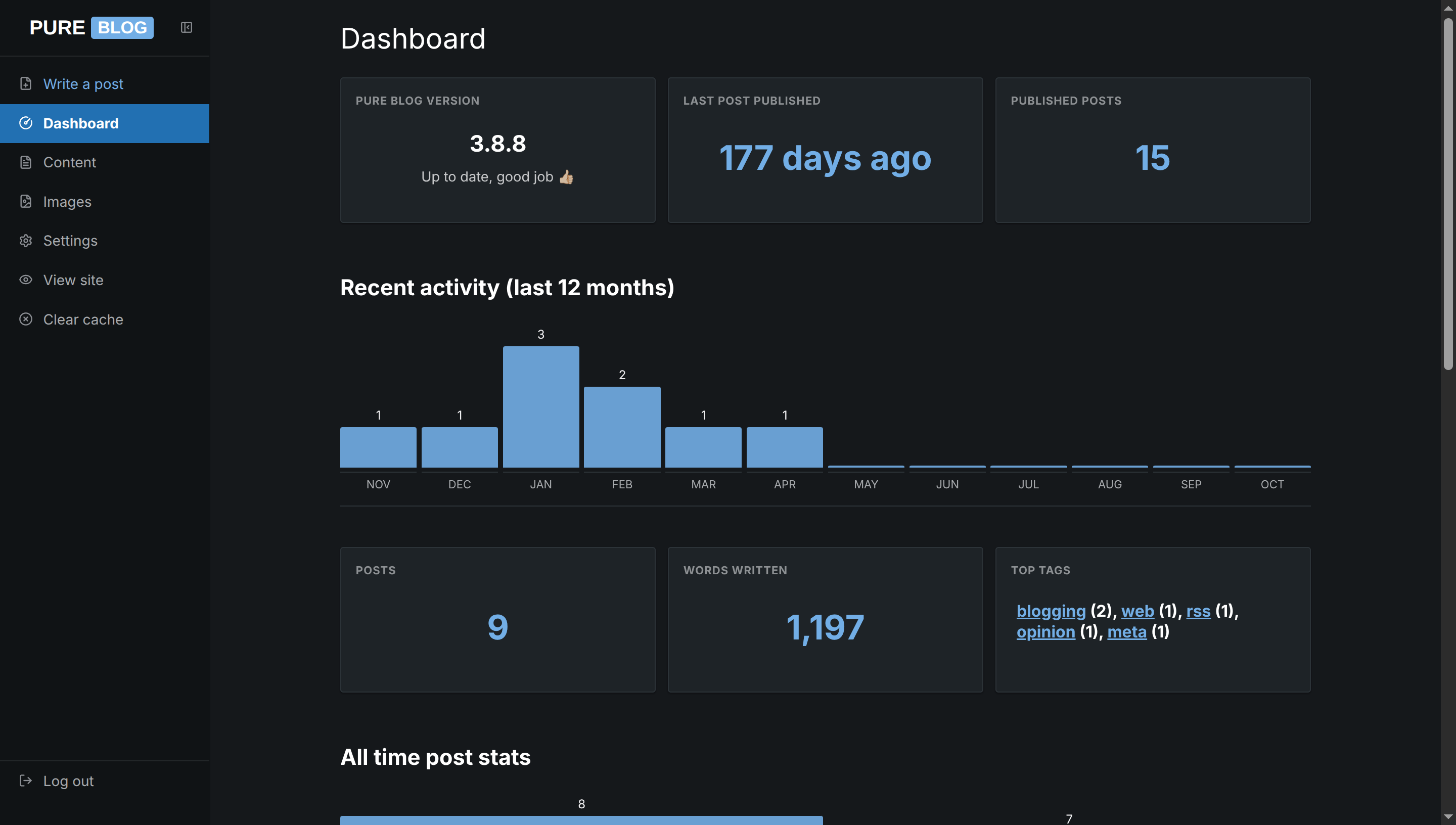
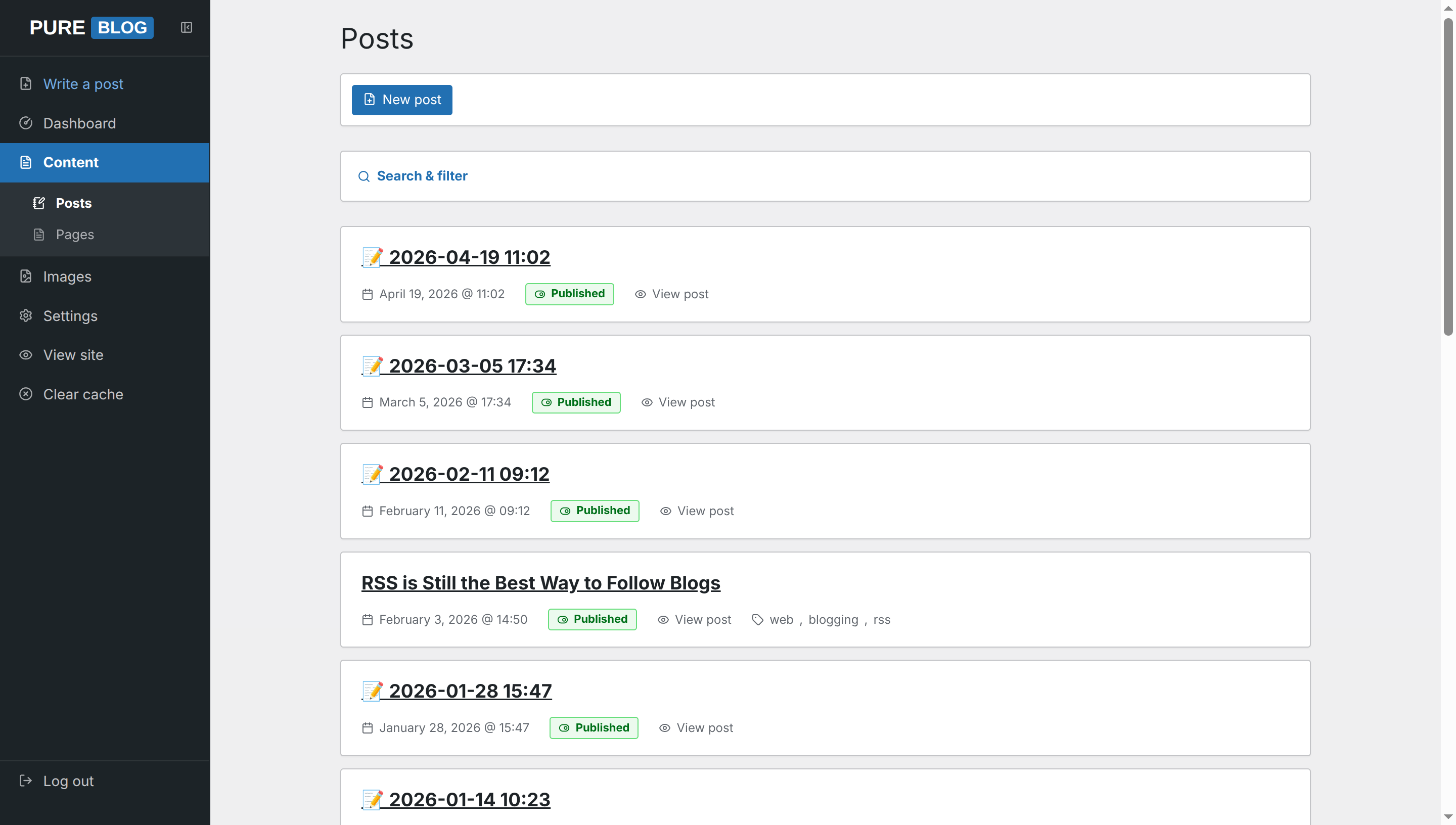
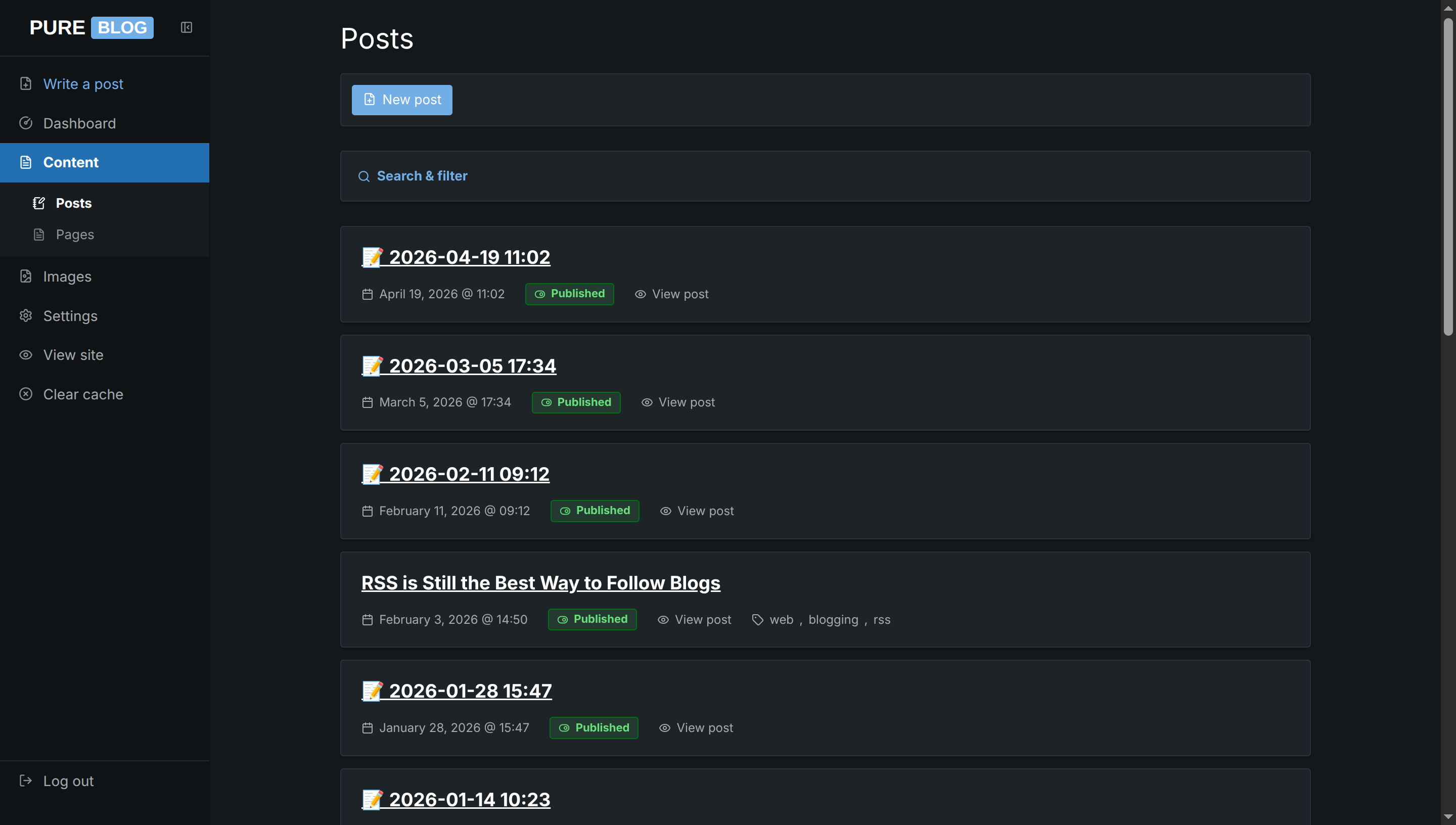
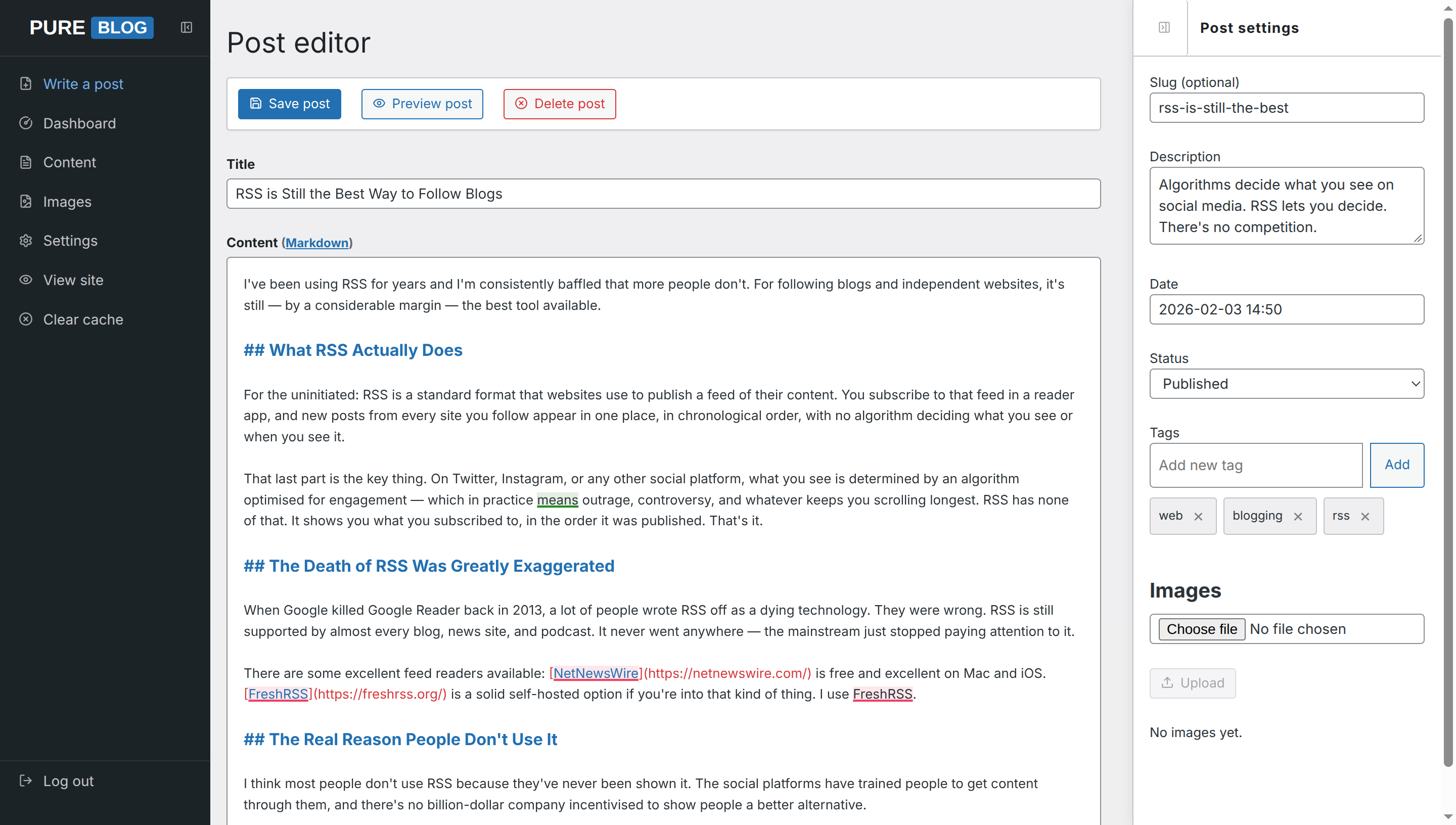
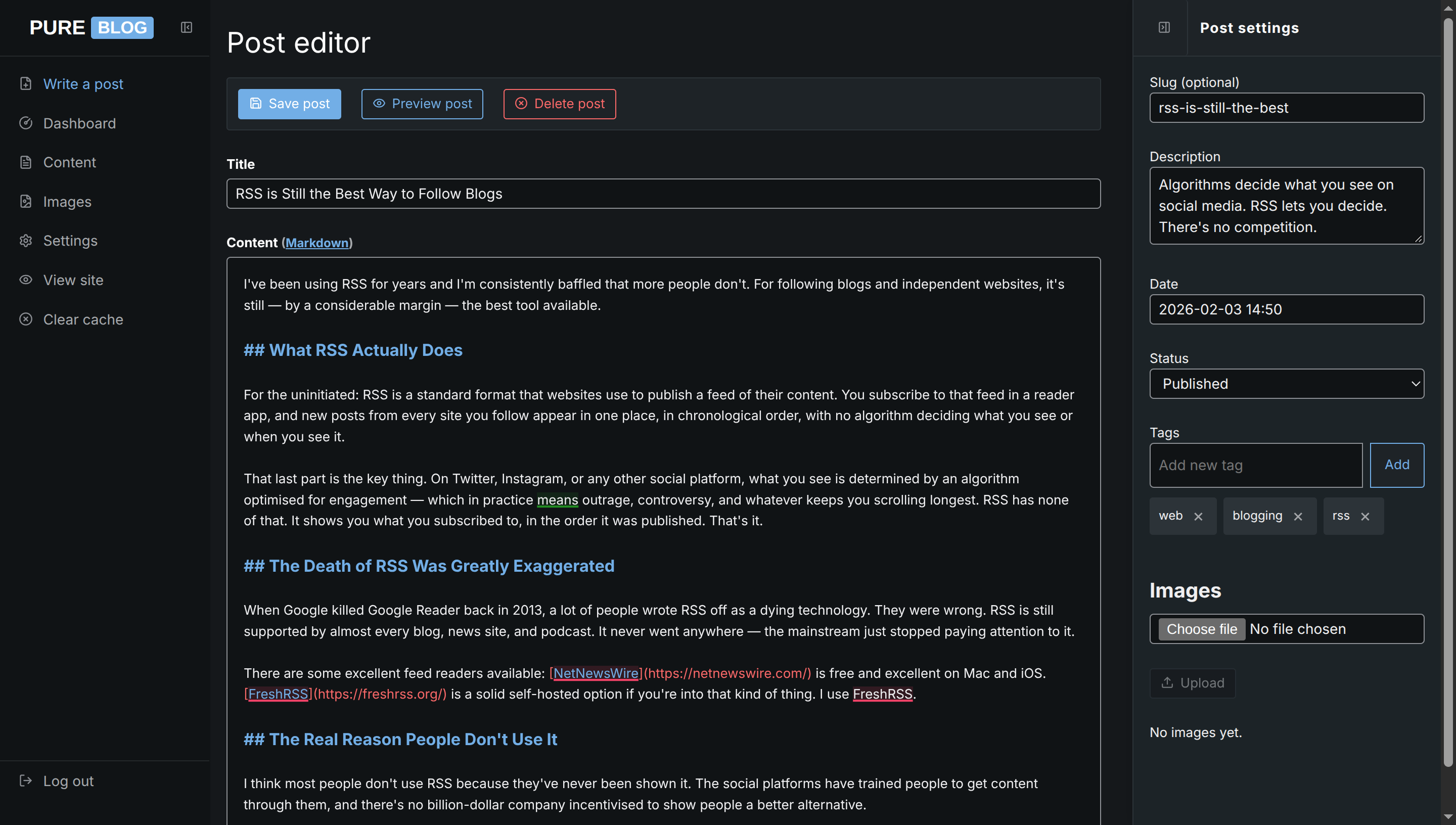
WordPress (Classic WP Admin)
A faithful homage to the classic WordPress administration interface. Features the iconic deep slate navigation sidebar, WordPress blue buttons and link states, clean card surfaces, and familiar content management styling. Fully supports both light and dark mode automatically.
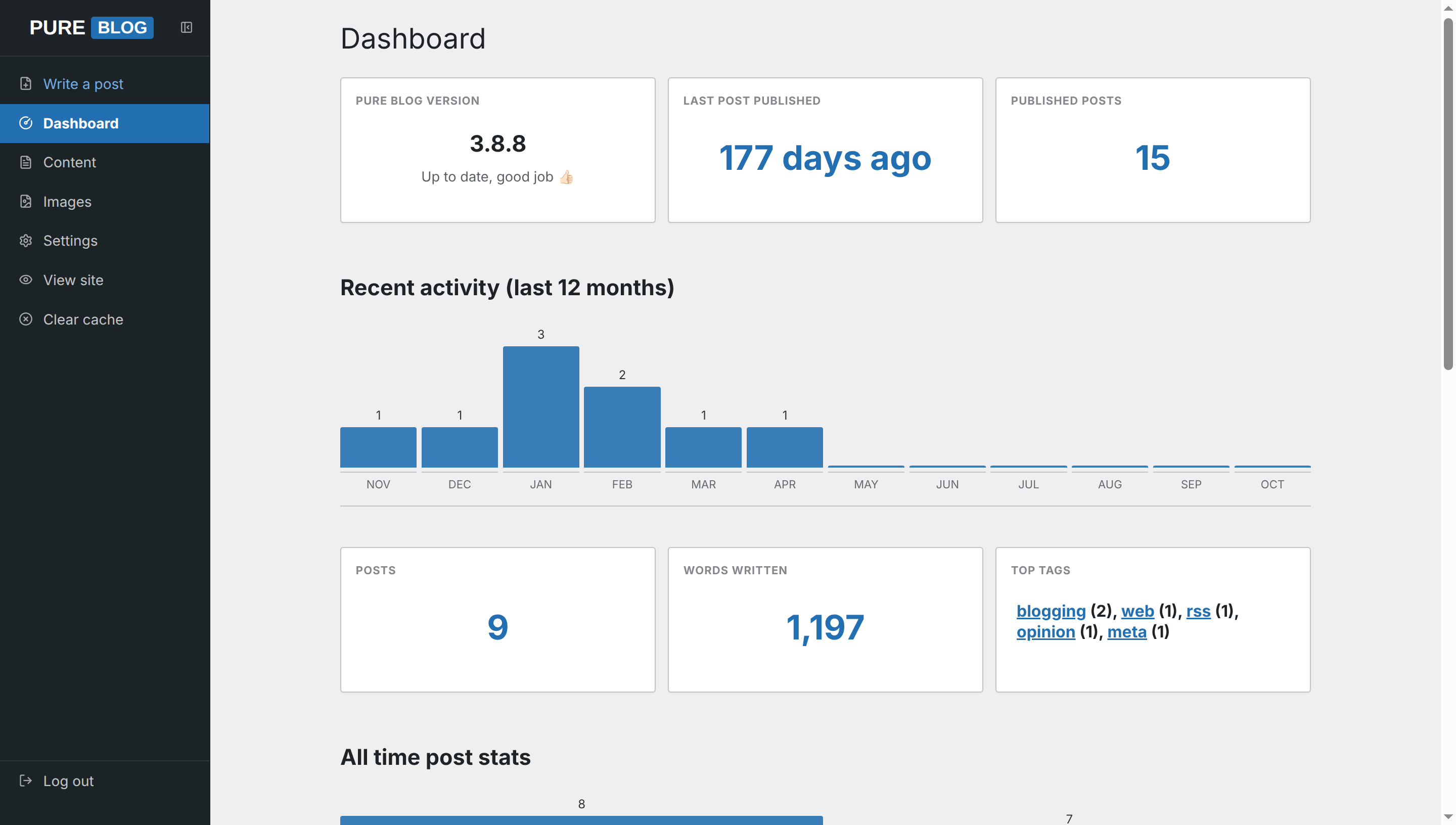
View WordPress CSS
/**
 * PureBlog Admin Custom Stylesheet (admin-custom.css)
 *
 * WordPress Dashboard-inspired theme customised with:
 * - Iconic WordPress palette: #1d2327 charcoal sidebar, #f0f0f1 admin canvas, #2271b1 WP blue
 * - Subtle 3px-4px border radiuses across buttons, inputs, postboxes, and notices
 * - Classic WordPress notice banners with 4px coloured left indicator bars
 * - WordPress push-button styles (.button and .button-primary) with signature 2-step focus rings
 * - Comprehensive light and dark mode support
 */

/* ==========================================================================
   1. Design Tokens & Colour Schemes (WordPress Palette)
   ========================================================================== */

:root {
    /* WordPress Core Colours */
    --bg-color: #f0f0f1;
    /* WP Canvas background */
    --accent-bg-color: #1d2327;
    /* WP Dark sidebar (#adminmenu) */
    --text-color: #2c3338;
    /* WP Body text */
    --accent-text-color: #ffffff;
    --accent-color: #2271b1;
    /* WP Blue */
    --accent-hover: #135e96;
    /* WP Blue Hover */
    --accent-active: #0a4b78;
    /* WP Blue Active */
    --border-color: #c3c4c7;
    /* WP Standard border */
    --input-bg: #ffffff;
    --subnav-bg: #2c3338;
    /* WP Submenu background */
    --red: #d63638;
    /* WP Error / Destructive red */
    --green: #00a32a;
    /* WP Success green */
    --blue: #2271b1;
    --orange: #dba617;
    /* WP Warning / Alert orange */
    --code-selection-bg: rgba(34, 113, 177, 0.22);
    --code-active-line-bg: rgba(0, 0, 0, 0.03);

    /* WordPress Surface & Element Tokens */
    --heading-color: #1d2327;
    --text-secondary: #646970;
    --border-subtle: #dcdcde;
    --card-bg: #ffffff;
    --card-hover-border: #8c8f94;
    --sidebar-text: #c3c4c7;
    --sidebar-icon: #a7aaad;
    --sidebar-hover-bg: #131619;
    --sidebar-hover-text: #72aee6;
    --sidebar-active-bg: #2271b1;
    --sidebar-subnav-bg: #2c3338;
    --toolbar-bg: #ffffff;

    /* WordPress Button Tokens */
    --btn-secondary-bg: #f6f7f7;
    --btn-secondary-border: #2271b1;
    --btn-secondary-color: #2271b1;
    --btn-secondary-hover-bg: #f0f0f1;
    --btn-secondary-hover-color: #0a4b78;
    --btn-secondary-hover-border: #0a4b78;
    --delete-btn-bg: #f6f7f7;
    --delete-btn-border: #d63638;
    --delete-btn-color: #d63638;

    /* Focus & Elevation Tokens */
    --focus-ring: 0 0 0 1px #ffffff, 0 0 0 3px #2271b1;
    --input-focus-border: #2271b1;
    --shadow-wp: 0 1px 1px rgba(0, 0, 0, 0.04);
    --shadow-dialog: 0 3px 20px rgba(0, 0, 0, 0.15);

    /* WordPress Post Status Badges */
    --status-pub-bg: #edfaef;
    --status-pub-color: #007017;
    --status-pub-border: #68de7c;
    --status-draft-bg: #fcf0f1;
    --status-draft-color: #d63638;
    --status-draft-border: #f86868;
    --status-sched-bg: #f0f6fc;
    --status-sched-color: #2271b1;
    --status-sched-border: #72aee6;

    /* Notice Banners */
    --notice-bg: #ffffff;
    --notice-border: #c3c4c7;

    /* Tables */
    --table-header-bg: #f6f7f7;
    --table-row-hover: #f6f7f7;
}

/* Dark Mode Tokens (WordPress VIP / Gutenberg Dark Theme) */
html[data-admin-theme="dark"] {
    --bg-color: #15181b;
    --accent-bg-color: #101316;
    --text-color: #f0f0f1;
    --accent-text-color: #ffffff;
    --accent-color: #72aee6;
    --accent-hover: #9ec5ed;
    --accent-active: #2271b1;
    --border-color: #2c3338;
    --input-bg: #101316;
    --subnav-bg: #181c20;
    --red: #f86868;
    --green: #4ab866;
    --blue: #72aee6;
    --orange: #f0b849;
    --code-selection-bg: rgba(114, 174, 230, 0.3);
    --code-active-line-bg: rgba(255, 255, 255, 0.04);

    --heading-color: #ffffff;
    --text-secondary: #a7aaad;
    --border-subtle: #23282d;
    --card-bg: #1d2327;
    --card-hover-border: #50575e;
    --sidebar-text: #a7aaad;
    --sidebar-icon: #8c8f94;
    --sidebar-hover-bg: #0c0e10;
    --sidebar-hover-text: #72aee6;
    --sidebar-active-bg: #2271b1;
    --sidebar-subnav-bg: #181c20;
    --toolbar-bg: #1d2327;

    --btn-secondary-bg: #1d2327;
    --btn-secondary-border: #72aee6;
    --btn-secondary-color: #72aee6;
    --btn-secondary-hover-bg: #252b30;
    --btn-secondary-hover-color: #9ec5ed;
    --btn-secondary-hover-border: #9ec5ed;
    --delete-btn-bg: #1d2327;
    --delete-btn-border: #f86868;
    --delete-btn-color: #f86868;

    --focus-ring: 0 0 0 1px #101316, 0 0 0 3px #72aee6;
    --input-focus-border: #72aee6;
    --shadow-wp: 0 1px 2px rgba(0, 0, 0, 0.3);
    --shadow-dialog: 0 6px 24px rgba(0, 0, 0, 0.6);

    --status-pub-bg: rgba(74, 184, 102, 0.15);
    --status-pub-color: #68de7c;
    --status-pub-border: #007017;
    --status-draft-bg: rgba(248, 104, 104, 0.15);
    --status-draft-color: #f86868;
    --status-draft-border: #d63638;
    --status-sched-bg: rgba(114, 174, 230, 0.15);
    --status-sched-color: #72aee6;
    --status-sched-border: #2271b1;

    --notice-bg: #1d2327;
    --notice-border: #2c3338;

    --table-header-bg: #181c20;
    --table-row-hover: #23282d;
}

/* System Dark Mode (when set to Auto) */
@media (prefers-color-scheme: dark) {
    html[data-admin-theme="auto"] {
        --bg-color: #15181b;
        --accent-bg-color: #101316;
        --text-color: #f0f0f1;
        --accent-text-color: #ffffff;
        --accent-color: #72aee6;
        --accent-hover: #9ec5ed;
        --accent-active: #2271b1;
        --border-color: #2c3338;
        --input-bg: #101316;
        --subnav-bg: #181c20;
        --red: #f86868;
        --green: #4ab866;
        --blue: #72aee6;
        --orange: #f0b849;
        --code-selection-bg: rgba(114, 174, 230, 0.3);
        --code-active-line-bg: rgba(255, 255, 255, 0.04);

        --heading-color: #ffffff;
        --text-secondary: #a7aaad;
        --border-subtle: #23282d;
        --card-bg: #1d2327;
        --card-hover-border: #50575e;
        --sidebar-text: #a7aaad;
        --sidebar-icon: #8c8f94;
        --sidebar-hover-bg: #0c0e10;
        --sidebar-hover-text: #72aee6;
        --sidebar-active-bg: #2271b1;
        --sidebar-subnav-bg: #181c20;
        --toolbar-bg: #1d2327;

        --btn-secondary-bg: #1d2327;
        --btn-secondary-border: #72aee6;
        --btn-secondary-color: #72aee6;
        --btn-secondary-hover-bg: #252b30;
        --btn-secondary-hover-color: #9ec5ed;
        --btn-secondary-hover-border: #9ec5ed;
        --delete-btn-bg: #1d2327;
        --delete-btn-border: #f86868;
        --delete-btn-color: #f86868;

        --focus-ring: 0 0 0 1px #101316, 0 0 0 3px #72aee6;
        --input-focus-border: #72aee6;
        --shadow-wp: 0 1px 2px rgba(0, 0, 0, 0.3);
        --shadow-dialog: 0 6px 24px rgba(0, 0, 0, 0.6);

        --status-pub-bg: rgba(74, 184, 102, 0.15);
        --status-pub-color: #68de7c;
        --status-pub-border: #007017;
        --status-draft-bg: rgba(248, 104, 104, 0.15);
        --status-draft-color: #f86868;
        --status-draft-border: #d63638;
        --status-sched-bg: rgba(114, 174, 230, 0.15);
        --status-sched-color: #72aee6;
        --status-sched-border: #2271b1;

        --notice-bg: #1d2327;
        --notice-border: #2c3338;

        --table-header-bg: #181c20;
        --table-row-hover: #23282d;
    }
}


/* ==========================================================================
   2. Typography & Global Layout
   ========================================================================== */

body {
    background-color: var(--bg-color);
    color: var(--text-color);
    font-size: 13px;
    line-height: 1.5;
}

h1 {
    font-size: 1.75rem;
    font-weight: 400;
    line-height: 1.3;
    color: var(--heading-color);
    margin: 1.25rem 0 1rem 0;
}

h2 {
    font-size: 1.3rem;
    font-weight: 600;
    color: var(--heading-color);
    margin: 2rem 0 1rem 0;
}

h3 {
    font-size: 1.05rem;
    font-weight: 600;
    color: var(--heading-color);
    margin: 1.5rem 0 0.75rem 0;
}

a {
    color: var(--accent-color);
    text-decoration: underline;
    transition: color 0.1s ease-in-out;
}

a:hover {
    color: var(--accent-hover);
}


/* ==========================================================================
   3. Sidebar Navigation (WordPress #adminmenu)
   ========================================================================== */

.admin-nav {
    background: var(--accent-bg-color);
    border-right: 1px solid transparent;
    width: 13rem;
    color: var(--sidebar-text);
}

.sidebar-header {
    background: var(--accent-bg-color);
    border-bottom: 1px solid rgba(255, 255, 255, 0.08);
    height: 3.5rem;
    padding: 0 0.5rem;
}

.sidebar-logo .logo {
    font-family: -apple-system, BlinkMacSystemFont, "Segoe UI", Roboto, sans-serif;
    font-size: 1.25rem;
    font-weight: 700;
    border: none;
    color: #ffffff;
    display: inline-flex;
    align-items: center;
    gap: 0.15rem;
}

.sidebar-logo .pure {
    padding: 0.1rem 0.2rem;
    color: #ffffff;
}

.sidebar-logo .service {
    background: var(--accent-color);
    color: #ffffff;
    padding: 0.15rem 0.4rem;
    border-radius: 3px;
    font-size: 0.85em;
}

.sidebar-toggle {
    border: none;
    color: var(--sidebar-icon);
    padding: 0.5rem;
    transition: color 0.15s ease, background-color 0.15s ease;
}

.sidebar-toggle:hover {
    background: var(--sidebar-hover-bg);
    color: var(--sidebar-hover-text);
}

.admin-nav-list {
    padding: 0.5rem 0;
    gap: 0;
}

/* Sidebar navigation links */
.admin-nav .admin-nav-list a,
.admin-nav .admin-nav-list .link-button {
    text-transform: none;
    font-size: 0.875rem;
    font-weight: 400;
    color: var(--sidebar-text);
    padding: 0.6rem 0.9rem;
    border-left: 4px solid transparent;
    gap: 0.65rem;
    line-height: 1.4;
    transition: background-color 0.1s ease, color 0.1s ease, border-color 0.1s ease;
}

.admin-nav .admin-nav-list a .icon,
.admin-nav .admin-nav-list .link-button .icon {
    color: var(--sidebar-icon);
    stroke: currentColor;
    transition: color 0.1s ease;
}

/* Sidebar link hover state */
.admin-nav .admin-nav-list a:hover,
.admin-nav .admin-nav-list .link-button:hover {
    background-color: var(--sidebar-hover-bg);
    color: var(--sidebar-hover-text);
    border-left-color: transparent;
}

.admin-nav .admin-nav-list a:hover .icon,
.admin-nav .admin-nav-list .link-button:hover .icon {
    color: var(--sidebar-hover-text);
}

/* Active navigation item: WordPress Primary Blue block with white text */
.admin-nav .admin-nav-list a.current,
.admin-nav .admin-nav-list a.current:hover {
    background-color: var(--sidebar-active-bg);
    color: #ffffff;
    font-weight: 600;
    border-left-color: var(--sidebar-active-bg);
}

.admin-nav .admin-nav-list a.current .icon {
    color: #ffffff;
    stroke: #ffffff;
}

/* Submenu items */
.admin-nav .sidebar-subnav {
    background-color: var(--sidebar-subnav-bg);
    border-bottom: 1px solid rgba(0, 0, 0, 0.2);
    padding: 0.35rem 0;
}

.admin-nav .sidebar-subnav a,
.admin-nav .sidebar-subnav .link-button {
    padding: 0.4rem 1rem 0.4rem 2rem;
    font-size: 0.8125rem;
    font-weight: 400;
    color: var(--sidebar-text);
    border-left: none;
    opacity: 0.85;
}

.admin-nav .sidebar-subnav a:hover,
.admin-nav .sidebar-subnav .link-button:hover {
    background-color: rgba(0, 0, 0, 0.2);
    color: var(--sidebar-hover-text);
    opacity: 1;
}

.admin-nav .sidebar-subnav a.current,
.admin-nav .sidebar-subnav a.current:hover {
    background-color: transparent;
    color: #ffffff;
    font-weight: 600;
    opacity: 1;
}

#sidebar-new-post-button {
    color: var(--sidebar-hover-text);
}

#sidebar-new-post-button:hover {
    background-color: var(--sidebar-hover-bg);
    color: #ffffff;
}

ul.admin-nav-list .logout-item {
    margin-top: auto;
    border-top: 1px solid rgba(255, 255, 255, 0.08);
}


/* ==========================================================================
   4. WordPress Buttons (.button and .button-primary)
   ========================================================================== */

button,
a.button,
a.delete,
a.save,
.editor-actions button,
.link-button,
.editor-actions a {
    text-transform: none;
    font-family: inherit;
    font-size: 13px;
    font-weight: 400;
    line-height: 2.15384615;
    min-height: 30px;
    padding: 0 10px;
    border-radius: 3px;
    border: 1px solid var(--btn-secondary-border);
    background: var(--btn-secondary-bg);
    color: var(--btn-secondary-color);
    cursor: pointer;
    text-decoration: none;
    box-shadow: none;
    transition: background-color 0.1s ease-in-out, border-color 0.1s ease-in-out, color 0.1s ease-in-out;
}

button:hover,
a.button:hover,
.link-button:hover,
.editor-actions button:hover,
.editor-actions a:hover {
    background-color: var(--btn-secondary-hover-bg);
    color: var(--btn-secondary-hover-color);
    border-color: var(--btn-secondary-hover-border);
}

button:focus-visible,
a.button:focus-visible,
.link-button:focus-visible {
    outline: 2px solid transparent;
    box-shadow: var(--focus-ring);
    border-color: var(--accent-color);
}

/* Primary Button (.button-primary / .save) */
.save,
a.save,
button.save {
    background: var(--accent-color);
    border-color: var(--accent-color);
    color: #ffffff;
    font-weight: 500;
}

.save .icon,
a.save .icon,
button.save .icon {
    stroke: #ffffff;
}

a.save:hover,
button.save:hover,
.editor-actions button.save:hover,
.editor-actions a.save:hover {
    background: var(--accent-hover);
    border-color: var(--accent-hover);
    color: #ffffff;
}

a.save:active,
button.save:active {
    background: var(--accent-active);
    border-color: var(--accent-active);
    color: #ffffff;
}

/* Destructive / Delete Button */
.delete,
a.delete,
button.delete,
.link-button.delete {
    background: var(--delete-btn-bg);
    border-color: var(--delete-btn-border);
    color: var(--delete-btn-color);
}

.delete .icon,
a.delete .icon,
button.delete .icon {
    stroke: var(--delete-btn-color);
}

a.delete:hover,
button.delete:hover,
.editor-actions a.delete:hover,
.link-button.delete:hover {
    background: var(--red);
    border-color: var(--red);
    color: #ffffff;
}

a.delete:hover .icon,
button.delete:hover .icon,
.link-button.delete:hover .icon {
    stroke: #ffffff;
}

button:disabled,
button[disabled],
.button[aria-disabled="true"] {
    opacity: 0.6;
    cursor: default;
    border-color: var(--border-color) !important;
    background: var(--bg-color) !important;
    color: var(--text-secondary) !important;
}


/* ==========================================================================
   5. Form Controls (WordPress Inputs & Focus Outlines)
   ========================================================================== */

input[type="text"],
input[type="email"],
input[type="search"],
input[type="password"],
input[type="number"],
input[type="url"],
input[type="file"],
textarea,
select {
    border-radius: 4px;
    border: 1px solid #8c8f94;
    background-color: var(--input-bg);
    color: var(--text-color);
    padding: 0 8px;
    line-height: 2;
    min-height: 30px;
    font-size: 14px;
    box-shadow: 0 0 0 transparent;
    transition: border-color 0.1s ease-in-out, box-shadow 0.1s ease-in-out;
}

textarea {
    padding: 6px 8px;
    line-height: 1.5;
}

input[type="text"]:focus,
input[type="email"]:focus,
input[type="search"]:focus,
input[type="password"]:focus,
input[type="number"]:focus,
input[type="url"]:focus,
textarea:focus,
select:focus {
    border-color: var(--input-focus-border);
    outline: 2px solid transparent;
    box-shadow: 0 0 0 1px var(--input-focus-border);
}

form label {
    font-size: 13px;
    font-weight: 600;
    color: var(--heading-color);
    margin-bottom: 0.25rem;
}

form label span.tip,
p.tip {
    font-size: 12px;
    color: var(--text-secondary);
    font-style: normal;
}

input[type="checkbox"],
input[type="radio"] {
    accent-color: var(--accent-color);
    border: 1px solid #8c8f94;
    border-radius: 3px;
    cursor: pointer;
}

input[type="radio"] {
    border-radius: 50%;
}

/* Post Layout Options */
.layout-preview {
    border: 2px solid var(--border-color);
    border-radius: 4px;
    background: var(--card-bg);
    box-shadow: var(--shadow-wp);
    transition: border-color 0.15s ease;
}

.layout-choice:hover .layout-preview {
    border-color: var(--accent-color);
}

.layout-choice input:checked+.layout-preview {
    border-color: var(--accent-color);
    box-shadow: 0 0 0 2px var(--accent-color);
}

/* Tags UI */
.tag-entry-row input[type="text"] {
    border-top-right-radius: 0;
    border-bottom-right-radius: 0;
}

.tag-entry-row .tag-add-btn {
    border-top-left-radius: 0;
    border-bottom-left-radius: 0;
    margin-left: -1px;
}

.tag-suggestions {
    border: 1px solid var(--border-color);
    background: var(--card-bg);
    box-shadow: 0 3px 5px rgba(0, 0, 0, 0.1);
    border-radius: 0 0 3px 3px;
}

.tag-suggestions li {
    padding: 0.35rem 0.75rem;
    font-size: 13px;
}

.tag-suggestions li:hover,
.tag-suggestions li.active {
    background: var(--accent-color);
    color: #ffffff;
}

.tag-badge {
    border-radius: 3px;
    border: 1px solid var(--border-color);
    background: #f0f0f1;
    color: var(--text-color);
    padding: 0.15rem 0.5rem;
    font-size: 12px;
}

html[data-admin-theme="dark"] .tag-badge {
    background: #2c3338;
}

@media (prefers-color-scheme: dark) {
    html[data-admin-theme="auto"] .tag-badge {
        background: #2c3338;
    }
}

.tag-badge-remove {
    border-radius: 3px;
    transition: background-color 0.1s ease, color 0.1s ease;
}


/* ==========================================================================
   6. Sticky Action Bars & Toolbars
   ========================================================================== */

.admin-actions,
.editor-actions {
    background: var(--toolbar-bg);
    border: 1px solid var(--border-color);
    border-radius: 3px;
    box-shadow: 0 1px 2px rgba(0, 0, 0, 0.04);
    padding: 0.65rem;
    margin: 1rem 0 1.5rem 0;
    z-index: 100;
}

.mobile-nav-header {
    background: var(--toolbar-bg);
    border-bottom: 1px solid var(--border-color);
}

.autosave-status {
    color: var(--text-secondary);
    font-size: 12px;
}


/* ==========================================================================
   7. Content Lists & Postboxes (.postbox style)
   ========================================================================== */

.admin-list {
    gap: 0.75rem;
}

.admin-list-item {
    background: var(--card-bg);
    border: 1px solid var(--border-color);
    border-radius: 3px;
    box-shadow: var(--shadow-wp);
    padding: 1rem 1.25rem;
    transition: border-color 0.1s ease-in-out;
}

.admin-list-item:hover {
    border-color: var(--card-hover-border);
}

.admin-list-title {
    font-size: 1.15rem;
    font-weight: 600;
    color: var(--heading-color);
}

.admin-list-meta {
    font-size: 12px;
    color: var(--text-secondary);
    gap: 0.5rem 1.25rem;
}

/* Post Status Labels */
.admin-list-meta .status.published {
    display: inline-flex;
    align-items: center;
    border-radius: 3px;
    padding: 0.1rem 0.5rem;
    font-size: 11px;
    font-weight: 600;
    background: var(--status-pub-bg);
    color: var(--status-pub-color);
    border: 1px solid var(--status-pub-border);
}

.admin-list-meta .status.draft {
    display: inline-flex;
    align-items: center;
    border-radius: 3px;
    padding: 0.1rem 0.5rem;
    font-size: 11px;
    font-weight: 600;
    background: var(--status-draft-bg);
    color: var(--status-draft-color);
    border: 1px solid var(--status-draft-border);
}

.admin-list-meta .status.scheduled {
    display: inline-flex;
    align-items: center;
    border-radius: 3px;
    padding: 0.1rem 0.5rem;
    font-size: 11px;
    font-weight: 600;
    background: var(--status-sched-bg);
    color: var(--status-sched-color);
    border: 1px solid var(--status-sched-border);
}

.admin-list-meta button.page-badge {
    border-radius: 3px;
    padding: 0.1rem 0.5rem;
    font-size: 11px;
    font-weight: 600;
    background: var(--status-pub-bg);
    color: var(--status-pub-color);
    border: 1px solid var(--status-pub-border);
    transition: all 0.1s ease;
}

.admin-list-meta button.page-badge:hover,
.admin-list-meta button.page-badge:focus-visible,
.admin-list-meta button.page-badge[aria-expanded="true"] {
    background: var(--green);
    color: #ffffff;
    border-color: var(--green);
}

.page-badge-popover {
    border-radius: 3px;
    border: 1px solid var(--border-color);
    background: var(--card-bg);
    box-shadow: var(--shadow-dialog);
}


/* ==========================================================================
   8. Search & Content Filter Panel
   ========================================================================== */

.content-filter {
    background: var(--card-bg);
    border: 1px solid var(--border-color);
    border-radius: 3px;
    box-shadow: var(--shadow-wp);
    padding: 0.65rem 1rem;
    margin: 1.5rem 0;
}

.content-filter-summary {
    text-transform: none;
    font-size: 13px;
    font-weight: 600;
    color: var(--accent-color);
    padding: 0.25rem 0;
    transition: color 0.1s ease;
}

.content-filter-summary:hover {
    color: var(--accent-hover);
}

.content-filter-active-label {
    border-radius: 3px;
    background: var(--accent-color);
    color: #ffffff;
    font-size: 11px;
    font-weight: 500;
    padding: 0.15rem 0.5rem;
}


/* ==========================================================================
   9. Dashboard Widgets, Metrics & Charts
   ========================================================================== */

.dashboard-h2 {
    font-size: 1.35rem;
    font-weight: 600;
    color: var(--heading-color);
    margin-top: 3rem;
}

.dashboard-h3 {
    font-size: 1.1rem;
    font-weight: 600;
    color: var(--heading-color);
    margin-top: 2rem;
}

.dashboard-stat-card {
    background: var(--card-bg);
    border: 1px solid var(--border-color);
    border-radius: 3px;
    box-shadow: var(--shadow-wp);
    padding: 1.25rem;
    transition: border-color 0.1s ease;
}

.dashboard-stat-card:hover {
    border-color: var(--card-hover-border);
}

.dashboard-stat-label {
    text-transform: uppercase;
    font-size: 11px;
    font-weight: 600;
    letter-spacing: 0.05em;
    color: var(--text-secondary);
}

.dashboard-stat-value {
    color: var(--heading-color);
    font-weight: 700;
}

.dashboard-stat-card-metric .dashboard-stat-value {
    color: var(--accent-color);
    font-size: 2.1rem;
}

.dashboard-chart {
    border-bottom: 1px solid var(--border-color);
    padding-bottom: 0.5rem;
}

.dashboard-chart-bar {
    border-radius: 2px 2px 0 0;
    background: var(--accent-color);
    opacity: 0.9;
    transition: background-color 0.1s ease;
}

a.dashboard-chart-col:hover .dashboard-chart-bar {
    background: var(--accent-hover);
    opacity: 1;
}

.dashboard-chart-label {
    border-top: 1px solid var(--border-color);
    color: var(--text-secondary);
    font-size: 11px;
    text-transform: uppercase;
}


/* ==========================================================================
   10. WordPress Classic Notice Banners (.notice)
   ========================================================================== */

.notice {
    background: var(--notice-bg);
    border: 1px solid var(--notice-border);
    border-left: 4px solid var(--green);
    border-radius: 0;
    box-shadow: var(--shadow-wp);
    padding: 10px 12px;
    color: var(--text-color);
    font-size: 13px;
    line-height: 1.5;
}

.notice.delete {
    border-left-color: var(--red);
    background: var(--notice-bg);
}

.admin-toast-container .notice {
    border-radius: 3px;
    box-shadow: 0 4px 14px rgba(0, 0, 0, 0.15);
    border-left: 4px solid var(--green);
}

.admin-toast-container .notice.delete {
    border-left-color: var(--red);
}

.toast-close-btn {
    border-radius: 3px;
    transition: background-color 0.1s ease;
}


/* ==========================================================================
   11. CodeJar & Prism Editor
   ========================================================================== */

.editor {
    background-color: var(--input-bg) !important;
    border: 1px solid #8c8f94;
    border-radius: 4px;
    box-shadow: none;
    padding: 1rem;
    transition: border-color 0.1s ease-in-out;
}

.editor:focus-within {
    border-color: var(--input-focus-border);
    box-shadow: 0 0 0 1px var(--input-focus-border);
}

.editor-sidebar {
    background: var(--card-bg);
    border-left: 1px solid var(--border-color);
}

body.editor-sidebar-open .editor-sidebar {
    border-left: 1px solid var(--border-color);
    box-shadow: -2px 0 10px rgba(0, 0, 0, 0.08);
}

.editor-sidebar .sidebar-header {
    border-bottom: 1px solid var(--border-color);
    background: var(--card-bg);
}

.editor-sidebar .sidebar-title {
    text-transform: none;
    font-size: 14px;
    font-weight: 600;
    color: var(--heading-color);
}


/* ==========================================================================
   12. Dialogue Windows & Modals
   ========================================================================== */

#layout-picker,
#sidebar-layout-picker {
    background: var(--card-bg);
    border: 1px solid var(--border-color);
    border-radius: 3px;
    box-shadow: var(--shadow-dialog);
    padding: 2rem;
}

.layout-picker-list a {
    border-radius: 3px;
    border: 1px solid var(--btn-secondary-border);
    background: var(--btn-secondary-bg);
    color: var(--btn-secondary-color);
    text-transform: none;
    font-weight: 400;
    transition: all 0.1s ease;
}

.layout-picker-list a:hover {
    background: var(--accent-color);
    color: #ffffff;
    border-color: var(--accent-color);
}

.image-lightbox {
    border-radius: 3px;
    border: 1px solid var(--border-color);
    box-shadow: var(--shadow-dialog);
}

.image-lightbox-header {
    border-bottom: 1px solid var(--border-color);
}

.image-delete-dialog {
    border-radius: 3px;
    border: 1px solid var(--border-color);
    background: var(--card-bg);
    box-shadow: var(--shadow-dialog);
}


/* ==========================================================================
   13. Media & Image Library
   ========================================================================== */

.image-library-card {
    background: var(--card-bg);
    border: 1px solid var(--border-color);
    border-radius: 3px;
    box-shadow: var(--shadow-wp);
    overflow: hidden;
    transition: border-color 0.1s ease;
}

.image-library-card:hover {
    border-color: var(--card-hover-border);
}

.image-library-thumb {
    border-radius: 2px 2px 0 0;
}

.image-usage-summary {
    border-radius: 3px;
    border: 1px solid var(--border-color);
}

.image-usage-menu {
    border-radius: 3px;
    border: 1px solid var(--border-color);
    box-shadow: var(--shadow-dialog);
    background: var(--card-bg);
}

.image-list li {
    background: var(--card-bg);
    border: 1px solid var(--border-color);
    border-radius: 3px;
    box-shadow: var(--shadow-wp);
}

.image-list-preview {
    border-radius: 2px;
}


/* ==========================================================================
   14. Theme Manager & Settings Cards
   ========================================================================== */

.theme-card {
    background: var(--card-bg);
    border: 1px solid var(--border-color);
    border-radius: 3px;
    box-shadow: var(--shadow-wp);
    transition: border-color 0.1s ease, box-shadow 0.1s ease;
}

.theme-card.active {
    border-color: var(--accent-color);
    box-shadow: 0 0 0 1px var(--accent-color);
}

.theme-badge {
    border-radius: 3px;
    text-transform: none;
    font-weight: 500;
    font-size: 11px;
}

.swatch-chip {
    border-radius: 2px;
}

.theme-creator-details {
    background: var(--card-bg);
    border: 1px solid var(--border-color);
    border-radius: 3px;
}


/* ==========================================================================
   15. Login Screen (WordPress wp-login.php Aesthetic)
   ========================================================================== */

main.narrow {
    max-width: 320px;
    margin: 5rem auto;
    padding: 26px 24px 34px;
    background: var(--card-bg);
    border: 1px solid var(--border-color);
    border-radius: 3px;
    box-shadow: 0 1px 3px rgba(0, 0, 0, 0.04);
}

main.narrow h1 {
    font-size: 1.35rem;
    font-weight: 600;
    text-align: center;
    margin-top: 0;
    margin-bottom: 1.5rem;
    color: var(--heading-color);
}

main.narrow form button[type="submit"] {
    width: 100%;
    margin-top: 0.75rem;
    padding: 0 12px;
    min-height: 34px;
    line-height: 2.3;
    font-size: 13px;
    font-weight: 500;
    background: var(--accent-color);
    border-color: var(--accent-color);
    color: #ffffff;
}

main.narrow form button[type="submit"]:hover {
    background: var(--accent-hover);
    border-color: var(--accent-hover);
}


/* ==========================================================================
   16. Tables & Pagination Controls
   ========================================================================== */

table {
    border-collapse: collapse;
    background: var(--card-bg);
    border: 1px solid var(--border-color);
}

th {
    background: var(--table-header-bg);
    font-size: 12px;
    font-weight: 600;
    color: var(--heading-color);
    border-bottom: 1px solid var(--border-color);
    padding: 8px 10px;
    text-transform: none;
}

td {
    border-bottom: 1px solid var(--border-subtle);
    padding: 10px;
    font-size: 13px;
}

tbody tr:hover {
    background-color: var(--table-row-hover);
}

nav.pagination a {
    display: inline-flex;
    align-items: center;
    border-radius: 3px;
    border: 1px solid var(--btn-secondary-border);
    background: var(--btn-secondary-bg);
    color: var(--btn-secondary-color);
    padding: 0 10px;
    min-height: 30px;
    line-height: 2.15;
    font-size: 13px;
    text-decoration: none;
    transition: all 0.1s ease;
}

nav.pagination a:hover {
    background: var(--btn-secondary-hover-bg);
    border-color: var(--btn-secondary-hover-border);
    color: var(--btn-secondary-hover-color);
}
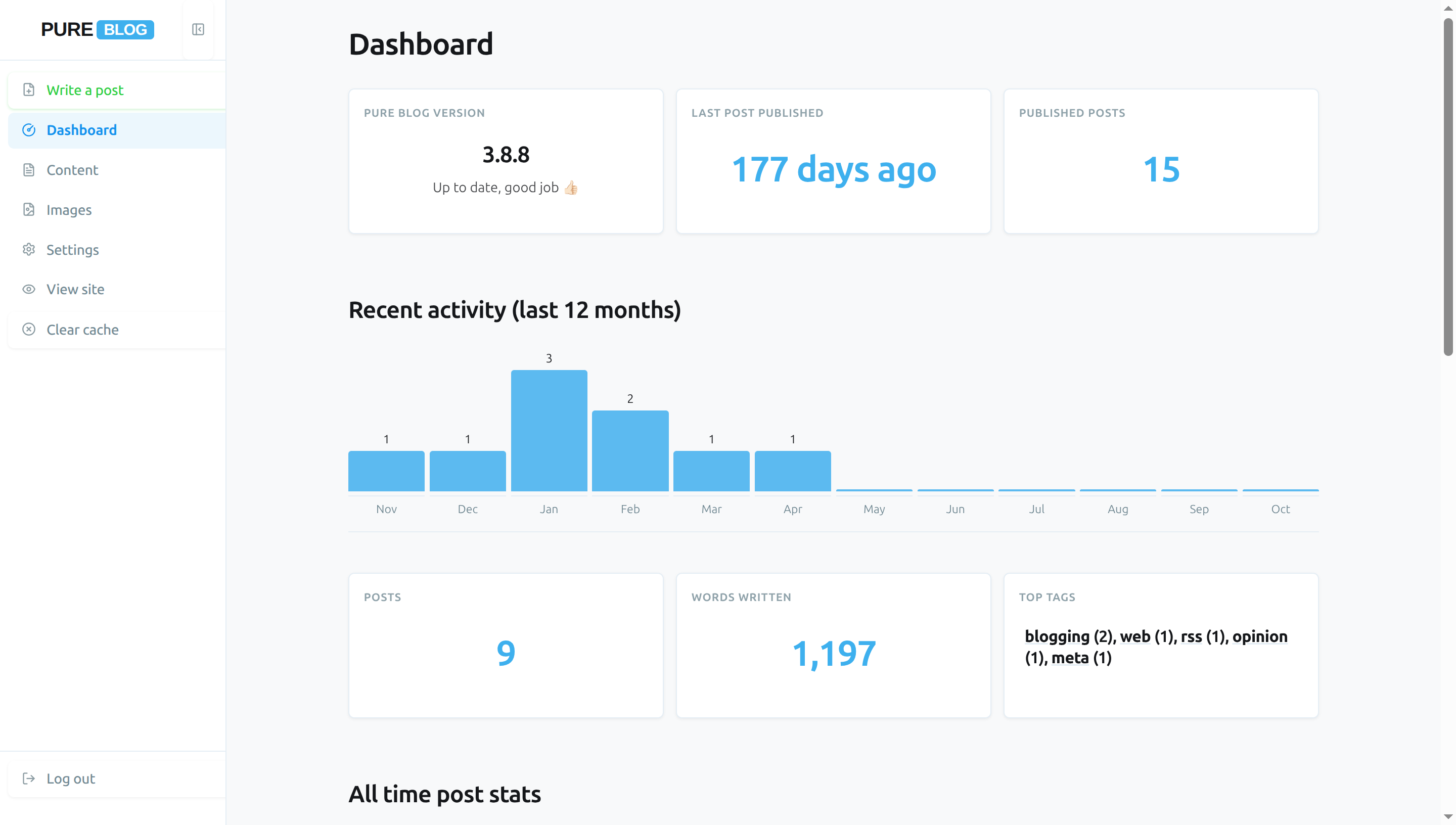
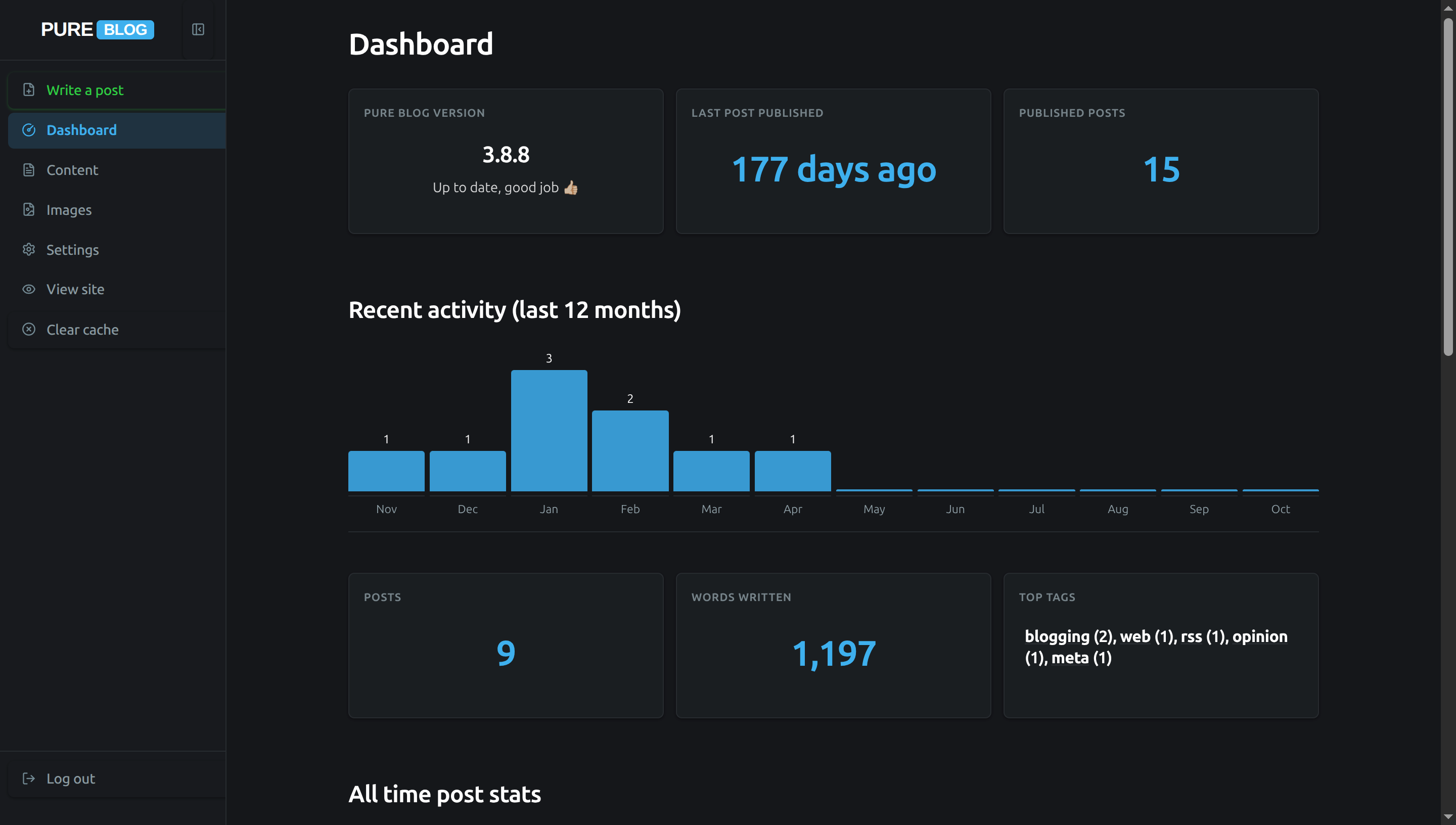
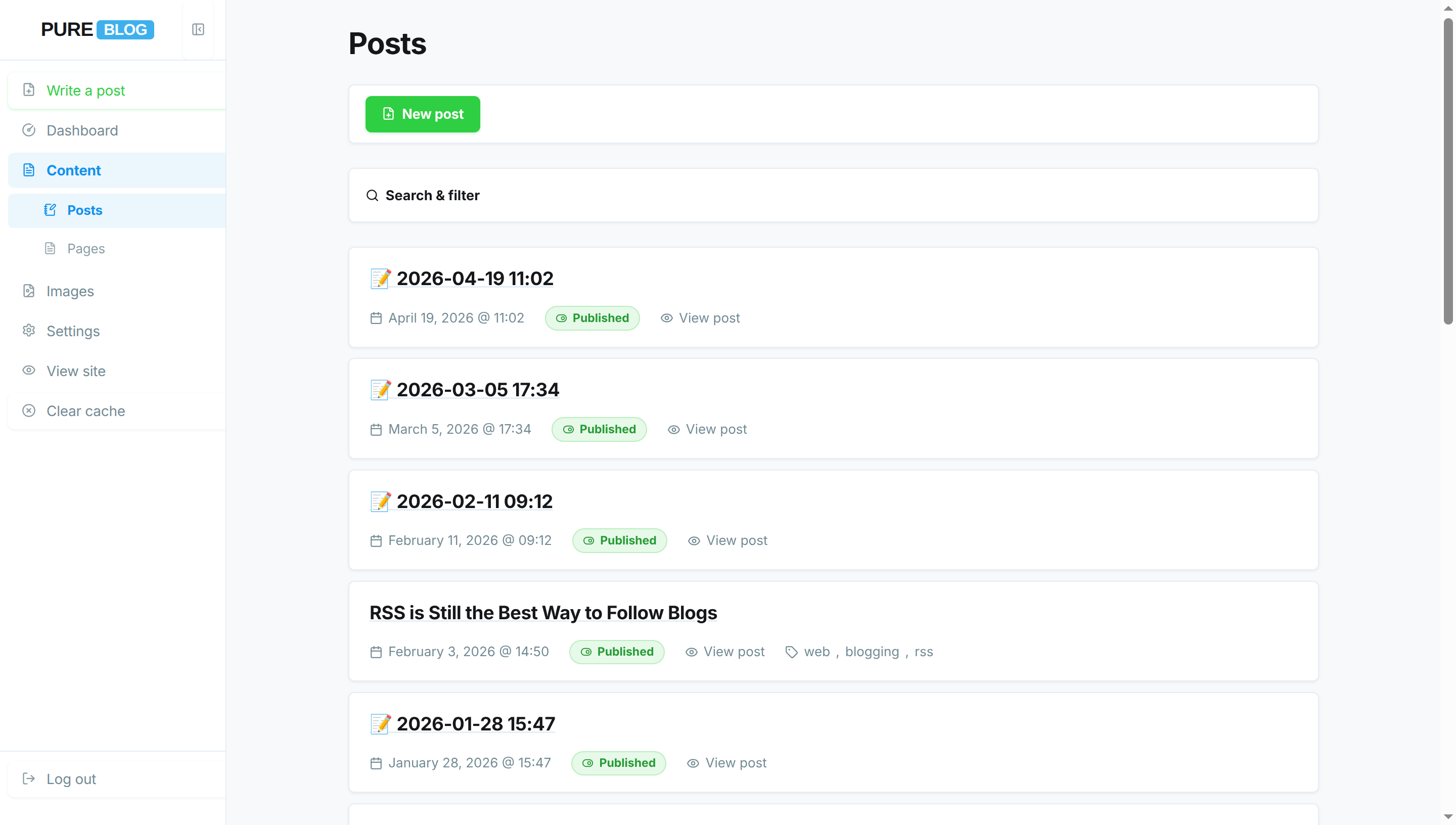
Ghost (Ghost CMS)
Inspired by the ultra-clean, minimalist interface of Ghost CMS. Designed with generous white space, restrained monochrome navigation, modern editorial typography, and distraction-free writing panels. Fully supports both light and dark mode automatically.
View Ghost CSS
/**
 * PureBlog Admin Custom Stylesheet (admin-custom.css)
 *
 * Ghost Admin-inspired theme customised with:
 * - Ghost signature palette: #15171a deep obsidian, #f8f9fa canvas, #30cf43 publish green, #3eb0ef electric blue
 * - Clean 6px border radiuses across controls, floating toolbars, post cards, and dialogues
 * - Minimalist sidebar navigation with muted slate typography and subtle hover pills
 * - Modern publishing push buttons (.save in Ghost Green, secondary in sleek minimalist cards)
 * - Full light and dark mode support
 */

/* ==========================================================================
   1. Design Tokens & Colour Schemes (Ghost Palette)
   ========================================================================== */

:root {
    /* Ghost Core Light Colours */
    --bg-color: #f8f9fa;
    /* Ghost soft off-white canvas */
    --accent-bg-color: #ffffff;
    /* Ghost clean white sidebar */
    --text-color: #15171a;
    /* Ghost signature deep obsidian text */
    --accent-text-color: #ffffff;
    --accent-color: #3eb0ef;
    /* Ghost electric blue */
    --accent-hover: #1292ee;
    --accent-active: #0b79c9;
    --border-color: #e5eff5;
    /* Ghost hairline border */
    --input-bg: #ffffff;
    --subnav-bg: #f4f5f6;
    --red: #f0523d;
    /* Ghost coral red */
    --green: #30cf43;
    /* Ghost signature publish green */
    --blue: #3eb0ef;
    --orange: #f5a623;
    /* Ghost amber */
    --code-selection-bg: rgba(62, 176, 239, 0.2);
    --code-active-line-bg: rgba(0, 0, 0, 0.025);

    /* Ghost Surface & Component Tokens */
    --heading-color: #15171a;
    --text-secondary: #738a94;
    /* Ghost muted slate text */
    --border-subtle: #edf2f7;
    --card-bg: #ffffff;
    --card-hover-border: #c5d2d9;
    --sidebar-text: #738a94;
    --sidebar-icon: #8b9ba2;
    --sidebar-hover-bg: #f4f5f6;
    --sidebar-hover-text: #15171a;
    --sidebar-active-bg: rgba(62, 176, 239, 0.1);
    --sidebar-active-text: #1292ee;
    --toolbar-bg: #ffffff;

    /* Ghost Button Tokens */
    --btn-secondary-bg: #ffffff;
    --btn-secondary-border: #dbe3e8;
    --btn-secondary-color: #15171a;
    --btn-secondary-hover-bg: #f8f9fa;
    --btn-secondary-hover-border: #c5d2d9;
    --delete-btn-bg: rgba(240, 82, 61, 0.06);
    --delete-btn-border: rgba(240, 82, 61, 0.25);
    --delete-btn-color: #f0523d;

    /* Focus & Elevation Tokens */
    --focus-ring: 0 0 0 3px rgba(62, 176, 239, 0.25);
    --input-focus-border: #3eb0ef;
    --shadow-ghost: 0 1px 3px rgba(0, 0, 0, 0.04), 0 1px 2px rgba(0, 0, 0, 0.02);
    --shadow-float: 0 4px 14px rgba(0, 0, 0, 0.06), 0 1px 3px rgba(0, 0, 0, 0.03);
    --shadow-dialog: 0 12px 36px rgba(0, 0, 0, 0.12), 0 2px 8px rgba(0, 0, 0, 0.04);

    /* Ghost Post Status Badges */
    --status-pub-bg: rgba(48, 207, 67, 0.12);
    --status-pub-color: #249b34;
    --status-pub-border: rgba(48, 207, 67, 0.25);
    --status-draft-bg: rgba(245, 166, 35, 0.12);
    --status-draft-color: #d97706;
    --status-draft-border: rgba(245, 166, 35, 0.25);
    --status-sched-bg: rgba(62, 176, 239, 0.12);
    --status-sched-color: #1292ee;
    --status-sched-border: rgba(62, 176, 239, 0.25);

    /* Notice Banners */
    --notice-bg: #ffffff;
    --notice-success-border: #30cf43;
    --notice-danger-border: #f0523d;

    /* Tables */
    --table-header-bg: #ffffff;
    --table-row-hover: #f8f9fa;
}

/* Dark Mode Tokens (Ghost Dark Mode) */
html[data-admin-theme="dark"] {
    --bg-color: #15171a;
    /* Ghost deep slate canvas */
    --accent-bg-color: #181a1e;
    /* Ghost dark sidebar */
    --text-color: #ffffff;
    --accent-text-color: #ffffff;
    --accent-color: #3eb0ef;
    --accent-hover: #60c5fa;
    --accent-active: #1292ee;
    --border-color: #272b30;
    --input-bg: #181a1e;
    --subnav-bg: #1f2226;
    --red: #f0523d;
    --green: #30cf43;
    --blue: #3eb0ef;
    --orange: #f5a623;
    --code-selection-bg: rgba(62, 176, 239, 0.3);
    --code-active-line-bg: rgba(255, 255, 255, 0.035);

    --heading-color: #ffffff;
    --text-secondary: #8b9ba2;
    --border-subtle: #202327;
    --card-bg: #1a1d21;
    --card-hover-border: #383d45;
    --sidebar-text: #8b9ba2;
    --sidebar-icon: #738a94;
    --sidebar-hover-bg: #202327;
    --sidebar-hover-text: #ffffff;
    --sidebar-active-bg: rgba(62, 176, 239, 0.15);
    --sidebar-active-text: #3eb0ef;
    --toolbar-bg: #1a1d21;

    --btn-secondary-bg: #1a1d21;
    --btn-secondary-border: #2c3138;
    --btn-secondary-color: #ffffff;
    --btn-secondary-hover-bg: #22262b;
    --btn-secondary-hover-border: #383d45;
    --delete-btn-bg: rgba(240, 82, 61, 0.12);
    --delete-btn-border: rgba(240, 82, 61, 0.3);
    --delete-btn-color: #f0523d;

    --focus-ring: 0 0 0 3px rgba(62, 176, 239, 0.35);
    --input-focus-border: #3eb0ef;
    --shadow-ghost: 0 1px 3px rgba(0, 0, 0, 0.3);
    --shadow-float: 0 4px 16px rgba(0, 0, 0, 0.4);
    --shadow-dialog: 0 16px 40px rgba(0, 0, 0, 0.6);

    --status-pub-bg: rgba(48, 207, 67, 0.15);
    --status-pub-color: #48e25b;
    --status-pub-border: rgba(48, 207, 67, 0.3);
    --status-draft-bg: rgba(245, 166, 35, 0.15);
    --status-draft-color: #fbbf24;
    --status-draft-border: rgba(245, 166, 35, 0.3);
    --status-sched-bg: rgba(62, 176, 239, 0.15);
    --status-sched-color: #60c5fa;
    --status-sched-border: rgba(62, 176, 239, 0.3);

    --notice-bg: #1a1d21;
    --notice-success-border: #30cf43;
    --notice-danger-border: #f0523d;

    --table-header-bg: #1a1d21;
    --table-row-hover: #202327;
}

/* System Dark Mode (when set to Auto) */
@media (prefers-color-scheme: dark) {
    html[data-admin-theme="auto"] {
        --bg-color: #15171a;
        --accent-bg-color: #181a1e;
        --text-color: #ffffff;
        --accent-text-color: #ffffff;
        --accent-color: #3eb0ef;
        --accent-hover: #60c5fa;
        --accent-active: #1292ee;
        --border-color: #272b30;
        --input-bg: #181a1e;
        --subnav-bg: #1f2226;
        --red: #f0523d;
        --green: #30cf43;
        --blue: #3eb0ef;
        --orange: #f5a623;
        --code-selection-bg: rgba(62, 176, 239, 0.3);
        --code-active-line-bg: rgba(255, 255, 255, 0.035);

        --heading-color: #ffffff;
        --text-secondary: #8b9ba2;
        --border-subtle: #202327;
        --card-bg: #1a1d21;
        --card-hover-border: #383d45;
        --sidebar-text: #8b9ba2;
        --sidebar-icon: #738a94;
        --sidebar-hover-bg: #202327;
        --sidebar-hover-text: #ffffff;
        --sidebar-active-bg: rgba(62, 176, 239, 0.15);
        --sidebar-active-text: #3eb0ef;
        --toolbar-bg: #1a1d21;

        --btn-secondary-bg: #1a1d21;
        --btn-secondary-border: #2c3138;
        --btn-secondary-color: #ffffff;
        --btn-secondary-hover-bg: #22262b;
        --btn-secondary-hover-border: #383d45;
        --delete-btn-bg: rgba(240, 82, 61, 0.12);
        --delete-btn-border: rgba(240, 82, 61, 0.3);
        --delete-btn-color: #f0523d;

        --focus-ring: 0 0 0 3px rgba(62, 176, 239, 0.35);
        --input-focus-border: #3eb0ef;
        --shadow-ghost: 0 1px 3px rgba(0, 0, 0, 0.3);
        --shadow-float: 0 4px 16px rgba(0, 0, 0, 0.4);
        --shadow-dialog: 0 16px 40px rgba(0, 0, 0, 0.6);

        --status-pub-bg: rgba(48, 207, 67, 0.15);
        --status-pub-color: #48e25b;
        --status-pub-border: rgba(48, 207, 67, 0.3);
        --status-draft-bg: rgba(245, 166, 35, 0.15);
        --status-draft-color: #fbbf24;
        --status-draft-border: rgba(245, 166, 35, 0.3);
        --status-sched-bg: rgba(62, 176, 239, 0.15);
        --status-sched-color: #60c5fa;
        --status-sched-border: rgba(62, 176, 239, 0.3);

        --notice-bg: #1a1d21;
        --notice-success-border: #30cf43;
        --notice-danger-border: #f0523d;

        --table-header-bg: #1a1d21;
        --table-row-hover: #202327;
    }
}


/* ==========================================================================
   2. Typography & Layout (Ghost Clean Sans-Serif)
   ========================================================================== */

body {
    background-color: var(--bg-color);
    color: var(--text-color);
    font-size: 14px;
    line-height: 1.6;
    -webkit-font-smoothing: antialiased;
    -moz-osx-font-smoothing: grayscale;
}

h1 {
    font-size: 1.85rem;
    font-weight: 700;
    letter-spacing: -0.025em;
    color: var(--heading-color);
    margin: 1.25rem 0 1rem 0;
}

h2 {
    font-size: 1.35rem;
    font-weight: 600;
    letter-spacing: -0.02em;
    color: var(--heading-color);
    margin: 2rem 0 1rem 0;
}

h3 {
    font-size: 1.1rem;
    font-weight: 600;
    letter-spacing: -0.015em;
    color: var(--heading-color);
    margin: 1.5rem 0 0.75rem 0;
}

a {
    color: var(--text-color);
    text-decoration: underline;
    text-decoration-color: var(--border-color);
    transition: color 0.15s ease, text-decoration-color 0.15s ease;
}

a:hover {
    color: var(--accent-color);
    text-decoration-color: var(--accent-color);
}


/* ==========================================================================
   3. Sidebar Navigation (Ghost Minimalist Sidebar)
   ========================================================================== */

.admin-nav {
    background: var(--accent-bg-color);
    border-right: 1px solid var(--border-color);
    width: 14rem;
    padding: 0;
    box-shadow: none;
}

.sidebar-header {
    background: var(--accent-bg-color);
    border-bottom: 1px solid var(--border-color);
    height: 3.75rem;
    padding: 0 0.75rem;
}

.sidebar-logo .logo {
    font-family: -apple-system, BlinkMacSystemFont, "Segoe UI", Roboto, sans-serif;
    font-size: 1.2rem;
    font-weight: 700;
    letter-spacing: -0.02em;
    border: none;
    color: var(--heading-color);
    display: inline-flex;
    align-items: center;
    gap: 0.2rem;
}

.sidebar-logo .pure {
    padding: 0;
    color: var(--heading-color);
}

.sidebar-logo .service {
    background: var(--accent-color);
    color: #ffffff;
    padding: 0.1rem 0.45rem;
    border-radius: 4px;
    font-size: 0.8em;
}

.sidebar-toggle {
    border: none;
    border-radius: 6px;
    color: var(--sidebar-icon);
    padding: 0.5rem;
    transition: color 0.15s ease, background-color 0.15s ease;
}

.sidebar-toggle:hover {
    background: var(--sidebar-hover-bg);
    color: var(--sidebar-hover-text);
}

.admin-nav-list {
    padding: 0.65rem 0;
    gap: 2px;
}

/* Sidebar navigation links */
.admin-nav .admin-nav-list a,
.admin-nav .admin-nav-list .link-button {
    text-transform: none;
    font-size: 0.875rem;
    font-weight: 500;
    letter-spacing: -0.01em;
    color: var(--sidebar-text);
    padding: 0.45rem 0.85rem;
    margin: 1px 8px;
    border-radius: 6px;
    border-left: none;
    gap: 0.65rem;
    line-height: 1.5;
    transition: background-color 0.15s ease, color 0.15s ease;
}

.admin-nav .admin-nav-list a .icon,
.admin-nav .admin-nav-list .link-button .icon {
    color: var(--sidebar-icon);
    stroke: currentColor;
    transition: color 0.15s ease;
}

/* Sidebar link hover state */
.admin-nav .admin-nav-list a:hover,
.admin-nav .admin-nav-list .link-button:hover {
    background-color: var(--sidebar-hover-bg);
    color: var(--sidebar-hover-text);
}

.admin-nav .admin-nav-list a:hover .icon,
.admin-nav .admin-nav-list .link-button:hover .icon {
    color: var(--sidebar-hover-text);
}

/* Active navigation item: Ghost focused pill with bold typography */
.admin-nav .admin-nav-list a.current,
.admin-nav .admin-nav-list a.current:hover {
    background-color: var(--sidebar-active-bg);
    color: var(--sidebar-active-text);
    font-weight: 600;
}

.admin-nav .admin-nav-list a.current .icon {
    color: var(--sidebar-active-text);
    stroke: currentColor;
}

/* Submenu items */
.admin-nav .sidebar-subnav {
    background-color: transparent;
    border-bottom: none;
    padding: 0.2rem 0;
}

.admin-nav .sidebar-subnav a,
.admin-nav .sidebar-subnav .link-button {
    padding-left: 2.2rem;
    margin: 1px 8px;
    font-size: 0.8125rem;
    font-weight: 400;
    color: var(--sidebar-text);
    border-radius: 5px;
    opacity: 0.85;
}

.admin-nav .sidebar-subnav a:hover,
.admin-nav .sidebar-subnav .link-button:hover {
    background-color: var(--sidebar-hover-bg);
    color: var(--sidebar-hover-text);
    opacity: 1;
}

.admin-nav .sidebar-subnav a.current,
.admin-nav .sidebar-subnav a.current:hover {
    background-color: var(--sidebar-active-bg);
    color: var(--sidebar-active-text);
    font-weight: 600;
    opacity: 1;
}

#sidebar-new-post-button {
    color: var(--green);
}

#sidebar-new-post-button:hover {
    background-color: var(--sidebar-hover-bg);
    color: var(--green);
}

ul.admin-nav-list .logout-item {
    margin-top: auto;
    border-top: 1px solid var(--border-color);
    padding-top: 0.5rem;
}


/* ==========================================================================
   4. Buttons & Interactive Controls (Ghost Modern Publishing Buttons)
   ========================================================================== */

button,
a.button,
a.delete,
a.save,
.editor-actions button,
.link-button,
.editor-actions a {
    text-transform: none;
    font-family: inherit;
    font-size: 13.5px;
    font-weight: 500;
    letter-spacing: -0.01em;
    min-height: 36px;
    padding: 0.45rem 0.95rem;
    border-radius: 6px;
    border: 1px solid var(--btn-secondary-border);
    background: var(--btn-secondary-bg);
    color: var(--btn-secondary-color);
    cursor: pointer;
    text-decoration: none;
    box-shadow: var(--shadow-ghost);
    transition: background-color 0.15s ease, border-color 0.15s ease, color 0.15s ease, transform 0.1s ease;
}

button:hover,
a.button:hover,
.link-button:hover,
.editor-actions button:hover,
.editor-actions a:hover {
    background-color: var(--btn-secondary-hover-bg);
    border-color: var(--btn-secondary-hover-border);
    color: var(--text-color);
    text-decoration: none;
}

button:active,
a.button:active,
.link-button:active,
.editor-actions button:active,
.editor-actions a:active {
    transform: scale(0.985);
}

button:focus-visible,
a.button:focus-visible,
.link-button:focus-visible {
    outline: none;
    box-shadow: var(--focus-ring);
    border-color: var(--accent-color);
}

/* Primary Publish / Save Button (.save in Ghost Signature Green) */
.save,
a.save,
button.save {
    background: var(--green);
    border-color: var(--green);
    color: #ffffff;
    font-weight: 600;
    box-shadow: 0 1px 3px rgba(48, 207, 67, 0.25);
}

.save .icon,
a.save .icon,
button.save .icon {
    stroke: #ffffff;
}

a.save:hover,
button.save:hover,
.editor-actions button.save:hover,
.editor-actions a.save:hover {
    background: #28b839;
    border-color: #28b839;
    color: #ffffff;
    box-shadow: 0 2px 6px rgba(48, 207, 67, 0.35);
}

a.save:active,
button.save:active {
    background: #229f31;
    border-color: #229f31;
    transform: scale(0.985);
}

/* Destructive / Delete Button */
.delete,
a.delete,
button.delete,
.link-button.delete {
    background: var(--delete-btn-bg);
    border-color: var(--delete-btn-border);
    color: var(--delete-btn-color);
}

.delete .icon,
a.delete .icon,
button.delete .icon {
    stroke: var(--delete-btn-color);
}

a.delete:hover,
button.delete:hover,
.editor-actions a.delete:hover,
.link-button.delete:hover {
    background: var(--red);
    border-color: var(--red);
    color: #ffffff;
    box-shadow: 0 2px 6px rgba(240, 82, 61, 0.3);
}

a.delete:hover .icon,
button.delete:hover .icon,
.link-button.delete:hover .icon {
    stroke: #ffffff;
}

button:disabled,
button[disabled],
.button[aria-disabled="true"] {
    opacity: 0.5;
    cursor: not-allowed;
    transform: none !important;
    box-shadow: none !important;
}


/* ==========================================================================
   5. Form Controls (Ghost Minimalist Inputs)
   ========================================================================== */

input[type="text"],
input[type="email"],
input[type="search"],
input[type="password"],
input[type="number"],
input[type="url"],
input[type="file"],
textarea,
select {
    border-radius: 6px;
    border: 1px solid var(--border-color);
    background-color: var(--input-bg);
    color: var(--text-color);
    padding: 0.5rem 0.85rem;
    min-height: 38px;
    font-size: 14px;
    line-height: 1.5;
    box-shadow: none;
    transition: border-color 0.15s ease, box-shadow 0.15s ease, background-color 0.15s ease;
}

input[type="text"]:focus,
input[type="email"]:focus,
input[type="search"]:focus,
input[type="password"]:focus,
input[type="number"]:focus,
input[type="url"]:focus,
textarea:focus,
select:focus {
    outline: none;
    border-color: var(--input-focus-border);
    box-shadow: var(--focus-ring);
}

form label {
    font-size: 13px;
    font-weight: 600;
    color: var(--heading-color);
    margin-bottom: 0.35rem;
}

form label span.tip,
p.tip {
    font-size: 12.5px;
    color: var(--text-secondary);
    font-style: normal;
}

input[type="checkbox"],
input[type="radio"] {
    accent-color: var(--accent-color);
    cursor: pointer;
}

/* Post Layout Preview Cards */
.layout-preview {
    border: 1.5px solid var(--border-color);
    border-radius: 6px;
    background: var(--card-bg);
    box-shadow: var(--shadow-ghost);
    transition: border-color 0.15s ease, box-shadow 0.15s ease;
}

.layout-choice:hover .layout-preview {
    border-color: var(--accent-color);
}

.layout-choice input:checked+.layout-preview {
    border-color: var(--accent-color);
    box-shadow: 0 0 0 2px var(--accent-color);
}

/* Tag Entry & Badges */
.tag-entry-row input[type="text"] {
    border-top-right-radius: 0;
    border-bottom-right-radius: 0;
}

.tag-entry-row .tag-add-btn {
    border-top-left-radius: 0;
    border-bottom-left-radius: 0;
    margin-left: -1px;
}

.tag-suggestions {
    border: 1px solid var(--border-color);
    border-radius: 0 0 6px 6px;
    background: var(--card-bg);
    box-shadow: var(--shadow-float);
}

.tag-suggestions li {
    padding: 0.45rem 0.85rem;
    font-size: 13.5px;
}

.tag-suggestions li:hover,
.tag-suggestions li.active {
    background: var(--accent-color);
    color: #ffffff;
}

.tag-badge {
    border-radius: 4px;
    border: 1px solid var(--border-color);
    background: var(--subnav-bg);
    color: var(--text-color);
    padding: 0.2rem 0.6rem;
    font-size: 12px;
    font-weight: 500;
}

.tag-badge-remove {
    border-radius: 50%;
    transition: background-color 0.15s ease, color 0.15s ease;
}


/* ==========================================================================
   6. Sticky Action Bars & Toolbars (Ghost Floating Bar)
   ========================================================================== */

.admin-actions,
.editor-actions {
    background: var(--toolbar-bg);
    border: 1px solid var(--border-color);
    border-radius: 6px;
    box-shadow: var(--shadow-ghost);
    padding: 0.65rem 1rem;
    margin: 1rem 0 1.5rem 0;
    z-index: 100;
}

.mobile-nav-header {
    background: var(--toolbar-bg);
    border-bottom: 1px solid var(--border-color);
}

.autosave-status {
    color: var(--text-secondary);
    font-size: 12.5px;
}


/* ==========================================================================
   7. Content Lists & Post Items (Ghost Content Row Aesthetic)
   ========================================================================== */

.admin-list {
    gap: 0.65rem;
}

.admin-list-item {
    background: var(--card-bg);
    border: 1px solid var(--border-color);
    border-radius: 6px;
    box-shadow: var(--shadow-ghost);
    padding: 1rem 1.25rem;
    transition: border-color 0.15s ease, box-shadow 0.15s ease;
}

.admin-list-item:hover {
    border-color: var(--card-hover-border);
    box-shadow: var(--shadow-float);
}

.admin-list-title {
    font-size: 1.15rem;
    font-weight: 600;
    letter-spacing: -0.015em;
    color: var(--heading-color);
}

.admin-list-meta {
    font-size: 13px;
    color: var(--text-secondary);
    gap: 0.5rem 1.25rem;
}

/* Post Status Pills */
.admin-list-meta .status.published {
    display: inline-flex;
    align-items: center;
    border-radius: 9999px;
    padding: 0.12rem 0.6rem;
    font-size: 11.5px;
    font-weight: 600;
    background: var(--status-pub-bg);
    color: var(--status-pub-color);
    border: 1px solid var(--status-pub-border);
}

.admin-list-meta .status.draft {
    display: inline-flex;
    align-items: center;
    border-radius: 9999px;
    padding: 0.12rem 0.6rem;
    font-size: 11.5px;
    font-weight: 600;
    background: var(--status-draft-bg);
    color: var(--status-draft-color);
    border: 1px solid var(--status-draft-border);
}

.admin-list-meta .status.scheduled {
    display: inline-flex;
    align-items: center;
    border-radius: 9999px;
    padding: 0.12rem 0.6rem;
    font-size: 11.5px;
    font-weight: 600;
    background: var(--status-sched-bg);
    color: var(--status-sched-color);
    border: 1px solid var(--status-sched-border);
}

.admin-list-meta button.page-badge {
    border-radius: 9999px;
    padding: 0.12rem 0.6rem;
    font-size: 11.5px;
    font-weight: 600;
    background: var(--status-pub-bg);
    color: var(--status-pub-color);
    border: 1px solid var(--status-pub-border);
    transition: all 0.15s ease;
}

.admin-list-meta button.page-badge:hover,
.admin-list-meta button.page-badge:focus-visible,
.admin-list-meta button.page-badge[aria-expanded="true"] {
    background: var(--green);
    color: #ffffff;
    border-color: var(--green);
}

.page-badge-popover {
    border-radius: 6px;
    border: 1px solid var(--border-color);
    background: var(--card-bg);
    box-shadow: var(--shadow-dialog);
}


/* ==========================================================================
   8. Search & Filter Accordion Panel
   ========================================================================== */

.content-filter {
    background: var(--card-bg);
    border: 1px solid var(--border-color);
    border-radius: 6px;
    box-shadow: var(--shadow-ghost);
    padding: 0.75rem 1rem;
    margin: 1.5rem 0;
}

.content-filter-summary {
    text-transform: none;
    font-size: 13.5px;
    font-weight: 600;
    color: var(--heading-color);
    padding: 0.2rem 0;
    transition: color 0.15s ease;
}

.content-filter-summary:hover {
    color: var(--accent-color);
}

.content-filter-active-label {
    border-radius: 9999px;
    background: var(--accent-color);
    color: #ffffff;
    font-size: 11px;
    font-weight: 500;
    padding: 0.15rem 0.55rem;
}


/* ==========================================================================
   9. Dashboard Cards, Statistics & Activity Charts
   ========================================================================== */

.dashboard-h2 {
    font-size: 1.45rem;
    font-weight: 700;
    letter-spacing: -0.02em;
    color: var(--heading-color);
    margin-top: 3.5rem;
}

.dashboard-h3 {
    font-size: 1.15rem;
    font-weight: 600;
    letter-spacing: -0.015em;
    color: var(--heading-color);
    margin-top: 2.25rem;
}

.dashboard-stat-card {
    background: var(--card-bg);
    border: 1px solid var(--border-color);
    border-radius: 6px;
    box-shadow: var(--shadow-ghost);
    padding: 1.25rem;
    transition: border-color 0.15s ease, box-shadow 0.15s ease;
}

.dashboard-stat-card:hover {
    border-color: var(--card-hover-border);
    box-shadow: var(--shadow-float);
}

.dashboard-stat-label {
    text-transform: uppercase;
    font-size: 11px;
    font-weight: 600;
    letter-spacing: 0.05em;
    color: var(--text-secondary);
}

.dashboard-stat-value {
    color: var(--heading-color);
    font-weight: 700;
    letter-spacing: -0.02em;
}

.dashboard-stat-card-metric .dashboard-stat-value {
    color: var(--accent-color);
    font-size: 2.2rem;
}

.dashboard-chart {
    border-bottom: 1px solid var(--border-color);
    padding-bottom: 0.5rem;
}

.dashboard-chart-bar {
    border-radius: 3px 3px 0 0;
    background: var(--accent-color);
    opacity: 0.85;
    transition: opacity 0.15s ease, background-color 0.15s ease;
}

a.dashboard-chart-col:hover .dashboard-chart-bar {
    opacity: 1;
    background: var(--accent-hover);
}

.dashboard-chart-label {
    border-top: 1px solid var(--border-color);
    color: var(--text-secondary);
    font-size: 11.5px;
    text-transform: none;
}


/* ==========================================================================
   10. Alerts, Notices & Toast Notifications
   ========================================================================== */

.notice {
    background: var(--notice-bg);
    border: 1px solid var(--border-color);
    border-left: 4px solid var(--green);
    border-radius: 6px;
    box-shadow: var(--shadow-ghost);
    padding: 0.85rem 1.15rem;
    color: var(--text-color);
    font-size: 13.5px;
}

.notice.delete {
    border-left-color: var(--red);
    background: var(--notice-bg);
}

.admin-toast-container .notice {
    border-radius: 6px;
    box-shadow: var(--shadow-dialog);
    border-left: 4px solid var(--green);
}

.admin-toast-container .notice.delete {
    border-left-color: var(--red);
}

.toast-close-btn {
    border-radius: 50%;
    transition: background-color 0.15s ease;
}


/* ==========================================================================
   11. CodeJar & Prism Editor
   ========================================================================== */

.editor {
    background-color: var(--input-bg) !important;
    border: 1px solid var(--border-color);
    border-radius: 6px;
    box-shadow: none;
    padding: 1.1rem;
    transition: border-color 0.15s ease, box-shadow 0.15s ease;
}

.editor:focus-within {
    border-color: var(--input-focus-border);
    box-shadow: var(--focus-ring);
}

.editor-sidebar {
    background: var(--card-bg);
    border-left: 1px solid var(--border-color);
}

body.editor-sidebar-open .editor-sidebar {
    border-left: 1px solid var(--border-color);
    box-shadow: -4px 0 20px rgba(0, 0, 0, 0.06);
}

.editor-sidebar .sidebar-header {
    border-bottom: 1px solid var(--border-color);
    background: var(--card-bg);
}

.editor-sidebar .sidebar-title {
    text-transform: none;
    font-size: 14px;
    font-weight: 600;
    color: var(--heading-color);
}


/* ==========================================================================
   12. Dialogue Windows & Modals
   ========================================================================== */

#layout-picker,
#sidebar-layout-picker {
    background: var(--card-bg);
    border: 1px solid var(--border-color);
    border-radius: 8px;
    box-shadow: var(--shadow-dialog);
    padding: 2.25rem;
}

.layout-picker-list a {
    border-radius: 6px;
    border: 1px solid var(--btn-secondary-border);
    background: var(--btn-secondary-bg);
    color: var(--btn-secondary-color);
    text-transform: none;
    font-weight: 500;
    transition: all 0.15s ease;
}

.layout-picker-list a:hover {
    background: var(--accent-color);
    color: #ffffff;
    border-color: var(--accent-color);
}

.image-lightbox {
    border-radius: 8px;
    border: 1px solid var(--border-color);
    box-shadow: var(--shadow-dialog);
    overflow: hidden;
}

.image-lightbox-header {
    border-bottom: 1px solid var(--border-color);
}

.image-delete-dialog {
    border-radius: 8px;
    border: 1px solid var(--border-color);
    background: var(--card-bg);
    box-shadow: var(--shadow-dialog);
}


/* ==========================================================================
   13. Media & Image Library
   ========================================================================== */

.image-library-card {
    background: var(--card-bg);
    border: 1px solid var(--border-color);
    border-radius: 6px;
    box-shadow: var(--shadow-ghost);
    overflow: hidden;
    transition: border-color 0.15s ease, transform 0.15s ease, box-shadow 0.15s ease;
}

.image-library-card:hover {
    border-color: var(--card-hover-border);
    box-shadow: var(--shadow-float);
    transform: translateY(-1px);
}

.image-library-thumb {
    border-radius: 5px 5px 0 0;
}

.image-usage-summary {
    border-radius: 4px;
    border: 1px solid var(--border-color);
}

.image-usage-menu {
    border-radius: 6px;
    border: 1px solid var(--border-color);
    box-shadow: var(--shadow-dialog);
    background: var(--card-bg);
}

.image-list li {
    background: var(--card-bg);
    border: 1px solid var(--border-color);
    border-radius: 6px;
    box-shadow: var(--shadow-ghost);
}

.image-list-preview {
    border-radius: 4px;
}


/* ==========================================================================
   14. Theme Manager & Settings Cards
   ========================================================================== */

.theme-card {
    background: var(--card-bg);
    border: 1px solid var(--border-color);
    border-radius: 6px;
    box-shadow: var(--shadow-ghost);
    transition: border-color 0.15s ease, box-shadow 0.15s ease;
}

.theme-card.active {
    border-color: var(--accent-color);
    box-shadow: 0 0 0 1px var(--accent-color);
}

.theme-badge {
    border-radius: 9999px;
    text-transform: none;
    font-weight: 500;
    font-size: 11px;
}

.swatch-chip {
    border-radius: 4px;
}

.theme-creator-details {
    background: var(--card-bg);
    border: 1px solid var(--border-color);
    border-radius: 6px;
}


/* ==========================================================================
   15. Login Screen (Ghost Clean Auth Card)
   ========================================================================== */

main.narrow {
    max-width: 340px;
    margin: 5rem auto;
    padding: 2.25rem;
    background: var(--card-bg);
    border: 1px solid var(--border-color);
    border-radius: 8px;
    box-shadow: var(--shadow-float);
}

main.narrow h1 {
    font-size: 1.45rem;
    font-weight: 700;
    letter-spacing: -0.02em;
    text-align: center;
    margin-top: 0;
    margin-bottom: 1.5rem;
    color: var(--heading-color);
}

main.narrow form button[type="submit"] {
    width: 100%;
    margin-top: 0.75rem;
    padding: 0.6rem 1rem;
    min-height: 40px;
    font-size: 14px;
    font-weight: 600;
    background: var(--green);
    border-color: var(--green);
    color: #ffffff;
}

main.narrow form button[type="submit"]:hover {
    background: #28b839;
    border-color: #28b839;
}


/* ==========================================================================
   16. Tables & Pagination Controls
   ========================================================================== */

table {
    border-collapse: separate;
    border-spacing: 0;
    background: var(--card-bg);
    border: 1px solid var(--border-color);
    border-radius: 6px;
    overflow: hidden;
}

th {
    background: var(--table-header-bg);
    font-size: 12px;
    font-weight: 600;
    text-transform: uppercase;
    letter-spacing: 0.04em;
    color: var(--text-secondary);
    border-bottom: 1px solid var(--border-color);
    padding: 0.75rem 1rem;
}

td {
    border-bottom: 1px solid var(--border-subtle);
    padding: 0.85rem 1rem;
    font-size: 13.5px;
}

tbody tr:last-child td {
    border-bottom: none;
}

tbody tr:hover {
    background-color: var(--table-row-hover);
}

nav.pagination a {
    display: inline-flex;
    align-items: center;
    border-radius: 6px;
    border: 1px solid var(--btn-secondary-border);
    background: var(--btn-secondary-bg);
    color: var(--btn-secondary-color);
    padding: 0.45rem 0.95rem;
    min-height: 36px;
    font-size: 13.5px;
    font-weight: 500;
    text-decoration: none;
    transition: all 0.15s ease;
}

nav.pagination a:hover {
    background: var(--btn-secondary-hover-bg);
    border-color: var(--accent-color);
    color: var(--accent-color);
}
Windows 11 (Fluent Design)
Implements Microsoft’s Fluent Design language for the Pure Blog dashboard. Features gently rounded corners, subtle Mica-style layered surfaces, Segoe UI typography, and Windows system accent colours. Fully supports both light and dark mode automatically.
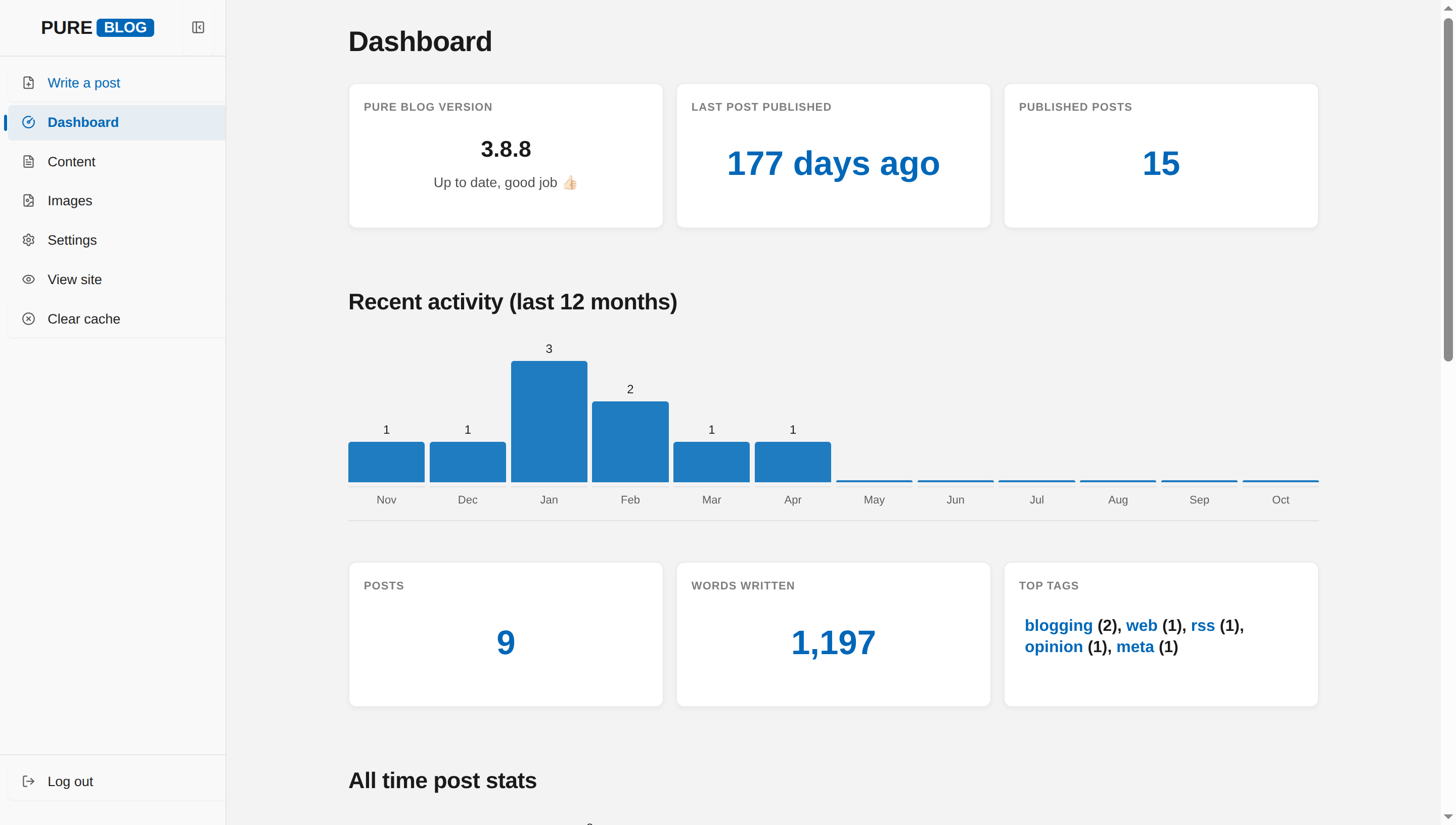
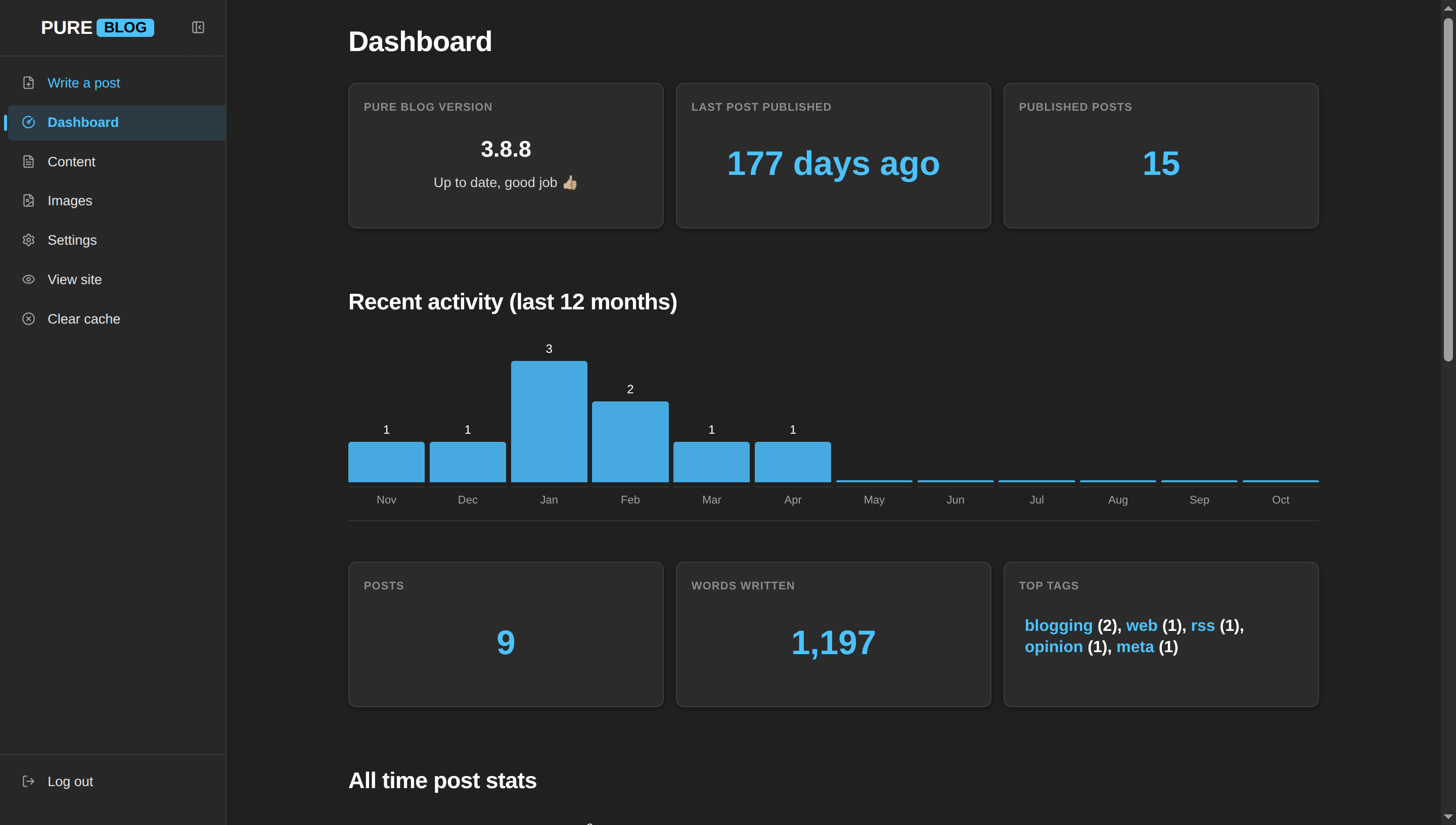
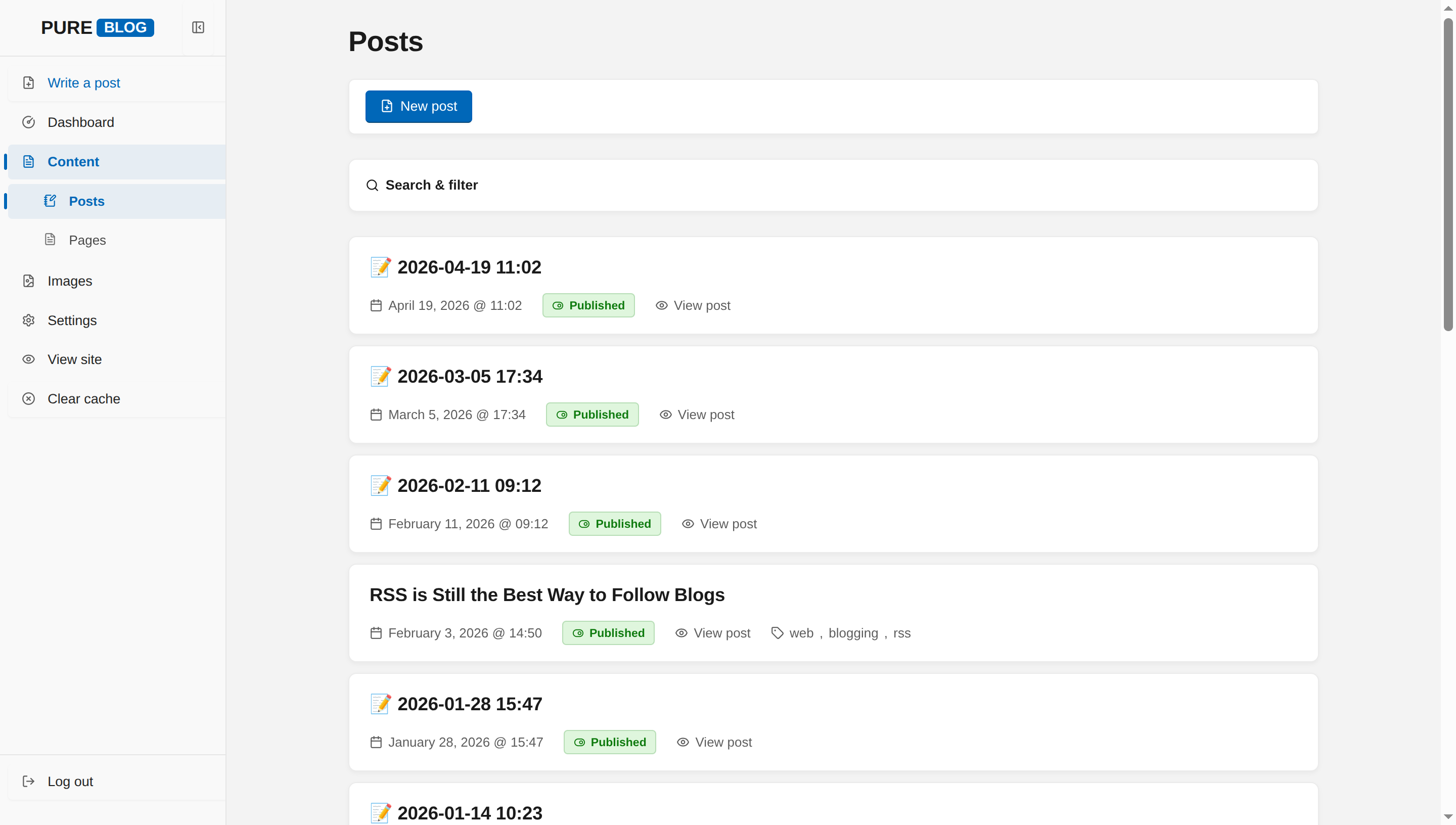
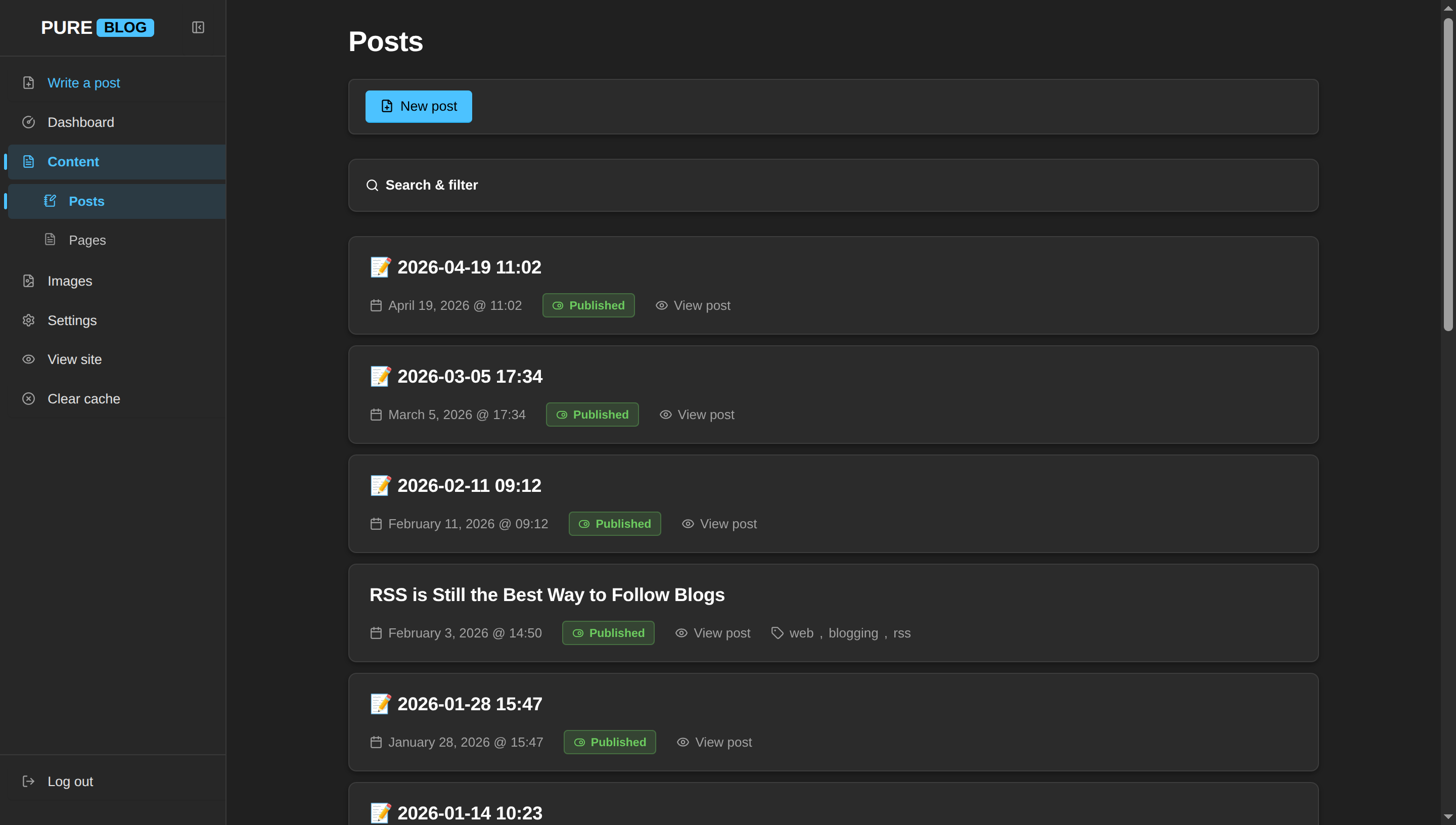
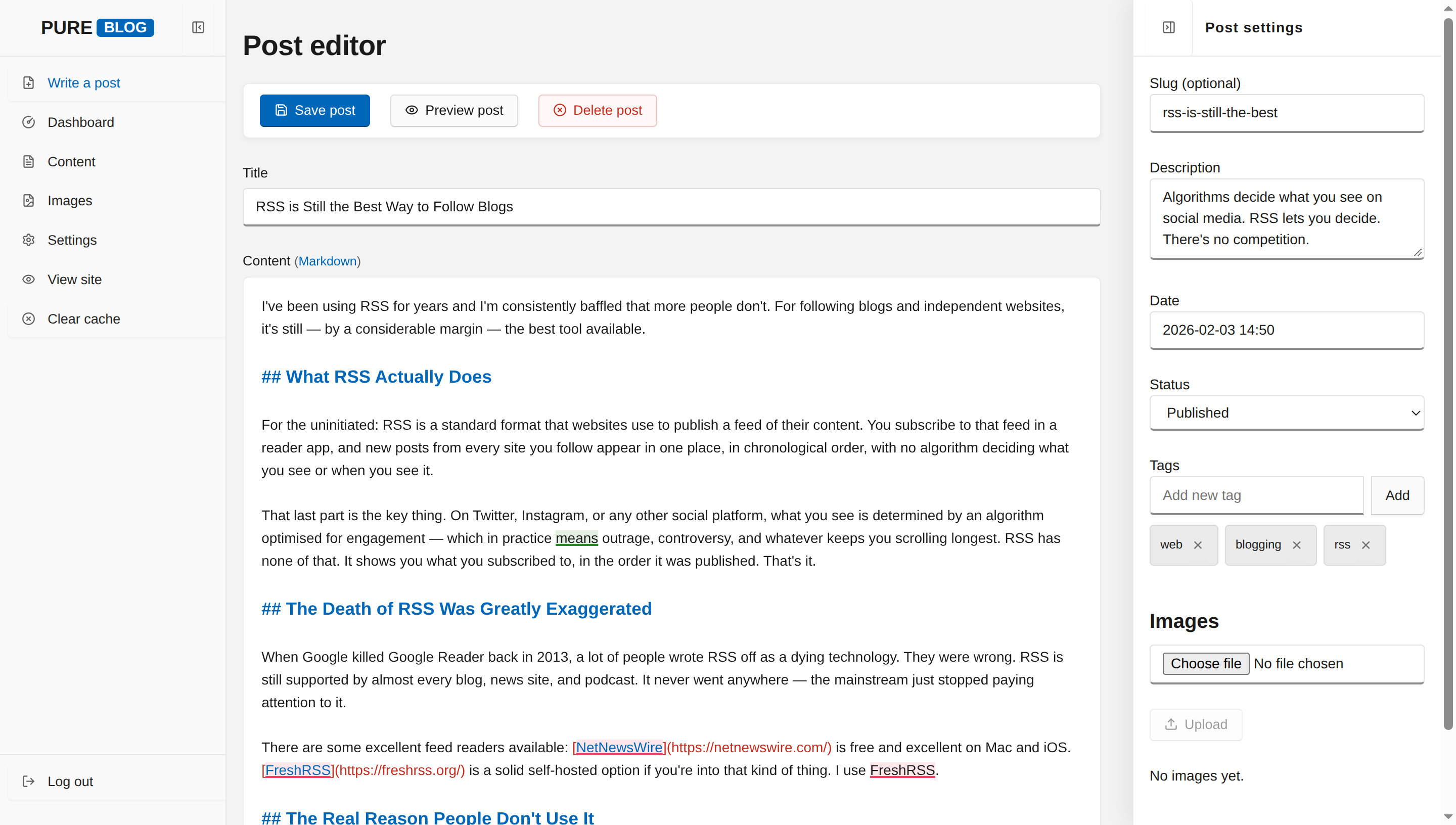
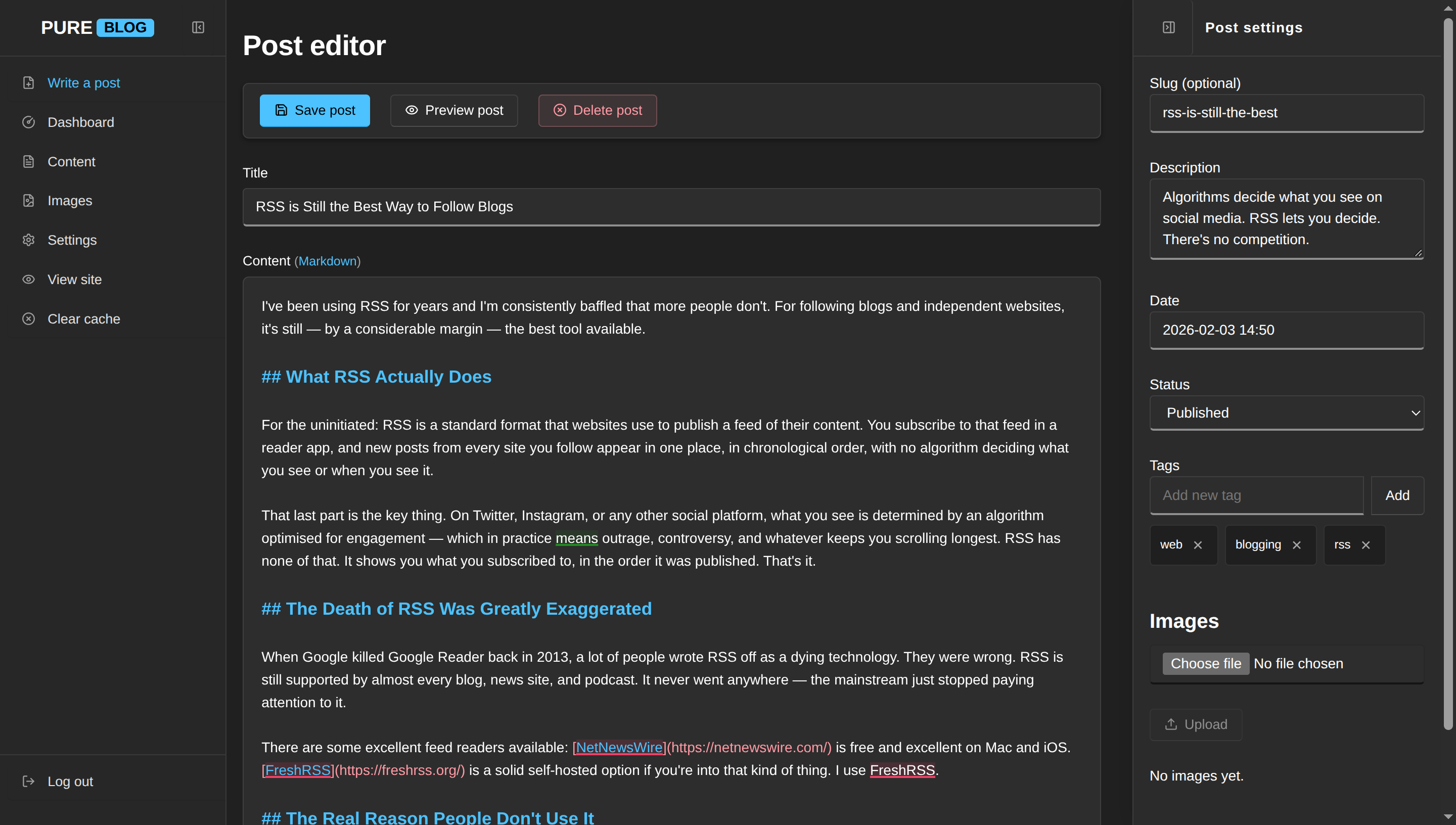
View Windows 11 CSS
/**
 * PureBlog Admin Custom Stylesheet (admin-custom.css)
 *
 * Windows 11 (Fluent Design & Mica Material) Theme customised with:
 * - Fluent colour system: Mica canvas (#f3f3f3), Cobalt accent (#0067b8 / dark #4cc2ff)
 * - Segoe UI Variable typography stack with authentic Fluent hierarchy
 * - Fluent inputs featuring signature bottom-line accent focus transitions
 * - Fluent command bar push buttons with subtle resting bevels
 * - Fluent InfoBar style notifications and Mica settings cards (8px radius)
 * - Complete light and dark mode support
 */

/* ==========================================================================
   1. Design Tokens & Colour Schemes (Windows 11 Fluent System)
   ========================================================================== */

:root {
    /* Fluent Light Palette */
    --bg-color: #f3f3f3;                /* Windows 11 Mica canvas */
    --accent-bg-color: #f9f9f9;         /* Windows 11 Settings sidebar */
    --text-color: #1a1a1a;              /* Primary text */
    --accent-text-color: #ffffff;
    --accent-color: #0067b8;            /* Windows 11 Cobalt blue */
    --accent-hover: #1975c5;
    --accent-active: #005293;
    --border-color: rgba(0, 0, 0, 0.08); /* Fluent hairline border */
    --input-bg: #ffffff;
    --subnav-bg: #ececec;
    --red: #c42b1c;                     /* Windows 11 Error red */
    --green: #107c10;                   /* Windows 11 Success green */
    --blue: #0067b8;
    --orange: #9d5d00;                  /* Windows 11 Warning amber */
    --code-selection-bg: rgba(0, 103, 184, 0.22);
    --code-active-line-bg: rgba(0, 0, 0, 0.025);

    /* Fluent UI Surface Tokens */
    --heading-color: #1a1a1a;
    --text-secondary: #5d5d5d;          /* Secondary label */
    --border-subtle: rgba(0, 0, 0, 0.05);
    --card-bg: #ffffff;
    --card-hover-border: rgba(0, 0, 0, 0.18);
    --sidebar-text: #242424;
    --sidebar-icon: #5d5d5d;
    --sidebar-hover-bg: rgba(0, 0, 0, 0.04);
    --sidebar-active-bg: rgba(0, 103, 184, 0.08);
    --sidebar-active-text: #0067b8;
    --toolbar-bg: #ffffff;

    /* Fluent Button Tokens */
    --btn-bg: #fbfbfb;
    --btn-border: rgba(0, 0, 0, 0.12);
    --btn-border-bottom: rgba(0, 0, 0, 0.18);
    --btn-color: #1a1a1a;
    --btn-hover-bg: #f5f5f5;
    --btn-active-bg: #eeeeee;
    --primary-btn-bg: #0067b8;
    --primary-btn-border: #005fb8;
    --primary-btn-border-bottom: #004578;
    --delete-btn-bg: #fff8f7;
    --delete-btn-border: rgba(196, 43, 28, 0.25);
    --delete-btn-color: #c42b1c;

    /* Fluent Focus & Elevation */
    --focus-ring: 0 0 0 2px #000000, 0 0 0 4px #0067b8;
    --shadow-fluent-card: 0 2px 4px rgba(0, 0, 0, 0.04);
    --shadow-fluent-flyout: 0 8px 16px rgba(0, 0, 0, 0.14);

    /* Fluent InfoBars & Status Pills */
    --status-pub-bg: #dff6dd;
    --status-pub-color: #0f7b0f;
    --status-pub-border: rgba(15, 123, 15, 0.2);
    --status-draft-bg: #fff4ce;
    --status-draft-color: #795e00;
    --status-draft-border: rgba(121, 94, 0, 0.2);
    --status-sched-bg: #e5f1fb;
    --status-sched-color: #005fb8;
    --status-sched-border: rgba(0, 95, 184, 0.2);

    /* InfoBar Banners */
    --notice-bg: #fdfdfd;
    --notice-success-border: #107c10;
    --notice-danger-border: #c42b1c;

    /* Tables */
    --table-header-bg: #f7f7f7;
    --table-row-hover: rgba(0, 0, 0, 0.03);
}

/* Dark Mode Tokens (Windows 11 Dark Mica) */
html[data-admin-theme="dark"] {
    --bg-color: #202020;                /* Mica Dark background */
    --accent-bg-color: #272727;         /* Settings dark sidebar */
    --text-color: #ffffff;
    --accent-text-color: #000000;
    --accent-color: #4cc2ff;            /* Windows 11 Dark Cobalt/Cyan accent */
    --accent-hover: #6cd0ff;
    --accent-active: #2bb4f8;
    --border-color: rgba(255, 255, 255, 0.08);
    --input-bg: #2d2d2d;
    --subnav-bg: #1f1f1f;
    --red: #ff99a4;
    --green: #6ccb5f;
    --blue: #4cc2ff;
    --orange: #fce100;
    --code-selection-bg: rgba(76, 194, 255, 0.3);
    --code-active-line-bg: rgba(255, 255, 255, 0.03);

    --heading-color: #ffffff;
    --text-secondary: #a0a0a0;
    --border-subtle: rgba(255, 255, 255, 0.05);
    --card-bg: #2b2b2b;
    --card-hover-border: rgba(255, 255, 255, 0.16);
    --sidebar-text: #e0e0e0;
    --sidebar-icon: #a0a0a0;
    --sidebar-hover-bg: rgba(255, 255, 255, 0.05);
    --sidebar-active-bg: rgba(76, 194, 255, 0.12);
    --sidebar-active-text: #4cc2ff;
    --toolbar-bg: #2b2b2b;

    --btn-bg: #2d2d2d;
    --btn-border: rgba(255, 255, 255, 0.08);
    --btn-border-bottom: rgba(255, 255, 255, 0.14);
    --btn-color: #ffffff;
    --btn-hover-bg: #323232;
    --btn-active-bg: #282828;
    --primary-btn-bg: #4cc2ff;
    --primary-btn-border: #4cc2ff;
    --primary-btn-border-bottom: #2bb4f8;
    --delete-btn-bg: rgba(255, 153, 164, 0.08);
    --delete-btn-border: rgba(255, 153, 164, 0.25);
    --delete-btn-color: #ff99a4;

    --focus-ring: 0 0 0 2px #ffffff, 0 0 0 4px #4cc2ff;
    --shadow-fluent-card: 0 2px 6px rgba(0, 0, 0, 0.28);
    --shadow-fluent-flyout: 0 12px 28px rgba(0, 0, 0, 0.45);

    --status-pub-bg: rgba(108, 203, 95, 0.15);
    --status-pub-color: #6ccb5f;
    --status-pub-border: rgba(108, 203, 95, 0.3);
    --status-draft-bg: rgba(252, 225, 0, 0.15);
    --status-draft-color: #fce100;
    --status-draft-border: rgba(252, 225, 0, 0.3);
    --status-sched-bg: rgba(76, 194, 255, 0.15);
    --status-sched-color: #4cc2ff;
    --status-sched-border: rgba(76, 194, 255, 0.3);

    --notice-bg: #272727;
    --notice-success-border: #6ccb5f;
    --notice-danger-border: #ff99a4;

    --table-header-bg: #272727;
    --table-row-hover: rgba(255, 255, 255, 0.04);
}

/* System Dark Mode (when set to Auto) */
@media (prefers-color-scheme: dark) {
    html[data-admin-theme="auto"] {
        --bg-color: #202020;
        --accent-bg-color: #272727;
        --text-color: #ffffff;
        --accent-text-color: #000000;
        --accent-color: #4cc2ff;
        --accent-hover: #6cd0ff;
        --accent-active: #2bb4f8;
        --border-color: rgba(255, 255, 255, 0.08);
        --input-bg: #2d2d2d;
        --subnav-bg: #1f1f1f;
        --red: #ff99a4;
        --green: #6ccb5f;
        --blue: #4cc2ff;
        --orange: #fce100;
        --code-selection-bg: rgba(76, 194, 255, 0.3);
        --code-active-line-bg: rgba(255, 255, 255, 0.03);

        --heading-color: #ffffff;
        --text-secondary: #a0a0a0;
        --border-subtle: rgba(255, 255, 255, 0.05);
        --card-bg: #2b2b2b;
        --card-hover-border: rgba(255, 255, 255, 0.16);
        --sidebar-text: #e0e0e0;
        --sidebar-icon: #a0a0a0;
        --sidebar-hover-bg: rgba(255, 255, 255, 0.05);
        --sidebar-hover-text: #ffffff;
        --sidebar-active-bg: rgba(76, 194, 255, 0.12);
        --sidebar-active-text: #4cc2ff;
        --toolbar-bg: #2b2b2b;

        --btn-bg: #2d2d2d;
        --btn-border: rgba(255, 255, 255, 0.08);
        --btn-border-bottom: rgba(255, 255, 255, 0.14);
        --btn-color: #ffffff;
        --btn-hover-bg: #323232;
        --btn-active-bg: #282828;
        --primary-btn-bg: #4cc2ff;
        --primary-btn-border: #4cc2ff;
        --primary-btn-border-bottom: #2bb4f8;
        --delete-btn-bg: rgba(255, 153, 164, 0.08);
        --delete-btn-border: rgba(255, 153, 164, 0.25);
        --delete-btn-color: #ff99a4;

        --focus-ring: 0 0 0 2px #ffffff, 0 0 0 4px #4cc2ff;
        --shadow-fluent-card: 0 2px 6px rgba(0, 0, 0, 0.28);
        --shadow-fluent-flyout: 0 12px 28px rgba(0, 0, 0, 0.45);

        --status-pub-bg: rgba(108, 203, 95, 0.15);
        --status-pub-color: #6ccb5f;
        --status-pub-border: rgba(108, 203, 95, 0.3);
        --status-draft-bg: rgba(252, 225, 0, 0.15);
        --status-draft-color: #fce100;
        --status-draft-border: rgba(252, 225, 0, 0.3);
        --status-sched-bg: rgba(76, 194, 255, 0.15);
        --status-sched-color: #4cc2ff;
        --status-sched-border: rgba(76, 194, 255, 0.3);

        --notice-bg: #272727;
        --notice-success-border: #6ccb5f;
        --notice-danger-border: #ff99a4;

        --table-header-bg: #272727;
        --table-row-hover: rgba(255, 255, 255, 0.04);
    }
}


/* ==========================================================================
   2. Typography & Global Layout (Segoe UI Variable)
   ========================================================================== */

body {
    background-color: var(--bg-color);
    color: var(--text-color);
    font-family: "Segoe UI Variable Text", "Segoe UI Variable Display", "Segoe UI", -apple-system, BlinkMacSystemFont, Roboto, sans-serif;
    font-size: 14px;
    line-height: 1.5;
    -webkit-font-smoothing: antialiased;
    -moz-osx-font-smoothing: grayscale;
}

h1 {
    font-size: 1.75rem;
    font-weight: 600;
    letter-spacing: -0.015em;
    color: var(--heading-color);
    margin: 1.25rem 0 1rem 0;
}

h2 {
    font-size: 1.3rem;
    font-weight: 600;
    letter-spacing: -0.01em;
    color: var(--heading-color);
    margin: 2rem 0 1rem 0;
}

h3 {
    font-size: 1.05rem;
    font-weight: 600;
    color: var(--heading-color);
    margin: 1.5rem 0 0.75rem 0;
}

a {
    color: var(--accent-color);
    text-decoration: none;
    transition: color 0.1s ease, text-decoration-color 0.1s ease;
}

a:hover {
    color: var(--accent-hover);
    text-decoration: underline;
}


/* ==========================================================================
   3. Sidebar Navigation (Windows 11 Settings Navigation)
   ========================================================================== */

.admin-nav {
    background: var(--accent-bg-color);
    border-right: 1px solid var(--border-color);
    width: 14rem;
    padding: 0;
}

.sidebar-header {
    background: var(--accent-bg-color);
    border-bottom: 1px solid var(--border-color);
    height: 3.5rem;
    padding: 0 0.75rem;
}

.sidebar-logo .logo {
    font-family: "Segoe UI Variable Display", "Segoe UI", sans-serif;
    font-size: 1.15rem;
    font-weight: 600;
    border: none;
    color: var(--heading-color);
    display: inline-flex;
    align-items: center;
    gap: 0.25rem;
}

.sidebar-logo .pure {
    padding: 0;
    color: var(--heading-color);
}

.sidebar-logo .service {
    background: var(--accent-color);
    color: var(--accent-text-color);
    padding: 0.1rem 0.45rem;
    border-radius: 4px;
    font-size: 0.8em;
}

.sidebar-toggle {
    border: none;
    border-radius: 4px;
    color: var(--sidebar-icon);
    padding: 0.5rem;
    transition: color 0.15s ease, background-color 0.15s ease;
}

.sidebar-toggle:hover {
    background: var(--sidebar-hover-bg);
    color: var(--heading-color);
}

.admin-nav-list {
    padding: 0.5rem 0;
    gap: 2px;
}

/* Windows 11 Navigation Items with Left Accent Indicator */
.admin-nav .admin-nav-list a,
.admin-nav .admin-nav-list .link-button {
    position: relative;
    text-transform: none;
    font-size: 13.5px;
    font-weight: 400;
    color: var(--sidebar-text);
    padding: 0.5rem 0.85rem;
    margin: 1px 8px;
    border-radius: 4px;
    border-left: none;
    gap: 0.75rem;
    line-height: 1.4;
    transition: background-color 0.1s ease, color 0.1s ease;
}

.admin-nav .admin-nav-list a .icon,
.admin-nav .admin-nav-list .link-button .icon {
    color: var(--sidebar-icon);
    stroke: currentColor;
    transition: color 0.1s ease;
}

.admin-nav .admin-nav-list a:hover,
.admin-nav .admin-nav-list .link-button:hover {
    background-color: var(--sidebar-hover-bg);
    color: var(--heading-color);
}

.admin-nav .admin-nav-list a:hover .icon,
.admin-nav .admin-nav-list .link-button:hover .icon {
    color: var(--heading-color);
}

/* Active navigation item: Accent pill and vertical indicator line */
.admin-nav .admin-nav-list a.current,
.admin-nav .admin-nav-list a.current:hover {
    background-color: var(--sidebar-active-bg);
    color: var(--sidebar-active-text);
    font-weight: 600;
}

.admin-nav .admin-nav-list a.current::before {
    content: "";
    position: absolute;
    left: -4px;
    top: 50%;
    transform: translateY(-50%);
    width: 3px;
    height: 16px;
    border-radius: 2px;
    background-color: var(--accent-color);
}

.admin-nav .admin-nav-list a.current .icon {
    color: var(--sidebar-active-text);
    stroke: currentColor;
}

/* Submenu items */
.admin-nav .sidebar-subnav {
    background-color: transparent;
    border-bottom: none;
    padding: 0.15rem 0;
}

.admin-nav .sidebar-subnav a,
.admin-nav .sidebar-subnav .link-button {
    padding-left: 2.2rem;
    margin: 1px 8px;
    font-size: 13px;
    color: var(--sidebar-text);
    border-radius: 4px;
    opacity: 0.85;
}

.admin-nav .sidebar-subnav a:hover,
.admin-nav .sidebar-subnav .link-button:hover {
    background-color: var(--sidebar-hover-bg);
    color: var(--heading-color);
    opacity: 1;
}

.admin-nav .sidebar-subnav a.current,
.admin-nav .sidebar-subnav a.current:hover {
    background-color: var(--sidebar-active-bg);
    color: var(--sidebar-active-text);
    font-weight: 600;
    opacity: 1;
}

#sidebar-new-post-button {
    color: var(--accent-color);
}

#sidebar-new-post-button:hover {
    background-color: var(--sidebar-hover-bg);
    color: var(--accent-hover);
}

ul.admin-nav-list .logout-item {
    margin-top: auto;
    border-top: 1px solid var(--border-color);
    padding-top: 0.5rem;
}


/* ==========================================================================
   4. Fluent Push Buttons (CommandBar Style with Resting Bevel)
   ========================================================================== */

button,
a.button,
a.delete,
a.save,
.editor-actions button,
.link-button,
.editor-actions a {
    text-transform: none;
    font-family: inherit;
    font-size: 13.5px;
    font-weight: 400;
    min-height: 32px;
    padding: 0.35rem 0.85rem;
    border-radius: 4px;
    border: 1px solid var(--btn-border);
    border-bottom: 1px solid var(--btn-border-bottom);
    background: var(--btn-bg);
    color: var(--btn-color);
    cursor: pointer;
    text-decoration: none;
    box-shadow: 0 1px 2px rgba(0, 0, 0, 0.04);
    transition: background-color 0.1s ease, border-color 0.1s ease, transform 0.05s ease;
}

button:hover,
a.button:hover,
.link-button:hover,
.editor-actions button:hover,
.editor-actions a:hover {
    background-color: var(--btn-hover-bg);
    color: var(--btn-color);
    text-decoration: none;
}

button:active,
a.button:active,
.link-button:active,
.editor-actions button:active,
.editor-actions a:active {
    background-color: var(--btn-active-bg);
    border-bottom-color: var(--btn-border);
    transform: scale(0.99);
}

button:focus-visible,
a.button:focus-visible,
.link-button:focus-visible {
    outline: none;
    box-shadow: var(--focus-ring);
}

/* Primary Button (.save in Windows 11 Cobalt Blue) */
.save,
a.save,
button.save {
    background: var(--primary-btn-bg);
    border-color: var(--primary-btn-border);
    border-bottom-color: var(--primary-btn-border-bottom);
    color: #ffffff;
    font-weight: 500;
}

html[data-admin-theme="dark"] .save,
html[data-admin-theme="dark"] a.save,
html[data-admin-theme="dark"] button.save {
    color: #000000;
}

@media (prefers-color-scheme: dark) {
    html[data-admin-theme="auto"] .save,
    html[data-admin-theme="auto"] a.save,
    html[data-admin-theme="auto"] button.save {
        color: #000000;
    }
}

.save .icon,
a.save .icon,
button.save .icon {
    stroke: currentColor;
}

a.save:hover,
button.save:hover,
.editor-actions button.save:hover,
.editor-actions a.save:hover {
    background: var(--accent-hover);
    border-color: var(--accent-hover);
    color: #ffffff;
}

html[data-admin-theme="dark"] a.save:hover,
html[data-admin-theme="dark"] button.save:hover {
    color: #000000;
}

@media (prefers-color-scheme: dark) {
    html[data-admin-theme="auto"] a.save:hover,
    html[data-admin-theme="auto"] button.save:hover {
        color: #000000;
    }
}

/* Destructive / Delete Button */
.delete,
a.delete,
button.delete,
.link-button.delete {
    background: var(--delete-btn-bg);
    border-color: var(--delete-btn-border);
    color: var(--delete-btn-color);
}

.delete .icon,
a.delete .icon,
button.delete .icon {
    stroke: var(--delete-btn-color);
}

a.delete:hover,
button.delete:hover,
.editor-actions a.delete:hover,
.link-button.delete:hover {
    background: var(--red);
    border-color: var(--red);
    color: #ffffff;
}

a.delete:hover .icon,
button.delete:hover .icon,
.link-button.delete:hover .icon {
    stroke: #ffffff;
}

button:disabled,
button[disabled],
.button[aria-disabled="true"] {
    opacity: 0.45;
    cursor: default;
    transform: none !important;
    box-shadow: none !important;
}


/* ==========================================================================
   5. Form Controls (Windows 11 Signature Bottom-Border Focus Line)
   ========================================================================== */

input[type="text"],
input[type="email"],
input[type="search"],
input[type="password"],
input[type="number"],
input[type="url"],
input[type="file"],
textarea,
select {
    border-radius: 4px;
    border: 1px solid rgba(0, 0, 0, 0.12);
    border-bottom: 2px solid rgba(0, 0, 0, 0.45);
    background-color: var(--input-bg);
    color: var(--text-color);
    padding: 0.45rem 0.75rem;
    min-height: 34px;
    font-size: 14px;
    line-height: 1.5;
    box-shadow: none;
    transition: border-color 0.15s ease, background-color 0.15s ease;
}

html[data-admin-theme="dark"] input[type="text"],
html[data-admin-theme="dark"] input[type="email"],
html[data-admin-theme="dark"] input[type="search"],
html[data-admin-theme="dark"] input[type="password"],
html[data-admin-theme="dark"] input[type="number"],
html[data-admin-theme="dark"] input[type="url"],
html[data-admin-theme="dark"] textarea,
html[data-admin-theme="dark"] select {
    border: 1px solid rgba(255, 255, 255, 0.08);
    border-bottom: 2px solid rgba(255, 255, 255, 0.45);
}

@media (prefers-color-scheme: dark) {
    html[data-admin-theme="auto"] input[type="text"],
    html[data-admin-theme="auto"] input[type="email"],
    html[data-admin-theme="auto"] input[type="search"],
    html[data-admin-theme="auto"] input[type="password"],
    html[data-admin-theme="auto"] input[type="number"],
    html[data-admin-theme="auto"] input[type="url"],
    html[data-admin-theme="auto"] textarea,
    html[data-admin-theme="auto"] select {
        border: 1px solid rgba(255, 255, 255, 0.08);
        border-bottom: 2px solid rgba(255, 255, 255, 0.45);
    }
}

/* Distinctive Windows 11 Focus: Bottom Border transitions into Accent Cobalt */
input[type="text"]:focus,
input[type="email"]:focus,
input[type="search"]:focus,
input[type="password"]:focus,
input[type="number"]:focus,
input[type="url"]:focus,
textarea:focus,
select:focus {
    outline: none;
    border-bottom-color: var(--accent-color);
    border-bottom-width: 2px;
}

form label {
    font-size: 13.5px;
    font-weight: 500;
    color: var(--heading-color);
    margin-bottom: 0.3rem;
}

form label span.tip,
p.tip {
    font-size: 12.5px;
    color: var(--text-secondary);
    font-style: normal;
}

input[type="checkbox"],
input[type="radio"] {
    accent-color: var(--accent-color);
    border-radius: 3px;
    cursor: pointer;
}

/* Layout Preview Cards */
.layout-preview {
    border: 1px solid var(--border-color);
    border-radius: 6px;
    background: var(--card-bg);
    box-shadow: var(--shadow-fluent-card);
    transition: border-color 0.15s ease, box-shadow 0.15s ease;
}

.layout-choice:hover .layout-preview {
    border-color: var(--accent-color);
}

.layout-choice input:checked+.layout-preview {
    border-color: var(--accent-color);
    box-shadow: 0 0 0 2px var(--accent-color);
}

/* Tag Entry & Badges */
.tag-entry-row input[type="text"] {
    border-top-right-radius: 0;
    border-bottom-right-radius: 0;
}

.tag-entry-row .tag-add-btn {
    border-top-left-radius: 0;
    border-bottom-left-radius: 0;
    margin-left: -1px;
}

.tag-suggestions {
    border: 1px solid var(--border-color);
    border-radius: 0 0 6px 6px;
    background: var(--card-bg);
    box-shadow: var(--shadow-fluent-flyout);
}

.tag-suggestions li {
    padding: 0.4rem 0.8rem;
    font-size: 13px;
}

.tag-suggestions li:hover,
.tag-suggestions li.active {
    background: var(--accent-color);
    color: var(--accent-text-color);
}

.tag-badge {
    border-radius: 4px;
    border: 1px solid var(--border-color);
    background: var(--subnav-bg);
    color: var(--text-color);
    padding: 0.2rem 0.6rem;
    font-size: 12px;
}

.tag-badge-remove {
    border-radius: 3px;
    transition: background-color 0.1s ease, color 0.1s ease;
}


/* ==========================================================================
   6. Command Bars & Sticky Toolbars
   ========================================================================== */

.admin-actions,
.editor-actions {
    background: var(--toolbar-bg);
    border: 1px solid var(--border-color);
    border-radius: 6px;
    box-shadow: var(--shadow-fluent-card);
    padding: 0.65rem 1rem;
    margin: 1rem 0 1.5rem 0;
    z-index: 100;
}

.mobile-nav-header {
    background: var(--toolbar-bg);
    border-bottom: 1px solid var(--border-color);
}

.autosave-status {
    color: var(--text-secondary);
    font-size: 12px;
}


/* ==========================================================================
   7. Content Lists & Mica Settings Cards (8px Radius)
   ========================================================================== */

.admin-list {
    gap: 0.65rem;
}

.admin-list-item {
    background: var(--card-bg);
    border: 1px solid var(--border-color);
    border-radius: 8px;
    box-shadow: var(--shadow-fluent-card);
    padding: 1rem 1.25rem;
    transition: border-color 0.15s ease, box-shadow 0.15s ease;
}

.admin-list-item:hover {
    border-color: var(--card-hover-border);
}

.admin-list-title {
    font-size: 1.15rem;
    font-weight: 600;
    letter-spacing: -0.01em;
    color: var(--heading-color);
}

.admin-list-meta {
    font-size: 13px;
    color: var(--text-secondary);
    gap: 0.5rem 1.25rem;
}

/* Windows 11 Status Pills */
.admin-list-meta .status.published {
    display: inline-flex;
    align-items: center;
    border-radius: 4px;
    padding: 0.15rem 0.55rem;
    font-size: 11.5px;
    font-weight: 600;
    background: var(--status-pub-bg);
    color: var(--status-pub-color);
    border: 1px solid var(--status-pub-border);
}

.admin-list-meta .status.draft {
    display: inline-flex;
    align-items: center;
    border-radius: 4px;
    padding: 0.15rem 0.55rem;
    font-size: 11.5px;
    font-weight: 600;
    background: var(--status-draft-bg);
    color: var(--status-draft-color);
    border: 1px solid var(--status-draft-border);
}

.admin-list-meta .status.scheduled {
    display: inline-flex;
    align-items: center;
    border-radius: 4px;
    padding: 0.15rem 0.55rem;
    font-size: 11.5px;
    font-weight: 600;
    background: var(--status-sched-bg);
    color: var(--status-sched-color);
    border: 1px solid var(--status-sched-border);
}

.admin-list-meta button.page-badge {
    border-radius: 4px;
    padding: 0.15rem 0.55rem;
    font-size: 11.5px;
    font-weight: 600;
    background: var(--status-pub-bg);
    color: var(--status-pub-color);
    border: 1px solid var(--status-pub-border);
    transition: all 0.15s ease;
}

.admin-list-meta button.page-badge:hover,
.admin-list-meta button.page-badge:focus-visible,
.admin-list-meta button.page-badge[aria-expanded="true"] {
    background: var(--green);
    color: #ffffff;
    border-color: var(--green);
}

.page-badge-popover {
    border-radius: 8px;
    border: 1px solid var(--border-color);
    background: var(--card-bg);
    box-shadow: var(--shadow-fluent-flyout);
}


/* ==========================================================================
   8. Search & Content Filter Panel
   ========================================================================== */

.content-filter {
    background: var(--card-bg);
    border: 1px solid var(--border-color);
    border-radius: 8px;
    box-shadow: var(--shadow-fluent-card);
    padding: 0.75rem 1rem;
    margin: 1.5rem 0;
}

.content-filter-summary {
    text-transform: none;
    font-size: 13.5px;
    font-weight: 600;
    color: var(--heading-color);
    padding: 0.2rem 0;
    transition: color 0.1s ease;
}

.content-filter-summary:hover {
    color: var(--accent-color);
}

.content-filter-active-label {
    border-radius: 4px;
    background: var(--accent-color);
    color: var(--accent-text-color);
    font-size: 11px;
    font-weight: 500;
    padding: 0.15rem 0.5rem;
}


/* ==========================================================================
   9. Dashboard Widgets, Metrics & Charts
   ========================================================================== */

.dashboard-h2 {
    font-size: 1.4rem;
    font-weight: 600;
    letter-spacing: -0.015em;
    color: var(--heading-color);
    margin-top: 3.5rem;
}

.dashboard-h3 {
    font-size: 1.15rem;
    font-weight: 600;
    color: var(--heading-color);
    margin-top: 2.25rem;
}

.dashboard-stat-card {
    background: var(--card-bg);
    border: 1px solid var(--border-color);
    border-radius: 8px;
    box-shadow: var(--shadow-fluent-card);
    padding: 1.25rem;
    transition: border-color 0.15s ease;
}

.dashboard-stat-card:hover {
    border-color: var(--card-hover-border);
}

.dashboard-stat-label {
    text-transform: uppercase;
    font-size: 11px;
    font-weight: 600;
    letter-spacing: 0.05em;
    color: var(--text-secondary);
}

.dashboard-stat-value {
    color: var(--heading-color);
    font-weight: 600;
}

.dashboard-stat-card-metric .dashboard-stat-value {
    color: var(--accent-color);
    font-size: 2.1rem;
}

.dashboard-chart {
    border-bottom: 1px solid var(--border-color);
    padding-bottom: 0.5rem;
}

.dashboard-chart-bar {
    border-radius: 3px 3px 0 0;
    background: var(--accent-color);
    opacity: 0.85;
    transition: opacity 0.15s ease;
}

a.dashboard-chart-col:hover .dashboard-chart-bar {
    opacity: 1;
}

.dashboard-chart-label {
    border-top: 1px solid var(--border-color);
    color: var(--text-secondary);
    font-size: 11px;
    text-transform: none;
}


/* ==========================================================================
   10. Windows 11 InfoBars (.notice)
   ========================================================================== */

.notice {
    background: var(--notice-bg);
    border: 1px solid var(--border-color);
    border-left: 4px solid var(--green);
    border-radius: 4px;
    box-shadow: var(--shadow-fluent-card);
    padding: 0.85rem 1.15rem;
    color: var(--text-color);
    font-size: 13.5px;
}

.notice.delete {
    border-left-color: var(--red);
    background: var(--notice-bg);
}

.admin-toast-container .notice {
    border-radius: 6px;
    box-shadow: var(--shadow-fluent-flyout);
    border-left: 4px solid var(--green);
}

.admin-toast-container .notice.delete {
    border-left-color: var(--red);
}

.toast-close-btn {
    border-radius: 4px;
    transition: background-color 0.15s ease;
}


/* ==========================================================================
   11. CodeJar & Prism Editor
   ========================================================================== */

.editor {
    background-color: var(--input-bg) !important;
    border: 1px solid var(--border-color);
    border-radius: 6px;
    box-shadow: none;
    padding: 1.1rem;
    transition: border-color 0.15s ease;
}

.editor:focus-within {
    border-color: var(--accent-color);
    box-shadow: 0 0 0 1px var(--accent-color);
}

.editor-sidebar {
    background: var(--card-bg);
    border-left: 1px solid var(--border-color);
}

body.editor-sidebar-open .editor-sidebar {
    border-left: 1px solid var(--border-color);
    box-shadow: -4px 0 20px rgba(0, 0, 0, 0.08);
}

.editor-sidebar .sidebar-header {
    border-bottom: 1px solid var(--border-color);
    background: var(--card-bg);
}

.editor-sidebar .sidebar-title {
    text-transform: none;
    font-size: 14px;
    font-weight: 600;
    color: var(--heading-color);
}


/* ==========================================================================
   12. Dialogue Windows & Modals
   ========================================================================== */

#layout-picker,
#sidebar-layout-picker {
    background: var(--card-bg);
    border: 1px solid var(--border-color);
    border-radius: 8px;
    box-shadow: var(--shadow-fluent-flyout);
    padding: 2.25rem;
}

.layout-picker-list a {
    border-radius: 4px;
    border: 1px solid var(--btn-border);
    background: var(--btn-bg);
    color: var(--btn-color);
    text-transform: none;
    font-weight: 500;
    transition: all 0.15s ease;
}

.layout-picker-list a:hover {
    background: var(--accent-color);
    color: var(--accent-text-color);
    border-color: var(--accent-color);
}

.image-lightbox {
    border-radius: 8px;
    border: 1px solid var(--border-color);
    box-shadow: var(--shadow-fluent-flyout);
    overflow: hidden;
}

.image-lightbox-header {
    border-bottom: 1px solid var(--border-color);
}

.image-delete-dialog {
    border-radius: 8px;
    border: 1px solid var(--border-color);
    background: var(--card-bg);
    box-shadow: var(--shadow-fluent-flyout);
}


/* ==========================================================================
   13. Media & Image Library
   ========================================================================== */

.image-library-card {
    background: var(--card-bg);
    border: 1px solid var(--border-color);
    border-radius: 6px;
    box-shadow: var(--shadow-fluent-card);
    overflow: hidden;
    transition: border-color 0.15s ease;
}

.image-library-card:hover {
    border-color: var(--card-hover-border);
}

.image-library-thumb {
    border-radius: 5px 5px 0 0;
}

.image-usage-summary {
    border-radius: 4px;
    border: 1px solid var(--border-color);
}

.image-usage-menu {
    border-radius: 6px;
    border: 1px solid var(--border-color);
    box-shadow: var(--shadow-fluent-flyout);
    background: var(--card-bg);
}

.image-list li {
    background: var(--card-bg);
    border: 1px solid var(--border-color);
    border-radius: 6px;
    box-shadow: var(--shadow-fluent-card);
}

.image-list-preview {
    border-radius: 4px;
}


/* ==========================================================================
   14. Theme Manager & Settings Cards
   ========================================================================== */

.theme-card {
    background: var(--card-bg);
    border: 1px solid var(--border-color);
    border-radius: 6px;
    box-shadow: var(--shadow-fluent-card);
    transition: border-color 0.15s ease, box-shadow 0.15s ease;
}

.theme-card.active {
    border-color: var(--accent-color);
    box-shadow: 0 0 0 1px var(--accent-color);
}

.theme-badge {
    border-radius: 4px;
    text-transform: none;
    font-weight: 500;
    font-size: 11.5px;
}

.swatch-chip {
    border-radius: 3px;
}

.theme-creator-details {
    background: var(--card-bg);
    border: 1px solid var(--border-color);
    border-radius: 6px;
}


/* ==========================================================================
   15. Login Screen (Fluent Authentication Card)
   ========================================================================== */

main.narrow {
    max-width: 340px;
    margin: 5rem auto;
    padding: 2.25rem;
    background: var(--card-bg);
    border: 1px solid var(--border-color);
    border-radius: 8px;
    box-shadow: var(--shadow-fluent-flyout);
}

main.narrow h1 {
    font-size: 1.45rem;
    font-weight: 600;
    text-align: center;
    margin-top: 0;
    margin-bottom: 1.5rem;
    color: var(--heading-color);
}

main.narrow form button[type="submit"] {
    width: 100%;
    margin-top: 0.75rem;
    padding: 0.5rem 1rem;
    min-height: 36px;
    font-size: 14px;
    font-weight: 500;
    background: var(--primary-btn-bg);
    border-color: var(--primary-btn-border);
    border-bottom-color: var(--primary-btn-border-bottom);
    color: #ffffff;
}

html[data-admin-theme="dark"] main.narrow form button[type="submit"] {
    color: #000000;
}

@media (prefers-color-scheme: dark) {
    html[data-admin-theme="auto"] main.narrow form button[type="submit"] {
        color: #000000;
    }
}


/* ==========================================================================
   16. Tables & Pagination Controls
   ========================================================================== */

table {
    border-collapse: separate;
    border-spacing: 0;
    background: var(--card-bg);
    border: 1px solid var(--border-color);
    border-radius: 6px;
    overflow: hidden;
}

th {
    background: var(--table-header-bg);
    font-size: 12px;
    font-weight: 600;
    color: var(--text-secondary);
    border-bottom: 1px solid var(--border-color);
    padding: 0.75rem 1rem;
    text-transform: none;
}

td {
    border-bottom: 1px solid var(--border-subtle);
    padding: 0.85rem 1rem;
    font-size: 13.5px;
}

tbody tr:last-child td {
    border-bottom: none;
}

tbody tr:hover {
    background-color: var(--table-row-hover);
}

nav.pagination a {
    display: inline-flex;
    align-items: center;
    border-radius: 4px;
    border: 1px solid var(--btn-border);
    border-bottom: 1px solid var(--btn-border-bottom);
    background: var(--btn-bg);
    color: var(--btn-color);
    padding: 0.35rem 0.85rem;
    min-height: 32px;
    font-size: 13.5px;
    text-decoration: none;
    transition: all 0.1s ease;
}

nav.pagination a:hover {
    background: var(--btn-hover-bg);
    border-color: var(--accent-color);
    color: var(--accent-color);
}
Windows XP (Luna Classic)
Step straight back to 2001 with this faithful tribute to Windows XP’s Luna Blue visual style. Features the iconic royal blue gradients, silver and olive trim, 3D bevelled button frames, green Start-accented save buttons, and crisp Tahoma typography. Fully supports both light and dark mode.
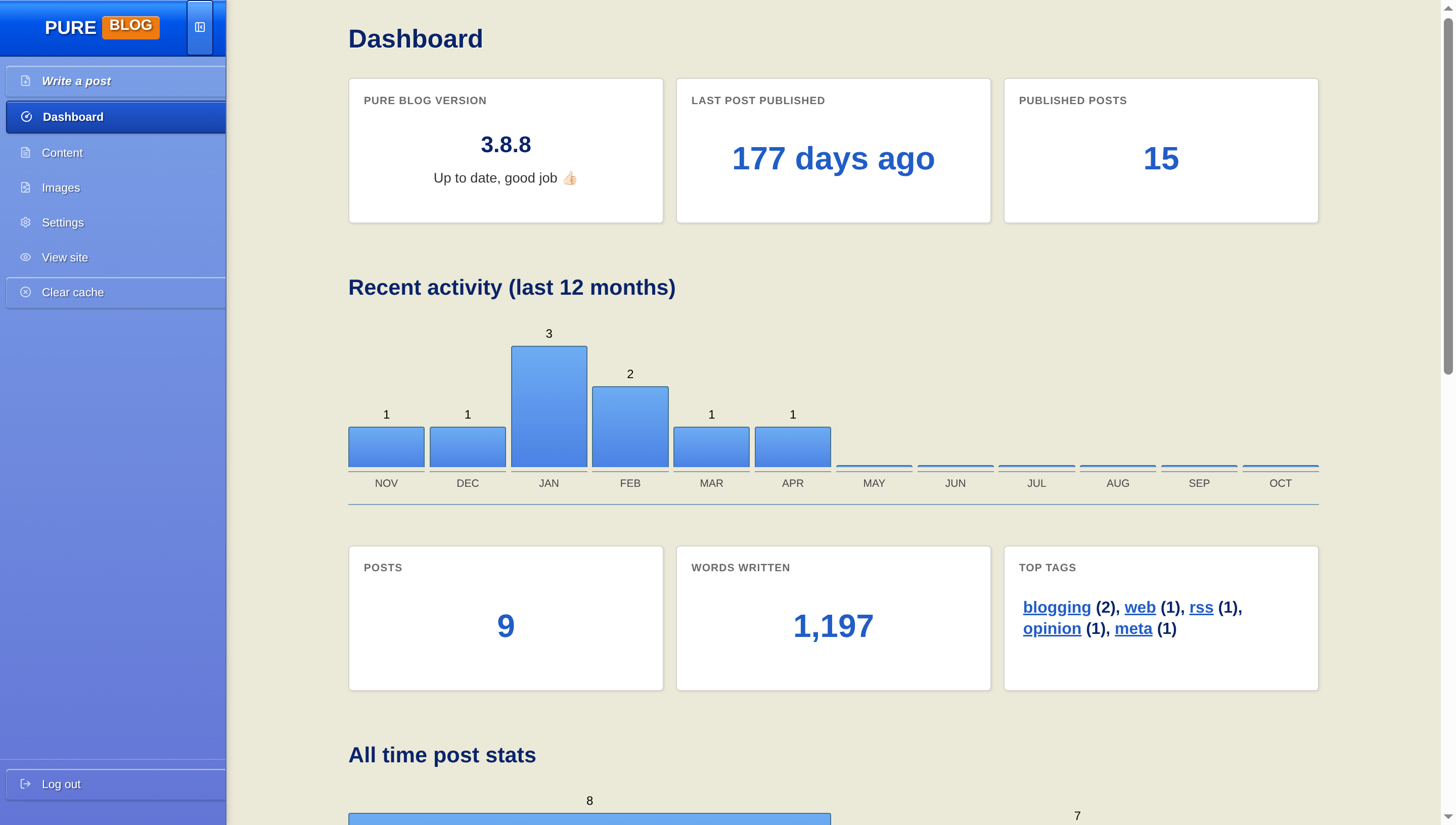
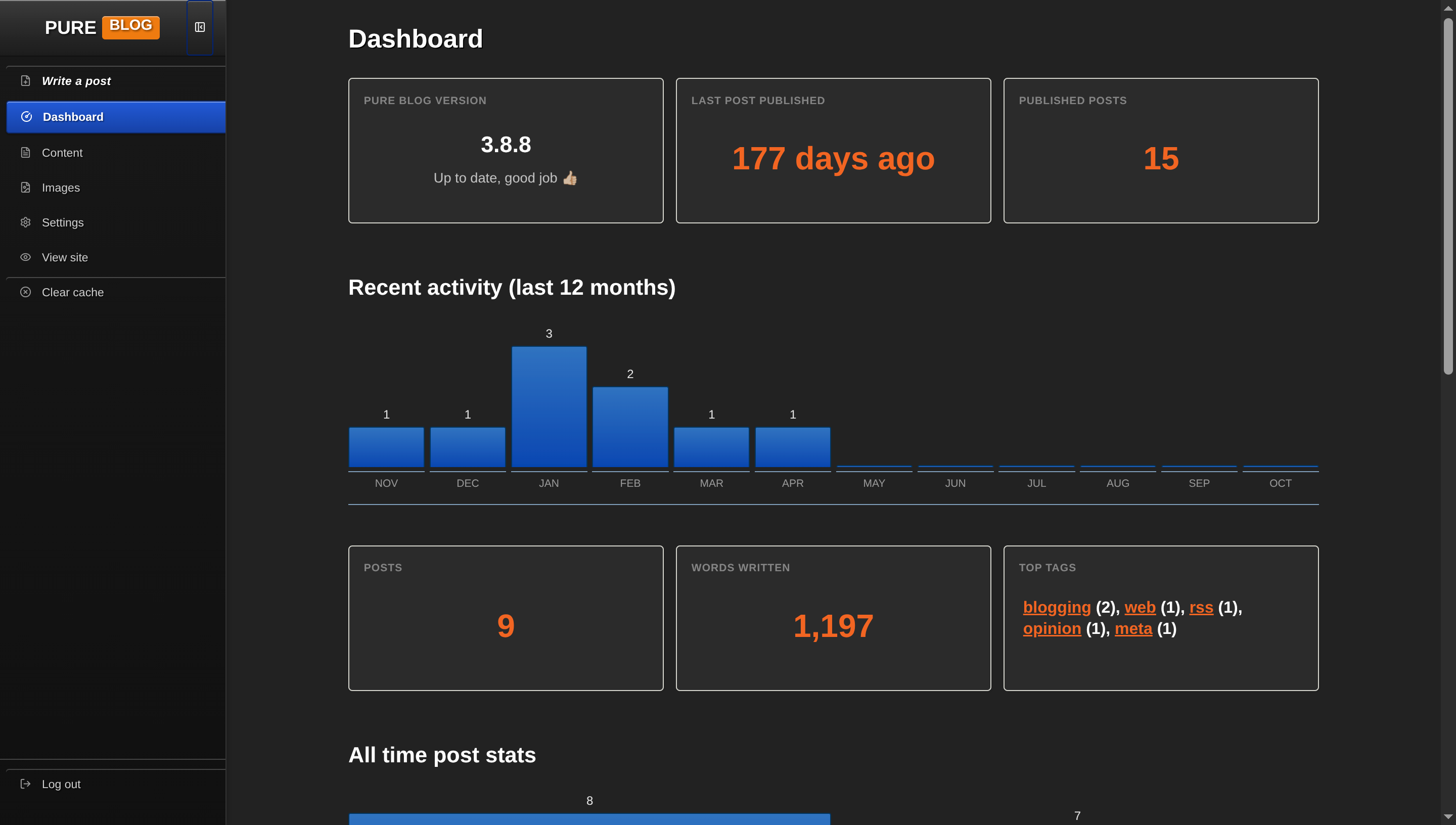
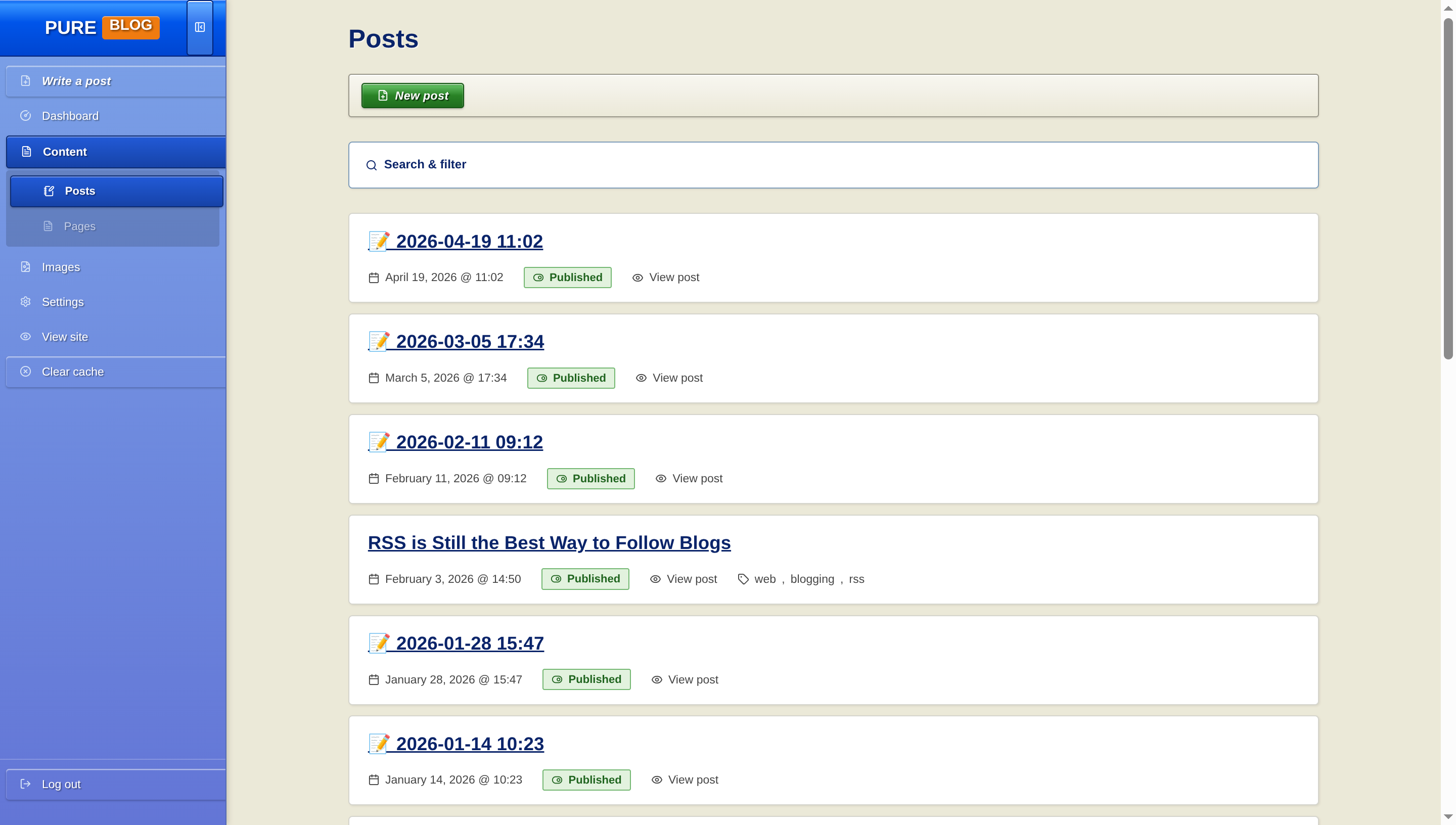
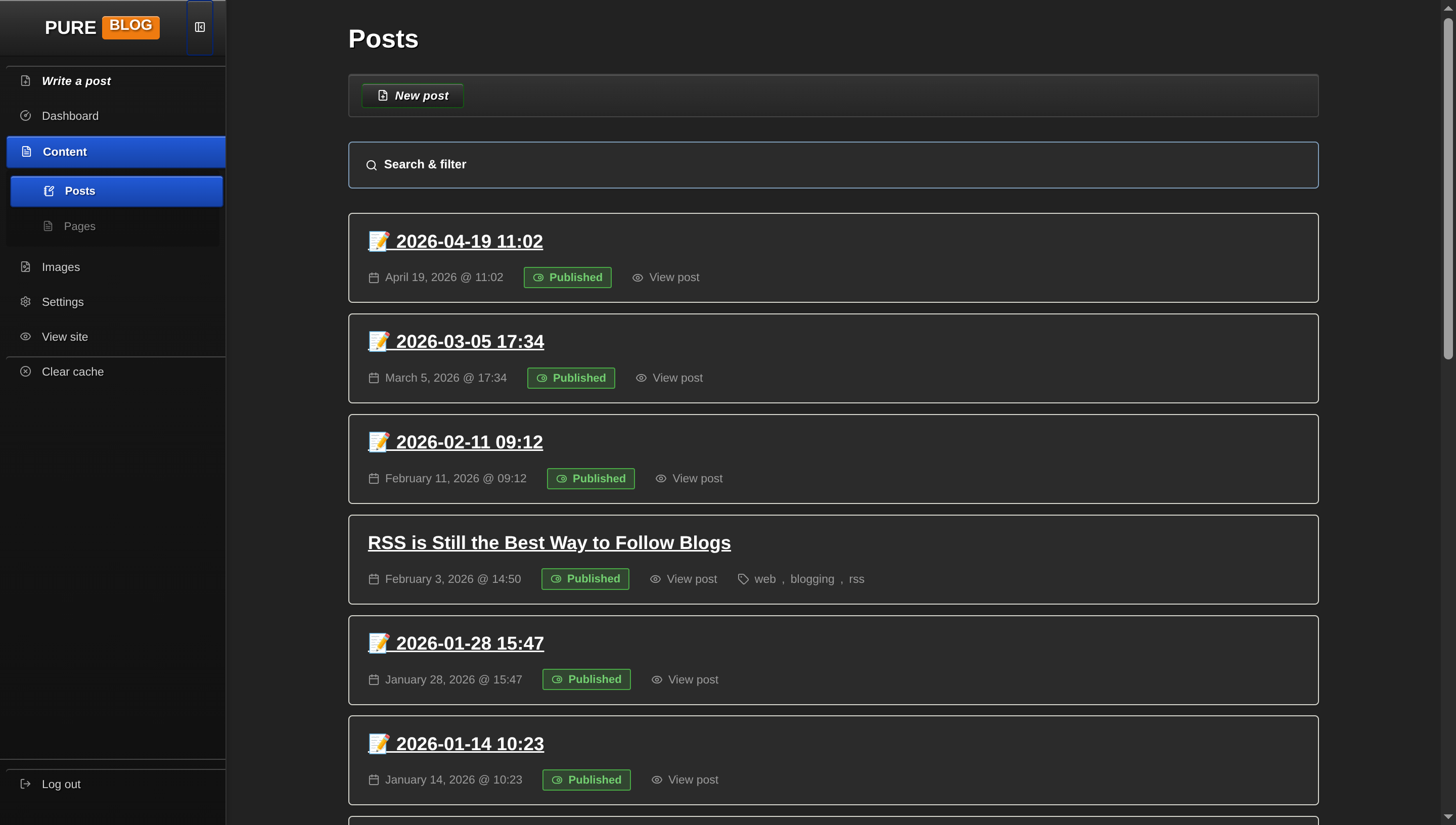
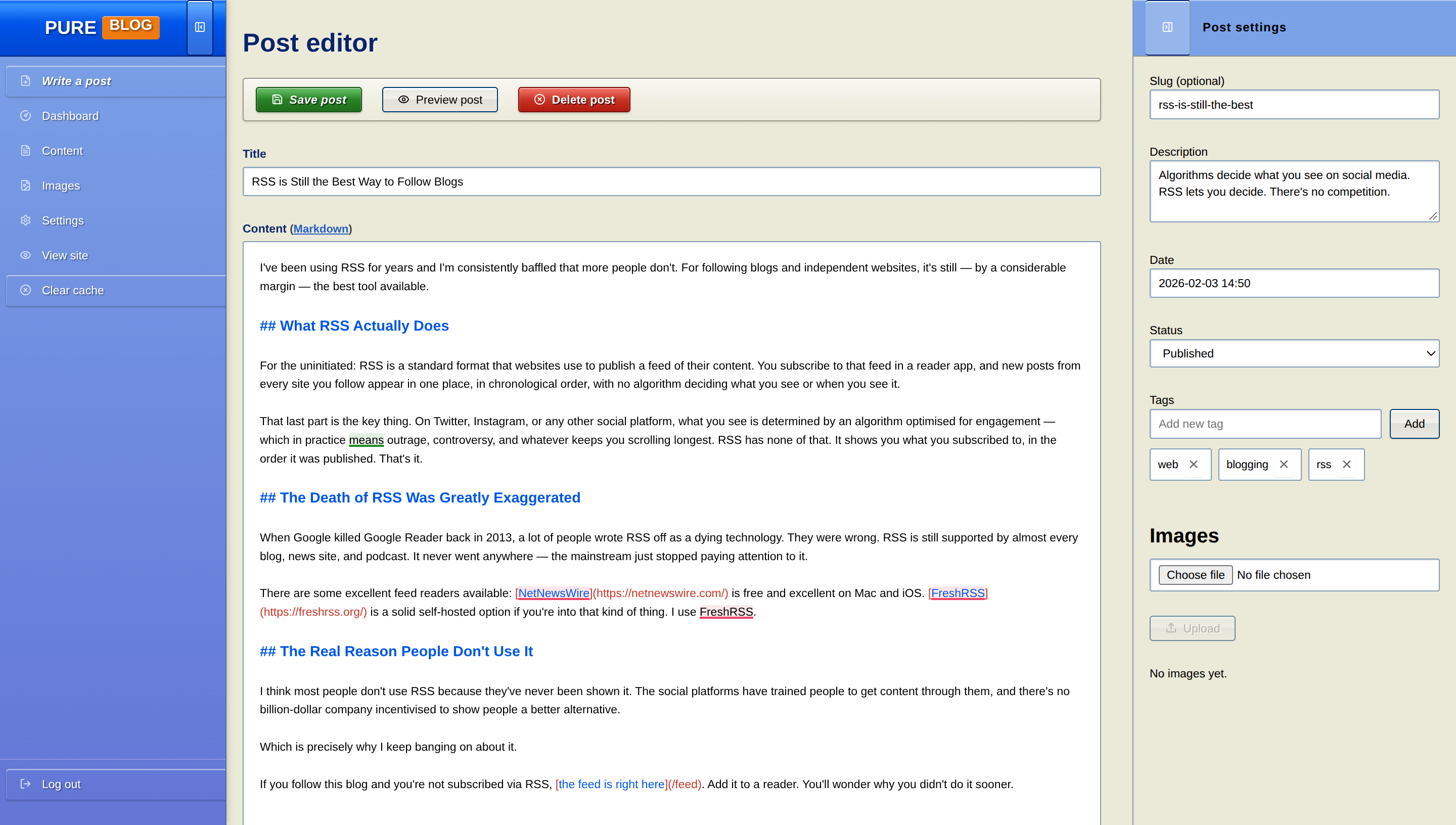
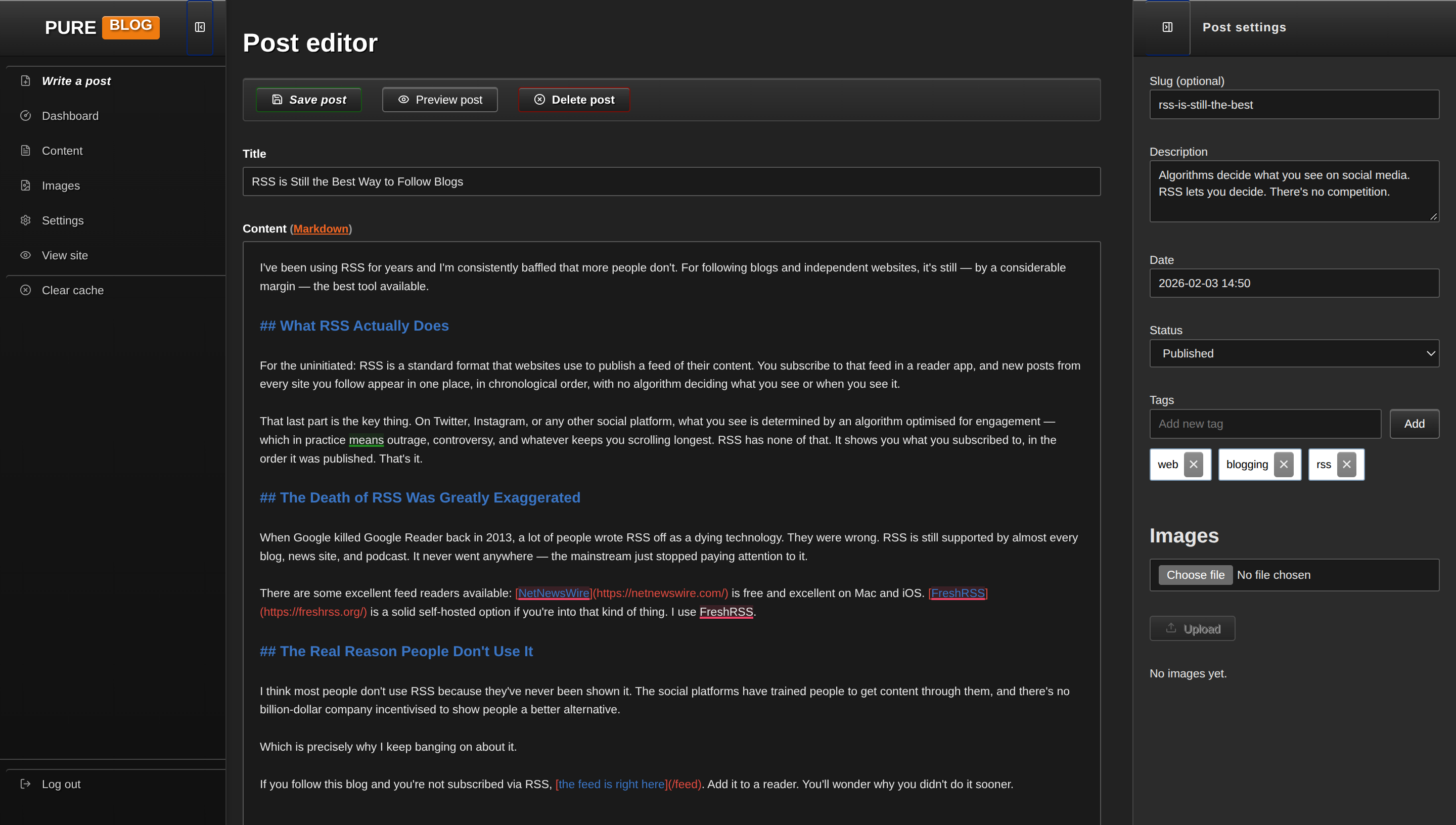
View Windows XP CSS
/**
 * PureBlog Admin Custom Stylesheet (admin-custom.css)
 *
 * Windows XP (Luna Blue & Royale Noir) Theme customised with:
 * - Iconic Luna Blue palette: #0055ea Royal Blue, #ece9d8 chassis beige, #388e3c Start Green
 * - Authentic Tahoma font stack across all dialogues and controls
 * - Classic Windows XP push buttons with bevelled gradients and gold hover rings
 * - Primary action (.save) styled after the legendary Windows XP Start Button
 * - Form controls with signature #7f9db9 borders and balloon-tip notifications (#ffffe1)
 * - Royale Noir / Zune dark mode support
 */

/* ==========================================================================
   1. Design Tokens & Colour Schemes (Windows XP Luna System)
   ========================================================================== */

:root {
    /* Windows XP Luna Blue Light Palette */
    --bg-color: #ece9d8;                /* Classic XP chassis beige/grey */
    --accent-bg-color: #7ba2e7;         /* XP Explorer Task Pane blue */
    --text-color: #000000;              /* Primary text */
    --accent-text-color: #ffffff;
    --accent-color: #215dc6;            /* Luna taskbar / link blue */
    --accent-hover: #428eff;
    --accent-active: #0a246a;
    --border-color: #7f9db9;            /* Iconic XP input border colour */
    --input-bg: #ffffff;
    --subnav-bg: #5a7ec8;
    --red: #c93427;                     /* XP Close button red */
    --green: #298226;                   /* XP Start button green */
    --blue: #0055ea;                    /* Luna Royal Blue titlebar */
    --orange: #f07b10;
    --code-selection-bg: rgba(10, 36, 106, 0.25);
    --code-active-line-bg: rgba(0, 0, 0, 0.03);

    /* Windows XP Surface Tokens */
    --heading-color: #0a246a;           /* XP Titlebar Navy */
    --text-secondary: #444444;
    --border-subtle: #d5d5cd;
    --card-bg: #ffffff;
    --card-hover-border: #0a246a;
    --sidebar-text: #ffffff;
    --sidebar-icon: #d6e3f7;
    --sidebar-hover-bg: rgba(255, 255, 255, 0.2);
    --sidebar-active-bg: #1642a8;
    --sidebar-active-text: #ffffff;
    --toolbar-bg: #ece9d8;

    /* Push Button Tokens */
    --btn-border: #003c74;
    --btn-color: #000000;
    --btn-hover-border: #003c74;
    --delete-btn-border: #7a0f07;

    /* Status Badges */
    --status-pub-bg: #e2f2de;
    --status-pub-color: #1f641d;
    --status-pub-border: #74b872;
    --status-draft-bg: #fde8e6;
    --status-draft-color: #9c1f14;
    --status-draft-border: #e68079;
    --status-sched-bg: #dce7f9;
    --status-sched-color: #0d388e;
    --status-sched-border: #7ba2e7;

    /* Notification Balloon */
    --notice-bg: #ffffe1;               /* XP Balloon notification yellow */
    --notice-border: #000000;
    --notice-success-border: #298226;
    --notice-danger-border: #c93427;

    /* Tables */
    --table-header-bg: #ece9d8;
    --table-row-hover: #f5f4eb;
}

/* Dark Mode Tokens (Windows XP Royale Noir / Zune Theme) */
html[data-admin-theme="dark"] {
    --bg-color: #222222;                /* Royale Noir chassis */
    --accent-bg-color: #181818;         /* Dark task pane */
    --text-color: #e5e5e5;
    --accent-text-color: #ffffff;
    --accent-color: #f26522;            /* Zune Orange accent */
    --accent-hover: #ff8547;
    --accent-active: #d14d0f;
    --border-color: #555555;
    --input-bg: #1a1a1a;
    --subnav-bg: #111111;
    --red: #e04a3f;
    --green: #48a845;
    --blue: #3a75c4;
    --orange: #f26522;
    --code-selection-bg: rgba(242, 101, 34, 0.3);
    --code-active-line-bg: rgba(255, 255, 255, 0.04);

    --heading-color: #ffffff;
    --text-secondary: #999999;
    --border-subtle: #3a3a3a;
    --card-bg: #2b2b2b;
    --card-hover-border: #f26522;
    --sidebar-text: #cccccc;
    --sidebar-icon: #999999;
    --sidebar-hover-bg: rgba(255, 255, 255, 0.08);
    --sidebar-active-bg: #3a3a3a;
    --sidebar-active-text: #f26522;
    --toolbar-bg: #2b2b2b;

    --btn-border: #666666;
    --btn-color: #ffffff;
    --btn-hover-border: #f26522;
    --delete-btn-border: #991f15;

    --status-pub-bg: rgba(72, 168, 69, 0.2);
    --status-pub-color: #72cf6f;
    --status-pub-border: #48a845;
    --status-draft-bg: rgba(224, 74, 63, 0.2);
    --status-draft-color: #ff8a82;
    --status-draft-border: #e04a3f;
    --status-sched-bg: rgba(58, 117, 196, 0.2);
    --status-sched-color: #7da8e8;
    --status-sched-border: #3a75c4;

    --notice-bg: #333333;
    --notice-border: #666666;
    --notice-success-border: #48a845;
    --notice-danger-border: #e04a3f;

    --table-header-bg: #2b2b2b;
    --table-row-hover: #333333;
}

/* System Dark Mode (when set to Auto) */
@media (prefers-color-scheme: dark) {
    html[data-admin-theme="auto"] {
        --bg-color: #222222;
        --accent-bg-color: #181818;
        --text-color: #e5e5e5;
        --accent-text-color: #ffffff;
        --accent-color: #f26522;
        --accent-hover: #ff8547;
        --accent-active: #d14d0f;
        --border-color: #555555;
        --input-bg: #1a1a1a;
        --subnav-bg: #111111;
        --red: #e04a3f;
        --green: #48a845;
        --blue: #3a75c4;
        --orange: #f26522;
        --code-selection-bg: rgba(242, 101, 34, 0.3);
        --code-active-line-bg: rgba(255, 255, 255, 0.04);

        --heading-color: #ffffff;
        --text-secondary: #999999;
        --border-subtle: #3a3a3a;
        --card-bg: #2b2b2b;
        --card-hover-border: #f26522;
        --sidebar-text: #cccccc;
        --sidebar-icon: #999999;
        --sidebar-hover-bg: rgba(255, 255, 255, 0.08);
        --sidebar-active-bg: #3a3a3a;
        --sidebar-active-text: #f26522;
        --toolbar-bg: #2b2b2b;

        --btn-border: #666666;
        --btn-color: #ffffff;
        --btn-hover-border: #f26522;
        --delete-btn-border: #991f15;

        --status-pub-bg: rgba(72, 168, 69, 0.2);
        --status-pub-color: #72cf6f;
        --status-pub-border: #48a845;
        --status-draft-bg: rgba(224, 74, 63, 0.2);
        --status-draft-color: #ff8a82;
        --status-draft-border: #e04a3f;
        --status-sched-bg: rgba(58, 117, 196, 0.2);
        --status-sched-color: #7da8e8;
        --status-sched-border: #3a75c4;

        --notice-bg: #333333;
        --notice-border: #666666;
        --notice-success-border: #48a845;
        --notice-danger-border: #e04a3f;

        --table-header-bg: #2b2b2b;
        --table-row-hover: #333333;
    }
}


/* ==========================================================================
   2. Typography & Global Layout (Authentic Tahoma)
   ========================================================================== */

body {
    background-color: var(--bg-color);
    color: var(--text-color);
    font-family: "Tahoma", "Segoe UI", Arial, sans-serif;
    font-size: 11.5px;
    line-height: 1.45;
}

h1 {
    font-size: 1.6rem;
    font-weight: 700;
    color: var(--heading-color);
    margin: 1.25rem 0 0.85rem 0;
    text-shadow: 1px 1px 0 rgba(255, 255, 255, 0.6);
}

html[data-admin-theme="dark"] h1 {
    text-shadow: 1px 1px 0 rgba(0, 0, 0, 0.8);
}

@media (prefers-color-scheme: dark) {
    html[data-admin-theme="auto"] h1 {
        text-shadow: 1px 1px 0 rgba(0, 0, 0, 0.8);
    }
}

h2 {
    font-size: 1.25rem;
    font-weight: 700;
    color: var(--heading-color);
    margin: 1.75rem 0 0.75rem 0;
}

h3 {
    font-size: 1.05rem;
    font-weight: 700;
    color: var(--heading-color);
    margin: 1.25rem 0 0.5rem 0;
}

a {
    color: var(--accent-color);
    text-decoration: underline;
}

a:hover {
    color: var(--accent-hover);
}


/* ==========================================================================
   3. Sidebar Navigation (Windows XP Explorer Task Pane)
   ========================================================================== */

.admin-nav {
    background: linear-gradient(180deg, var(--accent-bg-color) 0%, #6375d6 100%);
    border-right: 1px solid #556bb2;
    width: 14rem;
    padding: 0;
    box-shadow: 2px 0 5px rgba(0, 0, 0, 0.15);
}

html[data-admin-theme="dark"] .admin-nav {
    background: linear-gradient(180deg, #181818 0%, #101010 100%);
    border-right: 1px solid #333333;
}

@media (prefers-color-scheme: dark) {
    html[data-admin-theme="auto"] .admin-nav {
        background: linear-gradient(180deg, #181818 0%, #101010 100%);
        border-right: 1px solid #333333;
    }
}

/* Sidebar Titlebar Header: Royal Blue Luna Gloss */
.sidebar-header {
    background: linear-gradient(180deg, #0058ee 0%, #3593ff 8%, #0055ea 40%, #0045d0 100%);
    border-bottom: 1px solid #002277;
    height: 3.5rem;
    padding: 0 0.75rem;
    box-shadow: inset 0 1px 0 rgba(255, 255, 255, 0.4);
}

html[data-admin-theme="dark"] .sidebar-header {
    background: linear-gradient(180deg, #3c3c3c 0%, #2a2a2a 50%, #1c1c1c 100%);
    border-bottom: 1px solid #111111;
}

@media (prefers-color-scheme: dark) {
    html[data-admin-theme="auto"] .sidebar-header {
        background: linear-gradient(180deg, #3c3c3c 0%, #2a2a2a 50%, #1c1c1c 100%);
        border-bottom: 1px solid #111111;
    }
}

.sidebar-logo .logo {
    font-family: "Tahoma", sans-serif;
    font-size: 1.15rem;
    font-weight: 700;
    border: none;
    color: #ffffff;
    text-shadow: 1px 1px 2px rgba(0, 0, 0, 0.6);
}

.sidebar-logo .pure {
    color: #ffffff;
}

.sidebar-logo .service {
    background: #f07b10;
    color: #ffffff;
    padding: 0.1rem 0.45rem;
    border-radius: 3px;
    font-size: 0.8em;
    box-shadow: inset 0 1px 0 rgba(255, 255, 255, 0.4);
}

.sidebar-toggle {
    border: 1px solid #002277;
    border-radius: 3px;
    background: rgba(255, 255, 255, 0.2);
    color: #ffffff;
    padding: 0.4rem;
}

.sidebar-toggle:hover {
    background: rgba(255, 255, 255, 0.35);
}

.admin-nav-list {
    padding: 0.5rem 0;
    gap: 2px;
}

/* Sidebar Links */
.admin-nav .admin-nav-list a,
.admin-nav .admin-nav-list .link-button {
    text-transform: none;
    font-size: 11.5px;
    font-weight: normal;
    color: var(--sidebar-text);
    padding: 0.45rem 0.85rem;
    margin: 1px 6px;
    border-radius: 3px;
    border-left: none;
    gap: 0.65rem;
    text-shadow: 1px 1px 1px rgba(0, 0, 0, 0.4);
    transition: background-color 0.1s ease;
}

.admin-nav .admin-nav-list a .icon,
.admin-nav .admin-nav-list .link-button .icon {
    color: var(--sidebar-icon);
    stroke: currentColor;
}

.admin-nav .admin-nav-list a:hover,
.admin-nav .admin-nav-list .link-button:hover {
    background-color: var(--sidebar-hover-bg);
    color: #ffffff;
    text-decoration: underline;
}

/* Active navigation item: Solid Luna Blue Block */
.admin-nav .admin-nav-list a.current,
.admin-nav .admin-nav-list a.current:hover {
    background: linear-gradient(180deg, #225ad7 0%, #1642a8 100%);
    color: #ffffff;
    font-weight: 700;
    border: 1px solid #0f2c72;
    box-shadow: inset 0 1px 0 rgba(255, 255, 255, 0.35), 0 1px 2px rgba(0, 0, 0, 0.2);
    text-decoration: none;
}

.admin-nav .admin-nav-list a.current .icon {
    color: #ffffff;
    stroke: #ffffff;
}

/* Submenu items */
.admin-nav .sidebar-subnav {
    background: rgba(0, 0, 0, 0.15);
    border-radius: 3px;
    margin: 2px 6px;
    border-bottom: none;
    padding: 0.25rem 0;
}

.admin-nav .sidebar-subnav a,
.admin-nav .sidebar-subnav .link-button {
    padding-left: 2rem;
    margin: 1px 4px;
    font-size: 11px;
}

#sidebar-new-post-button {
    color: #ffffff;
    font-weight: 700;
}

ul.admin-nav-list .logout-item {
    margin-top: auto;
    border-top: 1px solid rgba(255, 255, 255, 0.2);
    padding-top: 0.5rem;
}


/* ==========================================================================
   4. Luna Push Buttons (Classic XP Bevel & Luna Start Button)
   ========================================================================== */

button,
a.button,
a.delete,
a.save,
.editor-actions button,
.link-button,
.editor-actions a {
    text-transform: none;
    font-family: "Tahoma", sans-serif;
    font-size: 11.5px;
    font-weight: normal;
    min-height: 25px;
    padding: 0.3rem 0.9rem;
    border-radius: 3px;
    border: 1px solid var(--btn-border);
    background: linear-gradient(180deg, #ffffff 0%, #ecebe5 12%, #f2f1ec 45%, #e1e0d8 50%, #eae8e1 100%);
    color: var(--btn-color);
    cursor: pointer;
    text-decoration: none;
    box-shadow: inset 0 1px 0 #ffffff, 0 1px 1px rgba(0, 0, 0, 0.1);
    transition: none;
}

html[data-admin-theme="dark"] button,
html[data-admin-theme="dark"] a.button,
html[data-admin-theme="dark"] .link-button,
html[data-admin-theme="dark"] .editor-actions button,
html[data-admin-theme="dark"] .editor-actions a {
    background: linear-gradient(180deg, #3c3c3c 0%, #2a2a2a 50%, #1e1e1e 100%);
    box-shadow: inset 0 1px 0 rgba(255, 255, 255, 0.2);
}

@media (prefers-color-scheme: dark) {
    html[data-admin-theme="auto"] button,
    html[data-admin-theme="auto"] a.button,
    html[data-admin-theme="auto"] .link-button,
    html[data-admin-theme="auto"] .editor-actions button,
    html[data-admin-theme="auto"] .editor-actions a {
        background: linear-gradient(180deg, #3c3c3c 0%, #2a2a2a 50%, #1e1e1e 100%);
        box-shadow: inset 0 1px 0 rgba(255, 255, 255, 0.2);
    }
}

/* Iconic XP Button Hover: Gold outline glow */
button:hover,
a.button:hover,
.link-button:hover,
.editor-actions button:hover,
.editor-actions a:hover {
    border-color: #003c74;
    box-shadow: 0 0 3px #ffe792, inset 0 0 2px #fff6cb;
    color: var(--btn-color);
    text-decoration: none;
}

/* Pressed / Active: Inverted gradient */
button:active,
a.button:active,
.link-button:active,
.editor-actions button:active,
.editor-actions a:active {
    background: linear-gradient(180deg, #d3d1c8 0%, #e1e0d8 100%);
    box-shadow: inset 0 1px 2px rgba(0, 0, 0, 0.25);
}

/* ==========================================================================
   PRIMARY SAVE BUTTON: Legendary Windows XP Luna Start Button!
   ========================================================================== */

.save,
a.save,
button.save {
    background: linear-gradient(180deg, #3c9c38 0%, #5cb85c 12%, #298226 50%, #206d1e 100%);
    border: 1px solid #165614;
    color: #ffffff;
    font-weight: 700;
    font-style: italic;
    letter-spacing: 0.02em;
    text-shadow: 1px 1px 1px rgba(0, 0, 0, 0.65);
    box-shadow: inset 0 1px 1px rgba(255, 255, 255, 0.6), 0 1px 2px rgba(0, 0, 0, 0.25);
}

.save .icon,
a.save .icon,
button.save .icon {
    stroke: #ffffff;
}

a.save:hover,
button.save:hover,
.editor-actions button.save:hover,
.editor-actions a.save:hover {
    background: linear-gradient(180deg, #4cb848 0%, #6cd86c 12%, #359832 50%, #257e23 100%);
    border-color: #165614;
    color: #ffffff;
    box-shadow: 0 0 4px #ffe792, inset 0 1px 1px rgba(255, 255, 255, 0.7);
}

a.save:active,
button.save:active {
    background: linear-gradient(180deg, #206d1e 0%, #298226 100%);
    box-shadow: inset 0 1px 2px rgba(0, 0, 0, 0.4);
}

/* ==========================================================================
   DESTRUCTIVE BUTTON: Windows XP Close Button Red!
   ========================================================================== */

.delete,
a.delete,
button.delete,
.link-button.delete {
    background: linear-gradient(180deg, #e05345 0%, #ea695c 12%, #c93427 50%, #b21b0e 100%);
    border: 1px solid #7a0f07;
    color: #ffffff;
    font-weight: 700;
    text-shadow: 1px 1px 1px rgba(0, 0, 0, 0.65);
    box-shadow: inset 0 1px 1px rgba(255, 255, 255, 0.6), 0 1px 2px rgba(0, 0, 0, 0.25);
}

.delete .icon,
a.delete .icon,
button.delete .icon {
    stroke: #ffffff;
}

a.delete:hover,
button.delete:hover,
.editor-actions a.delete:hover,
.link-button.delete:hover {
    background: linear-gradient(180deg, #f06456 0%, #fa786b 12%, #d94235 50%, #c42416 100%);
    border-color: #7a0f07;
    color: #ffffff;
    box-shadow: 0 0 4px #ffc1be, inset 0 1px 1px rgba(255, 255, 255, 0.7);
}

button:disabled,
button[disabled],
.button[aria-disabled="true"] {
    opacity: 0.55;
    cursor: default;
    color: #888888 !important;
    text-shadow: 1px 1px 0 #ffffff !important;
    box-shadow: none !important;
}


/* ==========================================================================
   5. Form Controls (The Classic XP #7f9db9 Border)
   ========================================================================== */

input[type="text"],
input[type="email"],
input[type="search"],
input[type="password"],
input[type="number"],
input[type="url"],
input[type="file"],
textarea,
select {
    border-radius: 2px;
    border: 1px solid var(--border-color);
    background-color: var(--input-bg);
    color: var(--text-color);
    padding: 0.35rem 0.5rem;
    font-family: "Tahoma", sans-serif;
    font-size: 11.5px;
    line-height: 1.4;
    min-height: 24px;
    box-shadow: inset 1px 1px 1px rgba(0, 0, 0, 0.1);
}

input[type="text"]:focus,
input[type="email"]:focus,
input[type="search"]:focus,
input[type="password"]:focus,
input[type="number"]:focus,
input[type="url"]:focus,
textarea:focus,
select:focus {
    outline: none;
    border-color: #0a246a;
    box-shadow: 0 0 2px #0a246a;
}

form label {
    font-size: 11.5px;
    font-weight: 700;
    color: var(--heading-color);
    margin-bottom: 0.25rem;
}

form label span.tip,
p.tip {
    font-size: 11px;
    color: var(--text-secondary);
    font-style: normal;
}

/* Layout Preview */
.layout-preview {
    border: 2px solid #7f9db9;
    border-radius: 3px;
    background: #ffffff;
    box-shadow: 1px 1px 2px rgba(0, 0, 0, 0.1);
}

.layout-choice:hover .layout-preview {
    border-color: #0a246a;
}

.layout-choice input:checked+.layout-preview {
    border-color: #215dc6;
    box-shadow: 0 0 0 2px #215dc6;
}

/* Tags */
.tag-badge {
    border-radius: 2px;
    border: 1px solid #7f9db9;
    background: #ffffff;
    color: #000000;
    padding: 0.15rem 0.45rem;
    font-size: 11px;
}

.tag-suggestions {
    border: 1px solid #7f9db9;
    border-radius: 0 0 2px 2px;
    background: #ffffff;
    box-shadow: 2px 2px 4px rgba(0, 0, 0, 0.2);
}

.tag-suggestions li {
    padding: 0.3rem 0.6rem;
    font-size: 11px;
}

.tag-suggestions li:hover,
.tag-suggestions li.active {
    background: #0a246a;
    color: #ffffff;
}


/* ==========================================================================
   6. Command Toolbars (Windows XP Rebar Style)
   ========================================================================== */

.admin-actions,
.editor-actions {
    background: linear-gradient(180deg, #f8f7f1 0%, #ece9d8 100%);
    border: 1px solid #99978a;
    border-radius: 3px;
    box-shadow: inset 0 1px 0 #ffffff, 0 1px 2px rgba(0, 0, 0, 0.1);
    padding: 0.5rem 0.75rem;
    margin: 1rem 0 1.5rem 0;
    z-index: 100;
}

html[data-admin-theme="dark"] .admin-actions,
html[data-admin-theme="dark"] .editor-actions {
    background: linear-gradient(180deg, #333333 0%, #252525 100%);
    border: 1px solid #444444;
    box-shadow: inset 0 1px 0 rgba(255, 255, 255, 0.15);
}

@media (prefers-color-scheme: dark) {
    html[data-admin-theme="auto"] .admin-actions,
    html[data-admin-theme="auto"] .editor-actions {
        background: linear-gradient(180deg, #333333 0%, #252525 100%);
        border: 1px solid #444444;
        box-shadow: inset 0 1px 0 rgba(255, 255, 255, 0.15);
    }
}

.mobile-nav-header {
    background: linear-gradient(180deg, #0058ee 0%, #0055ea 100%);
    color: #ffffff;
    border-bottom: 1px solid #002277;
}

.autosave-status {
    color: var(--text-secondary);
    font-size: 11px;
}


/* ==========================================================================
   7. Content Lists & Windows XP Groupboxes
   ========================================================================== */

.admin-list {
    gap: 0.65rem;
}

.admin-list-item {
    background: var(--card-bg);
    border: 1px solid #d5d5cd;
    border-radius: 4px;
    box-shadow: 1px 1px 2px rgba(0, 0, 0, 0.08);
    padding: 0.85rem 1.15rem;
    transition: border-color 0.1s ease;
}

.admin-list-item:hover {
    border-color: #7f9db9;
}

.admin-list-title {
    font-size: 1.15rem;
    font-weight: 700;
    color: var(--heading-color);
}

.admin-list-meta {
    font-size: 11.5px;
    color: var(--text-secondary);
    gap: 0.5rem 1.25rem;
}

/* Status Badges */
.admin-list-meta .status.published {
    display: inline-flex;
    align-items: center;
    border-radius: 2px;
    padding: 0.1rem 0.5rem;
    font-size: 11px;
    font-weight: 700;
    background: var(--status-pub-bg);
    color: var(--status-pub-color);
    border: 1px solid var(--status-pub-border);
}

.admin-list-meta .status.draft {
    display: inline-flex;
    align-items: center;
    border-radius: 2px;
    padding: 0.1rem 0.5rem;
    font-size: 11px;
    font-weight: 700;
    background: var(--status-draft-bg);
    color: var(--status-draft-color);
    border: 1px solid var(--status-draft-border);
}

.admin-list-meta .status.scheduled {
    display: inline-flex;
    align-items: center;
    border-radius: 2px;
    padding: 0.1rem 0.5rem;
    font-size: 11px;
    font-weight: 700;
    background: var(--status-sched-bg);
    color: var(--status-sched-color);
    border: 1px solid var(--status-sched-border);
}

.admin-list-meta button.page-badge {
    border-radius: 2px;
    padding: 0.1rem 0.5rem;
    font-size: 11px;
    font-weight: 700;
    background: var(--status-pub-bg);
    color: var(--status-pub-color);
    border: 1px solid var(--status-pub-border);
}


/* ==========================================================================
   8. Search & Content Filter Panel
   ========================================================================== */

.content-filter {
    background: var(--card-bg);
    border: 1px solid #7f9db9;
    border-radius: 4px;
    box-shadow: 1px 1px 2px rgba(0, 0, 0, 0.08);
    padding: 0.65rem 1rem;
    margin: 1.5rem 0;
}

.content-filter-summary {
    text-transform: none;
    font-size: 12px;
    font-weight: 700;
    color: var(--heading-color);
    padding: 0.2rem 0;
}

.content-filter-active-label {
    border-radius: 2px;
    background: var(--accent-color);
    color: #ffffff;
    font-size: 10px;
    font-weight: 700;
    padding: 0.1rem 0.45rem;
}


/* ==========================================================================
   9. Dashboard Widgets & Charts
   ========================================================================== */

.dashboard-h2 {
    font-size: 1.35rem;
    font-weight: 700;
    color: var(--heading-color);
    margin-top: 3rem;
}

.dashboard-h3 {
    font-size: 1.1rem;
    font-weight: 700;
    color: var(--heading-color);
    margin-top: 2rem;
}

.dashboard-stat-card {
    background: var(--card-bg);
    border: 1px solid #d5d5cd;
    border-radius: 4px;
    box-shadow: 1px 1px 2px rgba(0, 0, 0, 0.08);
    padding: 1.15rem;
}

.dashboard-stat-label {
    text-transform: uppercase;
    font-size: 10.5px;
    font-weight: 700;
    letter-spacing: 0.05em;
    color: var(--text-secondary);
}

.dashboard-stat-value {
    color: var(--heading-color);
    font-weight: 700;
}

.dashboard-stat-card-metric .dashboard-stat-value {
    color: var(--accent-color);
    font-size: 2rem;
}

.dashboard-chart {
    border-bottom: 1px solid #7f9db9;
    padding-bottom: 0.5rem;
}

.dashboard-chart-bar {
    border-radius: 2px 2px 0 0;
    background: linear-gradient(180deg, #3593ff 0%, #0055ea 100%);
    border: 1px solid #003c74;
    border-bottom: none;
}

.dashboard-chart-label {
    border-top: 1px solid #7f9db9;
    color: var(--text-secondary);
    font-size: 10.5px;
    text-transform: uppercase;
}


/* ==========================================================================
   10. Windows XP Balloon Tip Notifications (.notice)
   ========================================================================== */

.notice {
    background: var(--notice-bg);
    border: 1px solid #000000;
    border-left: 4px solid var(--green);
    border-radius: 4px;
    box-shadow: 2px 2px 4px rgba(0, 0, 0, 0.2);
    padding: 0.75rem 1rem;
    color: #000000;
    font-size: 11.5px;
}

html[data-admin-theme="dark"] .notice {
    color: #e5e5e5;
}

@media (prefers-color-scheme: dark) {
    html[data-admin-theme="auto"] .notice {
        color: #e5e5e5;
    }
}

.notice.delete {
    border-left-color: var(--red);
}

.admin-toast-container .notice {
    border-radius: 4px;
    box-shadow: 3px 3px 8px rgba(0, 0, 0, 0.3);
}


/* ==========================================================================
   11. CodeJar & Prism Editor
   ========================================================================== */

.editor {
    background-color: var(--input-bg) !important;
    border: 1px solid var(--border-color);
    border-radius: 2px;
    padding: 1rem;
}

.editor:focus-within {
    border-color: #0a246a;
    box-shadow: 0 0 2px #0a246a;
}

.editor-sidebar {
    background: #ece9d8;
    border-left: 1px solid #99978a;
}

html[data-admin-theme="dark"] .editor-sidebar {
    background: #2b2b2b;
    border-left: 1px solid #444444;
}

@media (prefers-color-scheme: dark) {
    html[data-admin-theme="auto"] .editor-sidebar {
        background: #2b2b2b;
        border-left: 1px solid #444444;
    }
}

.editor-sidebar .sidebar-header {
    border-bottom: 1px solid #99978a;
}

.editor-sidebar .sidebar-title {
    text-transform: none;
    font-size: 12px;
    font-weight: 700;
}


/* ==========================================================================
   12. Dialogue Windows & Modals (Windows XP Window Frame)
   ========================================================================== */

#layout-picker,
#sidebar-layout-picker {
    background: #ece9d8;
    border: 3px solid #0055ea;
    border-radius: 5px 5px 0 0;
    box-shadow: 3px 3px 12px rgba(0, 0, 0, 0.4);
    padding: 2rem;
}

html[data-admin-theme="dark"] #layout-picker,
html[data-admin-theme="dark"] #sidebar-layout-picker {
    background: #2b2b2b;
    border-color: #3c3c3c;
}

@media (prefers-color-scheme: dark) {
    html[data-admin-theme="auto"] #layout-picker,
    html[data-admin-theme="auto"] #sidebar-layout-picker {
        background: #2b2b2b;
        border-color: #3c3c3c;
    }
}

.layout-picker-list a {
    border-radius: 3px;
    border: 1px solid var(--btn-border);
    background: linear-gradient(180deg, #ffffff 0%, #eae8e1 100%);
    color: var(--btn-color);
    text-transform: none;
    font-weight: 700;
}

.layout-picker-list a:hover {
    box-shadow: 0 0 3px #ffe792;
}

.image-lightbox {
    border: 3px solid #0055ea;
    border-radius: 5px 5px 0 0;
    box-shadow: 3px 3px 16px rgba(0, 0, 0, 0.5);
}

.image-delete-dialog {
    background: #ece9d8;
    border: 3px solid #0055ea;
    border-radius: 5px 5px 0 0;
    box-shadow: 3px 3px 12px rgba(0, 0, 0, 0.4);
}


/* ==========================================================================
   13. Media & Image Library
   ========================================================================== */

.image-library-card {
    background: var(--card-bg);
    border: 1px solid #7f9db9;
    border-radius: 3px;
    box-shadow: 1px 1px 2px rgba(0, 0, 0, 0.1);
    overflow: hidden;
}

.image-library-thumb {
    border-radius: 2px 2px 0 0;
}

.image-list li {
    background: var(--card-bg);
    border: 1px solid #d5d5cd;
    border-radius: 3px;
}


/* ==========================================================================
   14. Theme Manager & Settings Cards
   ========================================================================== */

.theme-card {
    background: var(--card-bg);
    border: 1px solid #d5d5cd;
    border-radius: 4px;
    box-shadow: 1px 1px 2px rgba(0, 0, 0, 0.08);
}

.theme-card.active {
    border: 2px solid #0055ea;
    box-shadow: 0 0 4px #0055ea;
}

.theme-badge {
    border-radius: 2px;
    text-transform: none;
    font-weight: 700;
    font-size: 10px;
}


/* ==========================================================================
   15. Login Screen (Windows XP User Logon Frame)
   ========================================================================== */

main.narrow {
    max-width: 330px;
    margin: 5rem auto;
    padding: 2rem;
    background: #ece9d8;
    border: 2px solid #0055ea;
    border-radius: 6px;
    box-shadow: 3px 3px 12px rgba(0, 0, 0, 0.3);
}

html[data-admin-theme="dark"] main.narrow {
    background: #2b2b2b;
    border-color: #3c3c3c;
}

@media (prefers-color-scheme: dark) {
    html[data-admin-theme="auto"] main.narrow {
        background: #2b2b2b;
        border-color: #3c3c3c;
    }
}

main.narrow h1 {
    font-size: 1.35rem;
    font-weight: 700;
    text-align: center;
    color: #0a246a;
    margin-top: 0;
    margin-bottom: 1.25rem;
}

html[data-admin-theme="dark"] main.narrow h1 {
    color: #ffffff;
}

@media (prefers-color-scheme: dark) {
    html[data-admin-theme="auto"] main.narrow h1 {
        color: #ffffff;
    }
}

main.narrow form button[type="submit"] {
    width: 100%;
    margin-top: 0.75rem;
    padding: 0.45rem 1rem;
    min-height: 30px;
    font-size: 12px;
}


/* ==========================================================================
   16. Tables & Pagination Controls
   ========================================================================== */

table {
    border-collapse: collapse;
    background: var(--card-bg);
    border: 1px solid #7f9db9;
}

th {
    background: linear-gradient(180deg, #f8f7f1 0%, #ece9d8 100%);
    font-size: 11px;
    font-weight: 700;
    color: #000000;
    border: 1px solid #99978a;
    padding: 5px 8px;
    text-transform: none;
}

html[data-admin-theme="dark"] th {
    background: #2b2b2b;
    color: #ffffff;
    border-color: #444444;
}

@media (prefers-color-scheme: dark) {
    html[data-admin-theme="auto"] th {
        background: #2b2b2b;
        color: #ffffff;
        border-color: #444444;
    }
}

td {
    border: 1px solid #d5d5cd;
    padding: 6px 8px;
    font-size: 11.5px;
}

tbody tr:hover {
    background-color: var(--table-row-hover);
}

nav.pagination a {
    display: inline-flex;
    align-items: center;
    border-radius: 3px;
    border: 1px solid var(--btn-border);
    background: linear-gradient(180deg, #ffffff 0%, #eae8e1 100%);
    color: var(--btn-color);
    padding: 0.3rem 0.85rem;
    min-height: 25px;
    font-size: 11.5px;
    text-decoration: none;
}

nav.pagination a:hover {
    box-shadow: 0 0 3px #ffe792;
}
Windows 95 (Retro Win32)
Pure retro computing nostalgia. Classic battleship grey dialogs, deep 3D bevels, sunken input wells, chunky button press states, and authentic MS Sans Serif typography. Completely transforms Pure Blog into a mid-90s desktop software experience. Fully supports both light and dark mode.
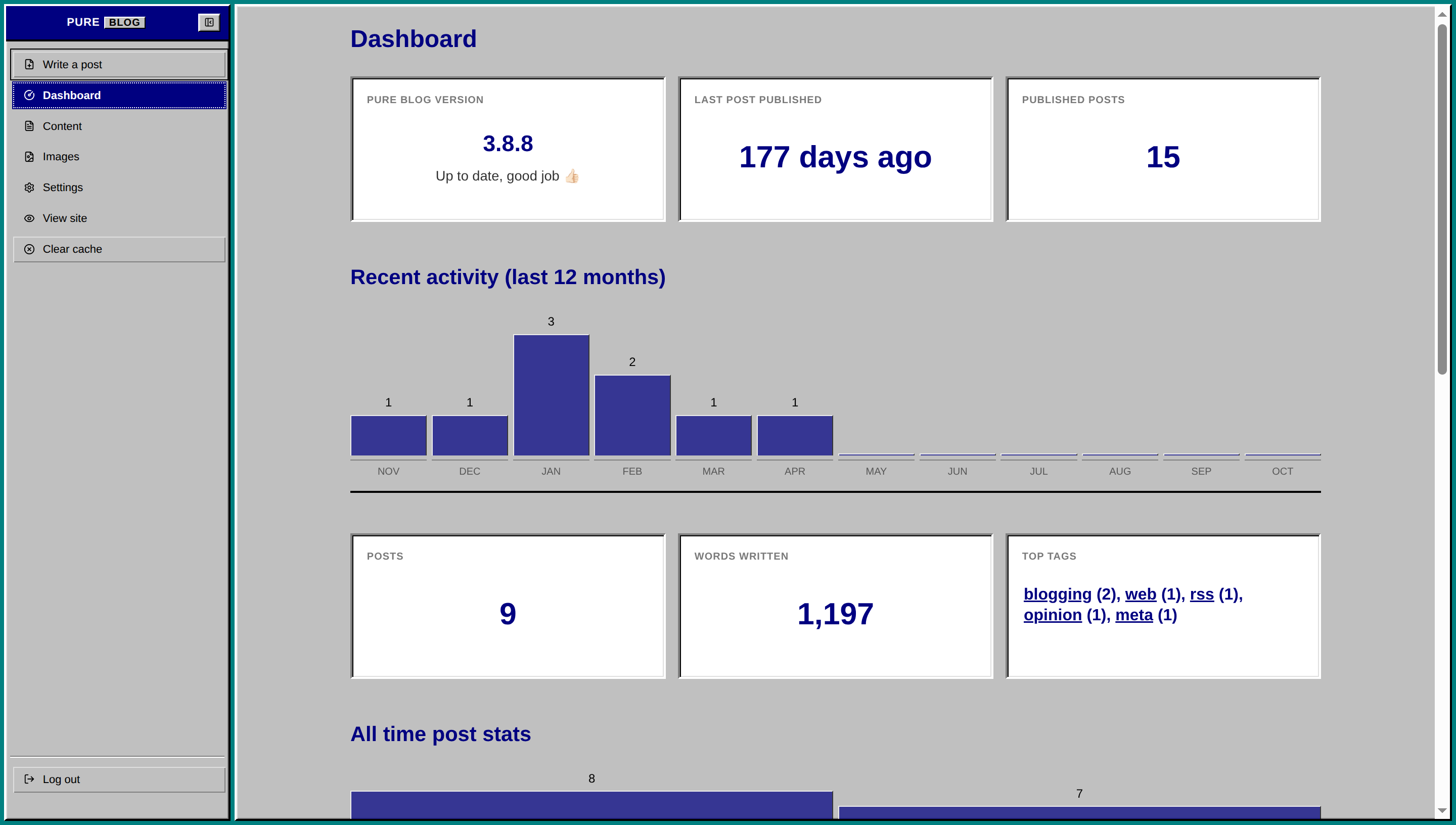
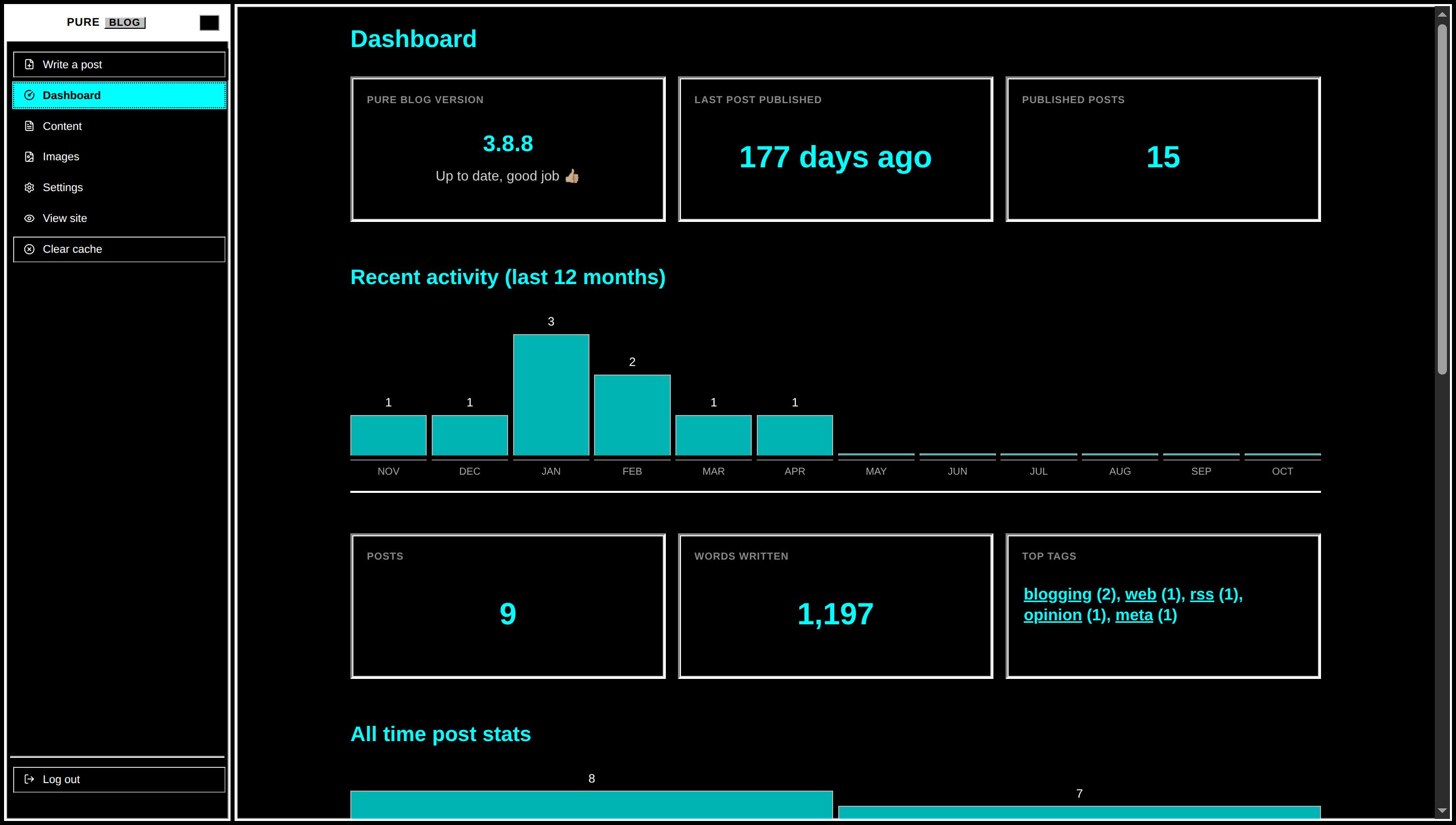
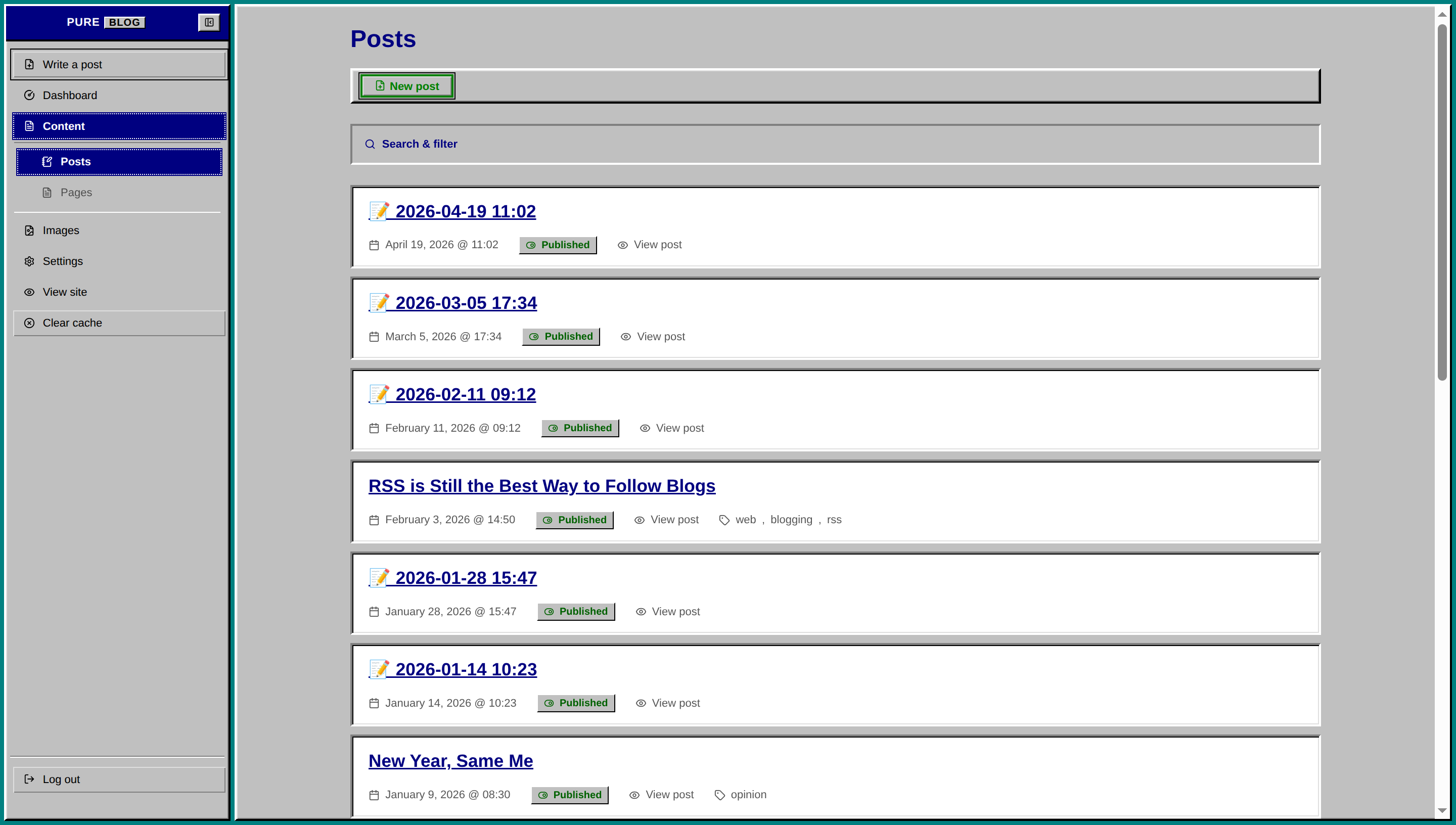
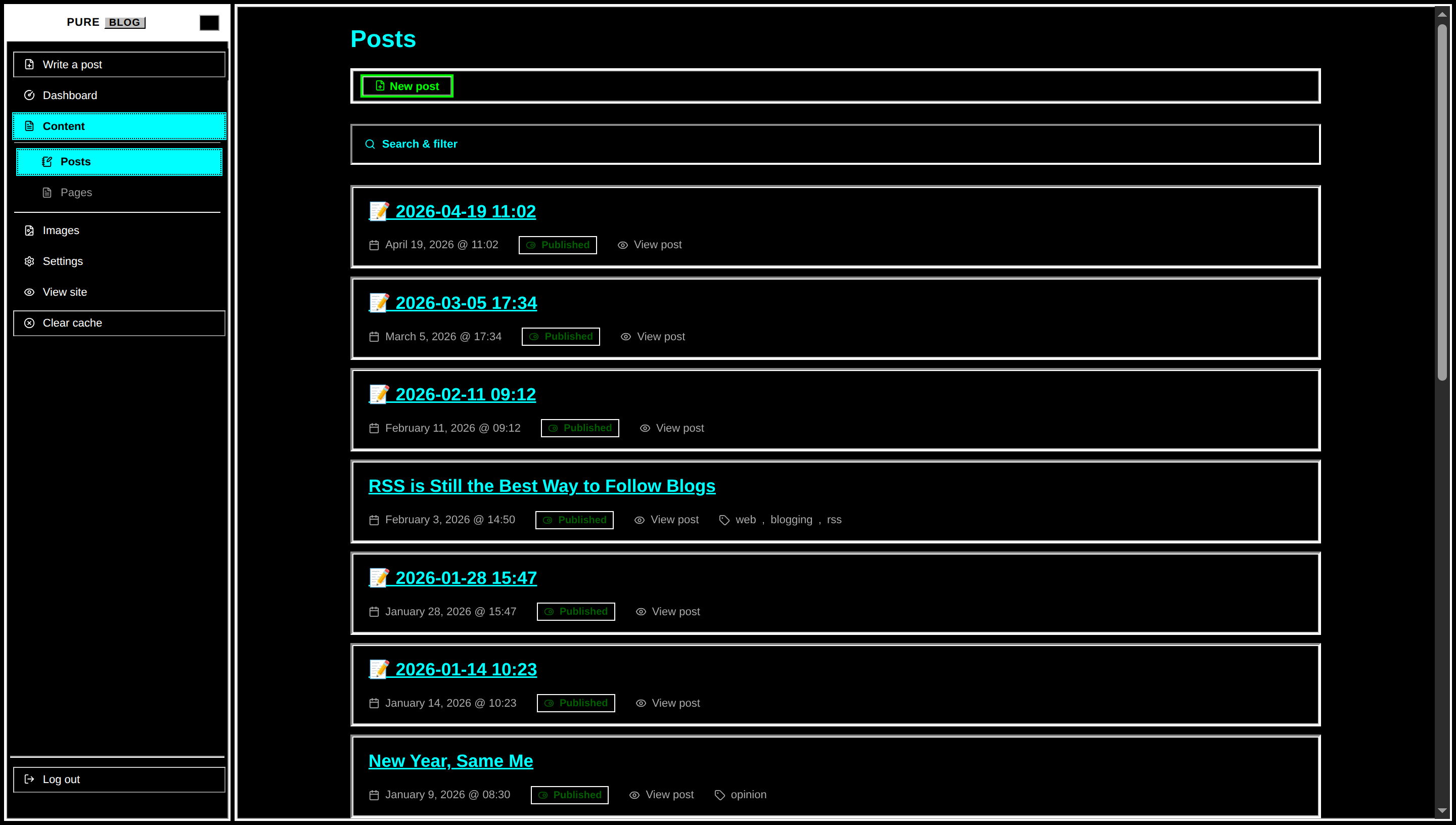
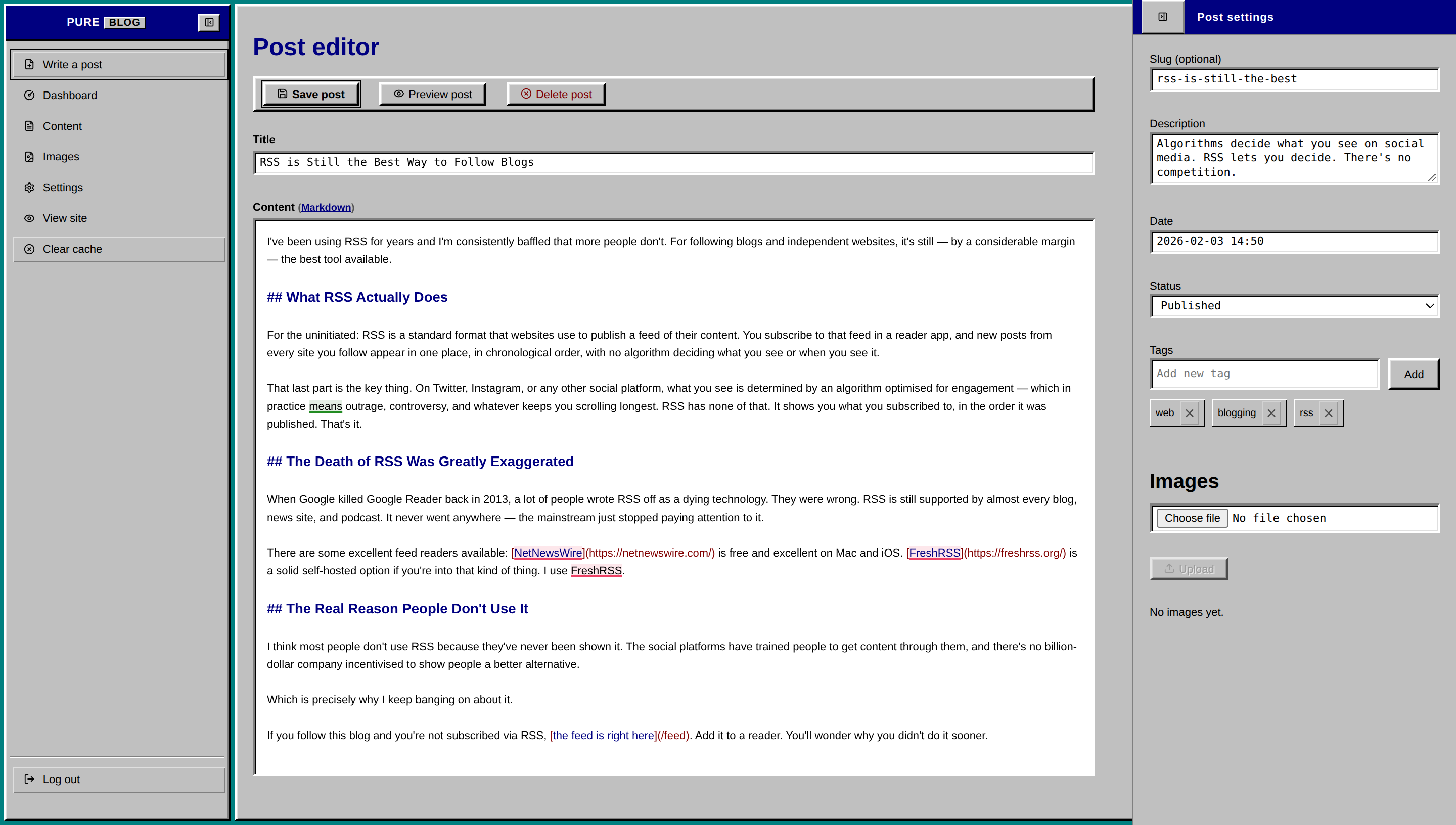
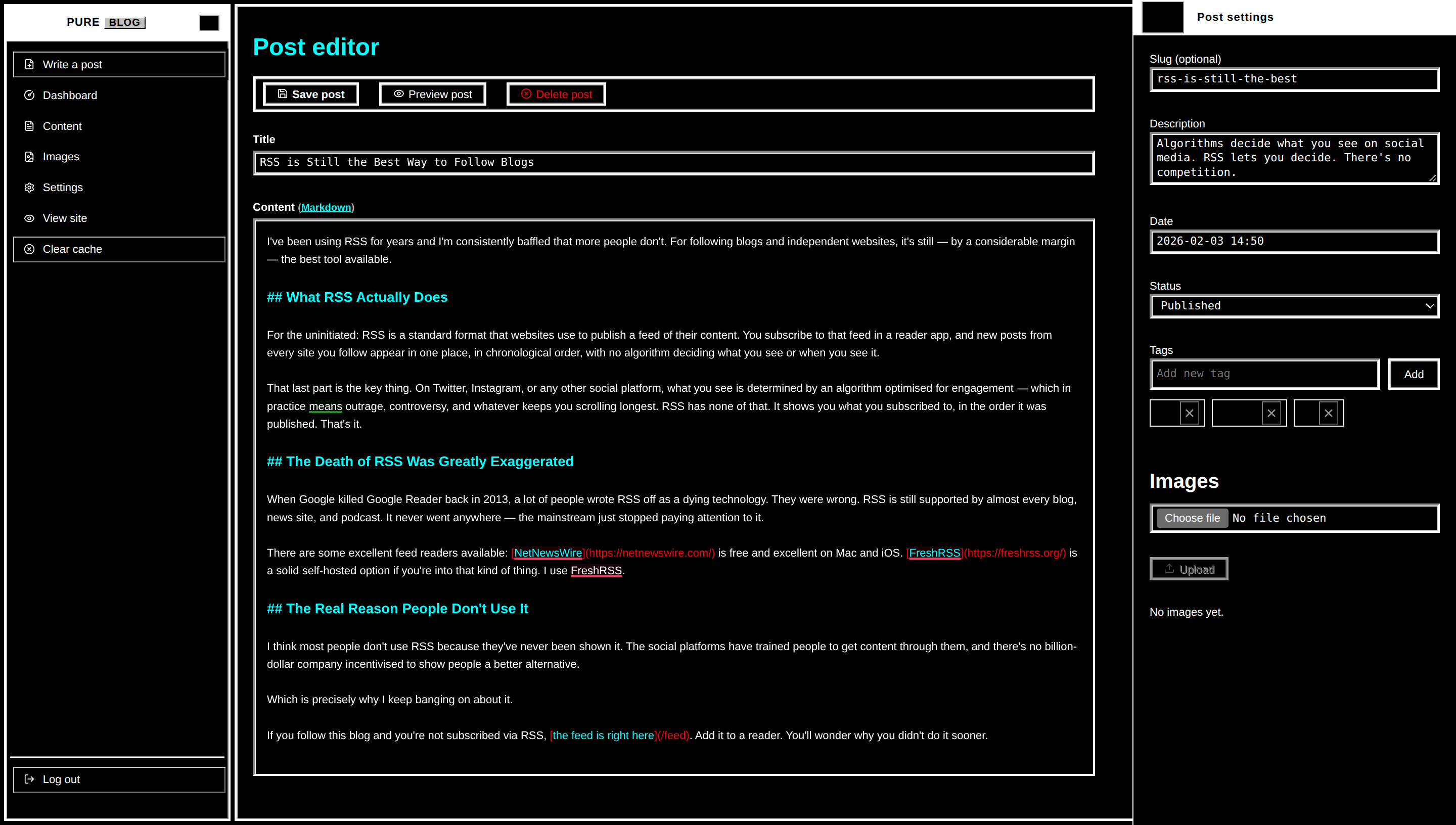
View Windows 95 CSS
/**
 * PureBlog Admin Custom Stylesheet (admin-custom.css)
 *
 * Windows 95 (Classic 3D Bevel & Desktop Teal) Theme customised with:
 * - Authentic Windows 95 palette: #008080 Desktop Teal, #c0c0c0 3D Grey, #000080 Active Titlebar Navy
 * - Zero border radiuses across all elements (sharp 90-degree corners)
 * - Classic 3D Outset push buttons with sunken Inset pressed states
 * - Deep Inset form fields with signature #808080 / #000000 sunken bevels
 * - MessageBox style notice dialogues and classic High Contrast Black dark mode
 */

/* ==========================================================================
   1. Design Tokens & Colour Schemes (Windows 95 Classic)
   ========================================================================== */

:root {
    /* Windows 95 Classic Palette */
    --bg-color: #008080;
    /* The legendary Windows 95 Desktop Teal */
    --accent-bg-color: #c0c0c0;
    /* Windows 95 3D face grey */
    --text-color: #000000;
    /* Pure black text */
    --accent-text-color: #ffffff;
    --accent-color: #000080;
    /* Windows 95 Titlebar Navy Blue */
    --accent-hover: #1010a0;
    --accent-active: #000050;
    --border-color: #808080;
    /* 3D Shadow grey */
    --input-bg: #ffffff;
    --subnav-bg: #b0b0b0;
    --red: #800000;
    /* Classic dark red */
    --green: #008000;
    /* Classic dark green */
    --blue: #000080;
    --orange: #804000;
    --code-selection-bg: #000080;
    --code-active-line-bg: rgba(0, 0, 128, 0.06);

    /* 3D Bevel Tokens */
    --win-white: #ffffff;
    --win-light: #dfdfdf;
    --win-grey: #c0c0c0;
    --win-shadow: #808080;
    --win-dark: #000000;

    /* Surface Tokens */
    --heading-color: #000080;
    --text-secondary: #555555;
    --card-bg: #ffffff;
    --toolbar-bg: #c0c0c0;

    /* Outset 3D Bevel (Buttons, Titlebars, Window Frames) */
    --bevel-outset-border: 2px solid;
    --bevel-inset-border: 2px solid;

    /* Status Badges */
    --status-pub-bg: #c0c0c0;
    --status-pub-color: #006000;
    --status-draft-bg: #c0c0c0;
    --status-draft-color: #800000;
    --status-sched-bg: #c0c0c0;
    --status-sched-color: #000080;
}

/* Dark Mode Tokens (Windows 95 High Contrast Black Scheme) */
html[data-admin-theme="dark"] {
    --bg-color: #000000;
    /* Pure black */
    --accent-bg-color: #000000;
    --text-color: #ffffff;
    /* Pure white */
    --accent-text-color: #000000;
    --accent-color: #00ffff;
    /* High Contrast Cyan */
    --accent-hover: #ffffff;
    --accent-active: #00cccc;
    --border-color: #ffffff;
    --input-bg: #000000;
    --subnav-bg: #111111;
    --red: #ff0000;
    --green: #00ff00;
    /* High Contrast Green */
    --blue: #00ffff;
    --orange: #ffff00;
    /* High Contrast Yellow */
    --code-selection-bg: #00ffff;
    --code-active-line-bg: rgba(0, 255, 255, 0.1);

    --win-white: #ffffff;
    --win-light: #cccccc;
    --win-grey: #000000;
    --win-shadow: #888888;
    --win-dark: #ffffff;

    --heading-color: #00ffff;
    --text-secondary: #aaaaaa;
    --card-bg: #000000;
    --toolbar-bg: #000000;

    --status-pub-bg: #000000;
    --status-pub-color: #00ff00;
    --status-draft-bg: #000000;
    --status-draft-color: #ff5555;
    --status-sched-bg: #000000;
    --status-sched-color: #00ffff;
}

/* System Dark Mode (when set to Auto) */
@media (prefers-color-scheme: dark) {
    html[data-admin-theme="auto"] {
        --bg-color: #000000;
        --accent-bg-color: #000000;
        --text-color: #ffffff;
        --accent-text-color: #000000;
        --accent-color: #00ffff;
        --accent-hover: #ffffff;
        --accent-active: #00cccc;
        --border-color: #ffffff;
        --input-bg: #000000;
        --subnav-bg: #111111;
        --red: #ff0000;
        --green: #00ff00;
        --blue: #00ffff;
        --orange: #ffff00;
        --code-selection-bg: #00ffff;
        --code-active-line-bg: rgba(0, 255, 255, 0.1);

        --win-white: #ffffff;
        --win-light: #cccccc;
        --win-grey: #000000;
        --win-shadow: #888888;
        --win-dark: #ffffff;

        --heading-color: #00ffff;
        --text-secondary: #aaaaaa;
        --card-bg: #000000;
        --toolbar-bg: #000000;

        --status-pub-bg: #000000;
        --status-pub-color: #00ff00;
        --status-draft-bg: #000000;
        --status-draft-color: #ff5555;
        --status-sched-bg: #000000;
        --status-sched-color: #00ffff;
    }
}


/* ==========================================================================
   2. Global Reset: Strict 0px Border Radius & MS Sans Serif
   ========================================================================== */

* {
    border-radius: 0 !important;
}

body {
    background-color: var(--bg-color);
    color: var(--text-color);
    font-family: "MS Sans Serif", "Microsoft Sans Serif", "Tahoma", Arial, sans-serif;
    font-size: 11px;
    line-height: 1.4;
    -webkit-font-smoothing: none;
    -moz-osx-font-smoothing: unset;
}

/* Windows 95 Client Window Shell */
.admin-main {
    background-color: var(--win-grey);
    border-top: 2px solid var(--win-white);
    border-left: 2px solid var(--win-white);
    border-right: 2px solid var(--win-dark);
    border-bottom: 2px solid var(--win-dark);
    box-shadow: inset 1px 1px 0 var(--win-light), inset -1px -1px 0 var(--win-shadow);
    margin: 4px;
    padding-bottom: 2rem;
}

h1 {
    font-size: 1.5rem;
    font-weight: 700;
    color: var(--heading-color);
    margin: 1rem 0 0.75rem 0;
}

h2 {
    font-size: 1.2rem;
    font-weight: 700;
    color: var(--heading-color);
    margin: 1.5rem 0 0.5rem 0;
}

h3 {
    font-size: 1rem;
    font-weight: 700;
    color: var(--heading-color);
    margin: 1.25rem 0 0.5rem 0;
}

a {
    color: var(--accent-color);
    text-decoration: underline;
}

a:hover {
    color: var(--accent-hover);
}

::selection {
    background: #000080;
    color: #ffffff;
}

html[data-admin-theme="dark"] ::selection {
    background: #00ffff;
    color: #000000;
}

@media (prefers-color-scheme: dark) {
    html[data-admin-theme="auto"] ::selection {
        background: #00ffff;
        color: #000000;
    }
}


/* ==========================================================================
   3. Sidebar Navigation (Windows 95 Explorer Tree / Menu)
   ========================================================================== */

.admin-nav {
    background: var(--win-grey);
    border-top: 2px solid var(--win-white);
    border-left: 2px solid var(--win-white);
    border-right: 2px solid var(--win-dark);
    border-bottom: 2px solid var(--win-dark);
    box-shadow: inset 1px 1px 0 var(--win-light), inset -1px -1px 0 var(--win-shadow);
    margin: 4px 0 4px 4px;
    width: 14rem;
    padding: 0;
}

/* Active Titlebar Header: Solid Navy with White Text */
.sidebar-header {
    background: #000080;
    color: #ffffff;
    border-bottom: 2px solid var(--win-dark);
    height: 2.2rem;
    padding: 0 0.5rem;
    display: flex;
    align-items: center;
    justify-content: space-between;
}

html[data-admin-theme="dark"] .sidebar-header {
    background: #ffffff;
    color: #000000;
}

@media (prefers-color-scheme: dark) {
    html[data-admin-theme="auto"] .sidebar-header {
        background: #ffffff;
        color: #000000;
    }
}

.sidebar-logo .logo {
    font-family: "MS Sans Serif", "Tahoma", sans-serif;
    font-size: 11px;
    font-weight: 700;
    border: none;
    color: #ffffff;
    letter-spacing: 0.05em;
}

html[data-admin-theme="dark"] .sidebar-logo .logo {
    color: #000000;
}

@media (prefers-color-scheme: dark) {
    html[data-admin-theme="auto"] .sidebar-logo .logo {
        color: #000000;
    }
}

.sidebar-logo .pure {
    color: inherit;
    padding: 0;
}

.sidebar-logo .service {
    background: #c0c0c0;
    color: #000000;
    padding: 0 4px;
    margin-left: 4px;
    border-top: 1px solid #ffffff;
    border-left: 1px solid #ffffff;
    border-right: 1px solid #000000;
    border-bottom: 1px solid #000000;
    font-size: 10px;
}

.sidebar-toggle {
    border-top: 1px solid var(--win-white);
    border-left: 1px solid var(--win-white);
    border-right: 1px solid var(--win-dark);
    border-bottom: 1px solid var(--win-dark);
    background: var(--win-grey);
    color: #000000;
    padding: 2px 5px;
    min-height: 18px;
    font-weight: 700;
    font-size: 10px;
}

.sidebar-toggle:active {
    border-top: 1px solid var(--win-dark);
    border-left: 1px solid var(--win-dark);
    border-right: 1px solid var(--win-white);
    border-bottom: 1px solid var(--win-white);
}

.admin-nav-list {
    padding: 0.5rem 0.25rem;
    gap: 1px;
}

/* Menu Items */
.admin-nav .admin-nav-list a,
.admin-nav .admin-nav-list .link-button {
    text-transform: none;
    font-size: 11px;
    font-weight: normal;
    color: var(--text-color);
    padding: 0.35rem 0.65rem;
    margin: 1px 2px;
    border: 1px solid transparent;
    gap: 0.5rem;
    line-height: 1.3;
}

.admin-nav .admin-nav-list a:hover,
.admin-nav .admin-nav-list .link-button:hover {
    background-color: #000080;
    color: #ffffff;
    text-decoration: none;
}

html[data-admin-theme="dark"] .admin-nav .admin-nav-list a:hover,
html[data-admin-theme="dark"] .admin-nav .admin-nav-list .link-button:hover {
    background-color: #00ffff;
    color: #000000;
}

@media (prefers-color-scheme: dark) {

    html[data-admin-theme="auto"] .admin-nav .admin-nav-list a:hover,
    html[data-admin-theme="auto"] .admin-nav .admin-nav-list .link-button:hover {
        background-color: #00ffff;
        color: #000000;
    }
}

/* Active Item: Windows 95 Solid Selection Block */
.admin-nav .admin-nav-list a.current,
.admin-nav .admin-nav-list a.current:hover {
    background-color: #000080;
    color: #ffffff;
    font-weight: 700;
    outline: 1px dotted #ffffff;
    outline-offset: -2px;
}

html[data-admin-theme="dark"] .admin-nav .admin-nav-list a.current {
    background-color: #00ffff;
    color: #000000;
    outline: 1px dotted #000000;
}

@media (prefers-color-scheme: dark) {
    html[data-admin-theme="auto"] .admin-nav .admin-nav-list a.current {
        background-color: #00ffff;
        color: #000000;
        outline: 1px dotted #000000;
    }
}

.admin-nav .admin-nav-list a.current .icon {
    stroke: #ffffff;
}

html[data-admin-theme="dark"] .admin-nav .admin-nav-list a.current .icon {
    stroke: #000000;
}

@media (prefers-color-scheme: dark) {
    html[data-admin-theme="auto"] .admin-nav .admin-nav-list a.current .icon {
        stroke: #000000;
    }
}

/* Submenu */
.admin-nav .sidebar-subnav {
    background: transparent;
    border-top: 1px solid var(--win-shadow);
    border-bottom: 1px solid var(--win-white);
    margin: 2px 4px;
    padding: 0.25rem 0;
}

.admin-nav .sidebar-subnav a,
.admin-nav .sidebar-subnav .link-button {
    padding-left: 1.5rem;
    font-size: 11px;
}

ul.admin-nav-list .logout-item {
    margin-top: auto;
    border-top: 1px solid var(--win-shadow);
    box-shadow: inset 0 1px 0 var(--win-white);
    padding-top: 0.5rem;
}


/* ==========================================================================
   4. Windows 95 Push Buttons (Chunky 3D Outset Bevels)
   ========================================================================== */

button,
a.button,
a.delete,
a.save,
.editor-actions button,
.link-button,
.editor-actions a {
    text-transform: none;
    font-family: "MS Sans Serif", "Tahoma", sans-serif;
    font-size: 11px;
    font-weight: normal;
    min-height: 23px;
    padding: 3px 12px;
    background: var(--win-grey);
    color: var(--text-color);
    border-top: 2px solid var(--win-white);
    border-left: 2px solid var(--win-white);
    border-right: 2px solid var(--win-dark);
    border-bottom: 2px solid var(--win-dark);
    box-shadow: inset 1px 1px 0 var(--win-light), inset -1px -1px 0 var(--win-shadow);
    cursor: default;
    text-decoration: none;
    display: inline-flex;
    align-items: center;
    justify-content: center;
    gap: 4px;
}

/* Hover: Keep 3D bevel intact */
button:hover,
a.button:hover,
.link-button:hover,
.editor-actions button:hover,
.editor-actions a:hover {
    background-color: var(--win-grey);
    color: var(--text-color);
    text-decoration: none;
}

/* Pressed / Active: Invert 3D Bevel & Shift 1px */
button:active,
a.button:active,
.link-button:active,
.editor-actions button:active,
.editor-actions a:active {
    border-top: 2px solid var(--win-dark);
    border-left: 2px solid var(--win-dark);
    border-right: 2px solid var(--win-white);
    border-bottom: 2px solid var(--win-white);
    box-shadow: inset 1px 1px 0 var(--win-shadow);
    transform: translate(1px, 1px);
}

/* Primary Button (.save): Windows 95 Default Button (Thick Black Border) */
.save,
a.save,
button.save {
    font-weight: 700;
    outline: 1px solid #000000;
    outline-offset: 1px;
}

.save:active,
a.save:active,
button.save:active {
    outline-offset: 0;
}

/* Destructive (.delete) */
.delete,
a.delete,
button.delete,
.link-button.delete {
    color: var(--red);
}

a.delete:active,
button.delete:active {
    color: #ffffff;
    background-color: #800000;
}

button:focus-visible,
a.button:focus-visible,
.link-button:focus-visible {
    outline: 1px dotted #000000;
    outline-offset: -4px;
}

button:disabled,
button[disabled],
.button[aria-disabled="true"] {
    color: #808080 !important;
    text-shadow: 1px 1px 0 #ffffff !important;
    cursor: not-allowed;
    transform: none !important;
}


/* ==========================================================================
   5. Form Controls (Deep Sunken Inset Bevels)
   ========================================================================== */

input[type="text"],
input[type="email"],
input[type="search"],
input[type="password"],
input[type="number"],
input[type="url"],
input[type="file"],
textarea,
select {
    background-color: var(--input-bg);
    color: var(--text-color);
    border-top: 2px solid var(--win-shadow);
    border-left: 2px solid var(--win-shadow);
    border-right: 2px solid var(--win-white);
    border-bottom: 2px solid var(--win-white);
    box-shadow: inset 1px 1px 0 var(--win-dark), inset -1px -1px 0 var(--win-light);
    padding: 3px 5px;
    font-family: "MS Sans Serif", "Tahoma", monospace;
    font-size: 11px;
    line-height: 1.3;
    min-height: 22px;
}

input[type="text"]:focus,
input[type="email"]:focus,
input[type="search"]:focus,
input[type="password"]:focus,
input[type="number"]:focus,
input[type="url"]:focus,
textarea:focus,
select:focus {
    outline: none;
    box-shadow: inset 1px 1px 0 var(--win-dark), inset -1px -1px 0 var(--win-light);
}

form label {
    font-size: 11px;
    font-weight: 700;
    color: var(--text-color);
    margin-bottom: 0.2rem;
}

form label span.tip,
p.tip {
    font-size: 10px;
    color: var(--text-secondary);
    font-style: normal;
}

input[type="checkbox"],
input[type="radio"] {
    appearance: none;
    -webkit-appearance: none;
    width: 13px;
    height: 13px;
    background: #ffffff;
    border-top: 2px solid var(--win-shadow);
    border-left: 2px solid var(--win-shadow);
    border-right: 2px solid var(--win-white);
    border-bottom: 2px solid var(--win-white);
    box-shadow: inset 1px 1px 0 var(--win-dark);
    display: inline-block;
    vertical-align: middle;
    margin: 0 4px 0 0;
    cursor: default;
}

input[type="checkbox"]:checked {
    background-image: url('data:image/svg+xml;utf8,<svg xmlns="http://www.w3.org/2000/svg" width="13" height="13" viewBox="0 0 13 13"><path d="M3 6 l2 3 l5 -6" stroke="black" stroke-width="2" fill="none"/></svg>');
    background-size: contain;
}

/* Layout Preview */
.layout-preview {
    border-top: 2px solid var(--win-shadow);
    border-left: 2px solid var(--win-shadow);
    border-right: 2px solid var(--win-white);
    border-bottom: 2px solid var(--win-white);
    background: #ffffff;
}

.layout-choice input:checked+.layout-preview {
    border-top: 2px solid #000080;
    border-left: 2px solid #000080;
    border-right: 2px solid #000080;
    border-bottom: 2px solid #000080;
    outline: 2px solid #000080;
}

/* Tags */
.tag-badge {
    border-top: 1px solid var(--win-white);
    border-left: 1px solid var(--win-white);
    border-right: 1px solid var(--win-dark);
    border-bottom: 1px solid var(--win-dark);
    background: var(--win-grey);
    color: #000000;
    padding: 1px 5px;
    font-size: 10px;
}

.tag-suggestions {
    border-top: 2px solid var(--win-dark);
    border-left: 2px solid var(--win-dark);
    border-right: 2px solid var(--win-white);
    border-bottom: 2px solid var(--win-white);
    background: #ffffff;
    box-shadow: 2px 2px 0 #000000;
}

.tag-suggestions li:hover,
.tag-suggestions li.active {
    background: #000080;
    color: #ffffff;
}


/* ==========================================================================
   6. Command Toolbar (Windows 95 Tool Palette)
   ========================================================================== */

.admin-actions,
.editor-actions {
    background: var(--win-grey);
    border-top: 2px solid var(--win-white);
    border-left: 2px solid var(--win-white);
    border-right: 2px solid var(--win-dark);
    border-bottom: 2px solid var(--win-dark);
    box-shadow: inset 1px 1px 0 var(--win-light), inset -1px -1px 0 var(--win-shadow);
    padding: 4px 8px;
    margin: 0.75rem 0 1.25rem 0;
    z-index: 100;
}

.mobile-nav-header {
    background: #000080;
    color: #ffffff;
    border-bottom: 2px solid var(--win-dark);
}

.autosave-status {
    color: var(--text-secondary);
    font-size: 10px;
}


/* ==========================================================================
   7. Content Lists & Windows 95 GroupBoxes (Grooved Frames)
   ========================================================================== */

.admin-list {
    gap: 0.5rem;
}

.admin-list-item {
    background: #ffffff;
    border-top: 2px solid var(--win-shadow);
    border-left: 2px solid var(--win-shadow);
    border-right: 2px solid var(--win-white);
    border-bottom: 2px solid var(--win-white);
    box-shadow: inset 1px 1px 0 var(--win-dark), inset -1px -1px 0 var(--win-light);
    padding: 0.75rem 1rem;
}

html[data-admin-theme="dark"] .admin-list-item {
    background: #000000;
}

@media (prefers-color-scheme: dark) {
    html[data-admin-theme="auto"] .admin-list-item {
        background: #000000;
    }
}

.admin-list-title {
    font-size: 1.1rem;
    font-weight: 700;
    color: var(--heading-color);
}

.admin-list-meta {
    font-size: 11px;
    color: var(--text-secondary);
    gap: 0.5rem 1.25rem;
}

/* Status Badges */
.admin-list-meta .status.published,
.admin-list-meta .status.draft,
.admin-list-meta .status.scheduled {
    border-top: 1px solid var(--win-white);
    border-left: 1px solid var(--win-white);
    border-right: 1px solid var(--win-dark);
    border-bottom: 1px solid var(--win-dark);
    background: var(--win-grey);
    padding: 1px 6px;
    font-size: 10px;
    font-weight: 700;
}

.admin-list-meta .status.published {
    color: #006000;
}

.admin-list-meta .status.draft {
    color: #800000;
}

.admin-list-meta .status.scheduled {
    color: #000080;
}

.admin-list-meta button.page-badge {
    border-top: 1px solid var(--win-white);
    border-left: 1px solid var(--win-white);
    border-right: 1px solid var(--win-dark);
    border-bottom: 1px solid var(--win-dark);
    background: var(--win-grey);
    color: #006000;
    padding: 1px 6px;
    font-size: 10px;
    font-weight: 700;
}


/* ==========================================================================
   8. Search & Content Filter Panel
   ========================================================================== */

.content-filter {
    background: var(--win-grey);
    border-top: 2px solid var(--win-shadow);
    border-left: 2px solid var(--win-shadow);
    border-right: 2px solid var(--win-white);
    border-bottom: 2px solid var(--win-white);
    padding: 0.5rem 0.75rem;
    margin: 1.25rem 0;
}

.content-filter-summary {
    text-transform: none;
    font-size: 11px;
    font-weight: 700;
    color: var(--heading-color);
    padding: 0.15rem 0;
}

.content-filter-active-label {
    border-top: 1px solid var(--win-white);
    border-left: 1px solid var(--win-white);
    border-right: 1px solid var(--win-dark);
    border-bottom: 1px solid var(--win-dark);
    background: #000080;
    color: #ffffff;
    font-size: 10px;
    font-weight: 700;
    padding: 1px 4px;
}


/* ==========================================================================
   9. Dashboard Widgets & Metric Frames
   ========================================================================== */

.dashboard-h2 {
    font-size: 1.3rem;
    font-weight: 700;
    color: var(--heading-color);
    margin-top: 2.5rem;
}

.dashboard-h3 {
    font-size: 1.1rem;
    font-weight: 700;
    color: var(--heading-color);
    margin-top: 1.75rem;
}

.dashboard-stat-card {
    background: #ffffff;
    border-top: 2px solid var(--win-shadow);
    border-left: 2px solid var(--win-shadow);
    border-right: 2px solid var(--win-white);
    border-bottom: 2px solid var(--win-white);
    box-shadow: inset 1px 1px 0 var(--win-dark), inset -1px -1px 0 var(--win-light);
    padding: 1rem;
}

html[data-admin-theme="dark"] .dashboard-stat-card {
    background: #000000;
}

@media (prefers-color-scheme: dark) {
    html[data-admin-theme="auto"] .dashboard-stat-card {
        background: #000000;
    }
}

.dashboard-stat-label {
    text-transform: uppercase;
    font-size: 10px;
    font-weight: 700;
    letter-spacing: 0.05em;
    color: var(--text-secondary);
}

.dashboard-stat-value {
    color: var(--heading-color);
    font-weight: 700;
}

.dashboard-stat-card-metric .dashboard-stat-value {
    color: var(--accent-color);
    font-size: 1.9rem;
}

.dashboard-chart {
    border-bottom: 2px solid var(--win-dark);
    padding-bottom: 0.5rem;
}

.dashboard-chart-bar {
    background: #000080;
    border-top: 1px solid var(--win-white);
    border-left: 1px solid var(--win-white);
    border-right: 1px solid var(--win-dark);
}

html[data-admin-theme="dark"] .dashboard-chart-bar {
    background: #00ffff;
}

@media (prefers-color-scheme: dark) {
    html[data-admin-theme="auto"] .dashboard-chart-bar {
        background: #00ffff;
    }
}

.dashboard-chart-label {
    border-top: 1px solid var(--win-shadow);
    color: var(--text-secondary);
    font-size: 10px;
}


/* ==========================================================================
   10. Windows 95 MessageBox Notifications (.notice)
   ========================================================================== */

.notice {
    background: var(--win-grey);
    border-top: 2px solid var(--win-white);
    border-left: 2px solid var(--win-white);
    border-right: 2px solid var(--win-dark);
    border-bottom: 2px solid var(--win-dark);
    box-shadow: inset 1px 1px 0 var(--win-light), inset -1px -1px 0 var(--win-shadow), 2px 2px 0 #000000;
    padding: 0.75rem 1rem;
    color: var(--text-color);
    font-size: 11px;
}

.notice.delete {
    border-left: 4px solid var(--red);
}

.admin-toast-container .notice {
    box-shadow: 3px 3px 0 #000000;
}


/* ==========================================================================
   11. CodeJar & Prism Editor
   ========================================================================== */

.editor {
    background-color: var(--input-bg) !important;
    border-top: 2px solid var(--win-shadow) !important;
    border-left: 2px solid var(--win-shadow) !important;
    border-right: 2px solid var(--win-white) !important;
    border-bottom: 2px solid var(--win-white) !important;
    box-shadow: inset 1px 1px 0 var(--win-dark) !important;
    padding: 0.75rem;
}

.editor-sidebar {
    background: var(--win-grey);
    border-left: 2px solid var(--win-shadow);
}

.editor-sidebar .sidebar-header {
    background: #000080;
    color: #ffffff;
    height: 2.2rem;
}

.editor-sidebar .sidebar-title {
    text-transform: none;
    font-size: 11px;
    font-weight: 700;
    color: var(--input-bg);
}


/* ==========================================================================
   12. Dialogue Windows & Modals (Windows 95 Window Chrome)
   ========================================================================== */

#layout-picker,
#sidebar-layout-picker {
    background: var(--win-grey);
    border-top: 2px solid var(--win-white);
    border-left: 2px solid var(--win-white);
    border-right: 2px solid var(--win-dark);
    border-bottom: 2px solid var(--win-dark);
    box-shadow: inset 1px 1px 0 var(--win-light), inset -1px -1px 0 var(--win-shadow), 4px 4px 0 #000000;
    padding: 1.5rem;
}

.layout-picker-list a {
    background: var(--win-grey);
    border-top: 2px solid var(--win-white);
    border-left: 2px solid var(--win-white);
    border-right: 2px solid var(--win-dark);
    border-bottom: 2px solid var(--win-dark);
    color: var(--text-color);
    text-transform: none;
    font-weight: 700;
}

.layout-picker-list a:active {
    border-top: 2px solid var(--win-dark);
    border-left: 2px solid var(--win-dark);
    border-right: 2px solid var(--win-white);
    border-bottom: 2px solid var(--win-white);
}

.image-lightbox {
    border-top: 3px solid var(--win-white);
    border-left: 3px solid var(--win-white);
    border-right: 3px solid var(--win-dark);
    border-bottom: 3px solid var(--win-dark);
    box-shadow: 4px 4px 0 #000000;
}

.image-delete-dialog {
    background: var(--win-grey);
    border-top: 2px solid var(--win-white);
    border-left: 2px solid var(--win-white);
    border-right: 2px solid var(--win-dark);
    border-bottom: 2px solid var(--win-dark);
    box-shadow: 4px 4px 0 #000000;
}


/* ==========================================================================
   13. Media & Image Library
   ========================================================================== */

.image-library-card {
    background: #ffffff;
    border-top: 2px solid var(--win-shadow);
    border-left: 2px solid var(--win-shadow);
    border-right: 2px solid var(--win-white);
    border-bottom: 2px solid var(--win-white);
    box-shadow: inset 1px 1px 0 var(--win-dark);
}

html[data-admin-theme="dark"] .image-library-card {
    background: #000000;
}

@media (prefers-color-scheme: dark) {
    html[data-admin-theme="auto"] .image-library-card {
        background: #000000;
    }
}

.image-list li {
    background: #ffffff;
    border-top: 2px solid var(--win-shadow);
    border-left: 2px solid var(--win-shadow);
    border-right: 2px solid var(--win-white);
    border-bottom: 2px solid var(--win-white);
}

html[data-admin-theme="dark"] .image-list li {
    background: #000000;
}

@media (prefers-color-scheme: dark) {
    html[data-admin-theme="auto"] .image-list li {
        background: #000000;
    }
}


/* ==========================================================================
   14. Theme Manager & Settings Cards
   ========================================================================== */

.theme-card {
    background: var(--win-grey);
    border-top: 2px solid var(--win-white);
    border-left: 2px solid var(--win-white);
    border-right: 2px solid var(--win-dark);
    border-bottom: 2px solid var(--win-dark);
}

.theme-card.active {
    border-top: 2px solid #000080;
    border-left: 2px solid #000080;
    border-right: 2px solid #000080;
    border-bottom: 2px solid #000080;
    outline: 1px dotted #000080;
}

.theme-badge {
    border-top: 1px solid var(--win-white);
    border-left: 1px solid var(--win-white);
    border-right: 1px solid var(--win-dark);
    border-bottom: 1px solid var(--win-dark);
    background: var(--win-grey);
    font-size: 10px;
    font-weight: 700;
}


/* ==========================================================================
   15. Login Screen (Windows 95 Logon Dialog)
   ========================================================================== */

main.narrow {
    max-width: 320px;
    margin: 4rem auto;
    padding: 1.5rem;
    background: var(--win-grey);
    border-top: 3px solid var(--win-white);
    border-left: 3px solid var(--win-white);
    border-right: 3px solid var(--win-dark);
    border-bottom: 3px solid var(--win-dark);
    box-shadow: inset 1px 1px 0 var(--win-light), inset -1px -1px 0 var(--win-shadow), 4px 4px 0 #000000;
}

main.narrow h1 {
    font-size: 1.25rem;
    font-weight: 700;
    text-align: center;
    color: var(--heading-color);
    margin-top: 0;
    margin-bottom: 1.25rem;
}

main.narrow form button[type="submit"] {
    width: 100%;
    margin-top: 0.75rem;
    padding: 0.4rem 1rem;
    min-height: 26px;
    font-size: 11px;
}


/* ==========================================================================
   16. Tables & Pagination Controls
   ========================================================================== */

table {
    border-collapse: collapse;
    background: #ffffff;
    border-top: 2px solid var(--win-shadow);
    border-left: 2px solid var(--win-shadow);
    border-right: 2px solid var(--win-white);
    border-bottom: 2px solid var(--win-white);
}

html[data-admin-theme="dark"] table {
    background: #000000;
}

@media (prefers-color-scheme: dark) {
    html[data-admin-theme="auto"] table {
        background: #000000;
    }
}

th {
    background: var(--win-grey);
    font-size: 11px;
    font-weight: 700;
    color: #000000;
    border-top: 1px solid var(--win-white);
    border-left: 1px solid var(--win-white);
    border-right: 1px solid var(--win-dark);
    border-bottom: 1px solid var(--win-dark);
    padding: 4px 6px;
    text-transform: none;
}

html[data-admin-theme="dark"] th {
    color: #ffffff;
}

@media (prefers-color-scheme: dark) {
    html[data-admin-theme="auto"] th {
        color: #ffffff;
    }
}

td {
    border: 1px solid #d5d5cd;
    padding: 4px 6px;
    font-size: 11px;
}

nav.pagination a {
    display: inline-flex;
    align-items: center;
    background: var(--win-grey);
    border-top: 2px solid var(--win-white);
    border-left: 2px solid var(--win-white);
    border-right: 2px solid var(--win-dark);
    border-bottom: 2px solid var(--win-dark);
    color: var(--text-color);
    padding: 3px 10px;
    min-height: 22px;
    font-size: 11px;
    text-decoration: none;
}

nav.pagination a:active {
    border-top: 2px solid var(--win-dark);
    border-left: 2px solid var(--win-dark);
    border-right: 2px solid var(--win-white);
    border-bottom: 2px solid var(--win-white);
}
Terminal Green (Phosphor CRT)
A retro monochrome CRT terminal aesthetic featuring vivid green phosphor typography, dark glass background styling, subtle CRT text glow, ASCII bracket buttons, and strict monospace formatting. Tailored exclusively for dark mode.
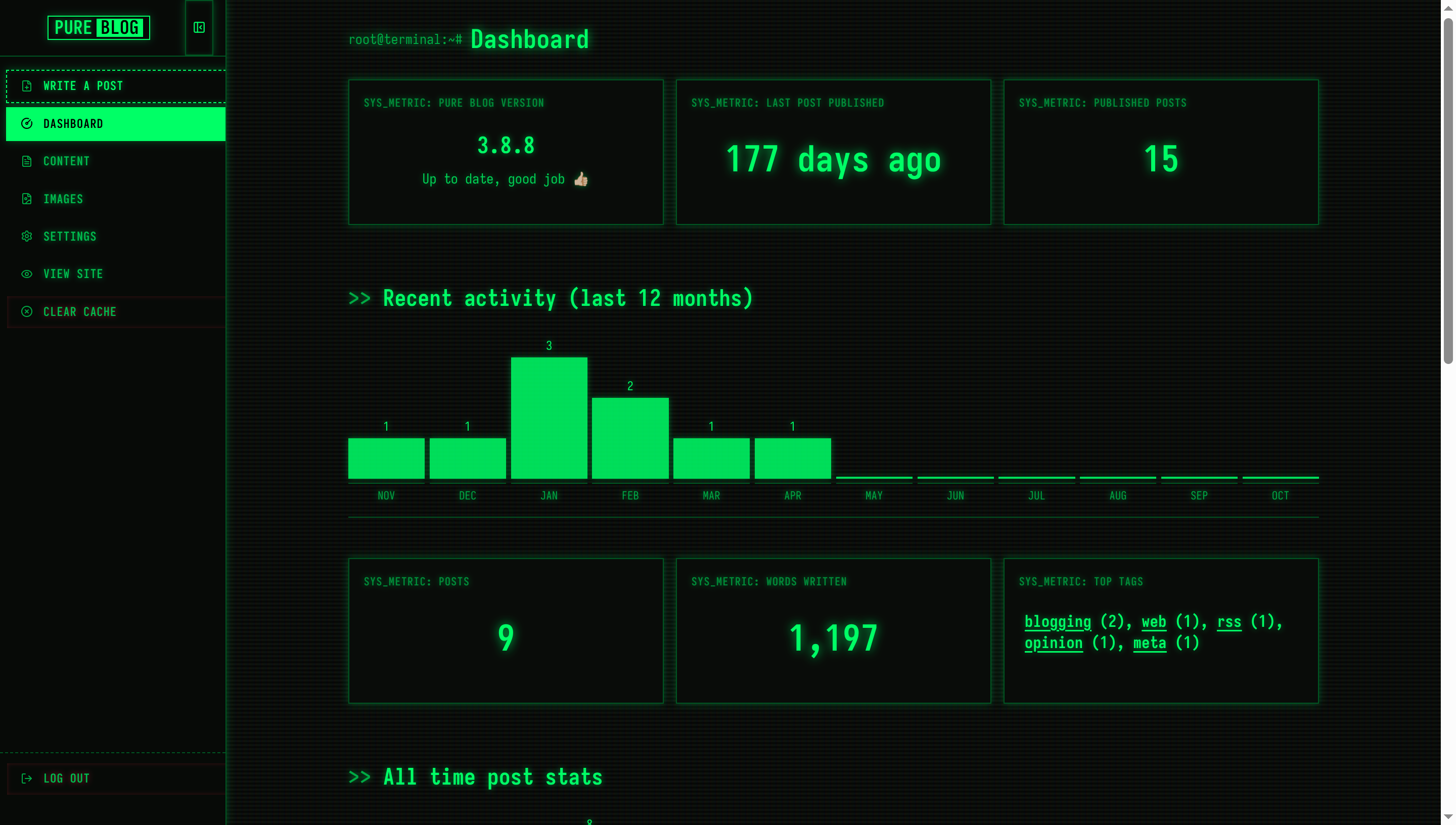
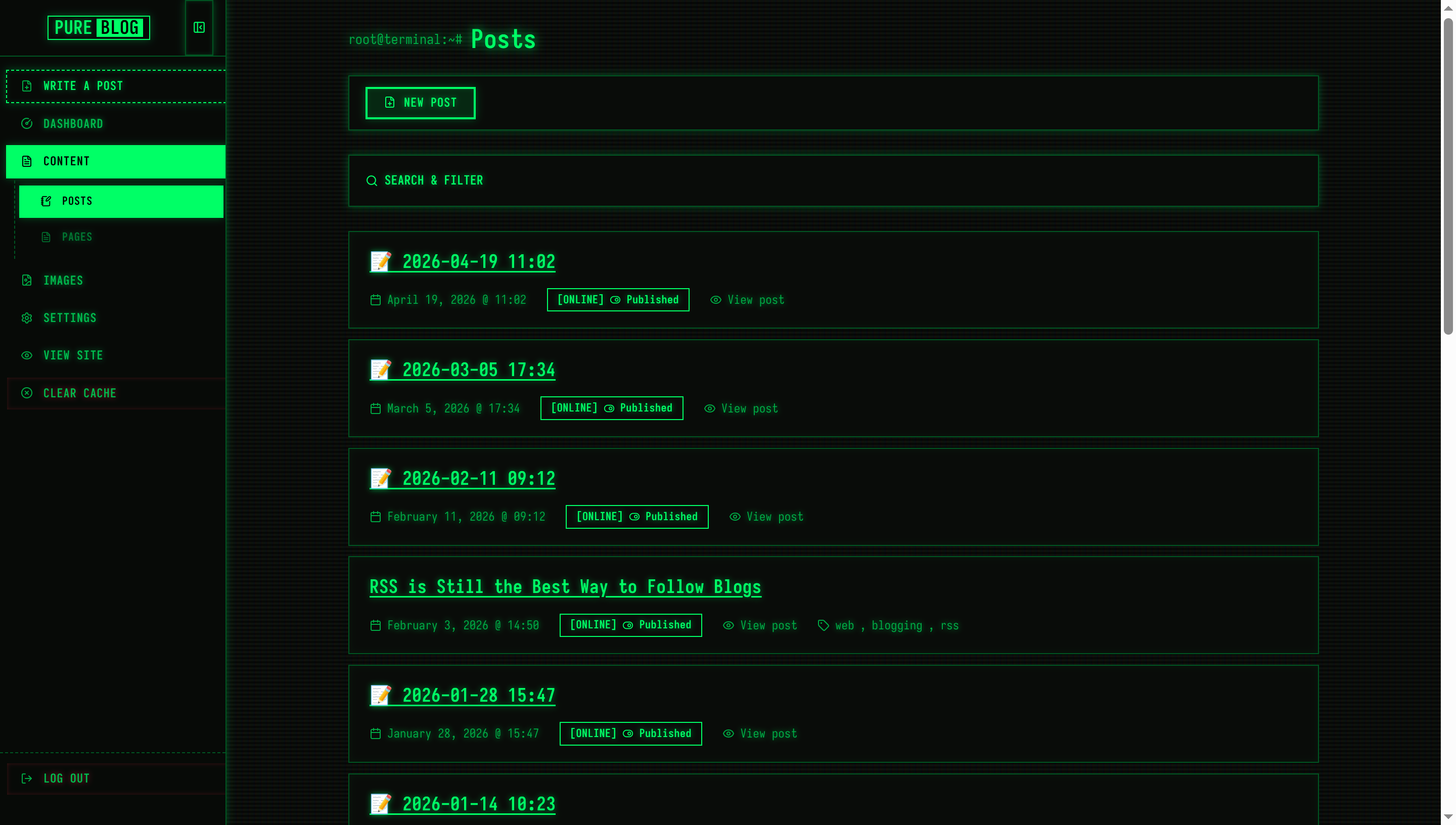
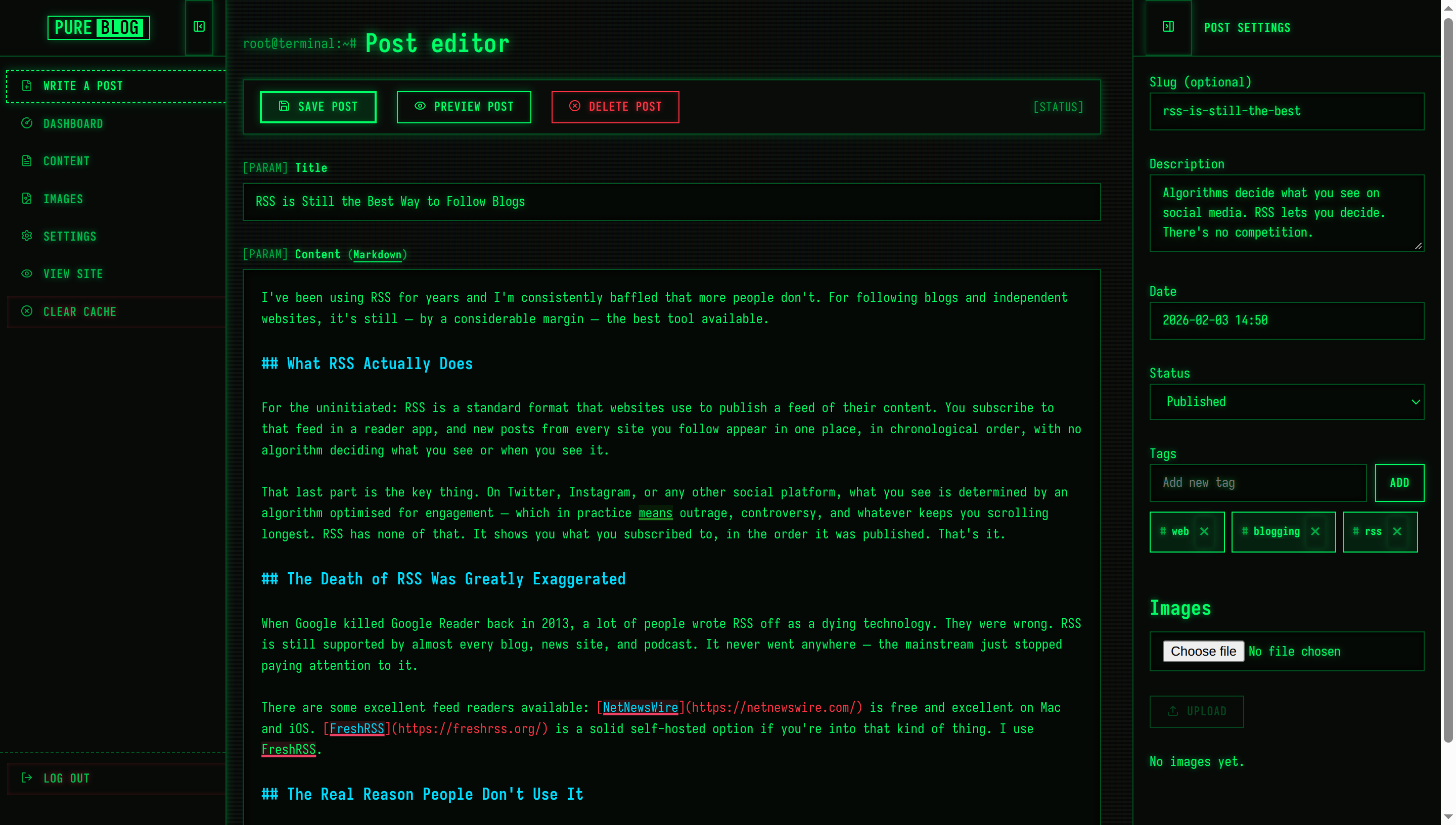
View Terminal Green CSS
/**
 * PureBlog Admin Custom Stylesheet (admin-custom.css)
 *
 * Matrix / VT220 Phosphor Green CRT Terminal Theme (Dark Only) customised with:
 * - 100% dark CRT console environment (#0c100c obsidian canvas across all modes)
 * - P1 Phosphor Green (#00ff66) with luminous CRT text-shadow glow
 * - Full Iosevka monospace font stack across all UI components
 * - Horizontal CRT scanline overlay and glass tube curvature vignettes
 * - Interactive command bracket buttons ([SAVE], [EXEC], [DEL]) with inverse-video hover
 * - Terminal prompt prefixes (> dir, [PARAM], [SYSTEM_LOG], [ONLINE])
 */

/* ==========================================================================
   1. Design Tokens & Colour Schemes (Phosphor Green CRT - Dark Only)
   ========================================================================== */

:root,
html[data-admin-theme="light"],
html[data-admin-theme="dark"],
html[data-admin-theme="auto"] {
    color-scheme: dark;

    /* P1 Phosphor Green Matrix Palette */
    --bg-color: #0c100c;                /* Deep console obsidian */
    --accent-bg-color: #070a07;         /* Terminal sidebar */
    --text-color: #00ff66;              /* Glowing P1 Green Phosphor */
    --accent-text-color: #000000;
    --accent-color: #00ff66;            /* Neon phosphor green */
    --accent-hover: #55ff88;
    --accent-active: #00cc55;
    --border-color: #005522;            /* Dim matrix border */
    --input-bg: #050805;
    --subnav-bg: #030503;
    --red: #ff3344;                     /* Emergency red alert */
    --green: #00ff66;                   /* Phosphor matrix green */
    --blue: #00ddff;                    /* Subsystem cyan */
    --orange: #ffb000;                  /* Warning amber */
    --code-selection-bg: #00ff66;
    --code-active-line-bg: rgba(0, 255, 102, 0.08);

    /* Terminal Console Tokens */
    --heading-color: #00ff66;
    --text-secondary: #00aa44;          /* Dim green phosphor */
    --border-subtle: #003314;
    --card-bg: #080c08;
    --card-hover-border: #00ff66;
    --sidebar-text: #00bb4e;
    --sidebar-icon: #00aa44;
    --sidebar-hover-bg: rgba(0, 255, 102, 0.1);
    --sidebar-hover-text: #00ff66;
    --sidebar-active-bg: #00ff66;
    --sidebar-active-text: #000000;
    --toolbar-bg: #080c08;

    /* Phosphor Glow Tokens */
    --crt-glow: 0 0 6px rgba(0, 255, 102, 0.5);
    --crt-glow-strong: 0 0 12px rgba(0, 255, 102, 0.8);
    --crt-glow-box: 0 0 8px rgba(0, 255, 102, 0.25);

    /* Status Badges */
    --status-pub-bg: rgba(0, 255, 102, 0.12);
    --status-pub-color: #00ff66;
    --status-pub-border: #00ff66;
    --status-draft-bg: rgba(255, 176, 0, 0.12);
    --status-draft-color: #ffb000;
    --status-draft-border: #ffb000;
    --status-sched-bg: rgba(0, 221, 255, 0.12);
    --status-sched-color: #00ddff;
    --status-sched-border: #00ddff;
}

@media (prefers-color-scheme: dark) {
    html[data-admin-theme="auto"] {
        color-scheme: dark;
        --bg-color: #0c100c;
        --accent-bg-color: #070a07;
        --text-color: #00ff66;
        --accent-text-color: #000000;
        --accent-color: #00ff66;
        --accent-hover: #55ff88;
        --accent-active: #00cc55;
        --border-color: #005522;
        --input-bg: #050805;
        --subnav-bg: #030503;
        --red: #ff3344;
        --green: #00ff66;
        --blue: #00ddff;
        --orange: #ffb000;
        --code-selection-bg: #00ff66;
        --code-active-line-bg: rgba(0, 255, 102, 0.08);
    }
}


/* ==========================================================================
   2. Global Typography & CRT Scanline Ambience
   ========================================================================== */

* {
    border-radius: 0 !important;
}

body {
    background-color: var(--bg-color);
    color: var(--text-color);
    font-family: "Iosevka", ui-monospace, SFMono-Regular, "Cascadia Code", Menlo, Consolas, "Courier New", monospace;
    font-size: 13px;
    line-height: 1.5;
    letter-spacing: 0.03em;
    text-shadow: var(--crt-glow);
    /* Cathode Ray Tube horizontal scanlines & subpixel shadow */
    background-image: linear-gradient(rgba(18, 16, 16, 0) 50%, rgba(0, 0, 0, 0.35) 50%),
                      linear-gradient(90deg, rgba(255, 0, 0, 0.03), rgba(0, 255, 0, 0.015), rgba(0, 0, 255, 0.03));
    background-size: 100% 4px, 6px 100%;
}

.admin-main {
    background: transparent;
}

h1 {
    font-size: 1.6rem;
    font-weight: 700;
    color: var(--heading-color);
    margin: 1.25rem 0 1rem 0;
    text-shadow: var(--crt-glow-strong);
    display: flex;
    align-items: center;
    gap: 0.5rem;
}

h1::before {
    content: "root@terminal:~#";
    font-size: 0.85rem;
    color: var(--text-secondary);
    font-weight: 400;
}

h2 {
    font-size: 1.3rem;
    font-weight: 700;
    color: var(--heading-color);
    margin: 2rem 0 0.75rem 0;
    text-shadow: var(--crt-glow);
}

h2::before {
    content: ">> ";
    color: var(--text-secondary);
}

h3 {
    font-size: 1.1rem;
    font-weight: 700;
    color: var(--heading-color);
    margin: 1.5rem 0 0.5rem 0;
}

h3::before {
    content: "$ ";
    color: var(--text-secondary);
}

a {
    color: var(--text-color);
    text-decoration: underline;
    text-underline-offset: 3px;
}

a:hover {
    color: var(--accent-hover);
    text-shadow: var(--crt-glow-strong);
}

::selection {
    background: var(--code-selection-bg);
    color: #000000;
    text-shadow: none;
}


/* ==========================================================================
   3. Sidebar Navigation (Terminal Directory Tree)
   ========================================================================== */

.admin-nav {
    background: var(--accent-bg-color);
    border-right: 1px solid var(--border-color);
    width: 14rem;
    padding: 0;
    box-shadow: var(--crt-glow-box);
}

.sidebar-header {
    background: var(--accent-bg-color);
    border-bottom: 1px solid var(--border-color);
    height: 3.5rem;
    padding: 0 0.75rem;
}

.sidebar-logo .logo {
    font-family: inherit;
    font-size: 1.15rem;
    font-weight: 700;
    border: 1px solid var(--accent-color);
    color: var(--text-color);
    padding: 2px 6px;
    box-shadow: var(--crt-glow-box);
}

.sidebar-logo .pure {
    color: var(--text-color);
    padding: 0;
}

.sidebar-logo .service {
    background: var(--accent-color);
    color: #000000;
    padding: 0 4px;
    margin-left: 4px;
    font-weight: 700;
    text-shadow: none;
}

.sidebar-toggle {
    border: 1px solid var(--border-color);
    background: transparent;
    color: var(--text-color);
    padding: 0.4rem;
    font-family: inherit;
}

.sidebar-toggle:hover {
    background: var(--accent-color);
    color: #000000;
}

.admin-nav-list {
    padding: 0.75rem 0;
    gap: 2px;
}

/* Menu Items */
.admin-nav .admin-nav-list a,
.admin-nav .admin-nav-list .link-button {
    text-transform: uppercase;
    font-size: 12px;
    font-weight: 600;
    letter-spacing: 0.05em;
    color: var(--sidebar-text);
    padding: 0.45rem 0.85rem;
    margin: 1px 6px;
    border: 1px solid transparent;
    gap: 0.65rem;
    line-height: 1.4;
    transition: all 0.1s ease;
}

.admin-nav .admin-nav-list a .icon,
.admin-nav .admin-nav-list .link-button .icon {
    color: var(--sidebar-icon);
    stroke: currentColor;
}

.admin-nav .admin-nav-list a:hover,
.admin-nav .admin-nav-list .link-button:hover {
    background-color: var(--sidebar-hover-bg);
    color: var(--sidebar-hover-text);
    border-color: var(--border-color);
    text-shadow: var(--crt-glow);
}

.admin-nav .admin-nav-list a:hover .icon,
.admin-nav .admin-nav-list .link-button:hover .icon {
    color: var(--sidebar-hover-text);
}

/* Active navigation item: Solid Inverse Video */
.admin-nav .admin-nav-list a.current,
.admin-nav .admin-nav-list a.current:hover {
    background-color: var(--sidebar-active-bg);
    color: var(--sidebar-active-text);
    font-weight: 700;
    border-color: var(--sidebar-active-bg);
    text-shadow: none;
    box-shadow: var(--crt-glow-box);
}

.admin-nav .admin-nav-list a.current .icon {
    color: var(--sidebar-active-text);
    stroke: #000000;
}

/* Submenu items */
.admin-nav .sidebar-subnav {
    background: transparent;
    border-left: 1px dashed var(--border-color);
    margin: 2px 6px 2px 14px;
    border-bottom: none;
    padding: 0.25rem 0;
}

.admin-nav .sidebar-subnav a,
.admin-nav .sidebar-subnav .link-button {
    padding-left: 1.25rem;
    margin: 1px 4px;
    font-size: 11px;
}

#sidebar-new-post-button {
    color: var(--text-color);
    border: 1px dashed var(--accent-color);
}

#sidebar-new-post-button:hover {
    background-color: var(--accent-color);
    color: #000000;
}

ul.admin-nav-list .logout-item {
    margin-top: auto;
    border-top: 1px dashed var(--border-color);
    padding-top: 0.5rem;
}


/* ==========================================================================
   4. Terminal Command Buttons ([EXEC], [SAVE], [DEL])
   ========================================================================== */

button,
a.button,
a.delete,
a.save,
.editor-actions button,
.link-button,
.editor-actions a {
    text-transform: uppercase;
    font-family: inherit;
    font-size: 12px;
    font-weight: 700;
    letter-spacing: 0.05em;
    min-height: 32px;
    padding: 0.4rem 1rem;
    border: 1px solid var(--accent-color);
    background: transparent;
    color: var(--text-color);
    cursor: pointer;
    text-decoration: none;
    text-shadow: var(--crt-glow);
    box-shadow: inset 0 0 4px rgba(0, 255, 102, 0.15), var(--crt-glow-box);
    display: inline-flex;
    align-items: center;
    justify-content: center;
    gap: 0.5rem;
    transition: all 0.1s ease;
}

/* Hover: Inverse Video Glow */
button:hover,
a.button:hover,
.link-button:hover,
.editor-actions button:hover,
.editor-actions a:hover {
    background-color: var(--accent-color);
    color: #000000;
    text-shadow: none;
    box-shadow: var(--crt-glow-strong);
}

button:hover .icon,
a.button:hover .icon,
.link-button:hover .icon,
.editor-actions button:hover .icon,
.editor-actions a:hover .icon {
    stroke: #000000;
}

button:active,
a.button:active,
.link-button:active,
.editor-actions button:active,
.editor-actions a:active {
    transform: scale(0.98);
}

button:focus-visible,
a.button:focus-visible,
.link-button:focus-visible {
    outline: 2px dashed var(--accent-color);
    outline-offset: 2px;
}

/* Primary Action (.save) */
.save,
a.save,
button.save {
    border: 2px solid var(--accent-color);
    background: rgba(0, 255, 102, 0.1);
}

/* Destructive Action (.delete) */
.delete,
a.delete,
button.delete,
.link-button.delete {
    border-color: var(--red);
    color: var(--red);
    text-shadow: 0 0 6px rgba(255, 51, 68, 0.5);
    box-shadow: inset 0 0 4px rgba(255, 51, 68, 0.2);
}

.delete .icon,
a.delete .icon,
button.delete .icon {
    stroke: var(--red);
}

a.delete:hover,
button.delete:hover,
.editor-actions a.delete:hover,
.link-button.delete:hover {
    background-color: var(--red);
    border-color: var(--red);
    color: #000000;
    text-shadow: none;
    box-shadow: 0 0 10px rgba(255, 51, 68, 0.7);
}

a.delete:hover .icon,
button.delete:hover .icon,
.link-button.delete:hover .icon {
    stroke: #000000;
}

button:disabled,
button[disabled],
.button[aria-disabled="true"] {
    opacity: 0.35;
    border-color: var(--text-secondary);
    color: var(--text-secondary);
    cursor: not-allowed;
    text-shadow: none;
    box-shadow: none;
}


/* ==========================================================================
   5. Form Controls (Terminal Prompt Inputs)
   ========================================================================== */

input[type="text"],
input[type="email"],
input[type="search"],
input[type="password"],
input[type="number"],
input[type="url"],
input[type="file"],
textarea,
select {
    background-color: var(--input-bg);
    color: var(--text-color);
    border: 1px solid var(--border-color);
    font-family: inherit;
    font-size: 13px;
    padding: 0.5rem 0.75rem;
    min-height: 34px;
    text-shadow: var(--crt-glow);
    box-shadow: inset 0 0 6px rgba(0, 0, 0, 0.6);
    transition: border-color 0.15s ease, box-shadow 0.15s ease;
}

input[type="text"]:focus,
input[type="email"]:focus,
input[type="search"]:focus,
input[type="password"]:focus,
input[type="number"]:focus,
input[type="url"]:focus,
textarea:focus,
select:focus {
    outline: none;
    border-color: var(--accent-color);
    box-shadow: 0 0 8px rgba(0, 255, 102, 0.35), inset 0 0 4px rgba(0, 255, 102, 0.1);
}

form label {
    font-size: 12px;
    font-weight: 700;
    letter-spacing: 0.04em;
    color: var(--text-color);
    margin-bottom: 0.35rem;
}

form label::before {
    content: "[PARAM] ";
    color: var(--text-secondary);
    font-weight: 400;
}

form label span.tip,
p.tip {
    font-size: 11px;
    color: var(--text-secondary);
    font-style: normal;
}

input[type="checkbox"],
input[type="radio"] {
    accent-color: var(--accent-color);
    cursor: pointer;
}

/* Layout Preview */
.layout-preview {
    border: 1px solid var(--border-color);
    background: var(--card-bg);
    box-shadow: var(--crt-glow-box);
}

.layout-choice:hover .layout-preview {
    border-color: var(--accent-color);
}

.layout-choice input:checked+.layout-preview {
    border-color: var(--accent-color);
    box-shadow: 0 0 10px rgba(0, 255, 102, 0.5);
}

/* Tag Entry & Badges */
.tag-badge {
    border: 1px solid var(--accent-color);
    background: rgba(0, 255, 102, 0.08);
    color: var(--text-color);
    padding: 0.2rem 0.6rem;
    font-size: 11px;
    font-weight: 700;
}

.tag-badge::before {
    content: "#";
    color: var(--text-secondary);
}

.tag-suggestions {
    border: 1px solid var(--accent-color);
    background: var(--input-bg);
    box-shadow: var(--crt-glow-box);
}

.tag-suggestions li {
    padding: 0.4rem 0.8rem;
    font-size: 12px;
}

.tag-suggestions li:hover,
.tag-suggestions li.active {
    background: var(--accent-color);
    color: #000000;
}


/* ==========================================================================
   6. Command Palette Toolbars
   ========================================================================== */

.admin-actions,
.editor-actions {
    background: var(--toolbar-bg);
    border: 1px solid var(--border-color);
    box-shadow: var(--crt-glow-box);
    padding: 0.65rem 1rem;
    margin: 1rem 0 1.5rem 0;
    z-index: 100;
}

.mobile-nav-header {
    background: var(--toolbar-bg);
    border-bottom: 1px solid var(--border-color);
}

.autosave-status {
    color: var(--text-secondary);
    font-size: 12px;
}

.autosave-status::before {
    content: "[STATUS] ";
}


/* ==========================================================================
   7. Content Lists & Terminal Window Frames
   ========================================================================== */

.admin-list {
    gap: 0.65rem;
}

.admin-list-item {
    background: var(--card-bg);
    border: 1px solid var(--border-color);
    box-shadow: inset 0 0 8px rgba(0, 255, 102, 0.04);
    padding: 1rem 1.25rem;
    transition: all 0.15s ease;
}

.admin-list-item:hover {
    border-color: var(--accent-color);
    box-shadow: 0 0 10px rgba(0, 255, 102, 0.2), inset 0 0 8px rgba(0, 255, 102, 0.08);
}

.admin-list-title {
    font-size: 1.15rem;
    font-weight: 700;
    color: var(--heading-color);
}

.admin-list-meta {
    font-size: 12px;
    color: var(--text-secondary);
    gap: 0.5rem 1.25rem;
}

/* Status Badges */
.admin-list-meta .status.published,
.admin-list-meta .status.draft,
.admin-list-meta .status.scheduled {
    display: inline-flex;
    align-items: center;
    padding: 0.15rem 0.6rem;
    font-size: 11px;
    font-weight: 700;
    border: 1px solid currentColor;
    background: transparent;
}

.admin-list-meta .status.published {
    color: var(--green);
}

.admin-list-meta .status.published::before {
    content: "[ONLINE] ";
}

.admin-list-meta .status.draft {
    color: var(--orange);
}

.admin-list-meta .status.draft::before {
    content: "[DRAFT] ";
}

.admin-list-meta .status.scheduled {
    color: var(--blue);
}

.admin-list-meta .status.scheduled::before {
    content: "[QUEUED] ";
}

.admin-list-meta button.page-badge {
    border: 1px solid var(--accent-color);
    background: transparent;
    color: var(--text-color);
    padding: 0.15rem 0.6rem;
    font-size: 11px;
    font-weight: 700;
}

.page-badge-popover {
    border: 1px solid var(--accent-color);
    background: var(--card-bg);
    box-shadow: var(--crt-glow-box);
}


/* ==========================================================================
   8. Search & Content Filter Panel
   ========================================================================== */

.content-filter {
    background: var(--card-bg);
    border: 1px solid var(--border-color);
    box-shadow: var(--crt-glow-box);
    padding: 0.75rem 1rem;
    margin: 1.5rem 0;
}

.content-filter-summary {
    text-transform: uppercase;
    font-size: 12.5px;
    font-weight: 700;
    color: var(--heading-color);
    padding: 0.2rem 0;
}

.content-filter-active-label {
    border: 1px solid var(--accent-color);
    background: rgba(0, 255, 102, 0.15);
    color: var(--accent-color);
    font-size: 11px;
    font-weight: 700;
    padding: 0.15rem 0.55rem;
}


/* ==========================================================================
   9. Dashboard Telemetry & System Gauges
   ========================================================================== */

.dashboard-h2 {
    font-size: 1.4rem;
    font-weight: 700;
    color: var(--heading-color);
    margin-top: 3.5rem;
}

.dashboard-h3 {
    font-size: 1.15rem;
    font-weight: 700;
    color: var(--heading-color);
    margin-top: 2.25rem;
}

.dashboard-stat-card {
    background: var(--card-bg);
    border: 1px solid var(--border-color);
    box-shadow: var(--crt-glow-box);
    padding: 1.25rem;
    transition: all 0.15s ease;
}

.dashboard-stat-card:hover {
    border-color: var(--accent-color);
    box-shadow: 0 0 10px rgba(0, 255, 102, 0.25);
}

.dashboard-stat-label {
    text-transform: uppercase;
    font-size: 11px;
    font-weight: 700;
    letter-spacing: 0.06em;
    color: var(--text-secondary);
}

.dashboard-stat-label::before {
    content: "SYS_METRIC: ";
}

.dashboard-stat-value {
    color: var(--heading-color);
    font-weight: 700;
    text-shadow: var(--crt-glow);
}

.dashboard-stat-card-metric .dashboard-stat-value {
    color: var(--accent-color);
    font-size: 2.2rem;
    text-shadow: var(--crt-glow-strong);
}

.dashboard-chart {
    border-bottom: 1px solid var(--border-color);
    padding-bottom: 0.5rem;
}

.dashboard-chart-bar {
    background: var(--accent-color);
    box-shadow: 0 0 6px rgba(0, 255, 102, 0.4);
    opacity: 0.85;
}

a.dashboard-chart-col:hover .dashboard-chart-bar {
    opacity: 1;
    box-shadow: 0 0 10px rgba(0, 255, 102, 0.7);
}

.dashboard-chart-label {
    border-top: 1px solid var(--border-color);
    color: var(--text-secondary);
    font-size: 11px;
    text-transform: uppercase;
}


/* ==========================================================================
   10. System Log Alerts (.notice)
   ========================================================================== */

.notice {
    background: var(--card-bg);
    border: 1px solid var(--green);
    border-left: 4px solid var(--green);
    box-shadow: var(--crt-glow-box);
    padding: 0.85rem 1.15rem;
    color: var(--text-color);
    font-size: 13px;
}

.notice::before {
    content: "[SYSTEM_LOG] ";
    font-weight: 700;
    color: var(--green);
}

.notice.delete {
    border-color: var(--red);
    border-left-color: var(--red);
    color: var(--red);
    text-shadow: 0 0 6px rgba(255, 51, 68, 0.5);
}

.notice.delete::before {
    content: "[CRITICAL_ALERT] ";
    color: var(--red);
}

.admin-toast-container .notice {
    box-shadow: 0 0 16px rgba(0, 255, 102, 0.3);
}


/* ==========================================================================
   11. CodeJar & Prism Editor
   ========================================================================== */

.editor {
    background-color: var(--input-bg) !important;
    border: 1px solid var(--border-color);
    box-shadow: inset 0 0 8px rgba(0, 0, 0, 0.8);
    padding: 1.1rem;
    font-family: inherit !important;
}

.editor:focus-within {
    border-color: var(--accent-color);
    box-shadow: 0 0 8px rgba(0, 255, 102, 0.35);
}

.editor-sidebar {
    background: var(--accent-bg-color);
    border-left: 1px solid var(--border-color);
}

.editor-sidebar .sidebar-header {
    border-bottom: 1px solid var(--border-color);
}

.editor-sidebar .sidebar-title {
    text-transform: uppercase;
    font-size: 12px;
    font-weight: 700;
    color: var(--heading-color);
}


/* ==========================================================================
   12. Dialogue Modals & System Prompts
   ========================================================================== */

#layout-picker,
#sidebar-layout-picker {
    background: var(--card-bg);
    border: 2px solid var(--accent-color);
    box-shadow: 0 0 24px rgba(0, 255, 102, 0.35);
    padding: 2.25rem;
}

.layout-picker-list a {
    border: 1px solid var(--accent-color);
    background: transparent;
    color: var(--text-color);
    text-transform: uppercase;
    font-weight: 700;
}

.layout-picker-list a:hover {
    background: var(--accent-color);
    color: #000000;
    text-shadow: none;
}

.image-lightbox {
    border: 2px solid var(--accent-color);
    box-shadow: 0 0 32px rgba(0, 255, 102, 0.45);
}

.image-delete-dialog {
    border: 2px solid var(--red);
    background: var(--card-bg);
    box-shadow: 0 0 24px rgba(255, 51, 68, 0.4);
}


/* ==========================================================================
   13. Media & Image Library
   ========================================================================== */

.image-library-card {
    background: var(--card-bg);
    border: 1px solid var(--border-color);
    box-shadow: var(--crt-glow-box);
    overflow: hidden;
    transition: all 0.15s ease;
}

.image-library-card:hover {
    border-color: var(--accent-color);
    box-shadow: 0 0 10px rgba(0, 255, 102, 0.3);
}

.image-list li {
    background: var(--card-bg);
    border: 1px solid var(--border-color);
}


/* ==========================================================================
   14. Theme Manager & Telemetry Settings
   ========================================================================== */

.theme-card {
    background: var(--card-bg);
    border: 1px solid var(--border-color);
    box-shadow: var(--crt-glow-box);
    transition: all 0.15s ease;
}

.theme-card.active {
    border-color: var(--accent-color);
    box-shadow: 0 0 10px rgba(0, 255, 102, 0.4);
}

.theme-badge {
    border: 1px solid currentColor;
    background: transparent;
    font-size: 11px;
    font-weight: 700;
}


/* ==========================================================================
   15. Login Screen (Terminal Access Gate)
   ========================================================================== */

main.narrow {
    max-width: 360px;
    margin: 5rem auto;
    padding: 2.25rem;
    background: var(--card-bg);
    border: 2px solid var(--accent-color);
    box-shadow: 0 0 24px rgba(0, 255, 102, 0.3);
}

main.narrow h1 {
    font-size: 1.45rem;
    font-weight: 700;
    text-align: center;
    color: var(--heading-color);
    margin-top: 0;
    margin-bottom: 1.5rem;
    justify-content: center;
}

main.narrow h1::before {
    content: "[AUTH_GATE] ";
}

main.narrow form button[type="submit"] {
    width: 100%;
    margin-top: 0.75rem;
    padding: 0.6rem 1rem;
    min-height: 38px;
    font-size: 13px;
    font-weight: 700;
}


/* ==========================================================================
   16. Tables & System Data Buffers
   ========================================================================== */

table {
    border-collapse: collapse;
    background: var(--card-bg);
    border: 1px solid var(--border-color);
    box-shadow: var(--crt-glow-box);
}

th {
    background: var(--input-bg);
    font-size: 12px;
    font-weight: 700;
    text-transform: uppercase;
    color: var(--text-color);
    border-bottom: 2px solid var(--border-color);
    padding: 0.75rem 1rem;
}

td {
    border-bottom: 1px solid var(--border-subtle);
    padding: 0.85rem 1rem;
    font-size: 13px;
}

tbody tr:hover {
    background-color: rgba(0, 255, 102, 0.05);
}

nav.pagination a {
    display: inline-flex;
    align-items: center;
    border: 1px solid var(--accent-color);
    background: transparent;
    color: var(--text-color);
    padding: 0.4rem 0.95rem;
    min-height: 32px;
    font-size: 12px;
    font-weight: 700;
    text-decoration: none;
    box-shadow: var(--crt-glow-box);
}

nav.pagination a:hover {
    background: var(--accent-color);
    color: #000000;
    text-shadow: none;
}
Terminal Orange (Amber CRT)
A vintage amber CRT terminal aesthetic delivering warm amber phosphor luminescence, deep obsidian contrast, retro mainframe framing, and monospace formatting. Tailored exclusively for dark mode.
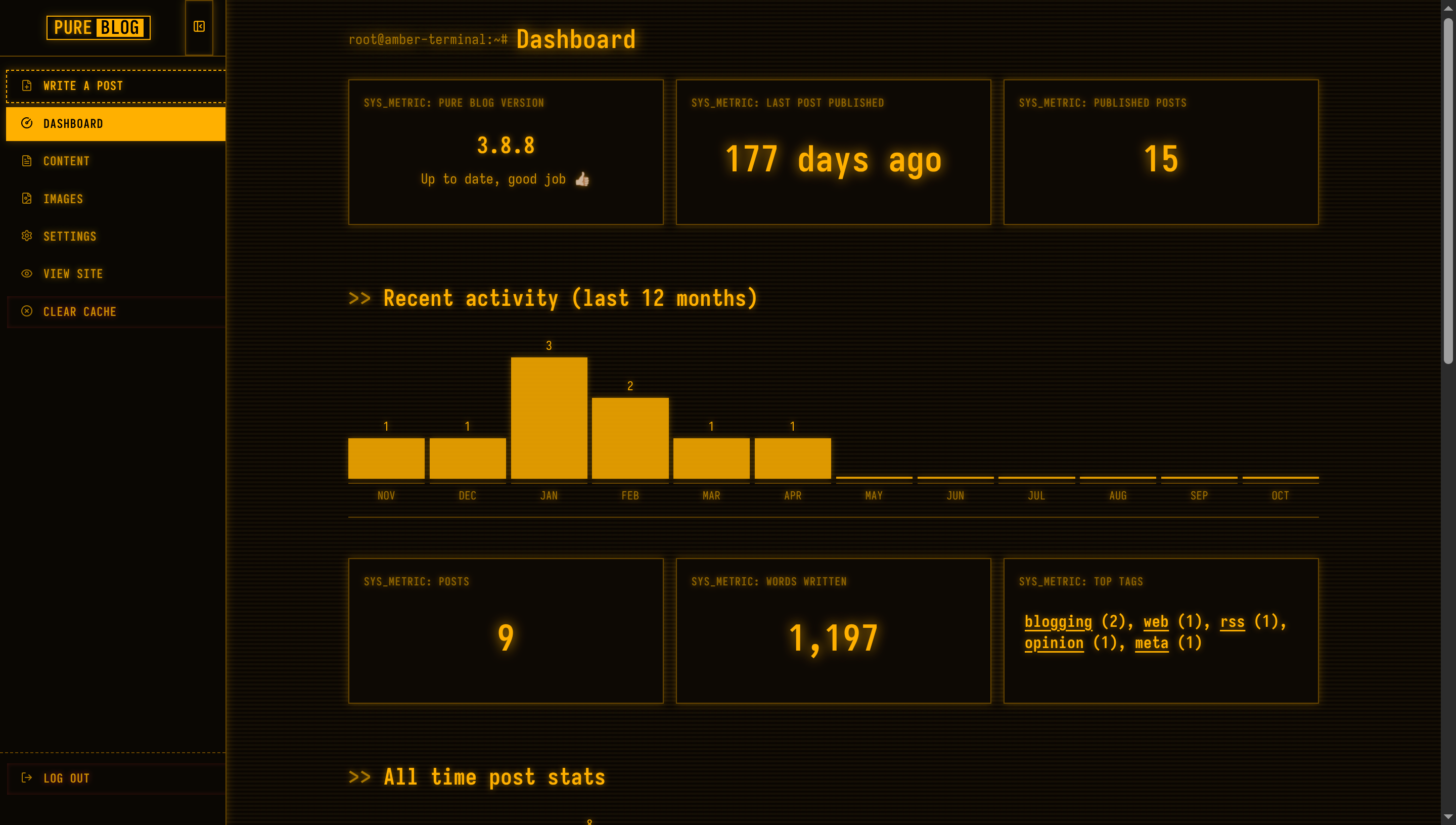
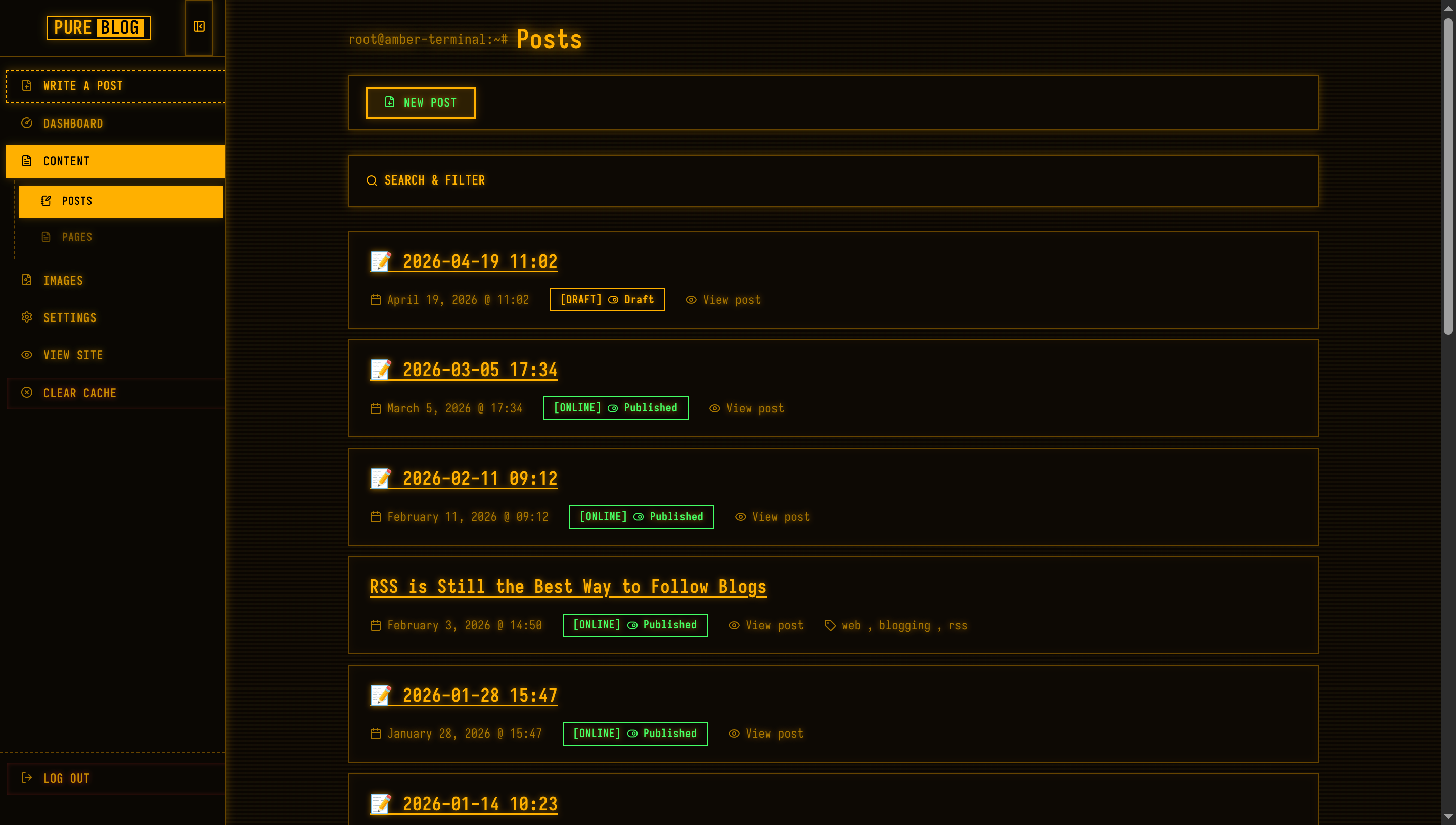
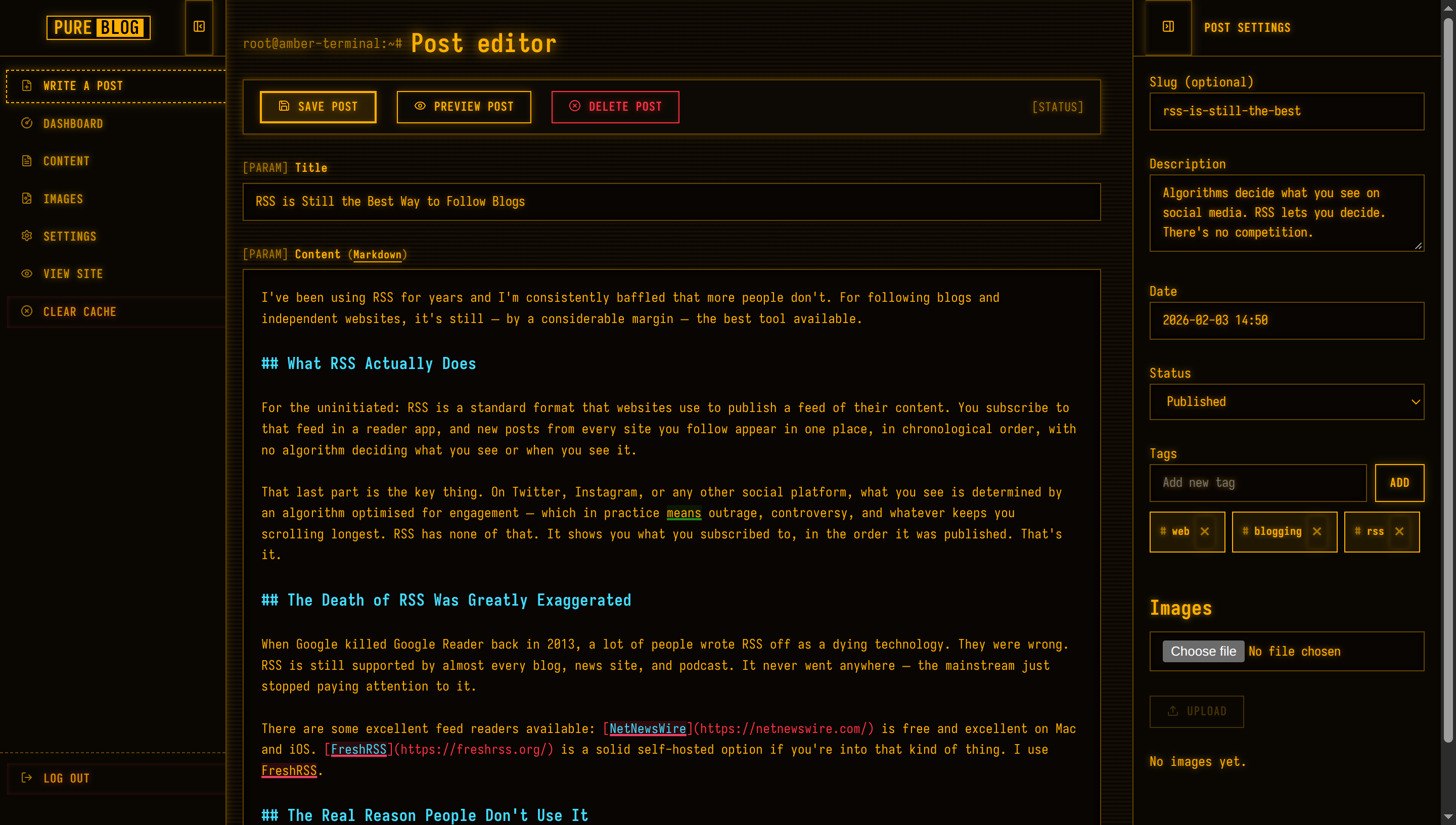
View Terminal Orange CSS
/**
 * PureBlog Admin Custom Stylesheet (admin-custom.css)
 *
 * Amber / Orange CRT Phosphor Terminal Theme (Dark Only) customised with:
 * - 100% dark CRT console environment (#100c05 deep obsidian amber canvas)
 * - Authentic P3 Amber Phosphor (#ffb000) with luminous text-shadow glow
 * - Full Iosevka monospace font stack across all UI components
 * - Horizontal CRT scanline overlay and warm amber tube illumination
 * - Interactive command bracket buttons ([SAVE], [EXEC], [DEL]) with inverse-video hover
 * - Terminal prompt prefixes (> dir, [PARAM], [SYSTEM_LOG], [ONLINE])
 */

/* ==========================================================================
   1. Design Tokens & Colour Schemes (Phosphor Amber CRT - Dark Only)
   ========================================================================== */

:root,
html[data-admin-theme="light"],
html[data-admin-theme="dark"],
html[data-admin-theme="auto"] {
    color-scheme: dark;

    /* P3 Phosphor Amber / Orange Console Palette */
    --bg-color: #100c05;                /* Deep amber console obsidian */
    --accent-bg-color: #0a0703;         /* Dark amber sidebar */
    --text-color: #ffb000;              /* Glowing P3 Amber Phosphor */
    --accent-text-color: #000000;
    --accent-color: #ffb000;            /* Neon phosphor amber */
    --accent-hover: #ffc844;
    --accent-active: #cc8d00;
    --border-color: #664400;            /* Dim amber matrix border */
    --input-bg: #080502;
    --subnav-bg: #050301;
    --red: #ff3344;                     /* Emergency red alert */
    --green: #44ff66;                   /* Secondary green */
    --blue: #44ddff;                    /* Subsystem cyan */
    --orange: #ffb000;                  /* Primary amber */
    --code-selection-bg: #ffb000;
    --code-active-line-bg: rgba(255, 176, 0, 0.08);

    /* Terminal Console Tokens */
    --heading-color: #ffb000;
    --text-secondary: #aa7700;          /* Dim amber phosphor */
    --border-subtle: #442a00;
    --card-bg: #0d0904;
    --card-hover-border: #ffb000;
    --sidebar-text: #cc8d00;
    --sidebar-icon: #aa7700;
    --sidebar-hover-bg: rgba(255, 176, 0, 0.1);
    --sidebar-hover-text: #ffb000;
    --sidebar-active-bg: #ffb000;
    --sidebar-active-text: #000000;
    --toolbar-bg: #0d0904;

    /* Phosphor Glow Tokens */
    --crt-glow: 0 0 6px rgba(255, 176, 0, 0.5);
    --crt-glow-strong: 0 0 12px rgba(255, 176, 0, 0.8);
    --crt-glow-box: 0 0 8px rgba(255, 176, 0, 0.25);

    /* Status Badges */
    --status-pub-bg: rgba(68, 255, 102, 0.12);
    --status-pub-color: #44ff66;
    --status-pub-border: #44ff66;
    --status-draft-bg: rgba(255, 176, 0, 0.12);
    --status-draft-color: #ffb000;
    --status-draft-border: #ffb000;
    --status-sched-bg: rgba(68, 221, 255, 0.12);
    --status-sched-color: #44ddff;
    --status-sched-border: #44ddff;
}

@media (prefers-color-scheme: dark) {
    html[data-admin-theme="auto"] {
        color-scheme: dark;
        --bg-color: #100c05;
        --accent-bg-color: #0a0703;
        --text-color: #ffb000;
        --accent-text-color: #000000;
        --accent-color: #ffb000;
        --accent-hover: #ffc844;
        --accent-active: #cc8d00;
        --border-color: #664400;
        --input-bg: #080502;
        --subnav-bg: #050301;
        --red: #ff3344;
        --green: #44ff66;
        --blue: #44ddff;
        --orange: #ffb000;
        --code-selection-bg: #ffb000;
        --code-active-line-bg: rgba(255, 176, 0, 0.08);
    }
}


/* ==========================================================================
   2. Global Typography & Amber CRT Scanline Ambience
   ========================================================================== */

* {
    border-radius: 0 !important;
}

body {
    background-color: var(--bg-color);
    color: var(--text-color);
    font-family: "Iosevka", ui-monospace, SFMono-Regular, "Cascadia Code", Menlo, Consolas, "Courier New", monospace;
    font-size: 13px;
    line-height: 1.5;
    letter-spacing: 0.03em;
    text-shadow: var(--crt-glow);
    /* Cathode Ray Tube horizontal scanlines & warm amber subpixel glow */
    background-image: linear-gradient(rgba(18, 14, 10, 0) 50%, rgba(0, 0, 0, 0.35) 50%),
                      linear-gradient(90deg, rgba(255, 100, 0, 0.02), rgba(255, 180, 0, 0.015), rgba(255, 50, 0, 0.02));
    background-size: 100% 4px, 6px 100%;
}

.admin-main {
    background: transparent;
}

h1 {
    font-size: 1.6rem;
    font-weight: 700;
    color: var(--heading-color);
    margin: 1.25rem 0 1rem 0;
    text-shadow: var(--crt-glow-strong);
    display: flex;
    align-items: center;
    gap: 0.5rem;
}

h1::before {
    content: "root@amber-terminal:~#";
    font-size: 0.85rem;
    color: var(--text-secondary);
    font-weight: 400;
}

h2 {
    font-size: 1.3rem;
    font-weight: 700;
    color: var(--heading-color);
    margin: 2rem 0 0.75rem 0;
    text-shadow: var(--crt-glow);
}

h2::before {
    content: ">> ";
    color: var(--text-secondary);
}

h3 {
    font-size: 1.1rem;
    font-weight: 700;
    color: var(--heading-color);
    margin: 1.5rem 0 0.5rem 0;
}

h3::before {
    content: "$ ";
    color: var(--text-secondary);
}

a {
    color: var(--text-color);
    text-decoration: underline;
    text-underline-offset: 3px;
}

a:hover {
    color: var(--accent-hover);
    text-shadow: var(--crt-glow-strong);
}

::selection {
    background: var(--code-selection-bg);
    color: #000000;
    text-shadow: none;
}


/* ==========================================================================
   3. Sidebar Navigation (Terminal Directory Tree)
   ========================================================================== */

.admin-nav {
    background: var(--accent-bg-color);
    border-right: 1px solid var(--border-color);
    width: 14rem;
    padding: 0;
    box-shadow: var(--crt-glow-box);
}

.sidebar-header {
    background: var(--accent-bg-color);
    border-bottom: 1px solid var(--border-color);
    height: 3.5rem;
    padding: 0 0.75rem;
}

.sidebar-logo .logo {
    font-family: inherit;
    font-size: 1.15rem;
    font-weight: 700;
    border: 1px solid var(--accent-color);
    color: var(--text-color);
    padding: 2px 6px;
    box-shadow: var(--crt-glow-box);
}

.sidebar-logo .pure {
    color: var(--text-color);
    padding: 0;
}

.sidebar-logo .service {
    background: var(--accent-color);
    color: #000000;
    padding: 0 4px;
    margin-left: 4px;
    font-weight: 700;
    text-shadow: none;
}

.sidebar-toggle {
    border: 1px solid var(--border-color);
    background: transparent;
    color: var(--text-color);
    padding: 0.4rem;
    font-family: inherit;
}

.sidebar-toggle:hover {
    background: var(--accent-color);
    color: #000000;
}

.admin-nav-list {
    padding: 0.75rem 0;
    gap: 2px;
}

/* Menu Items */
.admin-nav .admin-nav-list a,
.admin-nav .admin-nav-list .link-button {
    text-transform: uppercase;
    font-size: 12px;
    font-weight: 600;
    letter-spacing: 0.05em;
    color: var(--sidebar-text);
    padding: 0.45rem 0.85rem;
    margin: 1px 6px;
    border: 1px solid transparent;
    gap: 0.65rem;
    line-height: 1.4;
    transition: all 0.1s ease;
}

.admin-nav .admin-nav-list a .icon,
.admin-nav .admin-nav-list .link-button .icon {
    color: var(--sidebar-icon);
    stroke: currentColor;
}

.admin-nav .admin-nav-list a:hover,
.admin-nav .admin-nav-list .link-button:hover {
    background-color: var(--sidebar-hover-bg);
    color: var(--sidebar-hover-text);
    border-color: var(--border-color);
    text-shadow: var(--crt-glow);
}

.admin-nav .admin-nav-list a:hover .icon,
.admin-nav .admin-nav-list .link-button:hover .icon {
    color: var(--sidebar-hover-text);
}

/* Active navigation item: Solid Inverse Video */
.admin-nav .admin-nav-list a.current,
.admin-nav .admin-nav-list a.current:hover {
    background-color: var(--sidebar-active-bg);
    color: var(--sidebar-active-text);
    font-weight: 700;
    border-color: var(--sidebar-active-bg);
    text-shadow: none;
    box-shadow: var(--crt-glow-box);
}

.admin-nav .admin-nav-list a.current .icon {
    color: var(--sidebar-active-text);
    stroke: #000000;
}

/* Submenu items */
.admin-nav .sidebar-subnav {
    background: transparent;
    border-left: 1px dashed var(--border-color);
    margin: 2px 6px 2px 14px;
    border-bottom: none;
    padding: 0.25rem 0;
}

.admin-nav .sidebar-subnav a,
.admin-nav .sidebar-subnav .link-button {
    padding-left: 1.25rem;
    margin: 1px 4px;
    font-size: 11px;
}

#sidebar-new-post-button {
    color: var(--text-color);
    border: 1px dashed var(--accent-color);
}

#sidebar-new-post-button:hover {
    background-color: var(--accent-color);
    color: #000000;
}

ul.admin-nav-list .logout-item {
    margin-top: auto;
    border-top: 1px dashed var(--border-color);
    padding-top: 0.5rem;
}


/* ==========================================================================
   4. Terminal Command Buttons ([EXEC], [SAVE], [DEL])
   ========================================================================== */

button,
a.button,
a.delete,
a.save,
.editor-actions button,
.link-button,
.editor-actions a {
    text-transform: uppercase;
    font-family: inherit;
    font-size: 12px;
    font-weight: 700;
    letter-spacing: 0.05em;
    min-height: 32px;
    padding: 0.4rem 1rem;
    border: 1px solid var(--accent-color);
    background: transparent;
    color: var(--text-color);
    cursor: pointer;
    text-decoration: none;
    text-shadow: var(--crt-glow);
    box-shadow: inset 0 0 4px rgba(255, 176, 0, 0.15), var(--crt-glow-box);
    display: inline-flex;
    align-items: center;
    justify-content: center;
    gap: 0.5rem;
    transition: all 0.1s ease;
}

/* Hover: Inverse Video Glow */
button:hover,
a.button:hover,
.link-button:hover,
.editor-actions button:hover,
.editor-actions a:hover {
    background-color: var(--accent-color);
    color: #000000;
    text-shadow: none;
    box-shadow: var(--crt-glow-strong);
}

button:hover .icon,
a.button:hover .icon,
.link-button:hover .icon,
.editor-actions button:hover .icon,
.editor-actions a:hover .icon {
    stroke: #000000;
}

button:active,
a.button:active,
.link-button:active,
.editor-actions button:active,
.editor-actions a:active {
    transform: scale(0.98);
}

button:focus-visible,
a.button:focus-visible,
.link-button:focus-visible {
    outline: 2px dashed var(--accent-color);
    outline-offset: 2px;
}

/* Primary Action (.save) */
.save,
a.save,
button.save {
    border: 2px solid var(--accent-color);
    background: rgba(255, 176, 0, 0.12);
}

/* Destructive Action (.delete) */
.delete,
a.delete,
button.delete,
.link-button.delete {
    border-color: var(--red);
    color: var(--red);
    text-shadow: 0 0 6px rgba(255, 51, 68, 0.5);
    box-shadow: inset 0 0 4px rgba(255, 51, 68, 0.2);
}

.delete .icon,
a.delete .icon,
button.delete .icon {
    stroke: var(--red);
}

a.delete:hover,
button.delete:hover,
.editor-actions a.delete:hover,
.link-button.delete:hover {
    background-color: var(--red);
    border-color: var(--red);
    color: #000000;
    text-shadow: none;
    box-shadow: 0 0 10px rgba(255, 51, 68, 0.7);
}

a.delete:hover .icon,
button.delete:hover .icon,
.link-button.delete:hover .icon {
    stroke: #000000;
}

button:disabled,
button[disabled],
.button[aria-disabled="true"] {
    opacity: 0.35;
    border-color: var(--text-secondary);
    color: var(--text-secondary);
    cursor: not-allowed;
    text-shadow: none;
    box-shadow: none;
}


/* ==========================================================================
   5. Form Controls (Terminal Prompt Inputs)
   ========================================================================== */

input[type="text"],
input[type="email"],
input[type="search"],
input[type="password"],
input[type="number"],
input[type="url"],
input[type="file"],
textarea,
select {
    background-color: var(--input-bg);
    color: var(--text-color);
    border: 1px solid var(--border-color);
    font-family: inherit;
    font-size: 13px;
    padding: 0.5rem 0.75rem;
    min-height: 34px;
    text-shadow: var(--crt-glow);
    box-shadow: inset 0 0 6px rgba(0, 0, 0, 0.6);
    transition: border-color 0.15s ease, box-shadow 0.15s ease;
}

input[type="text"]:focus,
input[type="email"]:focus,
input[type="search"]:focus,
input[type="password"]:focus,
input[type="number"]:focus,
input[type="url"]:focus,
textarea:focus,
select:focus {
    outline: none;
    border-color: var(--accent-color);
    box-shadow: 0 0 8px rgba(255, 176, 0, 0.35), inset 0 0 4px rgba(255, 176, 0, 0.1);
}

form label {
    font-size: 12px;
    font-weight: 700;
    letter-spacing: 0.04em;
    color: var(--text-color);
    margin-bottom: 0.35rem;
}

form label::before {
    content: "[PARAM] ";
    color: var(--text-secondary);
    font-weight: 400;
}

form label span.tip,
p.tip {
    font-size: 11px;
    color: var(--text-secondary);
    font-style: normal;
}

input[type="checkbox"],
input[type="radio"] {
    accent-color: var(--accent-color);
    cursor: pointer;
}

/* Layout Preview */
.layout-preview {
    border: 1px solid var(--border-color);
    background: var(--card-bg);
    box-shadow: var(--crt-glow-box);
}

.layout-choice:hover .layout-preview {
    border-color: var(--accent-color);
}

.layout-choice input:checked+.layout-preview {
    border-color: var(--accent-color);
    box-shadow: 0 0 10px rgba(255, 176, 0, 0.5);
}

/* Tag Entry & Badges */
.tag-badge {
    border: 1px solid var(--accent-color);
    background: rgba(255, 176, 0, 0.08);
    color: var(--text-color);
    padding: 0.2rem 0.6rem;
    font-size: 11px;
    font-weight: 700;
}

.tag-badge::before {
    content: "#";
    color: var(--text-secondary);
}

.tag-suggestions {
    border: 1px solid var(--accent-color);
    background: var(--input-bg);
    box-shadow: var(--crt-glow-box);
}

.tag-suggestions li {
    padding: 0.4rem 0.8rem;
    font-size: 12px;
}

.tag-suggestions li:hover,
.tag-suggestions li.active {
    background: var(--accent-color);
    color: #000000;
}


/* ==========================================================================
   6. Command Palette Toolbars
   ========================================================================== */

.admin-actions,
.editor-actions {
    background: var(--toolbar-bg);
    border: 1px solid var(--border-color);
    box-shadow: var(--crt-glow-box);
    padding: 0.65rem 1rem;
    margin: 1rem 0 1.5rem 0;
    z-index: 100;
}

.mobile-nav-header {
    background: var(--toolbar-bg);
    border-bottom: 1px solid var(--border-color);
}

.autosave-status {
    color: var(--text-secondary);
    font-size: 12px;
}

.autosave-status::before {
    content: "[STATUS] ";
}


/* ==========================================================================
   7. Content Lists & Terminal Window Frames
   ========================================================================== */

.admin-list {
    gap: 0.65rem;
}

.admin-list-item {
    background: var(--card-bg);
    border: 1px solid var(--border-color);
    box-shadow: inset 0 0 8px rgba(255, 176, 0, 0.04);
    padding: 1rem 1.25rem;
    transition: all 0.15s ease;
}

.admin-list-item:hover {
    border-color: var(--accent-color);
    box-shadow: 0 0 10px rgba(255, 176, 0, 0.2), inset 0 0 8px rgba(255, 176, 0, 0.08);
}

.admin-list-title {
    font-size: 1.15rem;
    font-weight: 700;
    color: var(--heading-color);
}

.admin-list-meta {
    font-size: 12px;
    color: var(--text-secondary);
    gap: 0.5rem 1.25rem;
}

/* Status Badges */
.admin-list-meta .status.published,
.admin-list-meta .status.draft,
.admin-list-meta .status.scheduled {
    display: inline-flex;
    align-items: center;
    padding: 0.15rem 0.6rem;
    font-size: 11px;
    font-weight: 700;
    border: 1px solid currentColor;
    background: transparent;
}

.admin-list-meta .status.published {
    color: var(--green);
}

.admin-list-meta .status.published::before {
    content: "[ONLINE] ";
}

.admin-list-meta .status.draft {
    color: var(--orange);
}

.admin-list-meta .status.draft::before {
    content: "[DRAFT] ";
}

.admin-list-meta .status.scheduled {
    color: var(--blue);
}

.admin-list-meta .status.scheduled::before {
    content: "[QUEUED] ";
}

.admin-list-meta button.page-badge {
    border: 1px solid var(--accent-color);
    background: transparent;
    color: var(--text-color);
    padding: 0.15rem 0.6rem;
    font-size: 11px;
    font-weight: 700;
}

.page-badge-popover {
    border: 1px solid var(--accent-color);
    background: var(--card-bg);
    box-shadow: var(--crt-glow-box);
}


/* ==========================================================================
   8. Search & Content Filter Panel
   ========================================================================== */

.content-filter {
    background: var(--card-bg);
    border: 1px solid var(--border-color);
    box-shadow: var(--crt-glow-box);
    padding: 0.75rem 1rem;
    margin: 1.5rem 0;
}

.content-filter-summary {
    text-transform: uppercase;
    font-size: 12.5px;
    font-weight: 700;
    color: var(--heading-color);
    padding: 0.2rem 0;
}

.content-filter-active-label {
    border: 1px solid var(--accent-color);
    background: rgba(255, 176, 0, 0.15);
    color: var(--accent-color);
    font-size: 11px;
    font-weight: 700;
    padding: 0.15rem 0.55rem;
}


/* ==========================================================================
   9. Dashboard Telemetry & System Gauges
   ========================================================================== */

.dashboard-h2 {
    font-size: 1.4rem;
    font-weight: 700;
    color: var(--heading-color);
    margin-top: 3.5rem;
}

.dashboard-h3 {
    font-size: 1.15rem;
    font-weight: 700;
    color: var(--heading-color);
    margin-top: 2.25rem;
}

.dashboard-stat-card {
    background: var(--card-bg);
    border: 1px solid var(--border-color);
    box-shadow: var(--crt-glow-box);
    padding: 1.25rem;
    transition: all 0.15s ease;
}

.dashboard-stat-card:hover {
    border-color: var(--accent-color);
    box-shadow: 0 0 10px rgba(255, 176, 0, 0.25);
}

.dashboard-stat-label {
    text-transform: uppercase;
    font-size: 11px;
    font-weight: 700;
    letter-spacing: 0.06em;
    color: var(--text-secondary);
}

.dashboard-stat-label::before {
    content: "SYS_METRIC: ";
}

.dashboard-stat-value {
    color: var(--heading-color);
    font-weight: 700;
    text-shadow: var(--crt-glow);
}

.dashboard-stat-card-metric .dashboard-stat-value {
    color: var(--accent-color);
    font-size: 2.2rem;
    text-shadow: var(--crt-glow-strong);
}

.dashboard-chart {
    border-bottom: 1px solid var(--border-color);
    padding-bottom: 0.5rem;
}

.dashboard-chart-bar {
    background: var(--accent-color);
    box-shadow: 0 0 6px rgba(255, 176, 0, 0.4);
    opacity: 0.85;
}

a.dashboard-chart-col:hover .dashboard-chart-bar {
    opacity: 1;
    box-shadow: 0 0 10px rgba(255, 176, 0, 0.7);
}

.dashboard-chart-label {
    border-top: 1px solid var(--border-color);
    color: var(--text-secondary);
    font-size: 11px;
    text-transform: uppercase;
}


/* ==========================================================================
   10. System Log Alerts (.notice)
   ========================================================================== */

.notice {
    background: var(--card-bg);
    border: 1px solid var(--orange);
    border-left: 4px solid var(--orange);
    box-shadow: var(--crt-glow-box);
    padding: 0.85rem 1.15rem;
    color: var(--text-color);
    font-size: 13px;
}

.notice::before {
    content: "[SYSTEM_LOG] ";
    font-weight: 700;
    color: var(--orange);
}

.notice.delete {
    border-color: var(--red);
    border-left-color: var(--red);
    color: var(--red);
    text-shadow: 0 0 6px rgba(255, 51, 68, 0.5);
}

.notice.delete::before {
    content: "[CRITICAL_ALERT] ";
    color: var(--red);
}

.admin-toast-container .notice {
    box-shadow: 0 0 16px rgba(255, 176, 0, 0.3);
}


/* ==========================================================================
   11. CodeJar & Prism Editor
   ========================================================================== */

.editor {
    background-color: var(--input-bg) !important;
    border: 1px solid var(--border-color);
    box-shadow: inset 0 0 8px rgba(0, 0, 0, 0.8);
    padding: 1.1rem;
    font-family: inherit !important;
}

.editor:focus-within {
    border-color: var(--accent-color);
    box-shadow: 0 0 8px rgba(255, 176, 0, 0.35);
}

.editor-sidebar {
    background: var(--accent-bg-color);
    border-left: 1px solid var(--border-color);
}

.editor-sidebar .sidebar-header {
    border-bottom: 1px solid var(--border-color);
}

.editor-sidebar .sidebar-title {
    text-transform: uppercase;
    font-size: 12px;
    font-weight: 700;
    color: var(--heading-color);
}


/* ==========================================================================
   12. Dialogue Modals & System Prompts
   ========================================================================== */

#layout-picker,
#sidebar-layout-picker {
    background: var(--card-bg);
    border: 2px solid var(--accent-color);
    box-shadow: 0 0 24px rgba(255, 176, 0, 0.35);
    padding: 2.25rem;
}

.layout-picker-list a {
    border: 1px solid var(--accent-color);
    background: transparent;
    color: var(--text-color);
    text-transform: uppercase;
    font-weight: 700;
}

.layout-picker-list a:hover {
    background: var(--accent-color);
    color: #000000;
    text-shadow: none;
}

.image-lightbox {
    border: 2px solid var(--accent-color);
    box-shadow: 0 0 32px rgba(255, 176, 0, 0.45);
}

.image-delete-dialog {
    border: 2px solid var(--red);
    background: var(--card-bg);
    box-shadow: 0 0 24px rgba(255, 51, 68, 0.4);
}


/* ==========================================================================
   13. Media & Image Library
   ========================================================================== */

.image-library-card {
    background: var(--card-bg);
    border: 1px solid var(--border-color);
    box-shadow: var(--crt-glow-box);
    overflow: hidden;
    transition: all 0.15s ease;
}

.image-library-card:hover {
    border-color: var(--accent-color);
    box-shadow: 0 0 10px rgba(255, 176, 0, 0.3);
}

.image-list li {
    background: var(--card-bg);
    border: 1px solid var(--border-color);
}


/* ==========================================================================
   14. Theme Manager & Telemetry Settings
   ========================================================================== */

.theme-card {
    background: var(--card-bg);
    border: 1px solid var(--border-color);
    box-shadow: var(--crt-glow-box);
    transition: all 0.15s ease;
}

.theme-card.active {
    border-color: var(--accent-color);
    box-shadow: 0 0 10px rgba(255, 176, 0, 0.4);
}

.theme-badge {
    border: 1px solid currentColor;
    background: transparent;
    font-size: 11px;
    font-weight: 700;
}


/* ==========================================================================
   15. Login Screen (Terminal Access Gate)
   ========================================================================== */

main.narrow {
    max-width: 360px;
    margin: 5rem auto;
    padding: 2.25rem;
    background: var(--card-bg);
    border: 2px solid var(--accent-color);
    box-shadow: 0 0 24px rgba(255, 176, 0, 0.3);
}

main.narrow h1 {
    font-size: 1.45rem;
    font-weight: 700;
    text-align: center;
    color: var(--heading-color);
    margin-top: 0;
    margin-bottom: 1.5rem;
    justify-content: center;
}

main.narrow h1::before {
    content: "[AUTH_GATE] ";
}

main.narrow form button[type="submit"] {
    width: 100%;
    margin-top: 0.75rem;
    padding: 0.6rem 1rem;
    min-height: 38px;
    font-size: 13px;
    font-weight: 700;
}


/* ==========================================================================
   16. Tables & System Data Buffers
   ========================================================================== */

table {
    border-collapse: collapse;
    background: var(--card-bg);
    border: 1px solid var(--border-color);
    box-shadow: var(--crt-glow-box);
}

th {
    background: var(--input-bg);
    font-size: 12px;
    font-weight: 700;
    text-transform: uppercase;
    color: var(--text-color);
    border-bottom: 2px solid var(--border-color);
    padding: 0.75rem 1rem;
}

td {
    border-bottom: 1px solid var(--border-subtle);
    padding: 0.85rem 1rem;
    font-size: 13px;
}

tbody tr:hover {
    background-color: rgba(255, 176, 0, 0.05);
}

nav.pagination a {
    display: inline-flex;
    align-items: center;
    border: 1px solid var(--accent-color);
    background: transparent;
    color: var(--text-color);
    padding: 0.4rem 0.95rem;
    min-height: 32px;
    font-size: 12px;
    font-weight: 700;
    text-decoration: none;
    box-shadow: var(--crt-glow-box);
}

nav.pagination a:hover {
    background: var(--accent-color);
    color: #000000;
    text-shadow: none;
}